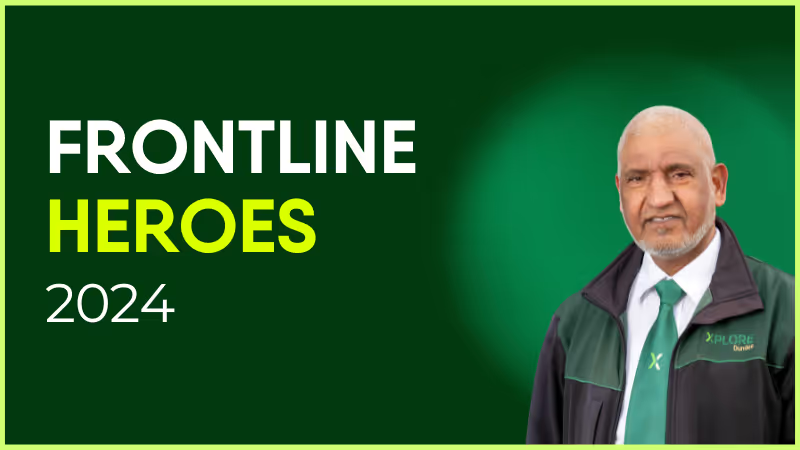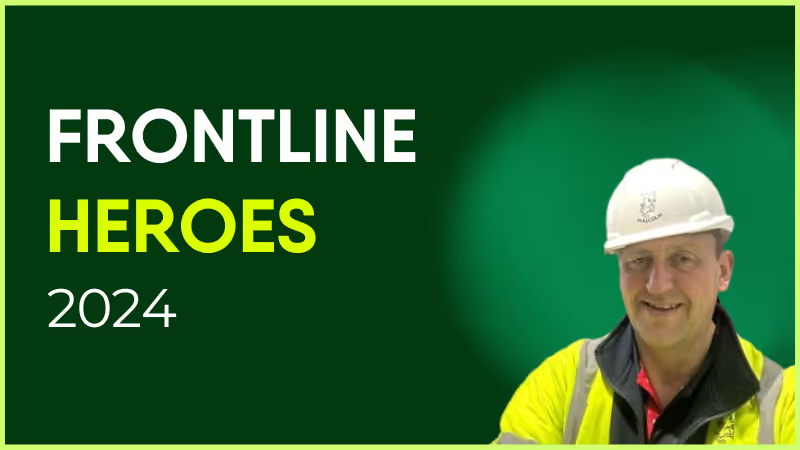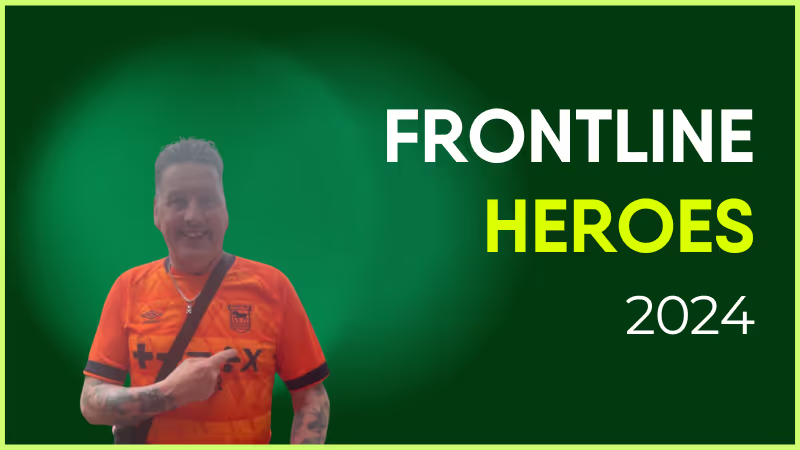
Keith has been with Metroline since 1997 and is currently based at the Willesden Junction Garage in London. Starting first as a bus driver, he transitioned to the role of Driving Instructor in 2001 and is now a skilled PCV Driving Examiner.
Keith is passionate about delivering a high-class, professional service whether training others or conducting tests on behalf of the DVSA. New drivers appreciate his empathy, experience, and great sense of humor. Keith is also incredibly supportive of new members in the department, including the very person who nominated him: Andrew Price.
While he loves the transport industry, his other great love in life is Ipswich Town FC Football Club. When he’s not training new drivers, he’s at Portman Road Stadium cheering on the Tractor Boys in the Premier League.
What does he want to do next?
Continue to improve the standards at which we conduct training to produce the best in class drivers and improve their experience along the way.
Nominated by: Andrew Price, Senior Driver Trainer and Delegate Driving Examiner

What makes him awesome?
Keith has been with Metroline since 1997 and is currently based at the Willesden Junction Garage in London. Starting first as a bus driver, he transitioned to the role of Driving Instructor in 2001 and is now a skilled PCV Driving Examiner.
Keith is passionate about delivering a high-class, professional service whether training others or conducting tests on behalf of the DVSA. New drivers appreciate his empathy, experience, and great sense of humor. Keith is also incredibly supportive of new members in the department, including the very person who nominated him: Andrew Price.
While he loves the transport industry, his other great love in life is Ipswich Town FC Football Club. When he’s not training new drivers, he’s at Portman Road Stadium cheering on the Tractor Boys in the Premier League.
What does he want to do next?
Continue to improve the standards at which we conduct training to produce the best in class drivers and improve their experience along the way.
Nominated by: Andrew Price, Senior Driver Trainer and Delegate Driving Examiner

The desktop intranet platform continues to gather dust.
It fails to fit the needs and expectations of the modern workforce. So people avoid using it.
For many employees, especially frontline workers, a desktop intranet might as well not exist at all. Without easy computer access, they rely on paper memos, word of mouth, and unofficial messaging apps to piece together company updates.
But what if there was a way to connect and engage all employees — a place where everyone could access the information, resources, and digital tools they needed to do their jobs well?
Enter the pocket intranet. An intranet platform that meets your workforce where they already live — on their smartphones.
Why the pocket intranet has become essential (not optional)
So why do your employees hate your old intranet? And how does a pocket intranet better meet their needs?
A mobile-first workforce
Frontline employees see the leaps and bounds being made in digital employee experience. But while desk-based staff get sleek tools and streamlined workflows, frontline teams are left with a patchwork of comms channels that don’t reflect the way they actually work.
In retail, hospitality, healthcare, and logistics, people aren’t glued to a desk. Many don’t even have a corporate email address. These employees are on their feet, serving customers and driving your operations.
A pocket intranet platform meets them where they are. It puts coworker connection, crucial updates, and a searchable knowledge hub into the palm of every frontline staff member.
Instant access > buried links
A pocket intranet doesn’t just benefit your deskless workforce. It removes the friction associated with a traditional intranet. So it improves employee communication, engagement, and efficiency across your whole organization.
Imagine accessing company news, payroll, coworker chat, surveys — any workplace tool — in just a tap or two.
The best employee intranets come with an intuitive dashboard, robust search functions, and secure-but-streamlined access to everything your teams need.
Consumer UX has trained employees to expect better
Employees spend their spare time on apps like TikTok, Instagram, and WhatsApp. Consumer-grade experiences have shown employees what good UX looks like.
So that slow, clunky intranet? It feels like a lumbering dinosaur in comparison to those speedy, streamlined interactions.
Employees want scrollable feeds, social media-style content, micro-learning modules, and engaging, real-time comms. A pocket intranet is an easy way to provide all this and more.
{{mobile-main="/image"}}
What a modern pocket intranet looks like
So you’ve heard why a modern employee intranet platform is necessary. But what are the essential components that will help you make a success of your smartphone hub? Let’s take a look.
A personalized feed
A personalized news feed gives employees easy access to company updates and culture, right from their smartphone screen.
Blink’s news feed feature allows you to target content by location and role, so the feed never gets too noisy. You can populate it with engaging multimedia content, like photos, videos, and GIFs.
You can also allow employees to comment, like, leave emoji reactions, and even (depending on your controls) post their own content — turning your feed into a two-way communication channel.
A mobile-friendly intranet isn’t just about scrolling. It’s about easy access to everything your team needs. Policies, handbooks, SOPs, training materials, and digital forms, all within one organized hub.
Blink’s hub keeps content accessible on the go. Employees can view pay slips, submit vacation requests, complete surveys, and access learning resources — from one dashboard with a single login.
Automated translation ensures hub content is available in each user’s preferred language, while powerful search makes finding the right resources a breeze. No more trawling through an outdated intranet or a well-worn paper manual to dig out essential info.
Embedded messaging + collaboration
When employees can reach for a dedicated messaging app, right within your pocket intranet platform, they find it easier to collaborate, share their ups and downs, and feel like part of the team.
The best intranet platforms feature a messaging tool that offers everything the big-hitters (like WhatsApp) are providing, without the security risks.
Blink’s chat tool features voice notes, chat search, voice and video calling, and the option to add multimedia content — including videos, images, and GIFs — to messages. So employees have an easy and engaging way to stay in touch.
Events
Keeping everyone on the same page when people don’t work in the same location — or even the same shifts — can be a challenge.
An employee intranet should bring everyone together. And the pocket intranet is no different. With Blink’s events feature, you can build buzz around an upcoming event.
Whether it’s training, onboarding, live Q&As, town halls, or in-person sessions, employees can RSVP, add events to their calendar, and view the latest event info — all from their smartphones.
{{mobile-events="/image"}}
Real results from organizations that made the shift
Here are three organizations that switched from ineffective comms channels to a modern mobile-first intranet app.
St.Amant. After a cyberattack, St.Amant — a Manitoba-based non-profit — was forced to reassess its intranet solution. Realising that the intranet was clunky, outdated, and failing to reach frontline teams, they adopted Blink as their all-in-one intranet app. Blink is already more than a tool. It’s a part of daily culture — 86% of the organization’s 2,200+ employees are now active users.
Stagecoach. Before Blink, bus company Stagecoach had internal communications scattered across email, a SharePoint intranet, and bulletin boards. Employee satisfaction rates were low, and operational updates weren’t cutting through. Now, thanks to Blink, 86% of drivers open the app daily, and 100% would recommend it to a coworker.
Domino’s. Manager cascades weren’t working for Domino’s, a global leader in the pizza delivery industry. And the company had no central place for staff to access news, tools, or support. By partnering with Blink, Domino’s has transformed internal comms. Today, 94% of store employees have adopted the app, which provides a frontline-friendly platform for comms and connection.
{{future-of-internal-comms-2025="/callouts"}}
How to build a successful pocket intranet: 4 key tasks
Inspired by the examples above? Let’s get to building your pocket intranet. Once you’ve chosen your intranet partner, here’s how to build momentum and get employees checking in daily.
1. Set mobile-first content standards
Content lands differently when it’s viewed on a small smartphone screen versus a laptop. So guide your creators on what good mobile-first intranet content looks like.
Good intranet app content is:
Short — break down complex ideas into bite-sized posts, because quick, digestible info is easier to read and remember.
Visual — catch attention and convey more with images, videos, infographics, and other engaging visuals.
Interactive — you have all the tools you need to start a two-way conversation (so use them!) — pose questions and ask employees to contribute content.
A good starting point? Mirror the format of social content. And steer clear of overly corporate language, walls of text, and dreaded PDFs.
2. Use audience targeting
Your intranet is only useful if employees see content that matters to them.
A delivery driver doesn’t want news about the next office coffee morning. A retail associate isn’t interested in IT changes for head office. And a nurse on the wards won’t benefit from news about the corporate marketing team.
If employees log in and find content that isn’t relevant to their day-to-day work, they’re less likely to return tomorrow.
So segment your audience by team, location, role, and tenure — then use targeting features to deliver a personalized experience. When employees see only relevant, relatable updates, engagement goes up, and your intranet becomes a tool they actually rely on.
3. Run launch campaigns that feel social
A strong launch sets the tone for your intranet and can make or break early adoption. The goal is to make employees feel excited, curious, and motivated to explore the app from day one.
Start weeks before launch by building anticipation. Share teasers in team meetings, internal emails, and on posters in break-out areas. Give intranet ambassadors early access to the app so they can guide coworkers and spark their interest.
On launch day, go big. Make it feel like a celebration. Support employees to get signed up. Offer tutorials and incentives. Create a stream of engaging, scroll-worthy content to keep employees coming back for more.
4. Focus on measurement
From the very beginning, use intranet analytics to understand how people are using your app.
Track who’s logging in, when they’re most active, and which content is performing best. Are employees watching short videos more than they’re reading documents? Which posts generate comments, reactions, or shares?
Dig down into the data to see how your intranet performs among different segments of your workforce. And look for gaps — teams or locations that aren’t engaging, or managers who may need extra intranet guidance.
By keeping a close eye on the data, you can make informed adjustments to your content, launch strategy, and onboarding. You find it easier to achieve high adoption and engagement rates — now and into the future.
{{mobile-hub="/image"}}
Transform your intranet experience with Blink
Mobile-first, modern intranets are becoming the norm. But not all apps are created equal. Many providers simply shrink a desktop intranet onto a smartphone screen, sacrificing usability, features, or functionality in the process.
Blink takes a different approach. Built from the ground up as a mobile-first intranet, it delivers a seamless, consumer-grade experience across both mobile and desktop.
Employees get real-time messaging, a personalized news feed, a searchable content hub, and deep integrations — all in one intuitive platform, and all from their smartphones.
So, with Blink, your intranet becomes more than a repository of documents (that nobody actually checks). It becomes a hub for connection, collaboration, and engagement — a digital water cooler that employees return to regularly.
In April, Blink attended the American Ambulance Association Annual Conference & Trade Show (a.k.a. AAA) in Nashville, TN. As the premier event in the ambulance industry, leaders gather at AAA to discuss the trends and pitfalls they face, find innovative vendor solutions, and hear from experts about the future of Emergency Medical Services (EMS).
We had the honor of sharing the stage with a few of those trend-setting industry experts. Blink hosted a panel discussion, “Uncensored: Cutting The BS On Employee Communications,” with two of the industry’s most straight-talking COOs: Danielle Thomas (Lifeline Ambulance) and Meredith A. Lambroff-Brown (Armstrong Ambulance Service).
Keep reading to discover some of the employee communications insights Danielle and Meredith shared with the audience.
Why good employee communications matter for EMS agencies
First, let’s set the stage to understand why frontline communications are so critical for ambulance companies. EMS frontline workers—paramedics and emergency medical technicians (EMTs)--play a critical role in society. Ambulance companies face a difficult task, however, when it comes to keeping a strong workforce and staying connected with them.
Frontline roles in healthcare related industries are notoriously challenging to keep filled—and EMS is no different. Over the last few years, turnover rates have increased, with an average of 11% turnover in the US and a peak of 20% turnover in high response volume areas in 2022. The turnover problem is compounded by waning applicant pools, with nearly two-thirds of agencies reporting a decrease in applications.
On top of that, EMS practitioners are a young and increasingly diverse workforce. In California, for example, the EMS workforce is younger on average than the rest of California’s workforce. In the US, more broadly, EMTs are one of the youngest workforces, with a median age of 29.7 years, according to the Bureau of Labor Statistics.
What industry COOs are saying about employee communications
Against this backdrop, what advice and insights did Thomas and Lambroff-Brown have for companies struggling to communicate with a young, mobile, and diverse workforce? Here are a few takeaways from the talk.
1. Comms is a must-have, not a nice-to-have
In many ambulance agencies, the practice of communications is often viewed as an afterthought, rather than what it really is: one of the most powerful tools available. A good communication strategy has the power to educate, motivate, connect, and focus workers; a bad communications strategy can tear down people and workplace culture.
2. Master the building blocks of communications
When working on your internal communication strategy, pay attention to the three main building blocks of communication—what you say, how you say it, and how you deliver it. Each company will need a different voice tailored to their audience, so play around with these facets to ensure your message is being heard.
3. Create a relevant and sustainable comms strategy
Getting employee communications right is hard because language and culture are always evolving. What worked yesterday isn’t guaranteed to work today. That’s why leaders need to constantly ensure their comms are specific, set clear expectations, and provide a model for the rest of the workforce. In other words, “what you put up with, you end up with.”
4. EMS leaders are scared to over-communicate, but shouldn’t be
In any organization, the comms team will need to handle sensitive topics. Naturally, leaders are scared of over-communicating and causing uproar over certain topics. But, rather than letting the fear of an outcome shut down communications, focus on building trust with the workforce through constant communication. That way, you’re more likely to be given grace to make a communication misstep by employees who feel connected to you already.
5. Build the culture with your posts
Your communications strategy plays a critical part in building the company culture. This is especially important—and challenging—for frontline organizations where workers often work alone or in pairs. Don’t shy away from posts that may seem “fluffy,” and be sure to tailor those posts to your workforce. For the younger EMS workers, the COOs take advantage of videos in the Blink Feed, because that’s how that generation consumes information.
6. Control the narrative
Rumors and misinformation are an unfortunate part of managing frontline communications. Rather than avoid tough topics, the comms strategy needs to prioritize getting ahead of the narrative. Whether it’s discussing the disparity between racial representation in the workforce and in leadership roles or an emergency issue like an error with gas card payments, set the terms of the discussion early and provide clear next steps to fend off the rumor mill.
7. Measure the operational impact of your strategy
Good comms are measured by more than anecdotes. Inefficient communications and misaligned technology hinder frontline workers and contribute to waste and high turnover. When Lifeline Ambulance switched to Blink for their communications and HR tool, the company saved $420,000 in the first year—nearly 10x more than their investment in Blink. Understand the operational cost of your current strategy, find new strategies and new tools like Blink, and measure the impact regularly.
In summary, a good frontline communications strategy is one of the most important things an EMS agency can do. But communicating with a young, diverse frontline workforce can’t follow the same playbook as your office-based staff. Ambulance agencies need a communications strategy that is tailored to this mobile, fast-paced, highly-dispersed workforce.
If you can find what works for your agency, it can help reverse the turnover trend and help create positive employee engagement that propels the business forward.
It was a compelling, hour-long discussion with both COOs. This summary is just a fraction of the insights the audience walked away with.
Bad communication isn’t just an inconvenience — it’s a business risk.
In a hybrid, fast-changing workplace, outdated internal comms strategies can lead to disengagement, confusion, and missed opportunities.
It’s time to rethink your approach and measure what truly drives success.
Thanks to evolving internal communications software, comms team leaders increasingly have the tools they need to deliver a modern internal communications plan. They can share important company news, boost workforce resilience, and create a strong company culture.
They can also measure the impact of your internal communication strategies, proving ROI and finding meaningful ways to improve internal comms and achieve your communication goals going forward.
Let’s look at the hard (quantitative) and soft (qualitative) metrics you should be looking at to get a holistic view of your comms performance.
Key metrics for a modern internal communications plan
Hard metrics
Hard metrics are quantitative. They’re objective measures that don’t rely on opinion or perception. This means they’re easy to measure and track — and they provide clear benchmarks for performance.
Here are the key qualitative metrics you should be using to assess the success of your modern internal communication strategies.
#1. Read and response rates
This metric shows you how often employees open and respond to internal communications. You can gather these metrics via the analytics dashboard on your company intranet.
High read and response rates signal that:
Your internal key messages are relevant to their target audience
Your messages contain clear, actionable information
Employees know where to find internal messages on your internal communications channels
Low read and response rates suggest that employees aren’t engaging with your internal messages — and there are several reasons this could be the case.
Perhaps you aren’t personalizing content to employees in different roles, locations, and departments. As a result, employees receive too many irrelevant messages and have decided — out of overwhelm or frustration — to switch off from employee communications.
Message timing (particularly if you have employees who work shifts), complicated communication channels, and a lack of clarity could also be to blame.
{{future-of-internal-comms-2025="/callous"}}
#2. Platform adoption rates
This metric shows you what proportion of employees are using your internal communication platform. High platform adoption rates signal that:
Your communications platform is accessible to all employees
Your platform is user-friendly
Low platform adoption rates indicate that:
Employees are having difficulty accessing your comms platform. This could be because you have a desktop-based intranet that your frontline employees can’t access easily. Or because it’s difficult for employees to remember the login details for multiple internal communication tools.
Employees don’t like using your comms platform. Perhaps your platform isn’t intuitive to use. Or employees aren’t aware of all the useful communication tools it provides. Or it doesn’t offer the levels of engagement and gamification they’re getting from shadow IT solutions.
#3. Employee engagement metrics
You can track employee engagement by looking at a variety of data, including the following:
Survey participation
Attendance at company events
How often employees interact with your intranet
Interactions by target audience, team, and location
Low levels of employee engagement are a cause for concern — especially when engaged employees are more likely to be more productive and stay at their company for longer. So this metric is a useful warning sign that your employee experience — both on and off your internal communication channels — could use some work.
#4. User-generated content (UGC) metrics
UGC is a key part of any modern internal communication plan. It’s also a useful way to judge the effectiveness of your employee comms. With Blink analytics, you can see which employees post most regularly — and identify those who rarely interact with your news feed.
You can also track useful metrics like these:
Number of user-generated posts
Number of likes, shares, and comments on news feed posts
Number of unique contributors
There’s a correlation between high levels of UGC and a thriving workplace culture. So if these metrics are low, consider what you can do to build a strong company culture and foster a sense of togetherness.
{{mobile-stories="/image"}}
Soft metrics
Soft metrics capture the emotional and cultural impact of your employee communications. They uncover the opinions and feelings of your employees, revealing the “why” behind the numbers provided by hard metrics.
You can measure employee sentiment with the help of focus groups and employee surveys. Include employees from across your organization and ask open-ended questions like:
What one thing would improve the internal communication function at [your organization]?
Which communication channels work best for you and why?
What could managers do differently to improve two-way communication with their teams?
You can then analyze answers — ideally with the help of analytics software — assessing whether employee sentiment is largely negative or positive and identifying recurring themes. Consider deploying pulse surveys in addition to long-form annual engagement surveys to benefit from more frequent and real-time responses.
#6. Observations of employee behavior
Another way to gather soft metrics is by observing employee behavior.
Perhaps there’s been an uptick in cross-departmental collaboration and engagement. Or maybe there’s been a shift in tone and participation during meetings. It could be that employees are now more likely to reference company values and organizational strategy in their online and offline contributions.
Tracking these changes — across all business units, teams, and locations — gives you insight into how your employee communications contribute to a strong company culture.
#7. Quality of feedback and suggestions
Any modern internal communication plan should encourage employee feedback. So the quality of that feedback is another soft metric you can track.
Alongside qualitative data — like the number of survey responses and the number of questions completed — you can analyze the depth and constructiveness of the employee feedback you receive.
Assess whether suggestions are feasible and aligned with organizational goals — and whether suggestions are coming from all parts of the organization.
If employee feedback isn’t useful, you could try:
Rewording your survey questions
Reassuring employees of survey anonymity
Ensuring surveys are easy to complete, via each employee’s communication channel of choice (this is especially important for frontline workers!)
Also, be sure to close the feedback loop. Inform employees of your survey findings and proposed actions so they retain faith in the feedback process.
{{mobile-survey="/image"}}
Bridging the gap: Use hard and soft metrics to assess your internal communications strategy.
When tackling your internal communications planning, combine both hard and soft metrics. This gives you a holistic view of what’s happening within your organization.
Use hard data to validate qualitative observations — and use soft data to provide context for your qualitative findings. Then, break down your data by department, role, and location to identify patterns.
Be sure to make use of advanced analytics software, too. It helps you make quick and easy sense of your data. And you can use it to tie metrics to bigger business goals — like employee engagement levels, productivity, employee retention, and business revenue.
Together, hard and soft metrics give you a deeper understanding of comms performance — and help you make targeted and effective improvements to meet your communication goals.
In theory, everyone loves employee empowerment. Empowered employees are more productive and engaged, more likely to trust senior leadership and more likely to approach situations. What’s not to like?
Equally, that initial process of letting go can be hard – and that’s nothing to be ashamed about. Employee empowerment is a relatively recent philosophy, and many of us will have progressed our careers with a top-down approach to workplace management.
With the huge rise in remote and hybrid work, this approach is crumbling. As many workplaces are set to remain remote, and many others are losing employees in droves due to lack of career progression and low pay, it’s not a viable long term strategy.
Your managers can add huge amounts of value to your business in the projects they oversee and the bonds they build with their teams. Micromanagement is wasting them as a resource.
Staff empowerment involves trading some control over various aspects of your work environment for higher productivity and greater job satisfaction. Here’s how to embrace letting go in return for these tempting performance gains.
“Employee empowerment is a management philosophy that emphasizes the importance of giving employees the autonomy, resources and support they need to act independently and be held accountable for the decisions they make.”
“Autonomy, resources and support” encompasses a range of things here, and could include:
Offering employees freedom over where they work (e.g. remote or hybrid working arrangements).
Offering employees freedom over how they work by building managerial trust and avoiding micromanagement.
Providing resources for skills development and career progression
Structuring your organization in a way that allows employees some say in how it’s run, for example employee voice initiatives and shareholder schemes.
Employee empowerment, engagement, and satisfaction…what’s the difference?
Employee engagement is the strength of the mental and emotional connection employees feel toward the work they do, their teams and their organization.
Employee satisfaction is a measure of how happy an employee is in their role, and with their place of work in general.
Employee empowerment is providing the resources and support needed for your employees to act independently.
If you’re the type for metaphors (don’t blame you, they’re super useful!), consider employee satisfaction and employee empowerment as two key building blocks for employee engagement.
High employee engagement is the ultimate goal – companies with engaged employees are 21% more profitable than companies that aren’t. Workplace satisfaction and empowering employees with control over how they work are essential contributors to this.
The benefits of empowerment in the workplace
Your workforce is more flexible
Empowered workforces can work across locations and time zones, innovate more, and find solutions to problems quicker. That’s a real asset across your business – you can create better products, offer a vastly improved CX and build watertight internal processes.
Your workforce is more productive
Employees who feel trusted are more likely to get more done in the same space of time. This is partly because it’s easier to feel driven when you have autonomy over your work, and partly because micromanagement is a major time drain. Free your colleagues from this over-hierarchical hellscape and they’ll be more willing to go the extra mile.
Your workforce trusts leadership more
Trust is a two-way street. You’ll find that if employees are trusted to manage their workloads and have a say in how your business is run, they trust senior leadership to make mutually beneficial decisions as a result.
Research by the Great Place to Work Institute and Fortune suggests that trust between managers and employees is the main factor in the world’s best workplaces. Workplaces with the most mutual trust beat the average annualized returns of the S&P 500 by a factor of three.
How to empower employees in the workplace
Employee empowerment isn’t a bandaid that you can tack onto your existing workplace to make it better. It needs to be woven into the fibers of your company culture.
Bad news: this takes time and effort.
Good news: this investment will absolutely pay off in the long term. Creating new management practices, investing in new ways of working, sharing feedback regularly and creating a culture of recognition all help you maximize the value you get from employee empowerment as a business.
Feedback: give it and receive it
The more feedback you give on performance, the more you empower your employees to work dynamically, creatively and independently.
The more feedback employees share with you about the workplace, the more your workplace can meet their needs – and the more likely they are to stay.
Recognition: little and often is key
Did you know that a simple ‘thank you’ just once per month to your employees doubles employee engagement, halves the risk of them leaving and triples the likelihood of them sticking with you in the long term?
By all means celebrate the big milestones, but don’t forget to create a supportive, encouraging atmosphere day to day as well. Self belief is empowering – let your employees know that they’re doing a good job and watch performance improve.
Career development: make sure employees are working towards something
Career development motivates employees to act independently. Why take the risks that come with autonomy and decision-making responsibilities if there’s no payout?
In a recent survey 63% of workers cited lack of career opportunities as a reason why they left their position – the joint most popular response alongside ‘poor pay’. To create an empowered workforce motivated to stick around for the long-term, take a look at your career progression structure. What could be improved? Or, if you haven’t got any formalized structures in place, how could you design them to support the needs of your workforce?
Communication: two-way, not one-way
Watching your employees’ every move makes your workforce resentful and erodes trust. Instead of monitoring behavior, start thinking about how you can facilitate meaningful two-way communication between managers and employees.
As well as the right software – employee apps, instant messengers and project management software are all useful here – take a look at shifting your concerns away from regulating behavior and more towards focusing on results.
Responsibilities: avoid making things too top heavy
The classic scenario: managers are expected to maintain a huge degree of control over their teams, resulting in time pressures, delays and a lack of feedback for frontline teams.
By sharing responsibilities across employees and teams, you reduce this pressure drastically and encourage employee autonomy. You also avoid gradual erosion of trust and performance stagnation, as you empower your managers to spend time with their teams and invest time in employee development.
Barriers to employee empowerment and how to overcome them
Stuck on building a naturally empowering workplace? Check these common barriers to employee empowerment.
Your remote employees can’t communicate
To empower employees in a remote environment, your communications strategy needs to be stronger than it’s ever been.
If performance is suffering and deadlines are being missed due to confusion, invest in remote employee communication tools and make sure your managers are checking in at least daily.
Fear of position loss
If your employees are increasingly autonomous, what’s in store for middle to lower management positions?
Ease your managers’ concerns about this by communicating new expectations for different roles. If they know that employee empowerment is as much about reinvesting their time in meaningful work as empowering the workforce, they’re significantly more likely to get on board.
Lack of clear goals
“Be empowered” won’t cut it. To maximize returns on your employee empowerment strategy, you’ll need to be specific about what these goals look like. This could include:
Employees handling specific tasks on their own
Employees contributing regularly to strategic discussions
Employees shaping their workplace via employee voice initiatives
Employee empowerment in different industries
Not all industries work in the same way. What empowers employees in one industry might be impossible in another. Your healthcare workers might not be able to work remotely, for example, or there may be a particularly rigid professional hierarchy in place that you need to work around.
No matter your sector or organizational structure, there are ways to empower your employees. If flexible working is difficult, or there are real limits on the responsibilities you can share, try focusing on:
Employee voice initiatives like surveys and focus groups
Career progression – if your industry is hierarchical, work with it!
Recognition – a little ‘thank you’ never goes awry
Employee empowerment resources
There’s no such thing as being “too nerdy” about the wellbeing, productivity and performance of your employees. If you’re up for a bit of further reading, take a look at these resources.
And, don’t forget to check out our Frontline of the Future podcast! Listen here.
Employee empowerment examples
Need some real-world empowerment inspiration? Take a look at how these three businesses encourage their employees to reach their full potential.
Timpsons
British service retailer Timpsons is a renowned example of what happens when you trust your employees.
The business’s ‘upside down management’ philosophy was borne of owner John Timpson’s realization that “the only way to provide truly great customer service is to trust our customer-facing colleagues with the freedom to serve customers the way they know best.”


Timpsons’ frontline team members are encouraged to do whatever they can to provide a brilliant customer experience, including changing prices, rejigging displays and paying up to £500 to settle a complaint – without having to justify themselves to anyone senior.
John Lewis
If you’re looking for the ultimate employee empowerment strategy, look no further than employee ownership. Your employees become shareholders in your business, and get a share of annual profits and a say in how the business is run.
It’s definitely a commitment, but UK department store John Lewis makes it work. According to recent figures, 84% of John Lewis retail partners recommend John Lewis as a great place to work and 86% of customers feel valued when they shop with John Lewis outlets. Positioning their workforce as partners rather than employees drives empowerment; the retailer regularly tops ‘best workplace’ polls as a result.
Google
It’s no surprise that worldwide innovation leader Google expects the best from its employees. To facilitate this, Google invests a lot in building a creative work environment where employees are empowered to develop new skills at every turn.
Google Cafes encourage employees to build connections across the business, whilst the Google Moderator management tool draws a wider audience into meetings with a range of interactive features.
Google also allows its engineers to spend 20% of their working week on projects that interest them but show no immediate promise of paying dividends. Employees have the chance to develop new skills and work with their interests, whilst Google keeps ahead of the pack on long-term innovation.
Employee empowerment: final thoughts
As how we work continues to change, employee empowerment is becoming essential. Your teams need to be flexible, adaptable and engaged if you want to remain competitive – particularly right now, as open vacancies soar and workforces are asked to do more with less.
Employee empowerment will look different in different workforces. For example, you might not be able to offer flexible working, but you can still allow employees control over their processes and a say in how the workplace is run. Or, you might have strict protocols that need to be followed, but be able to offer some degree of time and location flexibility.
Whatever staff empowerment means for you, encouraging meaningful communication between managers and employees, setting clear expectations and building a culture of mutual trust is essential to success.
Blink is an employee app that enables two-way conversations, builds trust and empowers employees as a result. Get your free demo today!
“Dear Employee, your GTK forms are now Available in the YTG portal, Please fill them by Thu so they can be processed by MONDAY. Thank you!!!!”
Internal messages like these are liable to confuse your audience.
Grammar mistakes, inconsistent capitalization, and workplace jargon make internal communications confusing. A lack of personalization and an ill-defined tone of voice make it unengaging.
The result? Your audience doesn’t understand your message — or chooses to ignore it because it holds no interest.
We know that ineffective communication costs businesses up to $15,000 per employee per year. So consistent, effective, and engaging communication has to be the standard.
An internal communication style guide helps your communicators post content that ticks all these boxes. Let’s look at what a style guide is — and how to create one — so you can ensure clear employee communication and a positive employer brand image.
What is a business communication style guide?
A business communication style guide is a document that details the content and writing standards you want internal communicators to stick to.
It includes rules on things like grammar, formatting, writing style, word choice, and tone of voice. It offers guidance on how to make content more interesting, relevant, and easy to digest. It may also provide information on how to create and format multimedia content.
Your internal communicators can refer to these standards whenever they create content, ensuring that everything is kept consistent, no matter who is writing or posting.
This makes your internal messages easier for employees to understand. It also supports your internal communication strategy. Because when employees are used to receiving clear and relevant messages, they’re much less likely to switch off from employee communications.
A style guide keeps everyone on the same page at all times. And it embeds a shared understanding of internal content creation throughout your company.
How to write your internal communication style guide: a template
Internal messages should be as concise as possible. The same goes for your internal communication style guide.
Nobody in your company wants to spend hours reading through a list of rules before they publish an internal communication message. So don’t be tempted to write reams.
It may help to look at style guide examples and templates — like the one we’ve included here — as inspiration. There’s broad consensus on what good internal messaging looks like. So most style guides contain a lot of the same information.
However, you will need to add company-specific guidance relating to your brand personality, tone of voice, and any particular language you want to use or avoid.
With all that in mind, here are the basic components you’ll need to include in your workplace communication style guide, along with some tips.
Introduction
The first section of a style guide is the introduction. It explains the basics of the guide, like how to use it, why it’s important, and what it includes.
The VA.gov style guide hits on all these points. It provides a straightforward experience for everyone, regardless of whether they’re viewing the guide for the first or tenth time.
To ensure people can use your guide as a reference, create a list of contents and use linked subheadings. That way, users can jump straight to the information they need.
A few internal communication principles
A good business communication style guide doesn’t just cover specific rules for workers to follow. It also shares the underlying internal communication principles behind those rules.
With knowledge of these principles, content creators can make the right editorial call, even in situations the guidelines don’t cover.
Here are some of the golden rules to include for content creators in your internal communication style guide.
Stick to the four Cs: Internal communication should be correct, clear, concise, and conversational. So fact check each piece of content. Ensure your primary message shines through. Say what you want to say in as few words as possible. And write in a way that reflects how real people talk to one another — using everyday words and phrases.
Understand your audience: Plan your content before you start writing. As you form an outline, ask yourself:
What are the key things you want to convey?
Who is this message for?
What will the target audience want to know?
What is their likely state of mind when consuming the content?
This will help you write cohesive content that gets to the point and answers employee questions.
Be clear and helpful: Break down complex messages into simple, bite-size chunks. Put the most important piece of information at the start of your content. Also, break up paragraphs and sentences to make them more digestible for readers.
Make it human: It’s much easier to connect with individual people than with an inanimate organization. So use words like “we” instead of your company name. And use the word “you” to talk to employees directly.
X Blink is looking for employees who want to volunteer with a local charity.
✓ We’re looking for employees who want to volunteer with a local charity.
X Employees can get involved by clicking this link.
✓ You can get involved by clicking this link.
Write inclusively: Only refer to a person’s disability, age, race, religion, gender, or sexual orientation if it’s relevant to the context of your content.
Grammar and punctuation
The third part of your internal communication style guide is all about the mechanics of writing.
Of course, you can’t cover every single grammar rule here. But you can give guidance regarding the most common grammatical errors and inconsistencies. Here are some ideas.
Ampersands: Don’t use ampersands (&), whether in titles, subtitles or the body of a message. Use the full word “and”.
Commas: Don’t forget to add the serial comma (also known as the Oxford comma), in lists of three or more items.
X In his award speech, Tom Cruise mentioned his parents, Steven Spielberg, and Martin Scorsese.
✓ In his award speech, Tom Cruise mentioned his parents, Steven Spielberg and Martin Scorsese.
Contractions: Contractions make your writing feel less formal. So use them in all your internal communications.
X We will have more news for you soon.
✓ We’ll have more news for you soon.
Be careful with common contraction errors. Writers often confuse “its” with “it’s”.
“Its” is used to show possession:
The HR team has its away day on Monday.
“It’s” represents the phrase “it is”:
It’s the HR team away day on Monday.
Also, avoid non-standard contractions like “should’ve” and “would’ve”.
Exclamation marks: Some writers are prone to using lots of exclamation marks. This can come across as overly informal or a little aggressive. However, the occasional exclamation mark can make a message seem more friendly. Be clear on whether and where you want communicators to use them.
Accuracy and spelling: Ensure that your content is free from errors. Use a spell-checker to catch mistakes you might have overlooked. And proofread everything before submitting it for publication or distribution.
Style and formatting
Style and formatting are all about how you want communicators to use language — and how you want them to present their message on the page.
Acronyms and abbreviations: These can cause confusion, particularly for new employees. So try to avoid them. When absolutely necessary, write the full version of the acronym or abbreviation the first time it appears in a piece of text.
For example:
The customer experience (CX) team achieved their target this quarter.
Then use the acronym or abbreviation throughout the rest of the text.
In some cases, when an acronym or abbreviation is commonly used in the English language, you don’t need to spell the full word out.
Some examples: Mr, Ms, Ph.D
Capitalization: Use sentence case capitalization for page titles, subheadings, text links, and buttons.
X The Ultimate Internal Communication Style Guide
✓ The ultimate internal communication style guide
Remember that proper nouns (names of specific people, places, or organizations) are always capitalized, wherever they appear. And ALL CAPS should be avoided at all costs. They make a reader feel like you’re shouting at them.
Dates and times: Dates are displayed differently in different countries. To avoid any confusion, write dates in their full format.
X 11/12/2026
✓ November 12, 2026
Don’t abbreviate days of the week or months of the year. For example, write “Monday” not “Mon” and “January” not “Jan”. Also, write noon and midnight, rather than 12:00 p.m. and 12:00 a.m.
Bullet lists: Bullet lists make content easier to scan and understand. If there are three or more concepts in a sentence, try putting them in a bullet list instead.
When writing bullet lists:
Capitalize the first letter of each bullet point
Keep each list item short (no more than one or two lines)
Use a parallel structure (start each point in the same way —for example, with a verb or a noun)
Links: The links you include in your content should feel natural and intuitive. They should show readers where to click and where the link will take them.
When creating links:
Use descriptive language
Hyperlink the most relevant text
Avoid making the hyperlinked text too long
Headings and subheadings: Use headers and subheads to organize your content. This breaks text up and makes it easier to read.
Paragraphs and sentences: Keep the majority of your sentences and paragraphs short. Long blocks of text can be overwhelming for a reader, particularly if they’re reading content on a small mobile device screen.
Here’s a quick rule of thumb:
No more than 25 words in a sentence
No more than three sentences in a paragraph
Numbers, weights, and measures: Write numbers one to nine as words. Write numbers 10, 11, 12, and so on as numerals. Write out fractions as words, using hyphens. For example, two-thirds or three-quarters.
Decide whether to write out or abbreviate weights, measures, and currencies. For example, decide between:
% and percent
kg and kilograms
€ and euros
Vocabulary: Highlight the correct form of commonly misspelled or incorrectly formatted words — particularly those your organization uses regularly. Ensure that your company name, company locations, and hyphenated words are written the same way across all content.
Context-specific formatting: Perhaps news feed posts shouldn’t exceed a specified word count. Or you don’t want communicators to use emojis in emails. Explain any style and formatting rules related to the internal communication channels you use.
Writing voice and tone
This is where your business communication style guide is likely to feature lots of unique content. It’s all about the brand personality you convey — and how you make employees feel.
Start by thinking about your brand personality and values. Then, imagine your brand as a person.
Ask yourself how that person would speak and the kind of words they’d use. Perhaps their speech is polished and motivational. Or maybe they prefer to talk informally, throwing in the odd joke.
In this part of your internal communication style guide, describe what your brand personality is and isn’t. Also, give written examples that show communicators how to convey this personality across internal communications.
But remember that — while brand voice is a fixed thing — your tone can vary.
You may like to adapt your tone according to each communication channel and message format — or for different audience segments. If this is the case, give examples of how to adjust the tone for different scenarios.
Beyond the specifics of your brand voice and tone, there are a few foundations of good internal communication to keep in mind.
Use active voice: Using active voice instead of passive voice makes your employee communication more engaging and energetic.
X The training day was delivered by Amy.
✓ Amy delivered the training day.
Be open and transparent: Transparent communication builds trust. This contributes to a positive company culture. So when creating internal communications, use a tone that is approachable and honest. Be as open as possible, particularly where mistakes have been made.
Also, invite employee feedback to respond to your communications. In doing so, you establish two-way communication, giving employees a voice and discovering useful perspectives.
Be respectful: As we mentioned earlier, inclusive language is essential for internal comms. Ensure you speak to all employees as equals. Don’t patronize and don’t highlight company hierarchy unnecessarily.
Be direct and to the point: Your employees want to learn the most important details of your message as quickly as possible. Keep your copy short without missing key information. Also, include a clear call to action so employees know what to do next.
Keep it positive: We’re not saying you should gloss over bad news. But where possible, use a positive tone when writing internal messages. Avoid cynicism and sarcasm.
Write with a conversational tone: Make text easy to understand by writing in Plain English. Pick short, simple words over long, complicated ones.
It can help to read your writing out loud. If you wouldn’t use particular words or sentence structures when talking to someone face-to-face, try editing your copy to make it more conversational.
For example:
X Blink is a software solution for frontline-centric organizations.
✓ Blink is an employee app for companies with a big frontline workforce.
Multimedia content
Text may be the foundation of internal communications. But multimedia content is incredibly engaging for employees.
If you regularly create content like videos, images, infographics, or audio, tell your team how this media should be presented. Here are some of the things you might like to cover.
Branding: If graphics and videos need to feature the company logo, company colors, or specific fonts, tell creators how you want them to incorporate your branding. Also, give guidance on whether stock photography is acceptable.
Quality and formats: Detail the minimum resolution of images, the maximum file size of multimedia content, the required quality of audio, and preferred file formats.
Accessibility: Give instructions on alt tags, contrasting color palettes, and any video caption requirements to ensure your multimedia content is accessible to all employees.
A final note on creating your internal communication style guide
An internal communication style guide acts as a reference. Your communicators can use it to improve your internal communication, making it more consistent, engaging, and effective.
Many of the guidelines in an internal communication style guide cover best practices. These can be applied to almost any organization. But you need to adapt your guide so it reflects your branding, your tone of voice, and the needs of your employees.
It can help to treat your guide as a work in progress. Once you have a guide in place, you can add to it. Any time you see an error or an inconsistency in your internal communications, update your style guide to prevent similar mistakes in the future.
We hope this template speeds up the creation of your internal communication guide. Good luck with your first draft!
To thrive, all companies must grow. Right now, a digital transformation roadmap is vital in doing so.
Why?
Businesses have always evolved to stay ahead of the competition. The current landscape is no different – it’s just adoption of new technology is the real crunch point right now.
That’s because the advancement we’ve seen in tech over the past few years, such as artificial intelligence and cloud solutions, far surpasses anything we’ve seen before.
Thanks to the impact of the COVID-19 pandemic, this adoption has been accelerated by around seven years, according to research by McKinsey.
This means your business can now:
Collect more data and use it for super-accurate forecasting and strategic planning
Take your customer experience to the next level with AI and AR solutions
Attract worldwide talent via remote and hybrid working options
Improve employee productivity by automating low-level administrative tasks
Increase employee engagement and reduce turnover costs
Ultimately, this results in more revenue. Significantly more, if you do it right – so much so that it simply won’t be possible to compete without it. Salesforce founder and CEO Marc Benioff describes it as a “must-have”:
“Organizations and governments around the world have a digital transformation imperative like never before, and many of them are accelerating their plans for a digital-first work-from-anywhere environment.”
Like any sort of large-scale change, this digital transformation requires a considered, planned approach to implementation to succeed. That’s where a digital transformation roadmap is essential.
What is digital transformation?
‘Digital transformation' is simply an umbrella term for any initiative your organization takes to introduce new technology to improve business processes.
This doesn’t have to be anything particularly remarkable. Used an employee app to move essential files (order forms, manuals and the like) online? Congrats, you’ve been digitally transforming!
There are likely hundreds of actions you can take across your business that would fall under the umbrella term of ‘digital transformation’.
And, with 72% of companies looking to permanently allow some form of remote work, according to 2022 research by Buffer, it’s likely that you’re somewhere along this journey already.
Using e-signing for important business docs rather than paper-based processes
Incorporating augmented reality solutions into your business, for example on an e-commerce app or in product design processes
Using remote collaboration tools to encourage distributed teams to work together
A roadmap for digital transformation: what you should know
A digital transformation roadmap, in a nutshell, contains a plan for implementing your digital transformation and a series of steps towards doing so.
A digital transformation roadmap helps you define and categorize short and long-term goals. By breaking a vast and, let’s be honest, often intimidating process into manageable steps, it also increases your chances of success.
Defining the stages of your digital transformation and avoiding expensive scope creep
Stating overall goals clearly, and identifying immediately achievable short-term tasks
Making it clear where responsibility for different tasks lies
How do you build a digital transformation roadmap?
With so much resting on it, building your own digital transformation roadmap might seem like a struggle in itself!
That’s entirely natural. To help, we’ve got some pointers. In the next section, we’ll also offer up a digital transformation roadmap example so you know exactly what you should be aiming at.
Overall, your digital transformation roadmap should:
Clearly state what you want to achieve
Outline which basic actions will help you achieve this
Divide these actions between different teams or departments
Provide information on budget and how much you have to allocate to each step
The key question is: “how do we get here?”
Whilst every organization is unique and will work it out slightly differently, there are a few steps that will help out, no matter what your circumstances.
Planning your digital transformation out like this will also help reduce the chance of cost overruns. 28% of projects fail due to poor budgeting; these initial road mapping activities will reduce this risk by helping anticipate costs.
1. Identify your overall goals for digital transformation
‘Digital transformation’ shouldn’t be a goal in itself. Instead, think about what you want to achieve through digital transformation – do you want to offer a better customer experience, for example, or reduce costly errors in your manufacturing workflows?
1. Take stock of where you are right now
What causes holdups, setbacks and misunderstandings in your organization? Spend some time digging here, and don’t be afraid to ask your wider workforce what they think too – they’re on the frontline, after all!
2. Identify key improvement areas
Where could you fill shortfalls with digital technology? For example, you might notice that your HR team is too bogged down with admin to dedicate enough time to more valuable activities, such as solving workplace disputes or processing employee feedback.
A solution here would be to automate basic processes like expense and leave management so they can refocus their workload.
3. Secure funding and build a budget
Finding a senior management sponsor to back your project opens so many doors. Look for someone aligned with your goals who is prepared to fight your case for funding to the board.
Once you have that all-important cash backing, start to figure out where best to budget it.
4. Identify any cultural shifts you might need to foster
Generally, organizations are change-resistant.
Think about what you might need to do to get your wider workforce onboard and really help make a return on your investment.
If your workforce isn’t particularly tech-savvy, for example, would offering extra training help?
5. Create a roadmap with strategic priorities and timelines
Here’s where you bring it all together.
Bring your overall goals and smaller objectives into a digital transformation roadmap that charts key actions, metrics and milestones.
6. Assign deliverables to different departments
Make sure everyone knows what their responsibilities are, going forward.
Digital transformation roadmap template
Sometimes, it’s a little easier to visualize a large-scale roadmap with a couple of examples in front of you.
Use the infographics below for inspiration. There’s no budgetary info on there (different projects have vastly different budgets, so it would be of limited use), but it’s worth looking at different ways to conceptualize your roadmap.
Digital transformation is all-encompassing. If you want to thrive in the post-COVID economy, digital transformation will become essential for every corner of your business.
This is exactly why a digital transformation roadmap is necessary. Trying to implement something so massive without breaking things down into smaller chunks will only end in failure.
A step-by-step approach, a good amount of tenacity and patience as you progress towards your long-term goal is essential.
Keep your eyes on the prize, and reward your teams every time you hit a key milestone. You will get there!