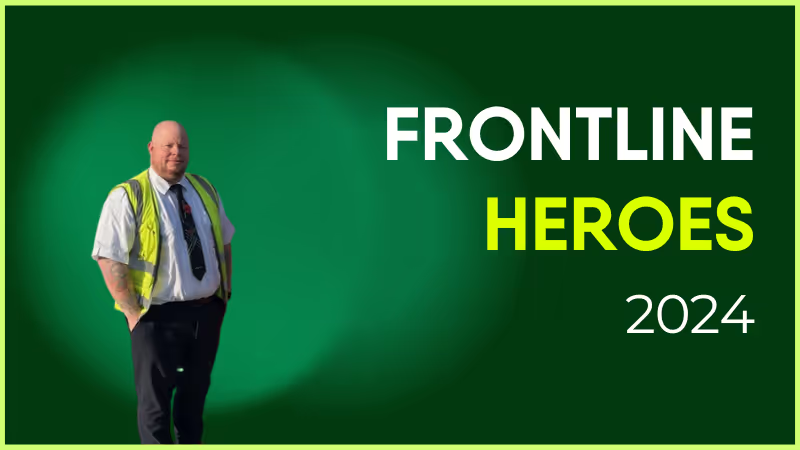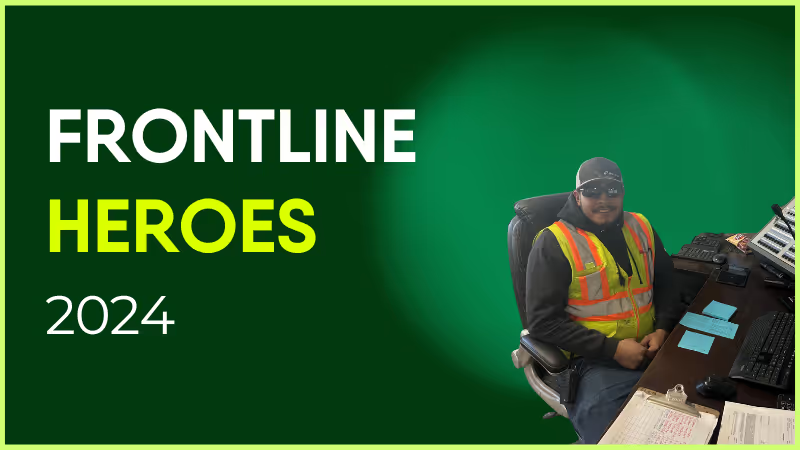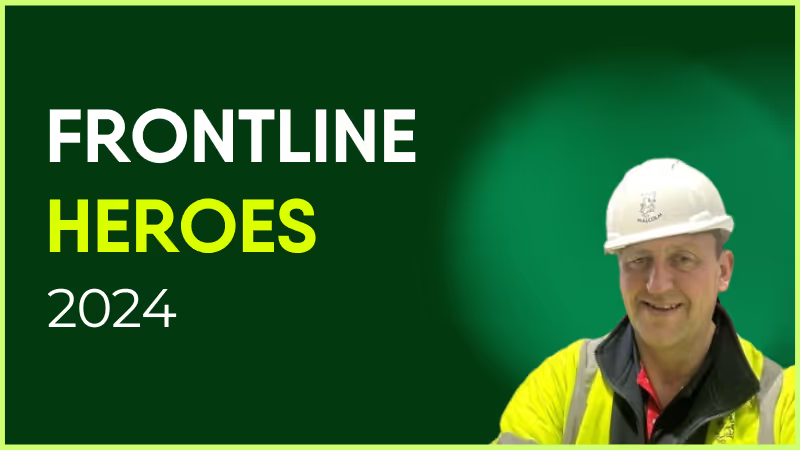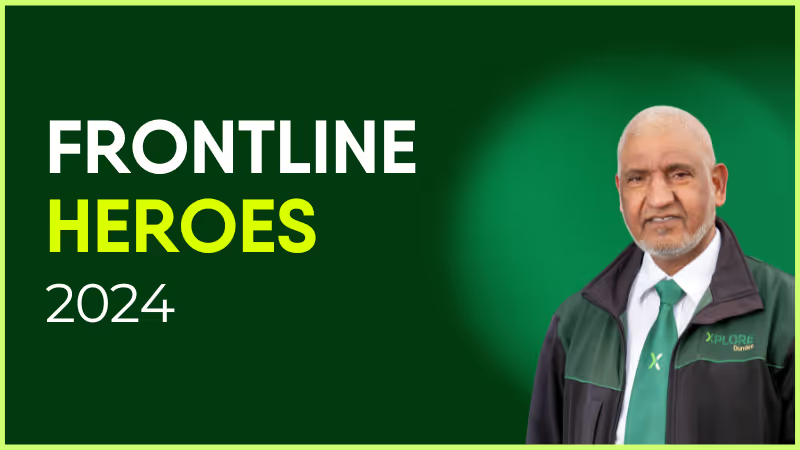
Mohammad Ramzan is one of Scotland’s longest-serving bus drivers. He began his journey with Tayside Passenger Transport in 1978 and continues to serve the Dundee community with unwavering dedication.
In addition to his regular duties, Mr. Ramzan has played a key role in Xplore Dundee’s “Did It for Me” recruitment campaign, emphasizing the supportive and friendly environment created by his colleagues. He credits this camaraderie for his long-standing tenure with the company.
Mr. Ramzan — most commonly known to his colleagues as Uncle Ramzan — has been a dedicated Xplore Dundee bus driver for over 46 years, and was even awarded the esteemed title of Frontline Employee of the Year at the Scottish Transport Awards 2024.
How has Blink helped in their role?
Blink has empowered Mohammad Ramzan to interact with his colleagues and provide them with additional support.
What do they want to do next?
Despite being past retirement age, Mr. Ramzan would love to continue his service to contribute to the McGill’s Bus Group.

Nominated by: Bethan Dooley, Marketing Team Leader
What makes them awesome?
Mohammad Ramzan is one of Scotland’s longest-serving bus drivers. He began his journey with Tayside Passenger Transport in 1978 and continues to serve the Dundee community with unwavering dedication.
In addition to his regular duties, Mr. Ramzan has played a key role in Xplore Dundee’s “Did It for Me” recruitment campaign, emphasizing the supportive and friendly environment created by his colleagues. He credits this camaraderie for his long-standing tenure with the company.
Mr. Ramzan — most commonly known to his colleagues as Uncle Ramzan — has been a dedicated Xplore Dundee bus driver for over 46 years, and was even awarded the esteemed title of Frontline Employee of the Year at the Scottish Transport Awards 2024.
How has Blink helped in their role?
Blink has empowered Mohammad Ramzan to interact with his colleagues and provide them with additional support.
What do they want to do next?
Despite being past retirement age, Mr. Ramzan would love to continue his service to contribute to the McGill’s Bus Group.

Nominated by: Bethan Dooley, Marketing Team Leader
Healthcare. Manufacturing. Hospitality. Whatever your industry, frontline workers are the lifeblood of your company.
Frontline workers know what’s wrong before you do.
They know what delights customers—and what drives them mad. Why customers are buying less, cancelling contracts, moving to competitors.
The problem? Most companies aren’t listening.
Research shows 60% of frontline workers feel their suggestions go unheard. That can be discouraging and lead to disengaged employees.
That’s why, to get your frontline staff to feel appreciated, you must find ways to improve employee experience. By doing so, you’ll see a drop in absenteeism, safety incidents, and an increase in work quality.
It’ll also translate to a better experience for your customers. After all, your frontline staff interacts with your clients every day. If they feel better, they provide better service.
The benefits are great, but remember—it all starts with making your employees feel heard.
For that reason, it’s crucial to include your frontline workforce in internal communications. Not by sending ad-hoc corporate comms in their direction. But by creating an internal comms strategy that’s as relevant to frontline workers as it is to desk workers.
With thoughtful, relevant communications at every stage of the frontline employee lifecycle.
The employee lifecycle refers to the employees’ experience at your company throughout their tenure. It starts from the instant they first learn about your company and ends when they exit.
An understanding of the employee lifecycle can guide you on how to personalize employee experience to match workers’ unique priorities.
80% of professionals rate employee experience as important or very important, but 59% feel they are not ready to address the associated challenges. That explains why many organizations have a one-size-fits-all approach to creating a workplace experience.
However, different employees have different needs based on where they are in the employee cycle. Making that distinction is one of the ways HR can improve employee experience.
Moreover, the duration of the employee lifecycle also depends on whether the majority of your staff is desk-based or frontline. Frontline workers tend to leave at a dramatically higher rate than their desk-based counterparts.
In fact, most verticals see an average of 50% turnover per year, leading to several disadvantages:
Increase in likelihood of data breaches
No provision for giving digital identity to frontline workers
Additional schemes and incentivization to retain frontline workers
Constant hiring, onboarding, and offboarding
Decline in loyalty towards the organization
No wonder the employee lifecycle of frontline workers is so damaging and frustrating. It’s unfortunate considering how this turnover can be reduced without making a big hole in your budget.
Just put yourself in your worker’s shoes—What should the company start doing to improve your employee experience?
Frontline workers aren’t just motivated by money. They are also driven by meaningful work, inspiring work culture, and internal recognition. By implementing an effective internal communication technology and employee experience software, you can have many of them stay longer with the company.
An intro to employee lifecycle management software
Including frontline workers in your internal comms doesn’t just help you garner customer insights; it adds to your bottom line. In fact, a recent Forbes study showed firms that involve 75% of their frontline employees in internal comms achieved more than 20% growth over a year.
As frontline workers also tend to be remote workers—on the field, at the bus depot, at a hospital—the easiest way to bring them into communications is via employee lifecycle management software that reaches them wherever they are.
In other words: if you can’t bring them into a physical office, bring them into a digital one. Building a better employee experience starts with bringing your frontline staff into the conversation.
This digital platform used to be a desktop-based intranet, but that technology has gone out of date in recent years, especially for frontline workers.
In fact, our recent research shows that 2 in 10 healthcare employees don’t even know how to use their company intranet. It’s just too sluggish for today’s workplaces.
While desk-based workers have improved their workflows with technologies such as Slack and Microsoft Teams, frontline workers are stuck with noticeboards and letters.
That’s where modern intranet software fills the gap. It’s built for mobile, but also compatible with desktop devices. Providing a single hub for knowledge sharing and communication makes way for a better employee experience at every step of improving the employee lifecycle.
What are the employee lifecycle stages?
1. Outreach
The first stage of the employee lifecycle is when potential employees come across your brand and the job vacancy.
But today’s workers are more selective than ever before. The average number of applicants per job opening has declined from 52 in 2016 to 36 in 2017 and 29 in 2018.
Potential workers don’t express interest just because you have an open position. And they won’t blindly trust the positive references provided by your company.
Instead, they’ll rely on the PR you have “earned.” They’ll read online reviews, reach out to your current staff members, and check your social media mentions. Improve employee experience, and you’re more likely to read positive posts or tweets.
That’s why your employer branding is crucial at this stage. Your employer brand is how potential and current employees view your company. It’s the image that comes to their minds when they think about your reputation as an employer.
And it can be strengthened with the right communication tools.
Think about what you would suggest to improve your experience as an employee, and ask your frontline staff for their input.
A modern intranet solution such as Blink can help you ensure that your existing workers are well-versed with all your policies, core values, brand statement, employee benefits, and recent accomplishments.
ALT: Blink centralizes document sharing to improve employee experience.
This information will shape the messages your employees spread elsewhere on the web through employer reviews, informational interviews, and social media updates. And it’ll help you build a reputation that attracts a talented workforce.
2. Recruitment
The demand for frontline workers is higher than ever due to the pandemic and great resignation. However, the talent pool has been retiring or retraining for less demanding positions.
The result is a massive shortage of frontline workers. No wonder 82% of companies struggle to recruit the right people.
If you want to attract the best talent, demonstrate you know how to enhance employee experience for your workers. You need a concrete strategy that brands your organization as an exceptional place to work. And at the core of this strategy is a modern intranet platform.
Encrypted and fully secure private messaging between members of your hiring team (or any of your workers) should be a priority. Blink offers this and robust form-building functionality that enables your HR division to create application materials tailored to each vacancy.
3. Onboarding
Most employees make up their minds about staying or leaving an organization within the first three months of joining.
And given the fast turnover in recent times, it’s important to start on the right foot and look for ways to improve employee experience. One such method is improving the onboarding process. Implementing a structured employee onboarding process is essential to making a good impression on your top talent and shaping them into productive, engaged team members, which will ultimately have a positive impact on employee performance and retention.
Onboarding processes often consist of many meetings and conferences, along with tons of files and folders that need to be reviewed, filled, and submitted to different departments.
Depending on the size of your recruitment drive, you may also need to create hundreds of new datasets for each hire, increasing the risk of inaccuracies.
An intranet can help you centralize, structure, speed up, and even automate parts of the process.
With Blink, for example, you can automate the entire user creation process, eliminate a great deal of overhead, and keep the user profiles always up-to-date.
Not just that, setting up a designated onboarding site with Blink can help you centralize essential training materials and resources. You can also encourage new employees to connect with each other and ask questions using the chat function.
Another onboarding issue that arises with frontline workers is that many don’t have a corporate email address, let alone a digital identity. That’s why Blink lets you set up accounts for frontline workers without assigning them email addresses or phone numbers.
The beauty of such a system is that frontline workers can easily access Blink and the data associated with third-party software integrations such as Microsoft 365.
The result? Your company makes a great impression and your workers start identifying themselves with your culture right from the beginning.
4. Training and development
Learning is another crucial part of the employee lifecycle. However, a common issue for frontline organizations is the difference in the learning styles of workers.
Let’s take the age factor for example. While older employees may prefer conventional training tools such as seminars, meetings, and paper-based reading material, younger generations are more inclined towards social engagements, texting, and online reading.
Blink has the tools you need to bridge this gap, all accessible from a single place. For the young crowd, it offers social and gamified training features like badges, kudos, and leaderboards.
Meanwhile, baby boomers get access to traditional educational formats including video webinars, explainer videos or articles, and printable manuals.
5. Performance
This stage of the lifecycle usually requires some ideas to update your employee experience strategy with some new ideas.
After all, a common issue with frontline workers is the lack of well-defined career progression. Many stay in the same role and pay bracket throughout the employee lifecycle, and not necessarily because they want to.
Workers can feel they have no big, long-term goal to strive for. That affects motivation and engagement while increasing employee turnover.
Blink can support you here too, by letting you plan concrete roadmaps to aid career growth and promotion milestones.
Your workers can get a direct line of communication with mentors whose careers they wish to emulate, along with learning materials and best practices to build new skills.
Employee recognition is the key to engagement, yet 63% of employees don’t feel recognized for their achievements. With Blink, you can monitor workers’ progress and reward top performers.
Little gestures such as giving a big ‘thank you’ at an online event, or tagging and thanking people in the newsfeed or your organization or department can go a long way. It would also encourage other employees to follow suit.
6. Offboarding
As much as intranet software can increase employee engagement and slow down your turnover, some employees will still leave. And it’s important for your organization to get a pulse of the exit process.
According to one study, companies that act on employee feedback have twice the engagement score of those that don’t.
You basically want to know three key things:
Why are they leaving? Timely feedback can help nip key issues in the bud.
Did they successfully complete all their exit formalities?
Do they still have access to any sensitive information?
So Your intranet solution should be ready to handle all these aspects.
Blink, for instance, automates de-provisioning, eliminating the risk of ex-employees still having access to company data.
It also helps you organize exit interviews, offboarding checklists, and pulse surveys so you can learn from each employee’s feedback to improve employee experience.
Final thoughts: Improve employee experience with an optimized intranet
To succeed in the new work era, frontline workers need experiences tailored to their needs at each stage of the employee lifecycle. Whether it’s their first week on the job or last, they need personalized resources, training, and access to key people in the organization.
Learning how to improve employee experience at each of these stages will help reduce turnover, increase engagement, and lead to happier workers. Understand how employee experience and engagement work together. Don't forget to into account the relationship between employee engagement and employee experience.
Employee lifecycle management can help you deliver a stellar experience to both frontline and desk-based employees. And by adopting a next-gen intranet software like Blink, you’ll increase employee engagement and streamline your worker’s experience.
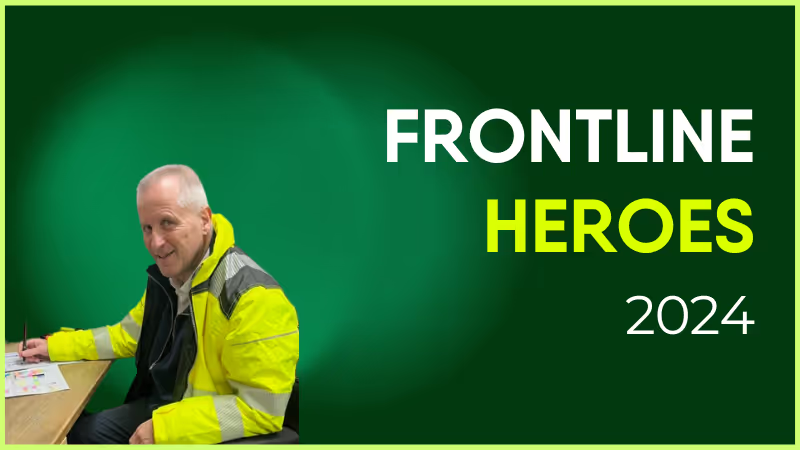
Andy has such a positive attitude to his work. I can load him up with work as we are a very busy site and he comes back for more. He will always look to help the prisoners with fixes to their cell power as he is aware that's all they have. He assists all trades and gives great advice to the electrical supervisor. We're happy for the chance to recognize his hard work and valuable contribution.
How has Blink helped in his role?
By sharing information which can help ours and other sites- for example cell call plates that cannot be smashed, and lights from another manufacturer. The sharing of this type of information is great for the company.
What does he want to do next?
Andy has conscientiously trained himself on the Test and Inspection course, meaning he will be able to assist the company with extra work on testing.
You’re in the market for a new internal communications platform, but which is better: Staffbase vs. Blink?
The answer depends on what exactly you’re looking for. Both offer several similar features, but their execution is different. Let’s dive into the specifics to see which communication tool is right for you.
Staffbase vs. Blink: which is best for you in 2022? 1
The Staffbase employee app works best for big corporations, while Blink’s simpler format lends itself to on-the-go workers.
If a good portion of your team comprises frontline employees, Blink is the internal communications platform for you. Their mobile-first design and seamless app integrations are ideal for keeping deskless workers engaged.
Staffbase offers more robust customization features as standard with each product launch, including a custom logo and font.
A user said, “I love the look & feel of the app and the option to personalise the app for (conditional) user groups.”
But for those looking to customize their employee intranet software’s overall function and employee experience, Blink brings more flexibility, with deep integrations with existing apps inside the platform.
Within this, Blink brings existing apps to the platform via Single Sign-On integrations, while Staffbase offers more functionalities out of the box.
For example, Staffbase comes with a basic payroll function, while Blink has an end-to-end integration with Workday.
Comparing Blink vs. Staffbase on history, Staffbase has been around longer, making it a more established product with tried-and-tested service offerings. It is well-respected as a quality option.
As a newer company, Blink offers more innovation and cutting-edge features. 100% of the product roadmap is written based on customer requests, and it’s to provide feedback on the functionalities they want with each update.
The right solution for you depends on if you’re looking for a one-stop solution or something to complement your existing software.
Staffbase vs. Blink: How they’re similar
Staffbase vs. Blink: which is best for you in 2022? 2
Mobile content
Comparing Staffbase vs. Blink on mobile compatibility, you’ll find both offering well-optimized mobile platforms. That means your deskless employees will have the same access to information, documents, and community as those in the office with either platform.
But some G2 reviews suggest that Staffbase’s “Admin access on smartphones is very limited with basic functionality.”
Support for XL enterprises
Both internal communication platforms are robust enough to support enormous organizations. The intranet, news, and key features are designed to aggregate and organize a large content volume across many different functionalities.
But Staffbase is best used by large corporations, while Blink also works for companies with a large frontline workforce but smaller desk-based teams. Blink’s platform requires less time to implement and works with a hands-off IT experience.
Centralized intranet solution
Staffbase and Blink are good options for those searching for an employee intranet replacement. While peripheral features differ, both offer a solution to disseminate updates, provide access to company policies, spark conversation, and track insights about employee engagement.
Although the search in Staffbase works fine for a mobile app, those using Staffbase intranet will find the lack of filters, document management, and content management tools limiting them from creating a proper knowledge base.
Staffbase vs. Blink: How they’re different
When comparing Staffbase vs. Blink at a high level, it may seem like they share many features. But the execution of those features varies greatly.
Customer input
Blink serves fewer customers, which means they can have a much closer relationship with their customers — we’re talking on a first name basis.
Blink relies heavily on customer feedback to craft its product roadmap and even maintains a Product Portal to allow customers to request features and vote on what they want to see next.
In contrast, users say that Staffbase “aren’t quick to take on board and prioritise client feedback/requests for development.” Overall, Staffbase’s updates and features implementations are less agile.
Email
One notable feature that Staffbase offers that Blink lacks is email building. Through their merger with Bananatag, Staffbase lets you create engaging newsletters, send targeted emails to subsets of employees, and measure the impact of your internal email strategy.
Since frontline workers don’t have company email addresses, email is less of a focus at Blink, although it is accessible via integrations with Gmail and Outlook.
Employee generated content
Blink focuses on decentralizing employee communication so that every employee has a voice.
Blink champions employee-generated content through a live user feed and omni-directional chat features. For organizations that want to revitalize their outdated top-down team communication structure, Blink is a great choice.
Staffbase does not make it as easy for users to share content with other users. To upload a photo, users must send a submission form to the admin — who then creates the post themselves.
This setup is ideal for companies looking for greater control over who can share news. A user appreciated this feature, saying, “It’s very easy to make someone editor of a news channel so for example a Team Leader can communicate to his own team without giving him administrator rights of the whole app.”
Integrations
Blink offers a wider range of integrations with thousands of apps via Single Sign-On. Employees can access niche industry tools, Microsoft teams, and Sharepoint without ever leaving the app. The Blink team also takes care of the dev work, making it an all-in-one solution.
Staffbase integrations are more limited. They offer integrations with Microsoft 365 and SAP. This could only work well for a company that uses other enterprise applications or has a dedicated team to customize Staffbase through their APIs. Users said, “Currently, no local programs can be integrated into the launchpad.”
Notifications
Blink offers an array of real-time and schedulable push notifications to keep employees in the loop and engage with the app frequently.
Besides regular notifications, admins can create priority posts to catch everyone’s attention or create mandatory posts that users must acknowledge. Users can switch notifications on and off and follow certain posts.
Staffbase employee app’s push notifications are less customizable, focusing only on basic functions. Users say notifications “need improving,” and “There is no way to control push notifications separately for each channel.”
Chats
Blink’s chat is designed for both socializing and collaboration — wherever you are. Advanced features like saving messages and file sharing elevate the chat as a tool for getting workflows done rather than just a social media feature.
Staffbase offers an instant messaging feature as an add-on to advanced subscriptions. The chat supports one-on-one and group chats with a 128 user cap.
Users can only send images or videos on the Apple and Android apps, rather than documents. This leads to users calling Staffbase’s chat function “very basic.”
Here’s what Staffbase supports:
Staffbase vs. Blink: which is best for you in 2022? 3
Frontline focus
Blink’s core principle is that they improve frontline workers’ lives. As a result, engagement with the app is remarkably high, with an average of 10 opens per user per day.
While Staffbase is also targeted at frontline workers, many features aren’t carried through to the mobile interface. Reviewers say, “The biggest obstacle for us is to get non-desk users excited about the app and to integrate them.”
Content moderation
In Blink, administrators can assign content moderators who have complete power in managing content.
But Blink offers omnidirectional communication: User-generated content does not have to undergo a review before getting published, but any user can report and flag inappropriate content.
At Staffbase, admins have more direct control over moderating content. But there are some functional limitations around offline viewing and flagging inappropriate content which is surprising in an otherwise full-featured app.
Staffbase vs. Blink: pricing
Blink offers four levels of paid service based on company size, while Staffbase structures its pricing based on the number of features you use.
Blink levels:
Essential: $3.40 per person, per month
Business: Price on application
Enterprise: Price on application
Enterprise Plus: Price on application
Staffbase levels:
Employee app
Employee app + Intranet
Staffbase NOW
Final thoughts: Staffbase or Blink — which should you use in 2022?
Staffbase is a highly customizable internal communication software ideal for large corporations with a clear idea of what tools they need to round out their digital workplace.
Blink is ideal for businesses large and small wanting a complete out-of-the-box solution to engage frontline workers and facilitate more communication across their organization.
If you’re not sure, try a free demo of Blink and see for yourself the technology that drives a 330% increase in engagement for its users.
Explore top platforms that deliver more than a SharePoint skin
Akumina positions itself as a digital workplace experience layer built on SharePoint—but for many organizations, it creates more complexity than it solves.
It’s highly customizable, yes—but that often comes with long implementation timelines, heavy IT lift, and limited employee engagement. If you're looking for a solution that’s easier to roll out, more intuitive to use, and built for actual adoption, you're not alone.
In this article, we break down the 12 best Akumina alternatives—modern intranet and employee experience platforms that go beyond SharePoint overlays to deliver real value for today’s hybrid, remote, and mobile workforces.
#1. Blink
Best all-in-one intranet and employee app
Blink is a modern employee platform that combines internal communications, essential tools, and content into one intuitive experience. Unlike Akumina, Blink doesn’t sit on top of SharePoint—it replaces it, offering native mobile and desktop apps that employees actually want to use.
Why Blink over Akumina:
Lightning-fast deployment (no dev work required)
Personalized, social-style feed
Messaging, surveys, forms, and files all in one place
Works beautifully on mobile and web
{{watch-video="/callouts"}}
#2. Interact
Best for structured intranets with strong comms features
Interact is a mature intranet platform that offers a blend of content governance and communication tools. It provides more flexibility and a better out-of-the-box experience than Akumina, especially for internal comms teams.
Key strengths:
Smart content targeting
Built-in comms features (surveys, likes, comments)
Page templates and drag-and-drop tools
#3. Simpplr
Best for AI-powered content personalization
Simpplr is a polished, AI-driven intranet focused on employee engagement. It’s known for lifecycle communication (e.g. onboarding, transitions), and offers more automation than Akumina without the same technical setup burden.
Why it stands out:
AI-powered content surfacing
Smart search and recommendations
Built-in templates for lifecycle moments
#4. Staffbase
Best for internal comms at enterprise scale
Staffbase shines when it comes to centralized, top-down communication. With a branded employee app and multi-channel messaging, it’s a better option than Akumina for organizations prioritizing reach and visibility.
Top features:
Newsletter builder
Campaign management
Native mobile app with notifications
#5. LumApps
Best for global enterprise deployments
LumApps offers a broad, customizable employee experience platform with deeper integrations and personalization than Akumina—without being tied to SharePoint. It supports global rollouts and multi-language content delivery.
Why it’s better:
Google & Microsoft integrations
AI personalization
Multilingual and regional content support
#6. Happeo
Best for Google Workspace users
If your organization uses Google Workspace, Happeo is a lightweight, user-friendly intranet that connects seamlessly with your tools. It’s far easier to deploy and use than Akumina, especially for remote teams.
Highlights:
Tight Google integrations
Social intranet features
Customizable layouts
#7. ThoughtFarmer
Best for easy-to-manage intranets
ThoughtFarmer focuses on simplicity and people-first design. Unlike Akumina’s complex configurations, it offers a quick setup and low learning curve—perfect for organizations without large IT departments.
Notable features:
People directory and profiles
Easy content editing
Micro-sites for teams and departments
#8. Igloo
Best for governance and compliance-heavy teams
Igloo is a solid Akumina alternative if your focus is structured content, document control, and knowledge management. It’s more rigid than Blink or Happeo, but ideal for finance, legal, and healthcare.
Strengths:
Document versioning
Access controls
Policy and procedure hubs
#9. Jive
Best for community collaboration
Jive is ideal for organizations that value social collaboration and peer-to-peer interaction. While Akumina layers content, Jive fosters real-time engagement and employee communities.
Features:
Social groups and forums
Peer recognition
Advanced analytics
#10. Haiilo (formerly Smarp)
Best for employee advocacy and engagement
Haiilo is a newer entry but a compelling Akumina alternative if you’re focused on culture, employee voice, and comms amplification. It goes beyond intranet basics into the territory of employee engagement and advocacy.
Why consider Haiilo:
Omnichannel comms
Employee-generated content
Engagement analytics
#11. Noodle
Best for small companies wanting a turnkey intranet
Noodle is a lesser-known but solid option for SMBs. It’s easy to set up and includes standard intranet features without the need for SharePoint or heavy integrations.
Pros:
Budget-friendly
Core intranet tools (news, docs, chat)
On-prem or cloud options
#12. Unily
Best for enterprise intranets with rich features
Unily is a well-known intranet solution with a robust feature set, polished UI, and strong Microsoft integrations. It’s a better alternative to Akumina if you want a full-featured, polished intranet with deep customization—without starting from scratch.
Why it’s a solid pick:
Beautiful UX
Strong multilingual and multi-brand support
Flexible integrations with Microsoft 365 and beyond
Final thoughts: Choosing the right Akumina alternative
Akumina can work well for highly customized intranet needs—but that flexibility often comes at the cost of complexity, budget, and adoption.
Whether you want something faster, simpler, or more engaging, the 12 alternatives above offer modern options that fit different use cases and team types.
Want a platform that people will actually use?
Blink replaces legacy intranet headaches with an all-in-one, beautifully simple platform for communication, tools, and culture.
Actimo vs. Blink – which is better? It's a question many buyers are asking. And of course, the answer depends on who's asking!
Blink and Actimo are both cloud-based internal communication platforms with a strong customer base and some overlap in features. Yet their primary focus varies.
Actimo vs. Blink – quick facts
Actimo is ideal for teams who want a platform that enables e-learning but aren’t as concerned about real-time interaction.
In contrast, Blink is a truly inclusive real-time communications platform for frontline workers, though it doesn’t have an integrated LMS system.
Your organization’s technical resources may also determine which one is best for you. Blink is easier to use out-of-the-box, while Actimo requires a more thorough setup.
Both apps place a heavy focus on mobile usability, but Actimo doesn’t offer a newsfeed and is best used as a static intranet.
And while Actimo's designed for medium-sized organizations, Blink works best for extra-large enterprises with 25,000+ staff.
In this post, we'll break down the key differences and similarities between Blink and Actimo.
Let's dive into it.
Actimo vs. Blink How they're similar
Mobile-first content
On Blink and Actimo, all content is mobile-first. In other words, everything is optimized to be viewed on a small phone screen, not a desktop. This means both could be a solid option for organizations with mobile or frontline workers.
Customizability
Blink is customizable through third-party integrations and offers a wide variety of functionality through its micro-app function. While the starter platform is incredibly easy to set up, full end-to-end customization can take some work through micro-apps and necessary integrations.
Similarly, Actimo can be extensively configured with a fully customizable onboarding flow and plenty of in-app engagement data. Capterra users commented that it's 'easy to make presentations or apps for almost any purpose.'
Multi-lingual offering
Both platforms cater to multiple different languages. Blink even offers on-demand translation of content into the users language of choice.
Some users complained that Actimo switches text from English to Danish.
Actimo vs. Blink: How they're different
Integrations
Blink's integration capability is one of its strongest selling points. Through its dedicated app marketplace, users can shop for new integrations and mix and match to build their own 'super app'. Integrations are configured using Single Sign-On, so users can access different tools without leaving Blink.
By contrast, Actimo probably won't be the solution that replaces every one of your current internal communications tools. There are limited integrations with third-party business tools beyond HR systems.
Employee engagement
Taking a cue from the most popular social apps, Blink offers a live feed with company updates and user-generated text, images, and video. As a result, engagement with the app is remarkably high, with an average of 14 app opens per user per day.
On Actimo, it can be a lot of work to get set up and maintain engagement. Since the content isn’t primarily user-generated, admins will need to regularly create and schedule content to encourage use. That also means communications are more top-down than other platforms.
e-Learning
Actimo is a fantastic application to facilitate training and learning. Users liked that 'training is fully self-paced and fits anywhere in employee schedules.'
Within the platform, micro-learning is detailed yet simple to use. There are also engaging learning paths with gamified achievements that users can access at their own pace. Data on the compliance with, and completion of, necessary training, is another plus.
On Blink, there is no native onboarding and training function. However, a function can be added with the micro-apps feature, or by adding an integration.
Peer-to-peer communication
Blink offers a searchable in-app database of employees, so it’s easy for users to find a coworker they want to connect with. When they find that co-worker, there are many different ways to communicate: 121 or group chat, through real-time feed posts and comments, or by creating Hub content.
For those looking for a platform with a People Directory, Actimo may also not be a good choice. Beyond group members, there is no way to see a complete list of employees at your organization.
UX/UI
Blink developers design the app to mimic consumer apps like Uber and Facebook as closely as possible, so the user experience is familiar and fresh. Reviewers praised the platform's 'responsive, team-customizable features.'
While Actimo users appreciate they have 'full control of the layout', they were disappointed that the UI is 'clunky andoutdated'.
Frontline focus
While users commented that the app works 'just as well for desktop as it does on mobile', Blink is unique in its laser focus on the frontline experience. And despite offering a highly usable mobile experience, there is also a surprising amount of depth to the content and features.
While Actimo is optimized for the frontline experience, it doesn't focus on tailored features for specific industries (in Blink's case, transport and healthcare).
Targetting content
Blink's architecture is based on 'teams', which means all content is targetted is personalised to users depending on the groups they're in. Users can schedule campaigns months in advance, and 'pin' posts to ensure they're read, or tag them as 'mandatory reads'.
Actimo users complained the app is 'missing a way to micro-manage groups and send-outs', and requested 'more functionality for campaign planning.'
Actimo vs. Blink: systems and pricing
Unlike Actimo, Blink offers all of its features and capabilities through a single system with optional paid add-ons, which includes a dedicated Customer Success Manager. An all-in-one solution like Blink is attractive to many buyers since it provides seamless functionality and is priced as a single unit.
Blink also offers a number of pre-built integrations with popular business apps to allow for further customization.
The core product is priced in four according to scale:
Essential
Business
Enterprise
Enterprise Plus
Organizations can also take advantage of a 40% discount if they pay annually.
Overall, Blink is an affordable product, with users commenting on its 'excellent value for money'. While Actimo pricing is not available online, reviewers commented on the cost per user being 'hard to justify' for smaller organizations.
Actimo vs Blink: final thoughts
While Actimo is a strong choice for organizations focused on training and onboarding, it lacks the features to make it a true digital workplace.
9 ways to boost employee engagement in manufacturing organizations
The manufacturing industry has an engagement problem. Just 25% of manufacturing employees are engaged at work, making it one of the least engaged occupations in the US.
Employee engagement is the extent to which workers feel satisfied with their jobs and are aligned with organizational values. It also influences how able and willing they are to give 100% to their work.
So the stat above is worrying. But it also presents an untapped opportunity for forward-thinking firms.
When you improve employee engagement, you create a stronger connection between employee and organization. This leads to better retention, productivity, and business results.
Take a look at our ideas for manufacturing employee engagement to swim against the tide, attract additional employees and motivate the ones you already have.
The importance of employee engagement in manufacturing
It is without question that employee engagement is important to every organization in every industry.
Engagement has a direct impact on talent acquisition and retention. Staff are less likely to take time off sick and productivity sees a 14% uptick. Happier, more satisfied staff produce better, more cost-effective results for your company.
But in manufacturing, employee engagement can help you to overcome a range of industry-specific challenges. There’s a link between manufacturing employee engagement and all of the following:
Quality management – engaged employees care more about company goals – they’re more likely to spot and report quality issues
Safety and risk management – engaged employees pay more attention to the critical comms sent out, which can often include safety and risk management documents. Engaged employees also hold themselves accountable for their impact on the team and work environment, which will lead them to paying more attention to health and safety.
Customer experience – there’s a link between employee experience (EX) and customer experience CX) – engaged employees manufacture better products and provide a better service
Business results – when quality, safety, and CX improve, you improve overall business results – costs go down, sales go up
Key factors influencing employee engagement in manufacturing
If you want to improve the manufacturing employee experience at your organization, you need a strategy. This plan sets out how every part of your company – not just your HR team – is going to work together to improve engagement.
Your strategy should also consider the key factors that affect employee engagement in the manufacturing workplace.
Communication
Internal communication within a manufacturing organization can be tricky.
To start, the majority of manufacturing frontline employees don’t have business emails. This creates an initial barrier to cross —of how to even communicate with these workers.
Then you have teams in the office and on the factory floor, plus a variety of login, language, and time constraints. To give updates on safety protocols and equipment issues, and to share company culture, you need communication channels that deliver the right information to every employee.
The physical work environment
Your workplace should be a safe and comfortable environment for employees. Equipment and protocols have to support the physical wellbeing of workers. And staff need easy-access communication channels so they can report hazards and safety concerns.
Training and development
Training and development are key in a fast-changing sector like manufacturing. So employees can deliver products to the expected standard. And so you can retain more of your workers by giving them new challenges and a clear career path.
Manufacturing employees are often responsible for repetitive tasks. And it can be hard for them to see how their work fits into the bigger picture. Workplace leaders bring meaning to employee work by recognizing their efforts and sharing company goals and values.
9 ways to improve employee engagement in manufacturing
Looking to improve employee engagement at your manufacturing firm? The following ideas will help you enhance the employee experience and reap business rewards.
1. Invest in technology
AI, automation, robotics – manufacturing tech is coming on leaps and bounds. But technology doesn’t just improve manufacturing processes. You can use it to boost employee engagement, too.
An employee app like Blink supports easy communication across your organization. As a mobile-first solution, available via smartphone, you can put mandatory reads, new safety protocols, and essential company updates at the fingertips of every employee.
You also bring together the tech tools your teams already use. With next-level integration capabilities, Blink puts information and resources in one easy-access location. You provide a friction-free, user-friendly interface that your employees enjoy using.
Technology streamlines work – and keeps employees in the loop. Just be sure to choose tools suited to both frontline and desk-based workers, and accessible for those with a company email or without. In doing so, you create an equitable working environment and raise the engagement bar for everyone.
You can put the rumor mill out of action and adopt a more open communication style by letting information move freely between all members of your organization:
Leaders keep employees in the loop, sharing key updates and supporting workers to understand the bigger picture.
Managers have an open-door policy and regularly connect with their employees, offering feedback, updates, and – crucially – listening to what they have to say, too.
Workers are encouraged to contribute – they collaborate with each other and feel comfortable raising issues and ideas with decision-makers
So how do you make this kind of communication a reality within your manufacturing organization?
Firstly, you need the right communication channels. These should be suited to your way of working and link every member of the workforce. In a large, modern workplace, a noticeboard crammed with paper memos simply won’t cut it.
Secondly, leaders need to leave egos at the door. Open communication means sometimes hearing things you don’t want to hear. Remember that negative feedback is often more valuable than good as it highlights areas for improvement. And encourage managers to lead by example.
Lastly, bear in mind that open communication can be taught. So train employees in information sharing, active listening, empathy, and teamwork. Teach them which communication channels are the most appropriate – and how often they should be using them.
3. Translation capabilities
Most manufacturing organizations have a diverse, multinational workforce. And many frontline employees don’t speak English as a first language. So if you’re not already translating company comms, this is a really easy way to boost employee engagement across the board.
Resources, information, and internal communication should be available in the languages your workforce speaks. That way everyone receives the same message and enjoys equal access to information. This also eliminates the bottleneck that managers create, having to be the translator themselves and spending their hours on managing the communication channels that their employees don’t have access to.
For example,The Blink app supports over 100 languages. Contributors can translate posts and resources at the click of a button, making all of your content accessible to everyone on your team, regardless of the language they prefer to use.
With effective, accurate translation, you get everyone on the same page – and include everyone in your company culture.
4. Recognition programs
Recognition makes employees feel valued. When you appreciate and reward employees who go above and beyond, you motivate them and inspire other employees to follow suit.
So when an employee hits a professional or personal milestone, when someone highlights a safety issue before it becomes a hazard, or when a team consistently meets their targets, give them the public recognition they deserve. And encourage co-workers to praise one another, too.
You can give recognition in company meetings, on the blog, or in the newsletter. Or ensure you reach every member of staff with recognition updates by using a digital solution like Blink.
With Blink’s recognition feature, you can post instant, personalized messages to highlight staff achievements. You add a recognition post to the company news feed and start building recognition into your company culture in just a few clicks.
Praise goes a long way. But you may also like to consider perks and prizes. Gift vouchers, an extra paid day’s leave, or a catered team lunch can all incentivize your teams. For manufacturing firm, JFE Shoji Power, sweepstake competition prizes helped them to fill overtime shifts.
But before you put a reward program into place, survey your staff. Find out what they really want in terms of recognition and reward. That way your recognition program stands to make the most impact.
5. Opportunities for advancement
It’s not just your office-based team who are keen to advance in their careers. 70% of frontline employees have applied for advancement opportunities. But this group doesn’t always get the resources or support they need to move up the career ladder.
When you’re looking to improve employee engagement in a manufacturing organization, allowing all employees to learn and advance within their roles is crucial. It gives employees something to work towards and feel excited about. And it makes them much more invested in doing a good job.
There are lots of things you can do to support career growth.
Map out clear career goals with employees, offering training and mentor support to help them achieve them
Give workers more responsibility during the standard work day, encouraging them to take ownership and make decisions where appropriate
Cross-train and rotate jobs to bring variety to an employee’s workplace experience
Ensure everyone is aware of training and career opportunities within your organization, highlighting typical career pathways and the perks of promotion
6. Regular, two-way feedback
As we mentioned earlier, open communication is an important part of employee engagement. You can facilitate this type of interaction by providing regular opportunities for two-way feedback.
Regular 1-to-1s between employees and managers help to maintain open lines of communication. These meetings are an opportunity to align goals, resolve conflicts, and identify areas for development.
Crucially, employees get the chance to raise queries and issues, too. They can provide insight into the manufacturing employee experience and any challenges they’re currently facing.
Just remember, this type of interaction needs to take place regularly, not just once or twice a year. To build trusting, open relationships, you need to build this type of communication into every single week.
That means managers spending time on the factory floor, seeing for themselves what excites, challenges, and frustrates workers. It means creating impromptu feedback opportunities. And it means using digital solutions to make feedback and communication easy, even when managers and workers aren’t based in the same location.
7. Create a safe environment
The manufacturing industry in the US has some of the highest rates of occupational injury and illness. But you don’t get high rates of manufacturing employee engagement unless staff feel safe at work.
When employees feel safe:
They can focus on their work
They feel a greater sense of morale
They feel valued and supported
They trust in workplace leadership
Prioritize workplace safety and you also create a virtuous circle. Safe environments lead to better employee engagement. And engaged employees help to improve workplace safety going forward. There are 70% fewer safety incidents in the most engaged workplace environments than there are in the least.
Leaders and managers should regularly reassess the safety performance of equipment and protective wear. Careful plant design can help to mitigate safety risks, while clear risk assessment and safety protocols help workers identify and rectify issues before they lead to a safety incident.
But workplace safety isn’t just about having the right equipment and protocols. It’s about fostering a company culture with safety at its core.
To do this, you need psychological safety in addition to physical safety. This is where people feel safe voicing their opinions because they’re not worried about being judged, blamed, or punished.
Give employees a sense of psychological safety – and the right communication tools – and they’ll be more likely to report safety issues. Digital tools, rather than pen and paper methods, help safety information to travel both ways, reaching decision-makers and factory floor workers quickly.
8. Invest in training and onboarding
Manufacturing processes are prone to change. Employees need to keep their knowledge of tech and equipment, as well as their skills, up-to-date. This helps to create a safe environment for everyone working on the manufacturing team. And it boosts employee engagement, too.
71% of manufacturing employees say that training and development is important to them in their work life
35% say they aren’t getting the quality of training and development they expect
28% said they would leave their employer soon because of poor training and skills development
Onboarding is not to be overlooked either. When new hires start working for a company, there’s lots to learn. Safety protocols. How to use equipment. Company values. Who they can turn to for feedback and support.
Some organizations, lacking manpower, don’t put enough time and effort into onboarding. But this is where you lay the foundations of employee experience. And it can make or break an employee’s engagement with your firm.
You can maximize onboarding benefits without spreading their staff too thin, with the help of a digital onboarding process.
Employees access guides, rules, and resources via the company portal. They can refer back to resources as and when they need them. It’s also easy for your teams to update resources with the most up-to-date information.
Managers and co-workers can then supplement this online learning with face-to-face input ensuring a positive experience for new employees.
9. Implement employee surveys
You can never really be sure how your staff are feeling unless you ask. So before you implement an employee engagement strategy for your manufacturing organization, it makes sense to conduct surveys.
As well as listening to employee concerns during manager 1-to-1s, surveys allow employees to give feedback on specific aspects of their role and on what they feel could be better within the organization.
Follow up with a regular schedule of surveys and you build a complete picture of the employee experience:
Annual surveys give you insight into employee engagement progress
Quick and easy pulse surveys give you an up-to-the-minute snapshot of employee sentiment
Lifecycle surveys help you understand the challenges facing employees at each stage in their journey
To get feedback from as many employees as possible, you need to communicate openly. Tell employees about the insights your surveys have uncovered. And share your plan for acting upon their feedback as well as any results.
By engaging employees in every stage of the feedback process, they’re much more likely to respond next time you send out a survey request.
You’ve read the tips. Now get some real-life inspiration! Aggregate Industries has already put these employee engagement tips into action. Find out how this manufacturing firm improved digital engagement across their frontline with Blink. Watch the webinar now.
In conclusion
In manufacturing, employee engagement can be transformational. When you improve the employee experience, you improve product quality, workplace safety, and customer service. You also find it easier to attract and retain staff in a tough labor market.
In an engaged workplace, information flows between all members of your workforce. Work is more meaningful thanks to clear company values and a sense of the bigger picture. Employees are empowered to do their best work, every day.
Getting to this point may feel like a challenge, particularly if you haven’t given much thought to employee engagement up to this point. But it’s a lot easier to make engagement improvements when you harness the power of technology.
With the help of a mobile-first employee app, you connect every employee, from your HQ office to the factory floor, regardless of their access to a company email or not. You can conduct surveys, give recognition, and provide easy-access training resources. You can translate information into a variety of languages.
Get an employee app on your team and you’ll find it easy to reach and engage every member of staff, whatever their preferred language and whatever their role.