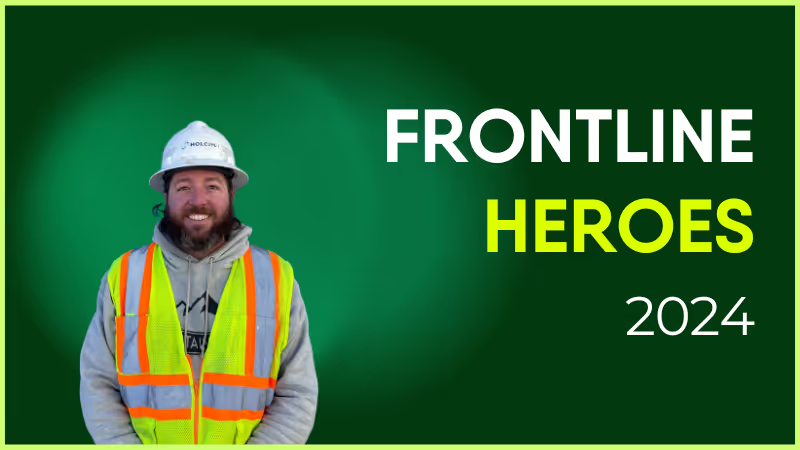
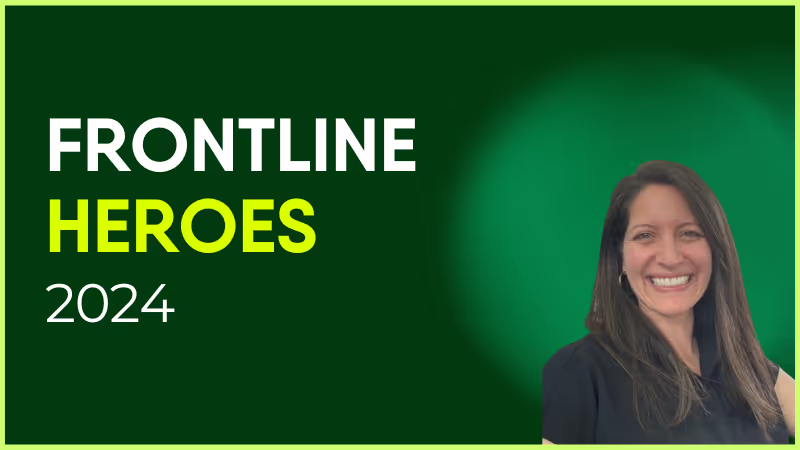
Jeff takes concepts and turns them into reality. He always has a can-do attitude and follows through until the job is done!
Coach USA uses telematics technology solutions to increase the safety and efficiency of its operations. This includes AI dash cams which help to proactively monitor speed, following distance, and distracted driving, to elevate safety standards.
Jeff is part of the small but impressive team that harnesses such technologies and makes them work for our business and drivers.
What does he want to do next?
Continue to be challenged — he can do anything he puts his mind to!
Nominated by: Dominic Manuele, VP of Maintenance and Engineering

What makes him awesome?
Jeff takes concepts and turns them into reality. He always has a can-do attitude and follows through until the job is done!
Coach USA uses telematics technology solutions to increase the safety and efficiency of its operations. This includes AI dash cams which help to proactively monitor speed, following distance, and distracted driving, to elevate safety standards.
Jeff is part of the small but impressive team that harnesses such technologies and makes them work for our business and drivers.
What does he want to do next?
Continue to be challenged — he can do anything he puts his mind to!
Nominated by: Dominic Manuele, VP of Maintenance and Engineering

Hey! I'm Theo Booth, I am originally from the UK but I have spent the majority of my life trying to travel as much as possible and I have lived in 5 countries.
Before becoming a software engineer I was in the shipping industry, initially as a broker before becoming a trader.
I did a Software Engineering bootcamp during lockdown before joining the Solutions Engineering team at Blink as a Full Stack Developer in September of last year.
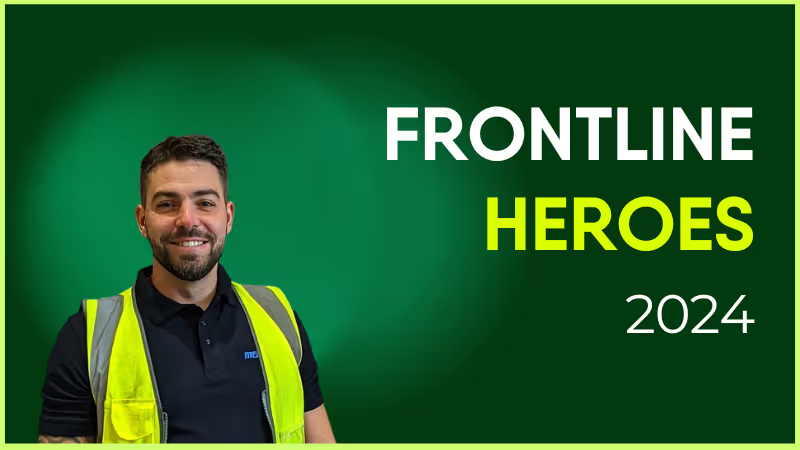

The responsibilities of the role are twofold: Firstly, to scope out and build custom integrations that can service our clients needs; and secondly, to work with customers to find solutions to/tailor bespoke apps for the pain points in their current ways of working.
The culture at Blink is second to none and the diverse team is a mix of weird and wonderful people all driving towards the same goal. It’s a lovely place to work!
We’re living in the era of overload. Every app is buzzing, every chat is “urgent,” and every notification wants a piece of your day. It’s not that people don’t care — it’s that their attention is under siege.
At Blink, we believe attention isn’t something to be taken. It’s something to be guided.
Guided attention means helping every worker — from HQ to the frontline — focus on what actually matters. It’s about communication that feels calm, intentional, and personal. Because when people can focus, work stops feeling chaotic — and starts feeling human again.
Why attention needs a rethink
For years, internal communication has been a volume game. More channels. More updates. More “engagement.”
The result? More noise. When everything feels urgent, nothing feels important. When every message shouts, people stop listening. And when frontline teams feel buried under notifications, engagement doesn’t just dip — it disappears.
That’s why we’re on a mission to unlock the potential of every person, team, and organization starts with something simple: respect for attention.
Guided attention isn’t about saying less. It’s about saying it right — so what reaches people actually resonates.
Turning down the noise: Smarter notifications
We’ve completely re-engineered one of the loudest tools in digital work: the push notification.
With Blink’s new smarter notifications, organizations can reach everyone with precision — not pressure.
For employees: Freedom to focus. Choose how and when you’re notified — by group, topic, or even Quiet Days when you don’t want to be disturbed.
For admins: Confidence in control. Guardrails make sure only critical updates break through, building trust (and killing notification fatigue).
For the organization: More visibility where it matters, fewer mute buttons hit in frustration, and a healthier digital rhythm.
Every ping now carries intent, not interruption.
{{mobile-notification="/image"}}
Guided attention in action
Guided attention doesn’t live in a single feature — it’s the thread that runs through Blink’s entire experience.
Journeys: Focus, sequenced
From onboarding to safety training, some moments deserve structure. Blink Journeys turn chaos into clarity — one step at a time.
No lost emails. No follow-up chases. Just progress that feels effortless.
Because attention thrives on clarity.
Feed: Relevance that earns trust
The Blink news feed isn’t another corporate firehose — it’s curated, contextual, and smart.
Local updates, leadership notes, and frontline ops all in one scrollable space — tailored by role and region.
The result? A feed that feels trusted, not tired, and comms that feel personal, not performative.
Internal comms: Structure over spam
With Blink, communication doesn’t just happen — it’s designed.
Admins can set who can “notify all,” tag posts as “Important,” and define critical groups. Built-in governance keeps communication consistent and credible, especially for safety, compliance, and leadership updates.
Because when governance is baked in, trust follows naturally.
Employee engagement: Insight that amplifies
Guided attention doesn’t stop at delivery. BlinkIQ analytics show which messages land, who’s reading, and where focus fades.
It’s feedback in real time — so you can adjust, refine, and keep comms human.
Modern comms isn’t about shouting louder. It’s about listening smarter.
The science (and soul) behind focus
Here’s the truth: attention is emotional before it’s functional.
People don’t focus because something flashes — they focus because it feels relevant, respectful, and worth their time.
That’s why Blink mirrors how humans actually think and process, not how software does. We balance precision (right message, right time), with autonomy (freedom to choose), and context (so every message feels meaningful).
It’s what we call precision reach — without the noise.
The impact of guided attention
When organizations embrace guided attention, communication stops being background chatter — and starts driving real outcomes.
Faster operations. Teams act on updates they trust.
Lower risk. Critical alerts cut through instantly.
Higher engagement. Employees stay connected because comms respect their focus.
Stronger culture. Clarity breeds confidence — and confidence builds belonging.
Guided attention isn’t about managing messages. It’s about empowering people.
How to get started
#1. Run a noise audit
Work with your Blink Customer Success Manager to map your notification landscape. What’s truly critical? What’s just clutter?
#2. Publish your notifications playbook
Set your communication standards: what’s “Important,” what’s “FYI,” and who gets to decide.
#3. Encourage personalization
Share Blink’s feature spotlight and comms templates to help employees set their own preferences — because ownership fuels engagement.
#4. Track, learn, and refine
Use BlinkIQ to see what lands. Adjust. Repeat. Build a rhythm that feels intentional — not intrusive.
Guided attention, unlocked
At Blink, we’re not just building tools — we’re reimagining how workplace communication feels.
Guided attention is how every organization can speak with purpose — and every worker can listen with trust.
Because when communication respects attention, people don’t just engage — they thrive.
#1. What is the Notification Detox, and why does it matter?
The Notification Detox is Blink's approach to reducing noise, eliminating unnecessary alerts, and delivering only meaningful, high-value notifications. It helps employees stay focused while still recieving critical updates.

#2. How does Guided Attention improve employee productivity?
Guided Attention prioritizes messages based on role, urgency, and context. With Blink’s smart filtering, employees get fewer interruptions and only see notifications that truly matter to their workday.
#2. How can organizations implement a notification detox successfully?
Companies can start by centralizing communication in a single platform like Blink, customizing notification rules, and using Blink’s smart delivery settings to ensure the right message reaches the right person at the right time.

Employee engagement in retail requires more than a staff discount
Sure, that discount code is a great perk. But on its own, it’s not enough to keep your retail team engaged long-term.
Retail work is fast-paced, seasonal, and demanding — and staff don’t tend to stick around for long. Currently, the retail staff turnover rate is hovering around 60%.
These realities make retail employee engagement tricky — but also crucial. When teams are engaged, they’re more productive, more efficient, and more likely to stay working for your store.
They also provide a better service to customers. Companies with the best employee experience (EX) are more than twice as likely to achieve a top customer experience (CX).
So how do you engage retail staff — from team stalwarts to seasonal staff? Here, we look at what retail managers can do to inspire the loyalty and motivation of their teams.
Why is retail engagement so hard? Understanding retail team dynamics
First, what are retail managers up against? Retail teams don’t operate like office teams. They face a set of unique engagement challenges:
Part-time and seasonal staff. Store staff come and go. Managers spend a lot of time getting new hires up to speed — and retail employees don’t always know their coworkers well.
Changing shift schedules. Employees can go weeks without seeing some team members, simply because their shifts never line up. So building a sense of teamwork and community isn’t easy.
Varying digital access. Many stores still use outdated word-of-mouth and paper processes. Staff don’t always have access to the digital platforms and communication channels they need.
The head-office gap. In many retail chains, there’s a disconnect between those making the decisions and those on the shop floor. Messages get lost or delayed. Employee insights are overlooked. Initiatives feel irrelevant because the context isn’t always clear.
In short, retail engagement — like most frontline employee engagement — is tough. But crack it, and you keep staff motivated, connected, and delivering their best.
{{mobile-main="/image"}}
The core pillars of employee engagement in retail
So what moves the needle for employee engagement in the retail industry? Here’s what your team is looking for.
Accessible tools
If internal communications only live on a traditional company intranet platform, retail employees aren’t being kept in the loop — especially if that intranet is only accessible via desktop. Retail staff need mobile-first internal communication tools with a fast, frictionless user experience.
Look for internal communication software where employees can access workplace resources, instant messaging with coworkers, and company policies — all from the same user-friendly custom dashboard.
Relevant and bite-sized updates
Retail employees don’t have time to wade through a wordy email or a multi-page PDF. They’re serving customers, restocking shelves, and juggling a dozen different priorities. So employee communications need to be short, visual, and easy to digest. Think quick videos, infographics, and bullet-point news feed posts. The faster someone can read and act on a message, the better.
Recognition and celebration
From hitting sales goals to nailing a tricky customer request to earning glowing customer feedback — employees deserve recognition for their wins. Employee recognition doesn’t have to be big or expensive. It just has to be genuine. A public thank you in the team chat, a mention in the morning huddle, or a Story celebrating a shift’s success can lift morale and encourage other employees to bring their A-game.
Well-being support
Retail work is demanding — physically, mentally, and emotionally. Employees spend long hours on their feet. They have to cope with huge spikes in demand during busy seasons. They’re also — sadly — subjected to high levels of customer abuse. To ensure employee engagement in the retail sector, staff need well-being support, stress-busting resources, and a corporate culture that respects work-life balance.
Meaningful work
Frontline retail employees who feel connected to their company’s mission are 76% more likely to stay and more likely to put in discretionary effort, too. When they see how their work shapes customer experiences, store success, and company goals — and get a say in decisions that affect their day-to-day — effort and commitment increase.
Retail managers matter. In fact, research shows that managers account for 70% of the variance in team engagement. That’s huge.
You set the pace, tone, and culture of your store — and your actions have a direct impact on how connected and valued your team feels.
While you may have to get head office approval for some engagement initiatives, there’s plenty you can do right now to engage your retail workforce. Let’s take a look.
If you want your team to show up on your digital tools, you have to do the same. So comment on employee posts. Respond to that company-wide poll. Be active in the team chat. When your team sees you using digital channels, they’re much more likely to join in.
#2. Keep your team up-to-date
Improve internal communication and you improve employee engagement. So commit to a regular schedule of team-specific comms. Whether it’s a new promotion, a new hire, or the latest sales stats, keep employees in the loop through push notifications, using channels that everyone can access. That way, no one has to rely on the grapevine for essential updates.
#3. Encourage peer-to-peer communication
Coworker connection helps to create a sense of belonging. But some retail staff might never work the same shifts. You can build stronger team relationships by encouraging group chat on digital channels. Pose questions. Ask for input. Get conversations started. In doing so, you facilitate the sharing of knowledge and workplace hacks — and help employees feel part of your store community.
#4. Say thank you
Engagement thrives when you show appreciation for employees. And recognition doesn’t have to be extravagant — a public thank-you in your team feed, a quick shout-out in the morning huddle, or a Story celebrating a team win can make a big impact. If you want to boost employee morale, the key is to be specific, so recognition feels genuine.
#5. Act on feedback promptly
Whether it’s a broken fitting room light, a problem with the cash register, or an employee’s ideas for your new store promo, showing you listen and act on employee feedback quickly builds trust. Make sure every employee has a way to share their ideas, concerns, and frustrations — via employee surveys, polls, or a regular 1-to-1 meeting. Then, close the feedback loop by letting them know what’s being done.
{{mobile-survey="/image"}}
#6. Provide training and development opportunities
Your best employees are the ones who want to grow and learn. And if they don’t get training and development opportunities with your company, they’re likely to hit the job boards. So offer shadowing opportunities, targeted training, and stretch assignments — and make sure they know about career paths available within your retail organization.
#7. Connect the dots
Help your team see how their work impacts the business, the customer, and even the local community. Connect daily goals to larger company objectives — with the help of customer stories, business updates, and store performance stats — so employees feel part of something bigger.
#8. Facilitate shift swaps
Making shift swaps simple and fair helps employees take control over their schedules. If your company offers a self-service shift swap app, lean into it. This is the easiest way to reduce your workload and help employees manage their work-life balance. No fancy system? You can still make swaps straightforward by posting the weekly schedule, in advance, in the break room — and by establishing a clear system for swap requests.
#9. Run well-being check-ins
Do you know how your team’s doing? This is where instant messaging and video conferencing for mobile access makes a difference. Take 60 seconds to ask how they’re feeling before diving into KPIs or tasks for the day. A genuine check-in can make an employee feel seen and valued. Plus, their responses can give you valuable insight into how to improve employee engagement in your retail store.
#10. Set mini challenges
Create a spot of friendly competition to drive team collaboration and inject energy into slow shifts. You can set targets for speedy restocking, positive customer feedback, or product knowledge. Then offer rewards. These can be as simple as picking the music for the next shift or a favorite snack from the local café. Done right, challenges can boost workplace engagement and help your team hit business goals.
#11. Keep track of engagement metrics
It’s hard to improve what you can’t measure. Whether it’s mandated from HQ or not, it pays to understand and track employee engagement KPIs with a dedicated analytics tool. Look at metrics like absenteeism, staff turnover, and employee net promoter score (eNPS) — if possible, broken down by employee segmentation — to understand how your actions are impacting team engagement over time and to find new ways to boost morale.
{{mobile-shifts="/image"}}
From stockroom to shop floor, retail engagement that drives results
An engaged store is a productive store — and it all starts with the manager. When managers understand the importance of employee engagement in retail — and how to inspire it — teams are happier, more loyal, and deliver better customer experiences.
There are plenty of employee engagement activities you can put into practice in your store. From wellbeing checks to shift swap tools to regular company updates. But the right retail employee engagement and retention tools makes connecting and motivating your team a lot easier.
An employee app like Blink — designed for frontline employees — puts recognition, real-time feedback, scheduling, and comms in one central hub. Retail employees can access the Blink dashboard from their smartphones. So it’s easy to connect workers across shifts, bring seasonal workers into the fold, and make everyone feel part of company culture.
Our retail partners, including McDonald’s and Domino’s, are already seeing the difference that digital-first comms strategy can make. Will you be next?
Looking for a modern comms tool for your modern workforce? Unlike traditional internal communication methods — like a static intranet or email — an employee communication app is engaging and user-friendly.
It supports the distribution of relevant and personalized content to every employee. And it goes beyond the desktop experience, to give remote and frontline employees access to company comms via a mobile device.
It goes without saying that an employee app can help you improve internal communications. But the impact of the best apps is much wider-reaching. They give you the tools you need to transform employee productivity, engagement, and retention, too.
Here, we’ve put together a list of the best employee communication apps for 2025. We look at the primary features, potential drawbacks, and customer ratings associated with each app to help you find the right platform for your organization.
Best employee communication apps for 2025
These workplace communication apps help you get the right messages to the right employees, without adding unnecessary noise.
Our top employee communication apps for this year are:
Blink: best app for large enterprises with a mix of frontline and desk-based employees
Slack: best app for dispersed desk-based teams in need of real-time collaboration tools
Staffbase: best app for companies with a large, distributed workforce
Beekeeper: best for frontline organizations in highly operational environments
Haiilo: best app for mid to large businesses looking to boost employer branding and advocacy
Workvivo: best app for building community and culture within hybrid and remote teams
Here, we take a detailed look at each app in turn.
1. Blink
{{mobile-desktop-main="/image"}}
Best for: large enterprises with a mix of frontline and desk-based employees
Blink is an all-in-one employee communication app designed for organizations that have both desk-based and frontline employees. Both segments of your workforce get the same high-quality, two-way communication tools via a simple, intuitive platform.
Via the Blink app — available on both smartphone and desktop computers — employees can access a company news feed, real-time messaging, shift schedules, digital forms, employee surveys, and a content hub. Thanks to deep integrations, workers also get one-click access to your other workplace software.
One of Blink’s best features is its user-friendly social-media style interface. Our company communication app enjoys high levels of adoption and usage because there’s virtually no learning curve. Employees can download and start using the app with ease.
Key features/strengths
Social-media style news feed: Employees can stay up-to-date with company news via the news feed, which is populated with engaging posts, photos, videos, and stories. Depending on the settings you choose, employees have the option to like, comment, and create their own posts.
Audience segmentation tools: Wave goodbye to information overload. With Blink, you can segment employees based on their role, team, location, tenure, and interests to ensure they only receive relevant messages.
Knowledge library: A content hub where admins can create or upload documents, policies, FAQs, and resources. Workers can access this hub anytime and from any device with an internet connection.
Instant messaging: Employees can launch secure, one-to-one live chats — or create groups to organize conversations around a specific team, topic, or project.
Mandatory reads: To ensure essential internal communications are read, admins can require employee acknowledgment. They can also use push notifications and in-app reminders to highlight critical messages.
Employee journeys: Admins can automate employee communications, ensuring that workers get the right information at key points in the employee lifecycle.
Communities: Support employees to find like-minded coworkers. The Communities feature supports the creation of coworker groups based on hobbies or interests.
Digital forms: You can use Blink to digitize paper processes, creating and distributing digital forms to gather employee information. Popular options include leave request forms, absence management forms, and near-miss reporting forms.
Platform analytics: With powerful analytics, admins can track internal communication metrics and find areas for improvement. They can see which content is most effective — and identify employees who aren’t engaging with company comms.
Single sign-on: All Blink tools are available via mobile app using single sign-on technology. Deskless workers can access the same employee communication tools as their desk-based peers, without needing a company email address.
Potential downsides
Some users say that the app’s search function could be better. They’d like to see more search management tools and refiners.
Pricing
Pricing is available on request.
Ratings
Capterra: 4.7/5
G2: 4.7/5
2. Slack
Best for: dispersed desk-based teams that need real-time collaboration tools
Slack is one of the most popular workplace communication apps, especially for organizations that have employees working from home. This software is known for its intuitive interface and variety of third-party integrations. Its supported platforms include web, iOS, and Android.
Key features/strengths
Instant messaging: Employees can chat one-to-one via text, audio, or video call. Screen-sharing and file-sharing are supported. A worker can also initiate a conference with up to 15 members.
Channels: Workers can create separate channels for individual projects, topics, or teams. Channels can be private, with only a few team members, or available to everyone in the company.
Knowledge sharing: The files you share on the chat are saved online and are searchable through the platform.
Integrations: Slack connects with common office applications like Google Drive, Zapier, and Trello.
Workflow builder: Workers can automate routine tasks that need inputs and approvals from team members.
Potential downsides
You need an email address to use Slack, making it an impractical solution for frontline workers.
Some users complain that the platform can feel overwhelming and that there are too many notifications.
Users say it’s easy to miss messages because there are so many channels and because search functionality is lacking.
Pricing
Pro: $8.75 per user per month
Business+: $15 per user per month
There is an enterprise plan, with pricing available on request — and a free plan with limited features.
Ratings
Capterra: 4.7/5
G2: 4.5/5
3. Staffbase
Best for: enterprise companies with a big, distributed workforce
Staffbase is a company intranet that provides a mobile app for frontline employees. It gives big organizations all the tools they need to plan, create, send, and measure the impact of internal communications.
Key features/strengths
Content publishing: Staffbase lets admins create, publish, and measure the impact of content. It’s easy to create compelling communications across a range of channels and editors can publish posts under company leaders’ names.
News feed: An interactive social feed, with clear layouts and a user-friendly experience, available on both desktop and mobile app versions of the platform.
Live chat: Employees can initiate or participate in one-to-one and group chats for fast and secure communication.
Employee directory: An employee database makes it easy for employees to find and communicate with coworkers.
Analytics: Admins can get data-driven reporting on employee activity, adoption, and engagement with internal messages.
Integrations: Integration with popular workplace applications such as Google Workspace, Salesforce, and Slack are available.
Potential downsides
Some add-ons and integrations come at an additional cost.
Admins complain that there is limited customization.
There are few out-of-the-box features for frontline workers.
Pricing
Pricing is available on request.
Ratings
Capterra: 4.7/5
G2: 4.6/5
How does Staffbase compare to Blink? View a platform comparison: Staffbase vs. Blink.
4. Beekeeper
Best for: frontline organizations in highly operational environments
Beekeeper is an app for employee communication, designed specifically to connect deskless employees with company HQ. Initially focused on retail employees, Beekeeper has expanded its reach to include other frontline industries.
This platform helps frontline organizations to replace paper processes with digital ones — and it’s a popular choice in fast-paced, operational environments.
Key features/strengths
Real-time communication: Workers can communicate on the go via “streams” and secure chats. You can also use digital surveys to gather frontline feedback.
Content hub: A file library allows quick access to vital documents and resources. Files can be uploaded from a device or imported from Microsoft SharePoint.
Instant translations: For multilingual organizations, Beekeeper provides automatic inline translations to ensure everyone understands your employee messages.
Analytics: Built-in analytics reporting allows admins to view metrics on engagement, popular content, and readership.
Single sign-on: Employees can access the app and other connected apps without an email address, phone number, or password.
Potential downsides
Some users have found the app difficult to use.
With a focus on the mobile and frontline experience, this app isn’t the best option for desk-based employees.
Pricing
Pricing is available on request. There’s a 14-day free trial available.
Best for: mid to large businesses looking to boost employer branding and advocacy
Haiilo is another top employee communications app in 2025. This company was born from a merger between COYO (which specialized in social intranets), Smarp (which was known for its employee advocacy tools), and Jubiwee (which focused on employee surveys).
This app is available on three payment plans. There are also additional modules available if you want to incorporate an employee intranet, surveys, or multichannel communication.
Key features/strengths
Email builder: An email template builder and automatically created delivery lists help you reach desk-based employees with engagement internal newsletters.
Content creation: With the help of AI, co-creation tools, and a content calendar, Haiilo makes content creation easy.
Analytics: Platform analytics help leaders make data-driven decisions. You can also set up alerts for critical developments and get automated reports.
People directory: User profiles and a list of coworkers make it easy to find the teammates you’re looking for.
Live streams, podcasts, and digital signage: Haiilo supports a variety of communication methods, including via TV screens displayed at your office locations.
Employee advocacy: Employees can link their personal social media accounts to the Haiilo platform, then share content directly using the Haiilo interface.
Potential downsides
Some internal communication features are only available as add-ons and come at an additional cost.
There are limited integrations with other workplace tools.
Admins report issues with bulk content control, multi-language features, and app customization.
Pricing
Pricing is available on request.
Ratings
Capterra: 4.3/5
G2: 4.6/5
6. Workvivo
Best for: building community and culture within hybrid and remote teams
Workvivo, owned by Zoom, is a workplace communication tool with a familiar news-feed-style interface so there’s a minimal learning curve. It combines the features of an intranet, internal communication software, and a mobile employee app.
The mobile app makes the platform accessible to remote, office-based, and frontline employees. Supported formats include online, Android, and iOS.
Key features/strengths
Activity feed: Workers from across the company can post updates and keep others informed about the latest workplace news. Posts can also be scheduled for later.
Instant messaging: A chat function is available through integrations with tools like Slack, MS Teams, and Zoom meetings.
Live video streaming: Executives can stream town hall sessions via live video or podcasting for people who cannot attend in person.
People directory: A searchable directory of workers with profile information allows workers to get to know each other better.
Internal articles: Admins can publish and manage articles with rich content such as photos, tables, and video clips.
Potential downsides
Integrations with third-party systems can feel a little light.
Admins say they want better customization options — there is limited out-of-the-box functionality for customization.
The search experience on mobile isn’t as robust as on the desktop app.
Final thoughts: best employee communication apps in 2025
An internal communication app can help you improve employee communications within your organization. It goes beyond paper processes, email, or an outdated intranet to deliver essential comms to every employee smartphone.
As you can see from this list, there are lots of employee communication apps to choose from, each with its own set of features and use cases. You need to consider the size of your organization and the composition of your workforce when deciding between them.
Across most apps, you’ll find a variety of communication channels. The best apps provide access to multimedia news feeds, instant messaging, and surveys. They also give you tools to segment your audience, promote two-way communication, and analyze your comms performance.
But — when choosing an employee communication app for your organization — it pays to think beyond internal comms. To avoid app overload and ensure a streamlined digital employee experience, a platform that helps you achieve multiple workplace goals is ideal.
Blink’s employee app supports internal communication, employee engagement, and employee listening. It provides a home for HR resources and self-serve tools. It also offers deep integration with other workplace software to create a one-stop digital hub for your organization.
2022: the year BYOD policy finally became mainstream?
Towards the end of the 2010s, BYOD was considered on its way out. The balance between good data security and infringing on employees’ private lives was difficult to manage, and buy-in rates were low.
Now, however, employers are adopting BYOD in their droves.
Why?
If you’re thinking ‘COVID. Definitely COVID’, you’re about 90% of the way there.
Equally, it’s not the only factor that has contributed:
The speed, resilience and availability of 5G make remote working significantly easier from a wider range of devices.
Increasing usage of smart IoT to increase productivity, including smart speakers and enhanced wearables. With 1.3 billion projected subscriptions to IoT-related technologies in 2023, this is very much an emerging use case for BYOD.
With the increase in remote working since COVID and consumer tech evolving rapidly, now is the time to think about tightening up your BYOD policy, or creating one from scratch if you don’t have one already. Here’s what you need to know, with a bring your own device policy template included at the end of the article.
“BYOD is the concept of employees using their personally owned device(s) for work purposes.
With BYOD, an organization has ownership of the corporate data and resources that may be accessed or stored on a device, but the device itself is the property of the user.”
Following on from this, a ‘bring your own device’ policy is the set of rules and regulations both employee and employer need to follow to make this work. Ultimately, it’s about maintaining a balance between your employees’ privacy and your IT security needs as an employer.
You might be partially BYOD without even realizing it! For most businesses, the big use case is smartphones. If you’ve ever asked employees to use their smartphones for any work-related purpose, that’s a BYOD policy. This could include:
Running work social media accounts
Installing employee apps, workplace instant messenger or any other internal comms tool
Taking work-related calls
Using it to track mileage, manage driving routes
Expense filing (via uploading photos of receipts, for example)
In fact, you’re very much in the minority if your employees don’t use their personal phones for any business activity – 87% of companies depend on their employee’s ability to access mobile business apps from their personal smartphones.
What are the benefits of BYOD?
BYOD policies can:
Save your business money on recurring hardware spend (bear in mind that most laptops will need to be replaced every few years, and that you’ll need to keep buying more as your business grows its headcount!)
Help establish remote working as a viable option. New employees have everything they need to start immediately and aren’t held back by not having the right equipment.
When managed well, BYOD is flexible, affordable, and accessible. Employees save time by working with the devices they like best, and you can implement a mobile-first approach without a huge expenditure on company smartphones.
What are the challenges and risks of BYOD?
The biggest issue BYOD workplaces face is data and device security. Whilst you can set up fair usage policies and train your employees in good security practices, you can’t completely dictate how they use their personal devices.
Let’s say you have a BYOD policy and you’d like your employees to install a mobile intranet app on their personal smartphones. After initial installation, you have no direct control over:
How often each employee installs updates
Where they take their smartphone
Who uses the smartphone
What else they install on their smartphone and how they use it
All of these are major security risks when it comes to corporate data. Whilst personal devices are increasingly a target for hackers, even the most mundane everyday accident can pose a threat.
Did your employee leave their phone unlocked on the bus?
Could children or other family members access work info by accident?
Instances like these can pose a huge risk. You’re also relying on employees to have access to devices that will support the software you want them to use. This might be a fair assumption for some workplace demographics (salaried, management level employees) but shouldn’t be taken as a given.
That’s why, if you’re serious about BYOD, you’ll need to give some serious thought to:
Making your policy comply with a wide range of device types
Providing adequate IT support for personal devices
Creating a policy that is seen as fair by employees, and doesn’t infringe on their personal lives
Creating a bring your own device policy
Want to benefit from the flexibility and cost savings BYOD offers, without turning your workplace into your IT security team’s worst nightmare? A solid BYOD policy is the answer. Follow these steps for a safe and secure workplace.
Preparing for and creating a BYOD policy: 5 steps to success
Decide which apps employees should be able to access from personal devices
In terms of risk, there’s a difference between your employee’s personal calendar tool, a project management solution and your business’s accounting app. Consider which level of security you’re comfortable granting access to in a less-regulated environment – you might want to keep systems with particularly sensitive info away from BYOD policies.
Decide which personal devices your employees can use for a BYOD policy
Weigh up risk vs reward here. If you already have a policy for using company laptops and have an entire cupboard of them to distribute, you might be better off sticking with them. Be sure to consider the implications of smart speakers and IoT devices too.
You might also want to impose an age limit on devices your employees use. Older devices that don’t support the latest software and operating system versions are a huge risk as weak points become well documented by hackers.
Set up reasonable security controls
Again, this is a balancing act. Your employees are likely to be more than happy with some security protocols on their device – this helps protect their personal information too! Equally, they might become understandably bitter about completing a 15-factor authentication process every time they check their WhatsApp.
You could start with a requirement to password protect their device, with biometrics if available, and add two-factor authentication for each business app they need to login to. A screen that locks after a set period of inactivity is also useful.
Check your SSL certificates
An SSL certificate is a snippet of code on your web server that makes online communications more secure. If employees need to view confidential information such as financial accounts or sensitive personal info like payroll and benefits, an SSL certificate helps ensure they can do that safely.
Mostly, this is a job for your IT team – but it’s good to be aware of it whilst drawing up the rest of your policy.
Outline BYOD expectations for employees and provide training
Your employees know how to use their own devices – but don’t take it as a given that they’re completely up to speed on the latest IT security know-how.
That’s why regular IT security training is vital. Cyber threats are constantly evolving, and what was good practice 18 months ago might be out of date today. Make it part of your onboarding process, and ensure that you have e-learning top-ups every year for maximum impact.
BYOD Do’s and Don’ts
Looking for a quick guide to BYOD security? Share these do’s and don’ts with your employees as a handy reference!
DO
- Keep your passwords secure and change them regularly
- Use biometric features for device security if possible
- Report any lost or stolen devices to IT within 24 hours
- Complete our refresher training regularly so you’re aware of the latest threats
DON’T
- Share your device passwords with anyone
- Screenshot or copy company data to other locations on your device
- Access systems that you don’t need to
- Access sensitive data in crowded areas without a screen protector
- Leave your device unattended for any length of time
BYOD policy examples
A basic, top-level BYOD template looks something like this:
Introduction
Lay out what the policy is for and why it’s needed
Acceptable use
Explain what employees can and can’t do with a device used for BYOD
Supported devices
List what devices your IT team can support for BYOD access to business systems
Security
Outline the security expectations for employees’ BYOD.
Risks/disclaimers
Explain the risks of BYOD policy, what to do if a device is compromised, and how the business deals with security breaches.
Want to see this BYOD template in action? Check out a real-world example here.
BYOD policy: final thoughts
Plenty of businesses use BYOD solutions successfully, 24/7. With the right foundations, bring your own device can be a safe, accessible and flexible way of managing remote, hybrid and mobile workforces in particular.
A solid BYOD policy is vital to unlocking these benefits. Too vague, and you risk security issues developing that you have no direct control over. Too overbearing, and your employees will start to resent it, disengage, and find workarounds.
Set clear expectations, provide regular security training and be open to discussion with employees for the best results. Offering to pay a percentage of the value of the device each employee uses for work isn’t necessary, but it’s a nice touch that says “We appreciate what you’re doing for us”. And, in the long run, that will pay off significantly.
Is your employee intranet actually working for your team — or is it just taking up space?
Today’s workforce is mobile, distributed, and digitally savvy. They manage their finances, shopping, and social lives through beautifully designed apps — and they expect workplace tools to keep pace.
When an intranet doesn’t, employees steer clear. That’s why clunky, desktop-first platforms are quietly being replaced by modern intranets and employee apps designed for how people actually work in 2026 — not how they used to.
Simply put: Most intranets don’t fail because they’re missing features. They fail because no one actually wants to use them.
A modern intranet needs to be more than a static homepage or a document dumping ground. It’s a living, breathing hub that helps employees do their best work.
It connects people, information, and tools — all in one place. And crucially? It’s designed around how employees actually work now, not how they used to.
So what separates a truly modern intranet from versions that have come before? Meet the eight features you’ll find on any cutting-edge intranet platform.
8 must-have modern intranet features
Whether you’re planning to update an outdated intranet or find a completely new solution, here are the must-have intranet features you need — and why they matter.
1. A mobile-first experience
Let’s start with a non-negotiable. A modern intranet should be mobile-first.
It should be designed for mobile devices as a priority, not retrofitted later as part of a clumsy glow-up. Because shrinking a desktop intranet down to fit a teensy smartphone screen just doesn’t cut it for user experience.
A modern intranet app features:
Full functionality — not a slimmed-down version of your desktop platform
Intuitive navigation via a user-friendly dashboard
Easy access, even for employees without a corporate email address
A consistent experience across both mobile and desktop
What makes this a modern intranet must-have?
Work doesn’t just happen at a desk. Employees are on shop floors, hospital wards, construction sites, and warehouses. Even desk-based employees are increasingly hybrid, remote, or on the move.
If your company intranet only works well on desktop, you’re excluding a huge chunk of your workforce.
A mobile-first intranet app closes communication gaps, puts resources within easy reach, and creates an equitable digital employee experience for everyone. So it’s easy to check policy updates, swap shifts, and even submit a safety report — all via smartphone and all in the flow of work.
{{mobile-hub="/image"}}
2. A central hub for information
One of the central promises of any intranet is simple: a single source of truth. That means:
Policies, handbooks, and standard operating procedures all living in one place
A clear structure and ownership for every piece of content
Content management tools — so it’s easy for admins to see what needs updating when
What makes this a modern intranet must-have?
Many organizations still have information scattered across Microsoft 365 SharePoint sites, email attachments, shared drives, and unofficial WhatsApp chats.
Employees aren’t sure where to look for resources or, when they do lay their hands on the right document, whether the information it contains is up to date.
A central hub makes information reliable and easy to find. Employees spend less time digging around for documents and resources, so productivity and collaboration improve.
3. Powerful search and discovery
Even the best content is useless if no one can find it. So modern intranets treat search functions as a core feature, not an afterthought.
They provide a fast, intuitive experience — with filters, tags, and clear navigation. They surface the right content, not just the most recent.
What makes this a modern intranet must-have?
Advanced search functionality saves time, reduces queries to managers, and helps employees find the answers they need in seconds. This is particularly useful for busy frontline teams who don’t have time to hunt for the information they need.
{{mobile-chat="/image"}}
4. Built-in communication tools
A modern intranet mobile app goes beyond storage. It acts as a communication hub, bringing together knowledge, company news, and collaboration tools.
We’re talking:
A social-media-style news feed for company updates and culture building
With fewer tools and tabs, it’s easy for employees to get up to speed. People are also more likely to act on your comms — they can click on a link within a message and head straight to the intranet resources it relates to.
With built-in tools, employee communication becomes more streamlined, effective, and engaging. And your intranet becomes the go-to place for company comms.
{{mobile-story-polls="/image"}}
5. Easy access to other systems
Are there barriers between your intranet and the other digital workplace systems you use? Then you’re adding friction to the work day — and missing out on another essential modern intranet feature.
The best intranets act as a digital front door for your organization. From one simple dashboard and a single set of login details, employees can access all the tools they need to do their work well. No juggling passwords or hopping between tabs.
They can check a payslip in the HR system, complete an online training module, view inventory information — all in a couple of clicks, right from your intranet platform.
What makes this a modern intranet must-have?
When your intranet acts as a digital hub, providing single sign-on and deep integrations with your existing systems, work flows more smoothly. Employees spend less time navigating tools and more time actually using them.
The payoff is less frustration, fewer support requests, and higher adoption of the software you’ve already invested in.
6. Social and engagement features
Work isn’t just about tasks and to-do lists. It’s about people — and your intranet should reflect that. It needs social features that feel natural and intuitive.
A news feed where employees can react, comment, and start new conversations. Quick-fire polls. Communities of coworkers. Short-form video stories. Public recognition that makes great work visible.
This modern social experience mimics the apps employees love to use away from work. And — done well — it doesn’t add to the noise. With smart targeting and personalization, employees see relevant, engaging content every time they log in.
What makes this a modern intranet must-have?
Employees want to feel seen, heard, and connected. Social and engagement features give them a shared space to interact — a digital water cooler where people can gather, no matter their location, shift, or time zone.
This is great for building company culture and improving employee engagement. It’s particularly useful for dispersed teams who don’t always get to see their coworkers face to face.
{{mobile-stories="/image"}}
7. Simple administration and governance
Modern should never mean hard to manage. Behind every great intranet experience is a setup that’s easy to run — without constant IT involvement. That means:
Simple publishing workflows
Clear permissions and controls
Easy audience targeting
Straightforward governance for content creation
What makes this a modern intranet must-have?
When administration is too complex, content delivery slows down. Pages go stale. Updates get stuck in approval loops. Before long, people stop trusting the intranet. And once you’ve lost that trust, it’s very hard to get employees back onto the platform.
The best intranet sites give comms, HR, and operations teams the confidence to manage their piece of the intranet independently. That agility keeps information fresh, accurate, and timely.
8. Analytics that show what’s working
Last on our list of must-have modern intranet features it’s analytics. Because it’s no longer enough to publish content and hope for the best. Internal teams need data that helps them understand:
Who’s logging in?
What content is being read?
Where engagement is high (or low)
How adoption changes over time
The best employee intranets provide clear, actionable insights. They present data clearly and allow you to drill down into that data to reveal trends and causes.
What makes this a modern intranet must-have?
Employee expectations and needs are liable to change. So, to keep pace, you need tounderstand the intranet experience inside out.
With access to usage, reach, and engagement data, you can continuously improve your intranet. You can make it more relevant, more engaging, and more valuable over time. So employees consistently get value from the platform and actually enjoy logging in each day.
{{mobile-activation="/image"}}
Making work easy and enjoyable with a modern intranet app
Employees don’t waste time hunting for answers or switching between tools. People communicate and work together easily. Culture shows up in everyday moments — not just leadership announcements.
That’s the difference between an intranet people avoid and one they rely on. Between a platform you’re simply paying for and one that actually gets used.
If your intranet still feels like a filing cabinet — or if it’s missing any of the modern intranet features we’ve covered above — it’s time for an upgrade.