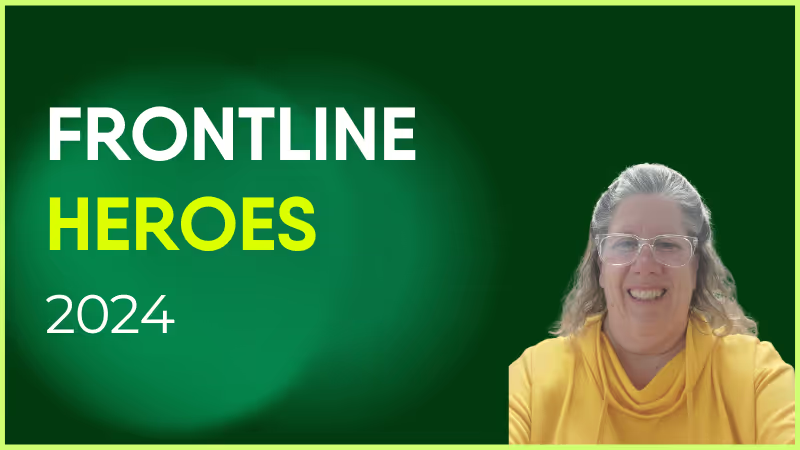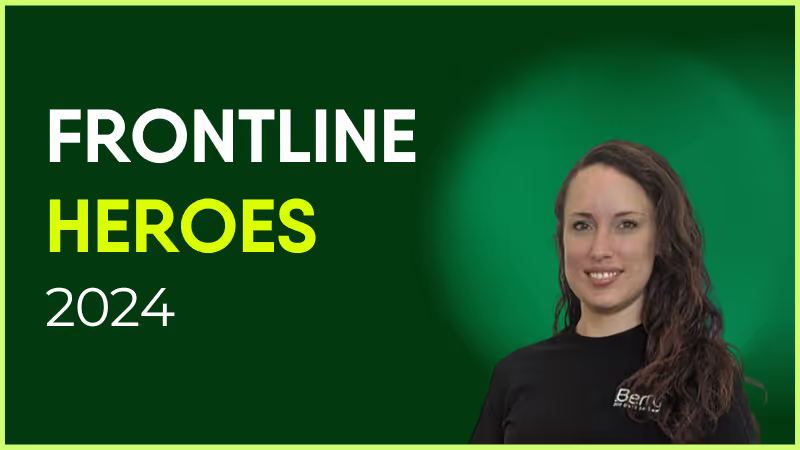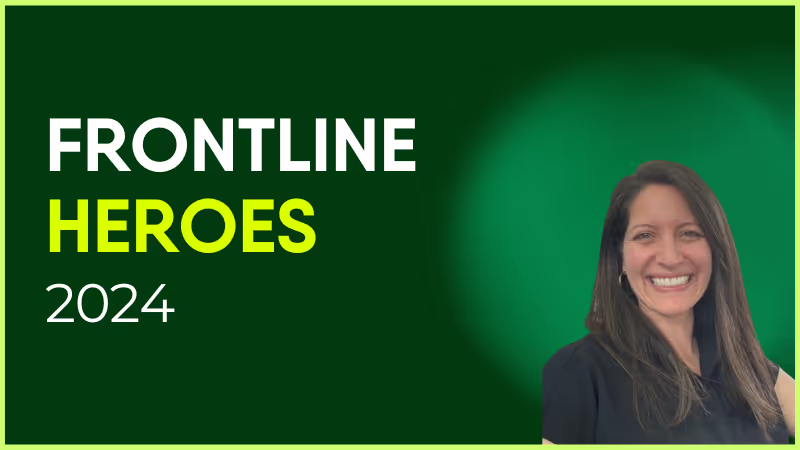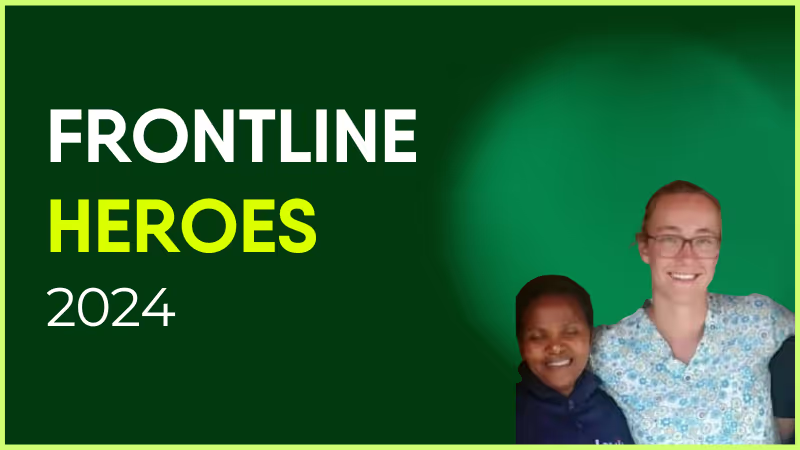
Kerry Schumann is an Occupational Therapist with diverse experience in the healthcare sector. Currently employed at Ross Care since October 2022, Kerry previously held a similar role at Millbrook Healthcare and worked at the Eastern Cape Department of Health from December 2018 to November 2022, where responsibilities included establishing sustainable services as the sole therapist at a district-level hospital.
Kerry always goes above and beyond her role. She will always reach out to help anyone who needs it. She shows great initiative and is proactive in everything she does — and always has a smile around the office. She has always shown amazing rapport with service users and their family. Kerry is just a general delight to work alongside.
How has Blink helped in her role?
Kerry is our Blink Champion for Chandlers Ford.
What does she want to do next?
She wants to keep doing the best she can each and every day and hopes to progress within the clinical.
Nominated by: Craig Chester, Workshop Team Lead
What makes her awesome?
Kerry Schumann is an Occupational Therapist with diverse experience in the healthcare sector. Currently employed at Ross Care since October 2022, Kerry previously held a similar role at Millbrook Healthcare and worked at the Eastern Cape Department of Health from December 2018 to November 2022, where responsibilities included establishing sustainable services as the sole therapist at a district-level hospital.
Kerry always goes above and beyond her role. She will always reach out to help anyone who needs it. She shows great initiative and is proactive in everything she does — and always has a smile around the office. She has always shown amazing rapport with service users and their family. Kerry is just a general delight to work alongside.
How has Blink helped in her role?
Kerry is our Blink Champion for Chandlers Ford.
What does she want to do next?
She wants to keep doing the best she can each and every day and hopes to progress within the clinical.
‘As leaders, we should be measuring engagement in everything we do’
– Simon White, VP People at Blink
Frontline leaders have long been searching for the most effective way to engage their deskless workforce. From Employee Resource Groups (ERGs) and Learning & Development initiatives, to intranets and Enterprise Social Networks (ESNs), they've tried a variety of approaches with varying levels of success.
This has led to a Frontline Gap, an issue that many organizations, especially those with deskless employees, face. It is a void where initiatives fail to have their intended impact due to a lack of engagement from workers.
To bridge this gap, employers must look beyond traditional methods such as ERGs and ESNs, and instead focus on using employee engagement surveys to connect directly with the needs of their deskless staff.
Frontline workers are looking for a faster, more efficient, and more useful way to do their jobs, while leaders want to bridge the Frontline Gap and connect with their deskless staff. To be able to achieve these goals, employee engagement surveys can help employers achieve direct conversations with frontline workers and understand the needs of their employees.
By taking a proactive approach to employee engagement and using pulse surveys to directly and regularly connect with deskless employees, organizations can begin to close the Frontline Gap, identify engagement challenges and create a more productive, cohesive, and engaged workforce.
Employee engagement surveys can provide valuable insights into how employees feel about their work environment, job satisfaction, team dynamics and so much more. In this guide, we'll take a brief look at why frontline leaders should conduct employee engagement surveys as a regular practice, before diving into our step-by-step guide on how to conduct your first employee engagement survey the right way.
Why employee engagement surveys are important
The solution to bridging the Frontline Gap lies in approaching frontline engagement as something that is earned, rather than simply expecting it from employees. Instead of relying on traditional methods such as ERGs and ESNs to increase engagement, employers must focus on creating an environment where workers feel truly valued and respected.
The first step towards this lies within employee engagement surveys.
Employee engagement surveys are an important tool for frontline leaders to measure engagement and understand the feelings of their deskless employees. While ERGs and ESNs can provide a good foundation for engagement, taking proactive steps to directly connect with your team is essential in order to create a productive and cohesive environment.
As businesses today are operating in an increasingly competitive hiring market, salaries and benefits are becoming more expensive and difficult to manage. With no visibility into what is going right or wrong, employers are left in the dark as to why their staff turnover rate is on the rise and morale is low.
This lack of insight into employee engagement can lead to disengaged employees, decreased productivity, and high turnover rates, alongside a weaker Employer Value Proposition (EVP) as talent is lost.
Employee engagement surveys can help employers gain the insights they need to effectively measure and address employee satisfaction, team dynamics, and much more. Collecting and actioning this feedback is one of the key employee engagement drivers, and is considered an employee engagement best practice.
So, how exactly can employee surveys support your workforce and drive success in your goals?
Enable
By regularly understanding what they need, leaders can better enable their workforce to succeed. Engagement surveys can help identify key areas that employees are struggling in and provide valuable feedback to address these issues.
One of the main pain points for organizations, especially those with deskless employees, is the lack of resources and support needed to ensure their workforce can work effectively. Without the necessary engagement tools, communication channels and access to information needed to do their job efficiently, deskless workers are often left feeling frustrated and under-valued.
Frequent employee surveys help employers find out what their employees need to do their jobs better. It also helps the employer know if their employees feel respected and valued. The information gained helps them ensure they have the tools and resources needed for workers to do their job well, so that companies can keep a good reputation and meet their hiring targets.
Understand
It can also be hard to collect data from the frontline, as depending on the industry and environment they work in, traditional methods such as paper surveys or iPads may not be practical. For example, if they are working outdoors or in an extreme environment where digital devices cannot operate, it can be difficult to get real time feedback from them.
Additionally, it's crucial to have something that's easy to use, in every frontline worker's pocket. By giving managers what they need to measure employee engagement and continuously improve the employee experience, employee surveys can fill this gap and directly benefit the organization.
One of the most prominent pain points faced by organizations is a lack of understanding of what engaged employees need to be successful, especially in the frontline. Leaders that are out of touch with their workforce can cause real issues, including low morale, decreased productivity and high turnover rates.
To truly understand what engaged employees require, employers must conduct employee engagement surveys, aiding them in identifying key pain points and areas that need improvement.
Engage
Another key objective of employee pulse surveys is to improve and measure employee engagement. It is crucial to engage employees in order to create a positive and productive workplace. Employee engagement surveys measure levels of employee satisfaction, and identify the strengths and weaknesses of policies, programs, goals and objectives within an organization.
By understanding where leadership or productivity are weaker, employers can effectively engage their workers through real-time critical information and structured interventions tailored to improve engagement.
This is a pain leaders are facing: the frontline isn't sharing feedback because they don't want to. Gaining the engagement of the frontline by first earning their trust is key to boosting future engagement levels and increasing employee retention.
How to successfully conduct an employee engagement survey
As we have looked at above, conducting employee engagement surveys can encourage employees to speak up, give them a voice, and help employers to create a more productive environment.
If you're planning to conduct an employee engagement survey, keep this in mind.
The purpose of an employee engagement survey is not to measure employee engagement, it's to improve it.
Employee engagement surveys should not be done out of curiosity or to "check in" with your employees, they take too much time to be done this way.
Simply having an employee survey is not enough - the way in which you conduct your surveys can make all the difference between success and failure.
LeadershipIQ surveyed over 3,000 HR executives to see "how good" their employee engagement survey was, and only 22% said they were getting good results.
So how can you conduct employee surveys so they are actually meaningful? Looking at industry leaders, we see the following behaviors taking place to launch successful surveys:
1. Get rid of annual surveys
Gone are the days of the bog-standard annual engagement survey that provides little useful information, leaving employees disengaged and uninterested.
Instead of a singular survey at one point in the year, organizations should instead be taking a more agile approach to employee engagement surveys by conducting regular pulse surveys with smaller sample sizes.
If you already have an annual survey procedure in place, the first thing you should do is look at your current process and consider whether some parts of it can be scaled back or done more frequently.
2. Define a clear, attainable goal
You'll have to really think about what information you want to get out of this survey, sometimes it's not just a simple case of finding out how your frontline employees are feeling. This is an opportunity to encourage your team to share feedback on every aspect of their role, your role, and even the CEO's right at the top.
For example, if you have a low retention rate that you want to try and improve, what questions need to be asked? What data will help you put together a plan?
Your employee engagement survey questions should be strategically planned in a way that shows the leadership team genuinely cares about their frontline workers and how their careers can be developed. This should be made visible from the start to the end of your survey.
3. Plan ahead
Once you've figured out what information you wish to gain from your survey, it's time to plan ahead and get everything into place. Here are some of the main points you should consider when you're ready to plan your survey:
Have you got the right technologies in place to be able to conduct your survey?
What do you really want to find out?
Do you need to align with CIO or get buy-in?
When is the right time to conduct your survey? You'll need to give your employees an adequate amount of time to finish it.
Are you targeting all of your employees or just a specific group?
4. Let the frontline know!
Once your survey is ready to go, you need to get the message out there.
Reiterate the importance of the survey to your frontline staff and how it can positively affect their role at work and the environment in which they work. It's a way to show them they are going to be heard and listened to (you need to actually follow through as well, but more on that later).
Communications leaders should be well briefed in plenty of time and should be tasked with sending out reminders to all who are involved in taking the survey.
One way you can reiterate the importance of your employee engagement survey is to release it with a message from the CEO, or another senior leader.
5. Act and restart
Once you've received your survey results, you need to come up with a plan stating how you plan to act on your responses. This is a key aspect you can't shy away from.
This is also another chance to acknowledge employee contribution and shows that the right people have seen the results and will take action. Below is a recent example from John J. Herman, CEO of Penn Medicine Lancaster General Health.
He acknowledges and thanks staff for taking the time to do the survey, reiterates their feedback is important, and lays out in clear bullet points what their next action points are. You can view the full message here.
This should be an ongoing effort and you should keep your frontline workers informed of your processes and decision making, as a way of letting them know you are serious about improving your workplace.
If you fail to truly act on the feedback they have taken the time to give you, you risk devaluing future surveys and decreasing response rates.
You should repeat your survey at regular points throughout the year, to see if the employees are satisfied with the measures you have taken and tweak different aspects of your strategies to raise levels of employee engagement.
Considerations for conducting your first employee engagement survey
Plan
As we highlighted above, surveys should not be done out of curiosity, you need a real plan.
So when you're thinking about surveying employees take the below into account:
Who's your audience?: Whether it's teams or departments, segment your stakeholders into groups.
What do you want to measure?: What do you need to find out to improve the employee experience? Set goals, and measurable KPIs.
What are you asking?: Once you know what to measure, what questions do you need to ask to get actionable insights?
What type of survey?: Once you have your audience and goals, what type of survey are you going to run? There are different types such as, benefit surveys to measure how satisfied your frontline is with their benefits and rewards or you could even run onboarding surveys for new hires to see how well they’ve been introduced to the business.
What format?: How will the survey be received? Via email, via an app? What format will the questions be? Multiple choice or free text? Take into consideration your audience and goals and use these to guide the format you choose.
Timing: When's the best time to send your survey to your audience? How long will you leave the survey open for? How many follow up emails will you send to those that don't respond?
There's a lot that goes into planning an employee survey, but you need to do this to set you up for the best chance of it being a success.
Platform
Do you have a way to easily and efficiently collect and analyze data? Depending on your organization you'll need to make sure you use a platform that meets your requirements.
Think about who you are going to survey, are they desk based or deskless? Do they work from home? Are they on the frontline? Do you need the survey to work on desktop and mobile?
For example, our employee survey feature is used by organizations whose employees are on the frontline, this puts more importance on the mobile functionality of our survey feature to allow for quick and easy responses wherever employees are.
If your employees feel disengaged from their colleagues and management team it's time to introduce a platform that can meet your team's needs whatever their job role.
Trust
Employee surveys are a great opportunity to establish trust with your employees that you will listen and understand their feedback, as well as make an effort to act on how they are feeling.
But, they also pose a risk of doing the opposite if you don't do them properly.
A recent campaign undertaken by Blink found that 50% of employees wanted to leave their current position as they didn't feel like management took their complaints seriously. One third didn’t even think their organization would act on their feedback.
This again highlights why employee surveys shouldn't be done out of curiosity. If you run the survey, get the results, and don't act. What do you think will happen to the figure above?
But, if you act and communicate changes made off the back of feedback, not only could these go a long way with improving employee engagement, but build a lot of trust with your employees.
From an employee perspective, it will also be important if the survey is anonymous. This in turn will increase trust and eagerness to take part in the survey. Anonymity is important if you want to get real honest feedback from staff, they will feel more comfortable sharing the truth if they know it won’t come back to haunt them.
Communication
Raise awareness around your survey going live! Involve your communications leader in using as many formats as possible to get the message to the frontline.
This could involve emails, printed posters, and using an employee engagement mobile app.
These communication points need to explain the importance of taking part in the survey and why employee feedback is so important to improving the work culture.
Content
When you're planning out your employee engagement questionnaire, don't be afraid to ask difficult questions. You need to ensure you're set up to get the most out of it.
For example, Facebook found that simply asking employees how long they intend to stay was more than twice as accurate at foretelling their future turnover than machine-learning forecasts.
What's even more telling is that they found when people don’t participate in their two annual surveys they are 2.6 times more likely to leave in the next six months.
The content within your survey needs to be clear, concise, and engaging. There's no need to overcomplicate your questions or try to hide behind big words. Ask the questions in a way that will get a truthful response.
How Blink employee surveys can help you meet your goals
Most employee survey tools are designed for desk-based workers, not the frontline - Blink's Employee Surveys make it easy for you and your teams to quickly and easily conduct employee surveys.
We make it easy for frontline organizations to get the data that matters.
Triple your response rate
Get your survey seen and responded to in an app designed for everyday frontline use. Instantly transition away from paper surveys to having surveys appear seamlessly on every frontline team member’s device.
This gets rid of friction caused by having to use other platforms, with different passwords and make it easier for staff to respond as everything is in one place. From paystubs to scheduling and even critical documents - your surveys are in an app that gets opened an average of seven times a day.
Launch in 90 seconds
Ask questions fast, get answers faster. Our mobile app makes creating and sending surveys easy. From selecting your audience to selecting questions you’ll be done in minutes.
Science-backed questions
We offer a set of science backed Qs which are great if leaders don't know what to ask, you also get the option to add in your own.
Get action-ready insights
Easy-to-use reports to make impactful decisions. Merge this with Frontline Intelligence - together with engagement stats and you’ll have an overall view of the health of your organization.
“I kind of feel that 60 is the new 40,” says Ciarán McKinney, 61-year old manager at Age & Opportunity. Workplace communication skills are shifting as the workforce is slowly shifting as baby boomers continue working past the traditional retirement age.
The trend is mirrored on the other end, too. The teen employment rate in 2021 is the highest it has been in the last 10 years. These new workers are the first generation Z members to enter the workforce, and many are starting as frontline workers.
What does this mean for you?
Generational differences in the workplace affect many industries, but frontline workers are usually the most diverse. Over 33% of frontline workers are over 50, and the low barrier to entry means many frontline workers are among the youngest workers.
Your workforce demographic is more diverse than ever. You have employees belonging to multiple generations with different internal communication styles working together. To get the most out of them, you need to manage them effectively.
Managing a multigenerational workforce takes practice and understanding. You need to understand generational differences in the workplace and approach each generation in a way that suits them.
Generation breakdown – understanding the differences
If you’ve read the classic To Kill a Mockingbird, you might remember Atticus Finch's advice:
“You never really understand a person until you consider things from his point of view... Until you climb inside of his skin and walk around in it.”
Taking Atticus’s advice to heart, you should remember that while you can define a generation by a few key events and common traits, you must view the person as an individual first.
To find common ground with different generations, let’s understand the environment they grew up in.
Baby boomers
Commonly called baby boomers, the generation born between 1946-1964 represents close to 40 million members of the American workforce.
For most of their work-life, they either communicated face-to-face or used emails and phone calls. They might be known as the tech-averse generation, but 52% of baby boomers own a tablet.
Generation X
Generation X includes those born between 1965-1980. It is the second-largest generation in the American workforce (53 million active workers).
They were also the first generation that saw both parents in the workforce as normal. This might have made many Gen Xers independent and self-reliant.
Millennials
Millennials, sometimes referred to as Generation Y, were born between 1981-1996. With 56 million millennials in the American workforce, they are the largest generation at work today. This is true in the UK as well, where roughly 50% of the workforce consists of millennials.
Millennials grew up surrounded by technology. The internet and mobile phones became common during their childhood.
The best way to communicate with them is usually by texting. On average, millennials spend 48 minutes a day texting, higher than any other group surveyed.
But try to avoid phone calls as 75% of millennials find them time-consuming.
Generation Z
The newest addition to the workforce, Gen Z, was born between 1997-2012. They represent a small but growing group.
Gen Z is best known for its passionate beliefs around diversity, climate change, and a desire to change the world.
Here’s what Casey Winch, CEO of Tallo, has to say about that:
“If you’re in the business of recruiting Gen Z, you need a diversity and inclusion strategy, and you need it now.”
Gen Zers came into a world with widespread access to technology. You can call them digital natives. They are likely to possess excellent tech skills and communicate using text messages, instant messaging, and social media.
Effective communication in a multi-generational workforce
Working with a multigenerational workforce doesn’t have to mean struggling to balance everyone’s needs. You can use the range of experiences from different age groups as an advantage.
Some companies have done this effectively.
Pair different generations together intentionally
You can get higher productivity by mixing older and younger generations as teams. It increases the productivity of both older and younger employees.
Riva Precision Jewelry went for this when it faced a skilled labor shortage. It hired young workers who lacked skills and paired them with experienced employees.
This addressed their labor shortage and made both groups happy. Older workers were compensated for their time teaching, and the newer employees gained experience in the industry.
Offer flexibility to older employees
One way companies have stayed engaged with older workers is by offering them a flexible schedule. This can even include working at multiple locations.
Companies like Home Depot and CVS have started implementing snowbird programs that allow older workers to transfer to a warmer store during the winter months. These workers tend to defer retirement since they can fit work into their schedules easily.
“A good number of our pharmacy customers are going to be mature customers, and as part of our focus on diversity, we want a workforce that reflects our customer base,” according to David Casey, CVS’s vice president for workforce strategies.
Find a way to provide coaching to younger workers
The nursing field has struggled with an ageing workforce and retaining new workers. Baptist Health Lexington was no exception.
Managers at the hospital struggled to find time to meet with staff about career concerns, but millennials longed for career mentorship. They hired an on-call career counsellor and saw an 11% decrease in turnover.
The return on investment (ROI) and worker satisfaction encouraged Baptist Health Lexington to keep the change.
Workplace communication skills for every generation
We’ve seen how some frontline companies are crafting policies for a multigenerational workforce, but finding solutions for your workers might take time. There are some general ideas you should keep in mind when managing generational differences in the workplace for your frontline staff.
Keep things conversational, not corporate
Keep the team communication distributed over communication channels by complexity and importance.
If you’re praising someone, do it over the phone. Guiding someone, opt for face to face.
This is especially important as companies adapt to more text-based communication for frontline workers. You can easily approach a coworker in the break room, but a casual conversation on the company's texting app takes practice.
In general, you want a reason to message someone. If you see a coworker you need to speak with commented on a company post, try to initiate a conversation.
Understand that people might take more time to respond to your feedback than you are used to. Some generations are more sensitive about respecting their free time and may wait to reply until they are at work again.
Prioritize flexibility
Jacquelynn Wolff, a Boston resident, received an offer for her dream job. But it was in New York. She didn’t want to leave, so she discussed it with her employer who agreed on remote work.
“It lowered my stress levels instantly. I’m able to work better for my team, too, because I don’t have to worry about adjusting to a new city or a long commute.”
She isn’t alone. Workers worldwide are asking for a flexible work environment.
About half of the global workforce would consider quitting a job if workplace flexibility ends after the pandemic.
But work flexibility might mean different things for different generations. There is no one-size-fits-all solution. Work-life balance varies from person to person.
Ask your employees. Survey them and find what they prefer.
Include everyone and adapt your feedback style
Frontline employees tend to work away from the office. You can’t give feedback to them using a thumbs up or facepalm (not that you should do that with office employees either).
So what’s the best way to congratulate them on a job well done or correct their errors?
That varies with each generation.
"Older generations tend to be more linear and traditional, while younger generations are looser and more spontaneous around time and place," says consulting CEO Tammy Erickson.
Younger generations grew up with likes and shares of social media. They like frequent attention. Sixty-six percent of Gen Z preferred feedback every few weeks.
You can send a shout-out tweet to a millennial and Gen Zer. They may love it. Baby boomers and Gen Xers might not share this response.
Older generations tend to prefer face-to-face meetings. Suggest improvements in one-to-one meetings and congratulate them in front of their colleagues for maximum effect.
Ask your employees how they prefer to learn about their performance. Not every millennial has a Twitter account, and not all baby boomers enjoy phone calls.
6 tips to improve your workplace communication skills to engage every generation
With that in mind, let’s end with a few tips that will enhance multi-generational communication for everyone.
Ask! Survey for group feedback and keep track of what each individual prefers. You may find your workers follow a similar pattern to their generation, or they may surprise you.
Use a multidimensional approach to communications and try to reuse content to suit as many people as possible.
For example, if most of your workforce prefers in-person meetings but others learn better on their own time, record videos of in-person announcements to reshare later.
Pass the tools of internal communications to your employees. Employee-generated content is compelling. You can add personality, create meaningful connections, and put a face to the dry policy updates.
Have a central repository like Blink that can mix rich content like videos and images with conversations and calls. Keeping everything in one, mobile-friendly place makes it easier to reach others and communicate the way that works best for everyone.
Keep channels open for constant feedback about what could be improved. Don’t assume a few changes at the end of the year will be ok going forward. Remind employees to approach you about possible improvements when they can, and make sure you’re available.
Make it human. Let your employees see you at home, record videos on your way in, accept things that are a little messy for the sake of authenticity. Likewise, don’t expect perfection from your employees.
Final thoughts: workplace communication skills for every generation in the workplace
With so many generations at work, you will see generational differences in the workplace. It’s essential to understand and acknowledge them.
Let your frontline employees define themselves. A millennial can excel at soft skills, and a baby boomer can adapt to newer technologies. Effective communication grows from an environment that is open and adaptable.
Offer flexibility and show your workers that you are invested in their continuing careers. Adopt communication tools that cater to all generations and make it easier for everyone to be heard.
Focus on what’s similar instead of different to keep moving forward as a successful frontline team.
The Capital District Transport Authority (CDTA) runs the public transit system in Albany, New York. They employ around 800 people.
Most of these employees are drivers and maintenance workers and CDTA was having a tough time staying in touch with them. An intranet. Seat drops. Posters. Digital screens. They tried everything. And it just wasn’t working.
For this webinar, our team sat down with CDTA’s Head of Communication, Jaime Kazlo, and Communications Manager, Emily De Vito.
Two years after launching Blink, they talked about how they went from an ineffective internal communication strategy causing a huge digital divide to an employee app that supports digital inclusion.
They had a high proportion of frontline workers who didn’t sit behind a desk and didn’t have company-issued emails or devices. So it wasn’t easy to share company messages with them.
To communicate with office-based employees, the company was relying on an outdated intranet. For frontline employees, the main methods of communication were:
Noticeboards and digital screens
Emergency SMS
Word of mouth
Seat drop, where posters were left on a bus operator’s seat in time for their shift
But these comms were ineffective. As Jaime pointed out, “A lot of the folks that work at CDTA don’t necessarily come into the office every single day. They may get their bus out on the road. And if they do come into the office, they’re coming in and getting their work at the dispatch window and then immediately leaving”.
So employees weren’t reliably seeing posters and digital screens. They weren’t getting an awful lot of co-worker contact. And teams ended up relying on one-on-one communication, which put a lot of pressure on supervisors.
Focus group feedback made it clear to the CDTA leadership that their comms weren’t cutting through. Frontline employees were missing out on important communications. They were missing out on the fun stuff too, like competitions and giveaways.
This was creating a disconnect between employees and the organization. And it was harming the employee experience. So in 2021, CDTA decided to make a change.
They wanted to overhaul the way they did internal communications. And they needed a way to meet frontline employees where they were at.
Their CEO, says Jaime, is a champion of open communication and certainly didn’t want more than half of the organization missing out on comms. So with his support, they set out to find a solution.
"I know we’re not unique. A lot of organizations struggle with internal communication. It’s just whether or not you’re going to take that next step to really get to the employees, listen to their feedback, and give them what they need so they can also feel that they’re an integral part of the organization.” — Jaime Kazlo, Head of Communication, CDTA
Deciding on a solution
CDTA already had a SharePoint intranet, which they’d tried to revamp. This was a tool that they’d been using for several years. But it was old, outdated, and poorly maintained.
While a handful of employees chose to use the intranet, many stayed away. In fact, it had gotten to the point where comms and HR teams wouldn’t even tell staff about the intranet because they didn’t want them using it.
The intranet didn’t provide relevant information and wasn’t a good representation of the company. Crucially, it was hard for frontline employees to access.
Having gone ahead with a new and improved intranet, the team had some last-minute doubts. As the launch approached, they questioned whether they wanted to roll this tool out to the workforce.
Jaime says that, having taken the intranet as far as it could go, they were still wondering if there wasn’t something better. A tool that would improve employee communication for the whole organization.
So they took the bold decision to shelve the intranet. And started talking seriously about other options. Here’s how they decided that a modern intranet, in the form of an employee app, was the frontline-first solution they were looking for:
They got buy-in from the IT team. The IT team was integral to the process. They made sure the chosen solution was secure, sustainable, and wouldn’t compromise the company network.
They got buy-in from the union. The team worked to ensure the union president and employees would get on board with their chosen solution.
They took a cross-functional approach. The comms team collaborated across different departments. They had conversations with everyone who had a big stake in the solution, including HR, IT, and operations. They gathered co-worker questions, found answers, and learned what each department needed from the company comms tool.
They got buy-in from the CEO. Finally, having decided that an employee app was the best solution, they made their case to the CEO, who gave the go-ahead.
“For our workforce — and the way people consume information in this day and age — it seemed archaic to stick with that intranet tool. So we decided to go to something a little bit more user-friendly and something that is pretty much in the palm of everybody’s hand every day.” — Jaime Kazlo, Head of Communication, CDTA
The comms team started by, again, looping in different departments to find out what modern intranet features they needed.
They asked marketing leaders about their branding requirements. They asked HR how they’d like to use employee information within an app. They spoke to maintenance and transportation teams about the needs of their frontline workers.
This part of the process, says Jaime, was easy. Everyone was on board. Because everyone agreed that internal communications at CDTA needed to change. And because everyone wanted largely the same things:
a product that was user-friendly and easy to use
a product that was easy to download
a product that allowed us to communicate daily company news
a product that made it easy for employees to receive emergency messages
Once internal discussions had taken place, it was time to vet solutions and choose the best software for the job.
This part of the process was led by the IT and communications teams. The IT team knew what CDTA was looking for technically — and in terms of app security. The comms team knew what tools they needed to communicate effectively with the organization.
After speaking with several vendors and viewing app demonstrations, they decided on Blink. It was a speedy process. The team started looking for a solution in January 2022 and launched Blink in June of that year.
They were able to turn this process around in just six months, says Jaime, because the team got clear on their priorities first. By getting their ducks in a row — and knowing exactly what they were looking for in an employee app —finding the right app was quick and easy.
Ensuring success
Finding the right employee app is the first part of the battle. The next? Ensuring success — in the form of employee adoption and engagement — once that app goes live.
So how did the CDTA team tackle this particular challenge? In the webinar, Emily explains what the team did before and after the launch of Blink to maximize its success.
Pre-launch
The CDTA comms team started their pre-launch activities with a group of company leaders. They wanted to establish these people as app ambassadors. So they made sure they understood exactly what the app was for, what it could do, and how they should use it to interact with employees.
The comms team — along with the company’s new app ambassadors — started promoting the app to the wider organization about a month before it launched. They sent letters, put up posters, and advertised the app on digital screens.
Emily emphasizes the importance of speaking to people face to face, too. She and her team hosted information sessions. They also visited staff in break-out rooms, at every company location, to promote the app and field employee questions.
“[We were] letting them know — “Hey, this app is for you, it’s so you know what’s going on in our company and so you’re the first to know what’s going on in our company”.
Contests and giveaways also helped to incentivize employees to download and use the app, both pre-launch and for about a month after. For example, the team launched the app on the first day of summer. So they had an ice cream truck come to each division and people who signed up to Blink got a free cone.
Post-launch
Launch done and dusted, the comms team turned their attention to sustaining app engagement levels. And encouraging late app sign-ups, too.
To achieve high levels of engagement, CDTA has focused on:
Being responsive to employee comments and questions
Using pictures and graphics to grab employee attention
Balancing serious content with fun content
Emily says managing the app and its content doesn’t take up her whole day. And you don’t need someone to do it 24/7.
Her role now involves asking team leaders to send her regular content. She launches surveys. And she posts at least a couple of informal, fun posts each month. That might mean highlighting a member of staff who got a promotion. Or — as CDTA did recently — posting pictures from an Exemplary Attendance Luncheon.
Employees like being able to see pictures of themselves or their teammates, says Emily. They like being recognized for their hard work. And they like being able to comment — congratulating others.
While they see better levels of engagement for fun posts, she says employees like to engage with serious content, too.
For example, CDTA recently did a safety post about cell phone usage on the road. Employees appreciated seeing it on the feed. They like being able to comment and contribute their thoughts. And these posts are a great way to get instant feedback on company policy.
Responding to resistance
CDTA doesn’t require employees to download the Blink app. So it’s up to each individual whether they choose to use it.
Emily acknowledges that some resistance is inevitable. Some employees told her that they didn’t want to see work content on their personal phones. Some simply didn’t see how Blink would benefit them.
But, says Emily, many of these employees have changed their perspectives. “Those people have now come back to me a year later, “Can you send me the invite to Blink again, I wanna download it.””
Part of CDTA’s success in getting employees to come around has been illustrating the personal benefit Blink brings to employees.
Comms team members get in the room with other employees to show them — here’s where you get your tax form, here’s where you see your pay stubs, here’s where you book vacation time.
They’ve also been using Blink’s analytics functions to see which content is working best. By seeing when and where employees are interacting, the team can hone content to make it even more relevant and engaging.
A majority of employees, says Emily, have seen the value of being able to do so much from their smartphones. And now — two years after the launch — adoption is at 80%, just shy of the company’s 85% target, which they hope to meet soon.
Q&A
The webinar ended with a Q&A session. Jaime and Emily provided answers to viewer questions. Here’s a summary of what they discussed.
Do you allow employee comments on the app? And, if so, how do you manage them?
Allowing comments, says Emily, is essential for two-way communication. And the comments they get on the CDTA feed are mostly positive and primarily question-based.
Negative comments, when they do occur, are seen as a jumping-off point.
When the conversation feels constructive, leaders and managers can respond in the app. Alternatively, they go into Blink’s chat feature to say they’re happy to discuss an employee issue in person — and then set up a meeting.
While the admin team can delete comments, Emily says they would only do this if a comment contained profanity or something vulgar. And, thankfully, in two years of using the app, this is a problem they’ve yet to encounter.
It helps that openness is part of CDTA culture. And that company leaders understand that it solves more problems than it creates.
“We have a CEO who is very transparent. He wants to know what the workforce is thinking. He wants them to know what he’s thinking[…]If you’re not transparent it brings up more questions and it creates more angst within your company because people are saying “Why aren’t they answering me” “Why are they being secretive?”.” — Emily De Vito, Communications Manager, CDTA
How do you work alongside your union when rolling out an employee app?
CDTA has a unionized workforce. So it was important for them to work in lockstep with the union president during the whole process — from solution scoping to app launch and beyond.
The comms team made a real effort, says Jaime, to explain to the union why they were implementing the app and to help them understand where they were coming from.
There were some employee concerns about how an app might invade their privacy. But we made it clear that the one and only purpose of the app was to make all employees feel included within the organization.
Now that the app is up and running, Emily highlights the importance of the union president having a profile and using the app. And knowing they can get in touch with the communications team when they want to send a union-related message out to the workforce.
How do you enforce a cell phone policy when you have an employee app?
So you’re promoting a cell phone app. But you have a cell phone policy that means employees shouldn’t be looking at their phones during certain workday hours. What do you do?
For Jaime and Emily, it’s all about education and helping employees understand app features, like Blink’s snooze function.
Employees can set a do-not-disturb function to run automatically during particular times. This means they can pause notifications during work or driving hours. They can then pull out their cell phone during a break or when they’re back at home.
How does an employee app work for team members without a smartphone?
There are very few employees at CDTA, says Jaime, who don’t have a smartphone. These tend to be older employees who aren’t necessarily very tech-savvy.
For these employees, the company has computers in break rooms. These computers are equipped with Blink’s desktop version. And they’re a way for employees who don’t have a phone — or who don’t want to download the app — to check in with their account and company news.
Does each employee have a profile? How do you manage those?
Every employee has their own app profile. They can upload a picture to this profile. But employees don’t have admin capabilities and they can’t edit anything else.
When it comes to creating profiles, the CDTA comms team worked with the HR team to import employee data. The app integrates with most HR software, so profiles can be added and removed automatically.
You can set up a profile with very basic information, including name, location, and job title. You also need an email address or a phone number so the employee can receive an invite to download Blink.
But you have the potential to refine these profiles. Emily is currently working with the CDTA on segmenting employees. She’s working out which employees should be grouped together so they can send the most relevant comms to each individual.
So there you have it. A summary of our webinar — and of CDTA’s journey from a clunky old intranet to a modern employee app.
On May 7, Blink was named one of six ClearBox Choice award recipients — a recognition reserved for platforms that truly stand out in a strong, competitive market. ClearBox’s 2025 Intranet and Employee Experience Platforms report evaluated 20 solutions and honored Blink for its deep commitment to frontline workers and clear mobile-first design.
ClearBox’s recognition speaks volumes:
“Blink impresses us with their dedication to frontline workers. The vendor not only offers a mobile experience that clearly understands this audience’s needs, but they deliver boots-on-the-ground service that’s rare in this industry.”
Blink’s continued recognition highlights our commitment to frontline-first design and ease of use, setting us apart in a crowded field.
Blink receives top marks again from ClearBox
For the third year in a row, Blink has earned a top spot in ClearBox’s annual review of the intranet market. This prestigious report evaluates the leading modern intranet and employee experience solutions, recognizing standout platforms that excel in key areas.
Here’s what ClearBox had to say about Blink:
“Blink is a frontline-focused, mobile-first product that understands its target audience perfectly. The interface is reminiscent of social media tools (in a good way), so it’s instantly familiar and quick to adopt.”
Let’s dive into the report’s findings and see how Blink performed.
About ClearBox
ClearBox Consulting is an independent intranet consultancy that provides unbiased advice to help organizations find the right intranet solution. With a client roster that includes companies like Unilever, PlayStation, GlaxoSmithKline, and Bayer, ClearBox is a trusted name in the industry.
Each year, ClearBox evaluates 20 leading intranet vendors, assessing them across eight key criteria and providing detailed insights and recommendations.
About Blink
Every year, ClearBox compares 20 leading intranet vendors and their products, scoring them on eight criteria. It then releases a report to detail its findings. As part of the report, ClearBox highlights standout intranet vendors, giving them a ClearBox Choice Award. In 2024, Blink was among the award-winners for the second year running.
What does the report assess?
ClearBox evaluates every product against eight criteria. Criteria include user experience and visual appeal, community and engagement, publishing and communications management, and mobile and frontline support.
The organization also seeks customer opinions on the product and customer support from the vendor. It looks at information on pricing and each vendor’s development roadmap too.
Blink continues to lead the way in two crucial areas:
Mobile and frontline support
Like with the 2024 report, Blink was the only software provider to score maximum points for this criterion.
Blink is designed from the ground up with frontline workers in mind. ClearBox praises Blink’s approach, stating:
“The focus Blink places on the deskless audience is among the best we’ve seen in this report and makes a compelling choice for organizations with a frontline-heavy workforce.”
Unlike other platforms that require additional purchases for full mobile functionality, Blink provides an all-in-one mobile-first solution. Employees can easily access everything they need via a smartphone — without requiring a company email or desktop login. This ensures that frontline workers remain connected, engaged, and informed, no matter where they are.
{{mobile-main="/image"}}
User experience and visual appeal
Blink once again earns top marks for its user-friendly interface and social media-inspired design. ClearBox highlights:
“Blink is a mobile-first solution that offers an easy-to-use interface on all device types. There is a good range of practical tools that complement the excellent social and communication features too.”
Blink’s platform is designed to be as intuitive as the consumer apps employees already use. The simple, visually appealing layout ensures quick adoption and ongoing engagement. Features like an interactive company news feed, multimedia content sharing, and Stories create a seamless and engaging user experience.
{{mobile-stories="/image"}}
Blink’s Total Cost of Ownership (TCO) rating
In this year’s report, ClearBox introduced an indicative “Total Cost of Ownership” (TCO) score, evaluating not just licensing costs but also set-up effort and ongoing administrative needs.
Blink stands out in two key quadrants:
Turnkey: A good value, easy-to-manage platform with minimal administrative burden.
Optimized: A comprehensive solution with robust out-of-the-box capabilities, requiring little ongoing maintenance.
This recognition confirms that Blink is both a powerful and cost-effective choice for organizations looking to improve employee experience without adding unnecessary complexity.
{{mobile-hub="/image"}}
Some more highlights from the ClearBox report
Here’s what else ClearBox had to say about Blink:
“Blink offers organizations alternatives to shadow technology like WhatsApp, while also offering an effective desktop experience that helps bring employees together.”
“The user experience across all device types is excellent and works particularly well for the community, social and communication focus of the platform.”
“It offers a good companion to desktop platforms too, meaning desk workers and frontline workers can be served by products that best suit their needs without clashing.”
And here’s what customers interviewed by ClearBox said about their experience with Blink:
“[Blink] really connects the workforce and helps you bring creative content to your frontline.”
“Blink has provided a reliable and dynamic communications platform with a diverse range of useful functionality backed up with outstanding customer support.”
“[Blink] are experts in what they do.”
“Our Blink partners have been fantastic and very supportive.”
{{mobile-community="/image"}}
Why choose Blink?
Organizations across all industries or scopes — especially those with frontline employees — continue to turn to Blink as their employee experience platform of choice. Blink balances simplicity with robust functionality, ensuring that both frontline and desk-based employees can stay connected and engaged.
ClearBox sums it up best:
“Organizations of any size that have frontline workers or want to address community needs will find something to like about Blink.”
Hi! I’m MJ Moore. I’m originally from the US, but I’ve been living in London for 7 years (and recently became a British citizen!) 🇬🇧
I spent almost 9 years in HR technology consulting working at large firms, like Aon & Accenture, before making the jump to Blink. I graduated from Vanderbilt University, so I have a special place in my heart for Nashville 🇺🇸
I’m the Manager of the Implementation team, and my job is to help make our customer implementation journey the best out there. I work with my team to deliver outstanding service to our clients & provide them best practice along their journey to incorporate Blink in to their organisation. 🚀
Blink is a place where it’s easy to make an impact quickly. It’s an open and transparent organisation that lends itself to innovation. If you want to do something at Blink, you can! There’s a great team behind you at all times for support and guidance along the way. 💙
If you’re exploring alternatives to Haiilo, you’re likely looking for an internal communications or employee engagement platform that can scale with your business, drive adoption, and deliver measurable impact. While Haiilo offers useful features for connecting employees, it isn’t always the best fit for every organization—especially if you need deeper integrations, frontline support, or more advanced analytics.
To help you find the right solution, we’ve rounded up the top 10 Haiilo alternatives worth considering in 2025. Whether you’re in HR, IT, or internal communications, these platforms can help you improve employee experience and organizational performance.
What to look for in a Haiilo alternative
When evaluating Haiilo competitors, it helps to understand where Haiilo may fall short for certain organizations. Here are the factors to prioritize:
True mobile-first experience – Haiilo works well as an intranet, but adoption among frontline and non-desk workers can be limited. Look for tools proven to engage every employee.
System integrations – Many organizations want a platform that connects seamlessly with HRIS, payroll, and scheduling tools. Alternatives like Blink offer deeper plug-and-play integrations.
Speed to value – Some Haiilo deployments require significant IT involvement. If fast rollout matters, choose a solution with lower implementation overhead.
Measurable analytics – Haiilo provides engagement insights, but competitors often offer more advanced analytics that tie communication directly to business outcomes.
Scalability across regions – Global organizations may need multilingual support, compliance features, and governance tools beyond what Haiilo provides.
Cost vs. functionality – Evaluate whether you’re paying for features you don’t need. Some alternatives offer more affordable plans without enterprise complexity.
Blink is the #1 Haiilo alternative because it combines communication, engagement, and productivity tools into one easy-to-use platform. Unlike Haiilo, Blink integrates seamlessly with your existing HR, payroll, and scheduling systems, so employees don’t need to juggle multiple apps. With a mobile-first design, offline mode, and push notifications, Blink ensures critical updates always reach your people — no matter where they are.
Organizations choose Blink for its high adoption rates, even among frontline teams who are traditionally hard to reach. Leaders benefit from advanced analytics that show exactly how messages land across the workforce, while employees enjoy a personalized feed, secure chat, surveys, and recognition tools. With a 4.8/5 Gartner rating, Blink consistently outranks competitors on usability and ROI.
If you’re looking for a Haiilo alternative that goes beyond communication and delivers true employee experience, Blink is the clear choice.
#2. Staffbase
Gartner Rating: 4.6/5 G2 Rating: 4.5/5 Pricing: Custom pricing; typically starts around $5–$10 per user/month.
Staffbase is a strong alternative to Haiilo for companies that want a branded, polished employee app. Unlike Haiilo, which is rooted in intranet design, Staffbase puts more emphasis on top-down corporate communications and employer branding. It’s especially popular in industries where leadership visibility and a clean, consumer-grade design matter most.
The tradeoff is that implementation often requires significant IT or consulting support, and the cost can rise quickly for larger deployments. If you’re prioritizing a branded communication hub over a flexible intranet, Staffbase may be a better fit than Haiilo.
#3. Firstup
Gartner Rating: 4.4/5 G2 Rating: 4.3/5 Pricing: Custom enterprise pricing, often above $10 per user/month.
Firstup is an employee engagement platform that focuses heavily on automation and targeted messaging. It’s designed for enterprise organizations that need to orchestrate communication across large, complex workforces. Features include AI-powered content distribution, analytics, and campaign planning tools.
That said, Firstup can feel heavy for smaller teams and is often considered an expensive option compared to Blink or Haiilo. It also relies on external SSO providers for integrations, which can add extra costs. Still, it’s a powerful choice for organizations with the budget and IT resources to fully leverage it.
#4. Workvivo
Gartner Rating: 4.6/5 G2 Rating: 4.7/5 Pricing: Custom pricing, generally $7–$12 per user/month.
Workvivo, now part of Zoom, takes a very different approach than Haiilo by positioning itself as a community engagement platform rather than an intranet. Its design feels more like a workplace social network, with shoutouts, recognition tools, and community feeds that encourage peer-to-peer interaction.
Compared to Haiilo, which is often used as a structured intranet for documents and news, Workvivo excels at building culture and connection across distributed teams. Organizations looking to create a more interactive, social employee experience will find Workvivo a compelling option.
#5. Simpplr
Gartner Rating: 4.5/5 G2 Rating: 4.6/5 Pricing: Typically starts at $8–$12 per user/month.
Simpplr differentiates itself from Haiilo through its AI-powered intranet features.While Haiilo delivers a solid communications hub, Simpplr adds a layer of intelligence to help employees search, find, and personalize content faster. Its dashboards and policy hubs make it easy to navigate complex company information.
That said, its price point is on the higher end, and the focus leans more toward knowledge management than real-time employee engagement. If your challenge with Haiilo is that it feels too static or hard to navigate, Simpplr offers a more intelligent experience.
#6. Unily
Gartner Rating: 4.4/5 G2 Rating: 4.3/5 Pricing: Enterprise-focused, often starting at $10+ per user/month.
Unily is an enterprise-grade intranet often chosen by global organizations with complex governance needs. Compared to Haiilo, which tends to serve mid-market European companies, Unily shines in areas like multilingual support, compliance frameworks, and deep Microsoft 365 integrations.
It’s highly customizable but also resource-heavy, which can lead to longer rollouts and higher costs. If your Haiilo deployment feels too limited for a global enterprise environment, Unily offers more scale and enterprise governance capabilities.
#7. LumApps
Gartner Rating: 4.5/5 G2 Rating: 4.4/5 Pricing: Starts around $12 per user/month, enterprise pricing model.
LumApps stands out as a Haiilo alternative for Google Workspace and Microsoft 365 ecosystems. While Haiilo functions as a standalone intranet, LumApps embeds directly into employees’ daily workflows with integrations for Gmail, Drive, Teams, and SharePoint.
It also offers stronger multilingual support and global publishing features, making it a fit for multinational organizations. The tradeoff is a more complex setup and administration compared to Haiilo. If your organization is heavily invested in Google or Microsoft, LumApps provides a more integrated alternative.
#8. MangoApps
Gartner Rating: 4.4/5 G2 Rating: 4.6/5 Pricing: Starts at $5 per user/month.
MangoApps positions itself as an affordable all-in-one alternative to Haiilo. While Haiilo is primarily a communications platform, MangoApps combines intranet, messaging, project collaboration, and learning management into one tool. This makes it appealing for mid-sized organizations that want more utility at a lower cost.
The downside is that the interface feels less modern than newer entrants, and some users report adoption challenges. But if you’re evaluating Haiilo and find it pricey for the features offered, MangoApps provides a budget-friendly, multi-feature substitute.
#9. Jostle
Gartner Rating: 4.2/5 G2 Rating: 4.4/5 Pricing: Starts around $4 per user/month.
Jostle is a lightweight alternative to Haiilo, aimed at smaller organizations that don’t need a full enterprise intranet. It offers core features like org charts, news posts, and directories, but without the complexity of Haiilo’s content management layers.
Where Jostle stands out is its simplicity and ease of rollout — teams can be up and running quickly without heavy IT support. It’s a good choice if Haiilo feels like “too much platform” for your organization’s size or budget.
#10. Beekeeper
Gartner Rating: 4.5/5 G2 Rating: 4.6/5 Pricing: Starts at $4.50 per user/month.
Beekeeper is designed specifically for frontline workers, which makes it a sharp contrast to Haiilo’s intranet-first approach. With secure messaging, task coordination, and shift updates, it solves a different problem: getting critical information to employees without desks or corporate email.
While it doesn’t have the intranet depth of Haiilo, Beekeeper excels at fast, real-time communication on the frontline. Organizations with large retail, hospitality, or manufacturing workforces often see stronger adoption here than with Haiilo.
Final thoughts
Haiilo has earned its place as a recognizable intranet and communications platform, but many organizations discover its limitations when it comes to frontline adoption, integrations, and actionable analytics. While it works well as a central hub for content and news, it often stops short of delivering the end-to-end employee experience modern companies expect.
That’s where Blink stands out. Unlike Haiilo, Blink isn’t just an intranet—it’s a mobile-first employee experience platform that brings together communication, engagement, and productivity in one app. From frontline workers without email access to knowledge workers in global headquarters, Blink ensures every employee is connected, engaged, and productive.
With a 4.8/5 Gartner rating and adoption proven across industries like retail, healthcare, transport, and hospitality, Blink is trusted by organizations worldwide to deliver measurable impact. If you’re exploring alternatives to Haiilo, Blink is the clear #1 choice to unlock potential across your entire workforce.