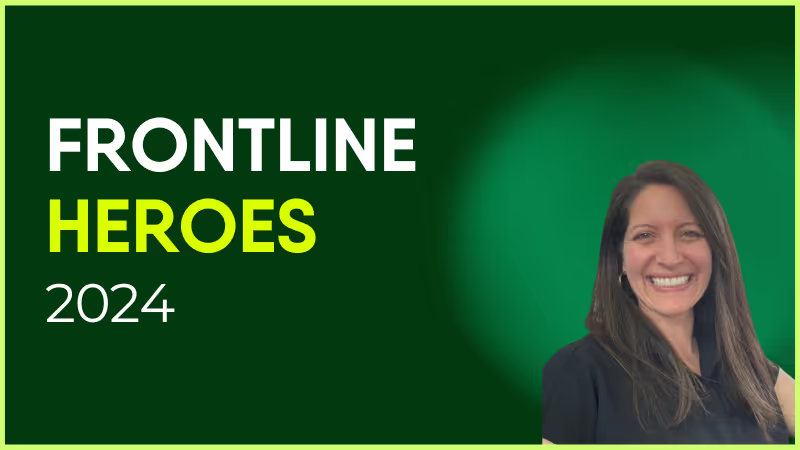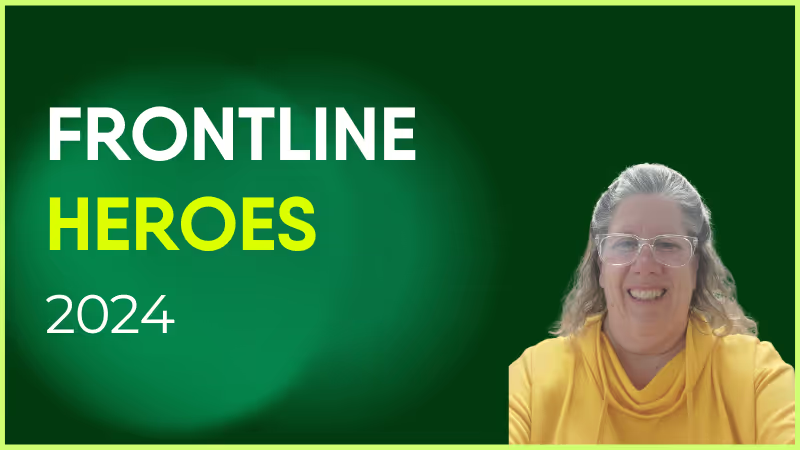
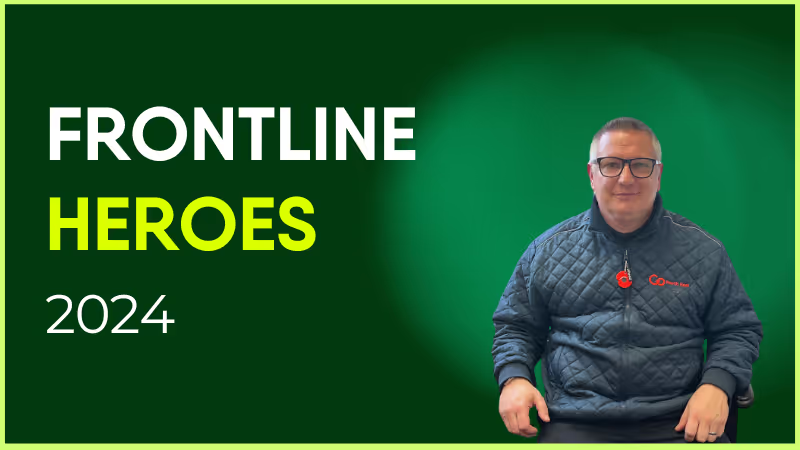
Carla has been with Elara Caring since 2022 as an Attendant Coordinator at the Mount Vernon branch in Texas.
Carla is a wonderful frontline champion at Elara Caring. She is the first to step up to help or train others. Her ability to teach and lead is amazing — CTs and all PCs reach out to her due to her kindness and understanding and compassion. She is a wonderful person and has taken the time to help me and lead me when there was none other.
Carla sacrifices what she wants for others and it's a blessing. People call her from other offices and states for help because they know how valuable she is to this company. Her determination and leadership is what this world needs more of. She doesn’t just do a great job — she touches lives in every way and work and in the client's home.
I have watched her over 6 months of being at this company and thought, “Wow, we have a jewel!” She deserves to be recognized for her greatness and champion spirit. Elara Caring is better each day due to the fact we have a champion on staff — Carla Brewer is a great person, a great employee, and a treasure to this world.
How has Blink helped in her role?
Carla is a master at Blink and often helps with training. She uses it to talk with the attendants and takes the time to go slow so all learn how to use it.
What does she want to do next?
I believe that Carla wants an environment where all feel valuable and like they have a place. She uses her life to bring light to stressful places and I believe she will only soar in this next level in her life and this company.

Nominated by: Sissi Watts, Attendant Coordinator
What makes her awesome?
Carla has been with Elara Caring since 2022 as an Attendant Coordinator at the Mount Vernon branch in Texas.
Carla is a wonderful frontline champion at Elara Caring. She is the first to step up to help or train others. Her ability to teach and lead is amazing — CTs and all PCs reach out to her due to her kindness and understanding and compassion. She is a wonderful person and has taken the time to help me and lead me when there was none other.
Carla sacrifices what she wants for others and it's a blessing. People call her from other offices and states for help because they know how valuable she is to this company. Her determination and leadership is what this world needs more of. She doesn’t just do a great job — she touches lives in every way and work and in the client's home.
I have watched her over 6 months of being at this company and thought, “Wow, we have a jewel!” She deserves to be recognized for her greatness and champion spirit. Elara Caring is better each day due to the fact we have a champion on staff — Carla Brewer is a great person, a great employee, and a treasure to this world.
How has Blink helped in her role?
Carla is a master at Blink and often helps with training. She uses it to talk with the attendants and takes the time to go slow so all learn how to use it.
What does she want to do next?
I believe that Carla wants an environment where all feel valuable and like they have a place. She uses her life to bring light to stressful places and I believe she will only soar in this next level in her life and this company.

Nominated by: Sissi Watts, Attendant Coordinator
What we'll cover
Start your free trial today
See how Blink helps frontline teams stay connected, informed, and engaged.
Inbox zero has always been the dream. But maybe it’s time to dream bigger.
It once defined workplace comms. But today, email is slow, unengaging, and clunky — as anyone lost in a “reply all” chain will tell you. It’s fallen so far out of favor that, for an increasing number of employees, an inbox isn’t even part of the job anymore.
A new generation of employee experience platforms is rewriting internal communication rules. They’re making inbox zero the default — not because people are managing email better, but because they don’t need email at all.
These platforms are introducing faster, more interactive, and more human channels of communication. And they’re transforming how organizations reach their people. Here’s why email can’t carry your internal comms strategy anymore — and the benefits of building a workplace that thrives without an inbox.
The pitfalls of email for internal communication
So why has email fallen behind the times? Because email communication comes with some serious drawbacks.
It’s overwhelming
The reason people dream of inbox zero? Because their email account is overflowing with messages. Employees receive hundreds of emails every day.
What’s more, there’s no clear message hierarchy. Meeting invites, newsletters, urgent safety updates. They all compete for space in the same inbox. It’s hard for employees to see what’s most important at a glance, so critical messages get lost in the noise.
It’s unengaging
Scroll through a social media feed and you’ll see videos, polls, and interactive content designed to grab and hold your attention. Now think about the last email you read. Did it land with the same impact? Probably not.
In a world of TikTok, WhatsApp, and Instagram, static text feels flat. Emails are competing with these highly visual, highly engaging formats — and they just can’t keep up with audience expectations.
It’s hard to measure
Unless you send all emails via an email platform, it’s impossible to know if employees are actually opening, reading, and acting upon your updates. Are employees skimming? Ignoring? Misunderstanding?
Without robust analytics, it’s impossible to know. It’s then hard to make meaningful improvements to the internal comms experience.
It excludes the frontline
83% of frontline employees don’t have a company email address. Even if they do, logging into a shared portal in the break room is hardly practical.
Email isn’t an effective way to reach frontline teams. So you end up excluding an important segment of your audience — and have to resort to inefficient and unreliable methods of communication, like paper notices and manager phone calls.
{{mobile-main="/image"}}]
The rise of alternative employee communication channels
Email communication has its limits and alternative internal communication tools are on the rise. These platforms are built to make comms faster, more engaging, and more accessible. And some companies are now ditching email entirely, shifting all workplace communication over to these modern tools.
Today, 70% of comms professionals say they use chat tools and 73% say they use an employee app to communicate as an organization. Here’s what employees at those organizations are experiencing:
A mobile-first platform
The best mobile-first communication and intranet platforms provide the same seamless user experience across all devices, including small smartphone screens. Employees can access updates, resources, and workplace tools wherever they are, without needing a corporate email address.
Notifications + social feed
Instead of digging through their inbox, employees get instant notifications when a critical message lands. They can then head to the platform dashboard to view mandatory reads — or scroll the dynamic social feed, where news is organized and personalized by role, team, or tenure.
Channels for every type of communication
Modern platforms give structure to internal communications. Teams, communities, leadership updates, and company resources all have their own clearly defined channels. So employees know exactly where to go for official memos, knowledge sharing, and details of the latest team social.
Two-way communication
Employees have lots of ways to interact with internal content on a modern comms platform. They can comment on a news feed post, respond to a poll or survey, react with emojis. They can even — depending on the permissions you set — create their own community-building content for your internal channels.
Engaging communications
The best employee intranets borrow from the apps your workers already love. Photos, videos, reels, memes, and visually-rich content make updates short, memorable, and enjoyable to consume. Your messages land — and stick — without adding to inbox overload.
{{mobile-stories="/image"}}
The productivity + engagement upside of a zero-email comms approach
With modern internal communications software, it’s possible to adopt a zero-email strategy. And the benefits go far beyond clearing inboxes. Here’s what this approach can do for your organization:
Faster information flow. No more waiting for employees to log into a shared workstation to view the latest company email. Critical updates reach everyone through push notifications, ensuring your messages are seen and read quickly.
Clear messaging. The comms experience is personalized to each employee. So people only see what matters to their role, team, or location. This reduces unnecessary noise and helps your messages cut through more effectively.
A stronger sense of belonging. Email wasn’t built for culture-building. But internal communications platforms create shared spaces, where employees can celebrate wins, recognize peers, and feel part of the bigger picture. The result is greater engagement and loyalty across your workforce.
Comms people actually want to read. When comms are visual, bite-sized, and interactive, employees are more likely to read them. They engage with your content and return regularly to your comms platform, so it’s easier to land messages.
Self-service and streamlined workflows. The best internal comms platforms integrate with the other workplace software you already use. Employees can action a message in clicks because all tools and resources are linked.
Equal access across the workforce. Historically, there’s been a divide between frontline and desk-based employees. With a zero-email approach, you bring everyone together. You welcome frontline employees into company culture, strengthening engagement and retention as a result.
{{mobile-live-stream-poll="/image"}}
So what does the future of internal communications look like?
In a not-too-distant future, we predict that “inbox zero” will no longer be the dream of employees tackling a never-ending influx of emails. Instead, it will be an organizational norm. And moving beyond email to modern communication platforms will open up a new realm of possibilities for workplace connection.
Comms rethink their playbook
With improved internal communication tools on the table, the comms team can quit their reliance on email. They can meet employees where they are — on their smartphones, scrolling through engaging multi-media content — to create communications that work for every employee.
And, with new communication channels at their disposal, they’ll get creative. Employee-generated content, short-form video, and highly visual posts will become the standard. Comms teams will create Insta-worthy internal comms and find new ways to land messages.
HR and IT invest in an integrated solution
Employee experience isn’t just HR’s job — it’s everyone’s. And, because a single, integrated platform can solve for HR, IT, and comms, this is a setup that more organizations will embrace.
Thanks to deep integrations and single sign-on technology, employees can access everything they need from a single, user-friendly dashboard. Checking up on company news? Requesting a shift swap? Completing the next module of their current training course? It’s all right there, at their fingertips — without juggling multiple tabs and logins.
For IT, that means less firefighting and better ROI from existing tools. For HR, it means higher employee engagement and retention. And for comms, it means a direct line to every member of staff — hard-to-reach frontline workers included.
Teams use platform analytics to take comms even further
The future of comms is data-driven. Teams won’t just hit send and hope for the best. They’ll use platform analytics to see what’s working, what’s not, and where to improve.
That means sharper targeting, smarter campaigns, and data-driven comms strategies that reach the right employees at the right time. Teams can also measure how comms impact big business outcomes, like employee engagement, retention, and customer satisfaction.
Ultimately, analytics give comms a seat at the table. Teams move from being messengers to strategic partners, involved from the start in shaping initiatives and able to demonstrate solid comms ROI.
Stop dreaming of inbox zero. Go beyond email in 2026.
Our vision for the future of internal communications may feel a long way from the comms reality you’re living today. But the truth is, many organizations are already a ways down this path.
They’ve recognized that email is a drain on productivity and engagement. And they’re moving beyond it. No more inbox battles. No more missed messages. Instead, they’re embracing modern, mobile-first internal comms that reach every employee, wherever they are.
They’re making use of multi-media content, notifications, and analytics to ensure all employees get the information and connection they need to succeed in the workplace.
AI and automation are transforming office work — but what about the frontline?
In today’s rapidly evolving work environment, the need to prioritize employee experience for all workers is more pressing than ever.
Yet despite all the attention paid to desk-based employees, there remains a significant gap in how organizations support their frontline workers. Frontline workers, who make up a significant portion of many organizations, are often left out of conversations surrounding employee experience, culture, and retention strategies.
At the recent Workday Rising 2024 conference, Blink was honored to be included in a pivotal conversation on how HR leaders can close this experience gap by using technology to enhance frontline employee engagement.
Marcy Patterson, Vice President of Solutions Consulting at Blink, spoke with Cassie Sam, Vice President of Artificial Intelligence at Workday, at Workday Rising 2024
The short answer: With the right tools and a strategic shift in approach, organizations can keep their frontline employees engaged in their culture — and keep them for good.
5 opportunities for leaders to close the experience gap
Here are five key takeaways for HR and internal communications leaders to factor into their approach to employee experience.
#1. Frontline workers need a tailored employee experience.
Historically, most employee experience initiatives have focused on desk-based workers. However, frontline employees, who are often the face of a company to its customers, deserve the same investment in their work experience.
“It’s up to HR to work cross-functionally with communications, IT, and operations to understand the frontline worker’s experience today and build one that works for the future.” - Marcy Patterson
For HR and internal communications leaders, this means designing tailored experiences that acknowledge the unique challenges frontline workers face, such as limited access to email or intranets, and creating accessible, relevant communications.
#2. Retention starts with a strong onboarding process.
Retention issues are especially pronounced among frontline workers, with turnover rates exceeding 60% in some industries, and 90-day attrition being a common challenge.
To combat this and prioritize employee retention, a streamlined onboarding process is paramount. The goal is to make new hires feel like part of the organization and culture from day one, helping reduce early turnover.
Through modern employee experience platform features that help to support the employee journey, organizations can build a pattern of timely touch points throughout the first year of employment.
By delivering personalized messages and check-ins at key milestones, HR teams can scale onboarding efforts without sacrificing the personal touch — a critical component for frontline workers who may lack regular manager interaction.
#3. Continuous learning and development opportunities matter.
It may be easy to assume that frontline workers prioritize wages above all else — but research and anecdotal feedback tell a different story.
Frontline employees are hungry for growth opportunities, whether through training or career advancement. And if organizations don’t make their people aware of these opportunities, such as internal promotions or open roles, it can be difficult to keep them for the long term.
To address this, HR leaders should focus on giving employees better visibility into opportunities and simplifying the path to advancement. Whether it’s offering clear guidance on necessary certifications or providing easy access to training, companies that invest in the development of their frontline workers will see stronger engagement and retention.
#4. Recognition — especially peer recognition — drives engagement.
One of the biggest drivers of frontline employee engagement is recognition, particularly from peers. While top-down recognition from managers remains important, data insights from Blink show peer-to-peer recognition has a particularly strong impact on engagement.
Organizations can foster this culture of employee recognition by leveraging interactive employee apps or platforms, where employees can easily recognize each other’s achievements. This form of recognition not only boosts morale but also creates a sense of belonging, making employees feel valued by their colleagues.
#5. Targeted, relevant communication is key.
Effective communication with frontline workers requires a thoughtful approach. Many frontline employees don’t have access to traditional communication tools like email, making it harder to share important updates or recognition.
For most organizations, HR and internal comms teams need to be creative and leverage mobile solutions to reach these workers where they are.
“If I’m working in a manufacturing plant in Oklahoma, I don’t want information about a plant in Chicago.” - Marcy Patterson
Equally important is ensuring that communications are relevant and targeted. This highlights the importance of managing communication noise and focusing on delivering the right messages to the right employees at the right time.
Looking ahead: The future of frontline workforce engagement.
The frontline workforce represents both a challenge and an opportunity for HR and internal communications leaders. By applying lessons from marketing — like using analytics to understand employee sentiment and leveraging targeted communications — companies can create a more personalized and engaging experience for their frontline employees.
As we heard at Workday Rising, improving the frontline worker experience isn’t just about improving retention or reducing turnover — it’s about recognizing that these workers are central to the customer experience. By investing in their engagement, development, and recognition, companies can create a workforce that is not only more satisfied but also more capable of driving business success.
For HR leaders looking to improve their frontline engagement strategies, the message is clear: start by understanding the unique needs of your frontline employees, and leverage technology to create meaningful, lasting experiences that drive both employee satisfaction and business outcomes.
There are more employee communication tools available than ever. Modern intranets. Employee apps. And a ton of software add-ons. But — as we’re sure you now know — there’s soon to be one big player missing from the market.
Whether you’re affected by the closure of Workplace or simply feel that your employee communication tools need a rethink, choosing a new internal communication tool requires careful consideration.
You need a platform that promises to improve internal communications and employee engagement for your workforce. Something that facilitates easy communication between people at all levels of your organization.
Depending on your company and workforce, you may also need a tool that supports teamwork, company-wide updates, co-worker connection, recognition, feedback, and more.
The variety of software options available is an opportunity — and a challenge. It’s likely that there’s a perfect-fit platform out there. But the process of finding it can be tricky.
With that in mind, we’ve put together a list of questions you should ask when choosing a new employee communication tool. These questions will help you find software that performs as well as Workplace from Meta and meets the needs of your workplace.
But first, let’s take a quick look at the current employee communication landscape.
The employee communication landscape in 2024
In today’s digital workplace, effective employee communication relies on the right tech solutions. But if you’re looking for a new employee communication tool for your organization, chances are you’re feeling a little overwhelmed by the number of options on offer.
There are tools suited to certain segments of the workforce — for example, desk-based workers or frontline workers.
There are internal communication tools that focus on a very specific area of employee communications, like surveys or video conferencing.
And there are tools that go beyond employee communication to support organizations with tasks like employee engagement and project management, either through integrations or as an all-in-one solution.
Some tools are also exiting the marketplace.
Earlier this year, Meta announced that it would be discontinuing its Workplace tool. The platform will continue to operate until September 2025 and will remain read-only until May 2026. But many companies using Workplace from Meta are already looking to make a switch.
Deciding which tool — from this huge selection — is right for your organization can feel challenging. But it’s a priority for many business leaders in 2024, with 84% saying they plan to invest in more modern communication strategies.
You only have to look at some recent research to understand why.
According to the Axios report for 2023 into the State of Workplace Communications, the cost of poor internal communications amounts to $15,000 per employee per year. And while 77% of leaders think the communications they share support employees to do their jobs well, only 46% of employees agree.
31% of employees experience strained workplace relationships
26% of employees have missed deadlines
On the flip side, good internal communications lead to increased employee confidence, productivity, and work satisfaction. Ultimately, a much better employee experience and better business results, too.
Questions to ask when choosing a new employee communication tool
Ask the right questions and you’ll find it easier to create a shortlist of employee communication tools. Here are the things you should be asking yourself — and your teams — as you undergo your software search.
How do we rate our current communication channels?
Before you start looking for a new workplace tool, assess your current one. Whatever platform you’ve used until now — Workplace from Meta or an alternative — you need to clarify what you like and dislike about it. You’ll then have a clearer idea of what you need in a new solution.
So consider how effective your current communication tools are and whether they have any limitations. Establish whether there are any significant integration gaps. Launch an employee survey to gather the thoughts of your workforce.
Also, bear in mind what Grammarly said in its recent report: over the past 12 months, 73% of professionals say they’ve seen an increase in the variety of communication channels used in their workplace. But this isn’t leading to more effective internal communications.
Different workplace tools come with their own notifications, interfaces, and rules of engagement. Employees may feel confused about which channel is appropriate for which message. And conversations become disjointed and hard to track because they take place in multiple locations.
The best solutions are streamlined and easy to use. So consider how many different communication channels you’re currently using. And whether these tools are successfully communicating key messages and encouraging employee engagement.
You can look at adoption and platform engagement rates to better understand how employees interact with your current tech selection.
What do we want from this communication tool and partnership?
Onto challenges, goals, and platform features. When choosing a workplace tool, think about:
Your primary communication challenges. Perhaps messages are being missed. Or employees are failing to engage with the platform. Maybe there’s a disconnect between HQ and frontline workers.
What you’re trying to achieve with this tool. Do you want it to enhance workplace collaboration, improve employee engagement, or amplify company culture? Maybe you want it to do all these things.
Must-have features. What functionality do you need? This might include real-time messaging, video conferencing, document sharing, surveys, or social feed features.
Also, think beyond the platform itself. Sure, you need a communication tool that supports your organization’s style of communication. But it’s also useful to have a partner who understands employee communications — and your workplace challenges — inside out.
Here at Blink, we’re experts in employee communication and engagement. Unlike some of our competitors, this is our sole focus. Our clients can rely on us as a strategic partner, benefitting from our comms insights and ongoing support.
We work with our clients so they get the best from the Blink app. We offer extensive support through the launch phase, helping you to encourage adoption. We also pride ourselves on our responsiveness to client feature requests, feedback, and suggestions.
Will this communication platform work for all employees?
A good employee communication tool acts as a hub for your organization. It’s a place where co-workers connect, where they access collective knowledge, and where leadership shares important messages.
All pretty vital stuff. So it’s not fair to leave any employees out of the conversation. It’s not good for business either.
Unless everyone enjoys easy access to your platform, you fail to achieve the levels of workplace communication and employee engagement that you’re striving for.
Bear in mind that only 10% of frontline workers say they have high access to the tools, tech, and opportunities they need to connect and advance in their workplace. So when choosing a new employee communication tool, consider where and when your employees will be using it.
If your employees are fully desk-based, a desktop platform is likely to fit the bill. For hybrid teams, you need desktop systems with real-time communication and collaboration tools.
For frontline employees who don’t work at a desk — and don’t necessarily even have a company email address — you need a different type of workplace tool. A mobile-first employee app, available on employee smartphones, is your best option.
Of course, if you have a mix of frontline and desk-based staff, you need a solution that works for everyone. It should have the same extensive features on both mobile and desktop so no one misses out. And it should successfully bridge the gap between your company’s frontlines and head office.
What level of personalization and customization do we want?
The best employee communication tools offer personalization features. They allow you to adapt a platform to the branding and requirements of your organization. This is good for the employee experience and it helps improve employee engagement with your tool.
Don’t need a particular module? Then it probably shouldn’t take up space on the employee dashboard. Want the software to align with your company branding? This service should come as standard.
If you’re a large, global company, it may also make sense to create mini-sites within your platform. Each of these sites can be branded and personalized for a different segment of your workforce to ensure they’re relevant and engaging.
So clarify what you expect in terms of platform personalization, then ask platform providers what they’re able to deliver.
What integrations do we need?
As we’ve already touched upon, in today’s digital workplace, software overwhelm is a real problem. Throw too many tech tools at employees and you make them less productive and engaged.
That’s why a good employee communication tool is an all-in-one solution. It also integrates seamlessly with any other workplace software you like to use.
This makes life easier for employees because they access all tools from one unified dashboard. It can also improve software adoption rate. When employees don’t have to worry about separate logins and passwords, they find it easier to use the tools at their disposal.
Thanks to Blink’s digital hub, organizations enjoy 5x better adoption of existing tools. With single sign-on (SSO), users don’t have to waste time logging into different apps. This creates a streamlined and user-friendly experience — and it makes employees more productive, too.
What’s the user experience like?
Usability is another important consideration when choosing a new employee comms tool. There’s little point investing time in new tech if a large proportion of employees don’t actually end up using it.
The best employee apps require minimal employee training. They’re intuitive to use and navigate. There are few points of friction. It’s easy for admins to manage content and comms from the back end of the platform.
Your chosen employee communication tool should also support you in boosting employee engagement. It’ll come with a social-media-style news feed. Employees will have the option to like, comment, and post. You’ll be able to launch pulse surveys and send out rich, multimedia content.
If you’re switching from an existing tool — like Workplace from Meta — it makes sense to choose an internal communications solution with a similar interface and features. When a platform feels familiar, employees will find it easier to make the switch.
So how do you judge a tool’s user experience? A product demo helps you get a sense of what a platform is like in action. You can also look at a tool’s adoption rates and platform engagement rates to see how it’s working for other organizations like yours.
Find out what customers think of Blink. Take a look at our case studies.
What are the practicalities of this platform?
As well as considering the effectiveness of an internal communication tool, you need to consider its practical impact. So work with other departments, like IT and finance, to establish your requirements in terms of:
Budget. How much are you prepared to spend? What’s the ongoing cost of a platform? Are there any hidden costs and does it represent good value for money?
Security. Does this platform keep your company and employee data safe? What security practices does it follow?
Scalability. Can the platform grow with your organization? How will it adapt to your changing needs?
Final thoughts on choosing an internal communication tool
There are lots of employee communication tools to choose from. And — as Meta discontinues Workplace — lots of organizations looking for a new solution to meet the needs of their workforce.
To find the right internal communication tool for your organization, you need to ask the right questions.
Think about what you like and dislike about your current solution. Clarify what you want from platform features and a software partner. Consider customizations, integrations, and the user experience. And be sure to think about all employees and their communication needs.
This should help you narrow down the list of options. You can then conduct research into your shortlisted platform providers, looking at their adoption and engagement rates — and taking them for a spin as part of a free trial or demo.
Find out if Blink is the right internal communication tool for your organization by scheduling a personalized demo. Book your demo today.
Looking for remote employee engagement strategies that take your company culture to the next level? Here are our best tips to engage virtual teams.
Consultants, freelancers, frontline workers, and full-time staff across time zones – they all have one thing in common. And that thing is – no points for guessing – remote work. They're 'WFH' or at a client site.
It’s no secret that remote work offers many benefits to both employees and employers. Employers get access to a global talent pool, and employees get the freedom to work from a convenient location.
No wonder remote employees are happier than office-based workers. A recent PwC study found that only 8% of remote workers want to work from their employer’s office. On top of that, 83% of employers and 71% of employees view the shift to remote work as a success.
But remote work isn’t all a bed of roses. It has its own challenges, one of which is to engage remote employees. You want to ensure that your employees are dedicated and emotionally invested in your company.
This is easier said than done, since remote teams are physically distant from the company’s main hub of activity. More often than not, they miss out on social events such as birthdays, small talks, and team lunches. Without these opportunities, remote employees can lose their sense of belonging and feel like something is amiss. The result?
Widespread disengagement.
Now as a senior leader in your organization, you can’t afford to let that happen, can you? So in this post, we’ll show you several effective strategies you can use to boost remote employee engagement.
Engaging remote employees 101
Employee engagement: remote working challenges
When looking to engage remote workers and combat this issue, senior leaders must turn to innovative strategies for boosting engagement in the virtual world such as creating meaningful connections through various channels and gathering feedback consistently - something not always possible using traditional methods such as notice boards, phone notifications, and emails due to low reach and effectiveness.
Common blockers to engagement in remote employees include:
Loss of information due to a mix of channels
Noticeboards, letters, and other tools are inefficient
Low reach and effectiveness
No clear way or consistent way to gather feedback.
Why engage remote employees?
While employee engagement may feel like something that doesn't need to be a business priority, it can actually help to improve both employee morale and productivity. And in today’s competitive landscape, these two things are key to success.
In fact, research shows that highly engaged organizations achieve a 23% improvement in profitability, 10% higher customer ratings and 18% higher sales.
In fact, there are a number of reasons why it’s important to engage remote employees:
Increased job satisfaction and employee retention
Improved collaboration between teams
Better productivity, thanks to improved communication and feedback loops
Boosted innovation as a result of cross-functional initiatives
Easier onboarding due to increased visibility into the culture and processes.
So, how can you keep remote employees engaged? Let’s take a look at some of the most effective employee engagement tactics for boosting engagement amongst your remote workers and direct reports.
12 practical tips to engage remote workers
Keeping remote workers engaged should be one of your top priorities. Communication gaps in remote teams lead to disengagement, damaging productivity and morale in the long run. Failure to get your remote employees to work inclusively can also hurt your business’s bottom line.
In contrast, employees who feel engaged are more loyal and motivated. Not to mention 87% less likely to leave their company than unengaged employees. Follow the below best practices to engage remote teams.
1. Keep remote meetings as short as possible.
Remote workers attend more meetings every week as compared to on-site employees. The 2019 State of Remote Work found that 14% of remote employees are giving time to over 10 meetings per week (vs. just 3% of those on-site).
While there’s no denying that team meetings are necessary and beneficial to keep employees aligned, too long and frequent meetings can be frustrating. So much so that this phenomenon has led to the coining of a new term - Zoom Fatigue.
Call a meeting only when it’s absolutely necessary, and try to keep it as short as possible. Consider that a best practice for employee engagement.
Have a clear agenda before every meeting and don’t let a team member prolong it with discussions outside of this agenda.
Another way to reduce the frequency of your Zoom meetings is to provide instant, accessible company updates directly to your workers’ phones. Short, important messages can be delivered via an employee app to minimize wasted time on pointless meetings, which can help both remote and deskless teams stay in-the-know without eating up too much of their valuable time.
2. Make ‘social’ events structured.
Since remote workers don’t have impromptu opportunities to connect with each other, providing those opportunities intentionally is crucial. And a great way to get started is hosting virtual social events that are not related to work.
The social event could be a cocktail-making class, a virtual concert, or a biweekly trivia game.
But here’s the biggest mistake with company-wide social activities — not structuring them. When you host a social event in a way that the talkers keep talking and the quieter ones stay quiet, it’s safe to say that the event has failed its objective.
So make sure to have rules that encourage everyone to participate. For example, a cocktail-making class with a kit will get more engagement from everyone than a simple virtual drinks session.
3. Host informal virtual all-hands.
A transparent culture fosters trust throughout an organization. And since remote teams are physically disconnected from the workplace, they need even more transparency.
Image via ekoapp.
To facilitate the same, you can conduct virtual all-hands from time to time. This event will encourage remote workers to showcase their projects across the company.
The project could be a product update, a new marketing campaign, or a transition to a new business partner. A different team will demonstrate what they are working on each week, ensuring that everyone’s in the loop. Plus, the workers can ask questions and share their thoughts with the presenting team, igniting a sense of inclusiveness.
We get it. Putting your work in front of the entire organization may not be easy. But this little discomfort is a small price to pay for virtual employee engagement, and a warm, better-connected workplace.
4. Say goodbye to email.
Email has its place for simple communication. But it’s not suitable for a lot of quick, back and forth conversations. Your organization should have a dedicated tool in place for real-time instant messaging (also known as live chat).
An employee chat app allows you to facilitate flexible, informal communication that helps remote workers build relationships and get the information they need to do their jobs, wherever they are based.
Communication is a key driver of employee engagement. So whether you have remote teams, frontline employees or in-office workers, you can keep your staff connected and engaged.
Blink, for example, offers a world-class chat feature to bring your company together with groups and one-to-one chats. And it lets your employees share not just text, but also photos, documents, videos, spreadsheets, PDFs, and more without the hassle of email.
5. Create a remote working resources library.
49% of US workers face difficulty in finding documents, as per a Nintex survey. If employees can’t access crucial information at the right time, you can’t blame them for getting disengaged. While this is a key problem for remote workers, this issue is currently plaguing the frontline workforce, too. With workers constantly on the move, they need intuitive, easy-to-access resources that can move with them.
The solution is easy. All of your company’s key information should be saved and accessible from a central hub. This information would include your policies, process manuals, onboarding checklists, and other materials.
The ability to publish content on this portal will not be limited to senior management or the IT department. Every department should be able to access, publish, and share knowledge through this hub.
Sharing their knowledge will help employees feel empowered and realize the value they are adding to the organization.
So by building such a knowledge base, you’ll be able to reduce silos between in-office, remote and deskless departments, improve information sharing, and improve collaboration.
For example, with Hub as a central feature of Blink, remote workers can instantly access policies, procedures, and guides in a single convenient location — leading to a more engaged remote workforce.
On top of that, our built-in text editor gives every employee an effortless way to create, edit, and distribute articles.
6. Make all org-wide updates digital.
Nearly 20% of remote workers feel disconnected from peers due to a lack of communication.
While communication is the key to better remote employee engagement, any type of communication will not solve the problem. It has to have the right channels and the right frequency.
You can’t constantly bombard remote employees with emails, notice board announcements, unnecessary meetings, and expect them to stay engaged.
The best way to conduct effective company-wide communication is to use a single, unobtrusive, digital communication tool. This will help establish expectations and norms without isolating or overwhelming remote workers.
Even if you’re worried about whether key information is reaching your workers, sharing the information repeatedly using multiple channels isn’t the solution. Using the right technology is.
For instance, you can use an employee app that allows you to ‘pin’ information to the top of people’s newsfeed, or has a ‘mandatory read’ option as Blink does.
7. Record all (important) meetings.
When you have multiple remote team members across different time zones, web conferencing can go a long way in reducing geographic limitations and engaging workers virtually.
But even a virtual meeting can’t solve all your problems. Employees can’t attend multiple meetings at the same time, for example. Getting the right folks together for a meeting can still prove to be a bottleneck for a project.
With an increasingly varied workforce seeing a mixture of remote, in-office and frontline workers, the battle to keep everybody on the same page is on.
So a better solution is to conduct a meeting with the people who can attend, and record it for those who couldn’t. Then keep all these recordings in one place for anyone interested in catching up.
Recording video of virtual meetings ensures that no one misses out on an important discussion, along with the visuals presented during the session.
8. Use polls and feed posts.
Most company-wide communication is static, which means that workers simply consume the content by reading, listening, or watching.
The opposite of that is interactive content. It’s a type of content that allows employees to engage and participate.
Using interactive communication from time to time is another step you can take towards remote employee engagement by helping reduce the sense of isolation.
The interactive content could be as simple as a quick poll, a short employee survey, or social media type posts that allow workers to like, comment, and tag their team members. Luckily, all these features are an integral part of Blink.
9. Celebrate employee accomplishments.
Employee Recognition can be implemented in many ways, but remote work makes it hard to carry them out. That’s why you need to put in the extra effort to celebrate contributions and achievements.
Here are some great ways to acknowledge and appreciate remote workers for their hard work:
Giving regular greetings and check-ins on shared communication channels
Conducting employee of the month programs
Thanking workers during a web conferencing session
Acknowledging personal events such as birthdays and anniversaries
Sending thoughtful notes or signed cards from managers and peers
All these activities help remote employee engagement by making workers feel valued. And contributing to everyone’s understanding of what’s happening in different teams and departments. This helps ensure the employee digital experience is a good one.
10. Understand feedback to make improvements.
Most remote employees are hesitant to share feedback, because they’re worried about how it might be perceived. That’s why you need to invest in technology that will make it easier for your workers to share their thoughts, feelings, and opinions in a safe environment.
Digital tools like Blink offer anonymous feedback surveys, which help employees share their thoughts and ideas without fear of judgment. You can use this feedback to modify processes and policies to ensure everyone is engaged and motivated. And this means productive employees.
By understanding the feedback, you’ll be able to make necessary improvements in areas like communication, collaboration, productivity, etc. By showing your virtual team that you value their input, you’ll be able to create a culture of engagement, trust and collaboration, fostering more engagement in future initiatives.
11. Make sure everyone is included in the conversation.
Ensuring that everyone is included in the conversation is an important part of remote employee engagement. Since your workers don’t have the option to physically join meetings and work on projects, they can easily feel left out or ignored.
To make sure no one is ever excluded from a discussion, use employee engagement tools like Blink which come with features like audio-video conferencing, screen sharing and file/group chats.
These features allow your workers to interact with one another in a more meaningful way, making them feel included even when they’re not physically present. Employers should also take part in the conversation regularly, so that employees can understand their objectives and goals better as a team.
12. Provide ample opportunities for team members to network and connect remotely.
When you’re working remotely or on the frontline, it’s easy to feel disconnected from your colleagues and the business in general. So it’s important that employers create the opportunity for employees to network with their peers - without the scrutiny of management’s presence.
Network building activities like virtual happy hours, ice breaker games and mini-conferences can help boost relationships between team members. Employee Resource Groups are also a great way to help the business towards ESG goals while fostering a safe place for under-represented employee groups.
These activities will help your workers build relationships, foster trust, and empower the team to work better together, even when they’re not in the same physical space.
A quick summary of best practices for remote employee engagement…
Keep remote meetings as short as possible.
Make ‘social’ events structured.
Host informal virtual all-hands.
Say goodbye to email.
Create a remote working resources library.
Make all org-wide updates digital.
Record all (important) meetings.
Use polls and feed posts.
Celebrate employee accomplishments.
Final thoughts
If you look at the above strategies carefully, you’ll realize that they all boil down to one simple thing — trying to give remote workers the same communication opportunities they would have had if they were working from an office.
Remote or office-based – the best way to engage remote employees is by giving them a voice. After all, 46% of remote workers believe the best managers are the ones who check in – really frequently.
Making time for employees’ thoughts and concerns, whether through informal small talk or structured feedback, is the golden thread that separates a good organization from a great one.
As long as you keep this basic principle in mind, you’ll not just find it easy to implement these remote employee engagement tactics, but also to generate your own ideas to engage remote workers.
So, give them the opportunity to voice their needs without the added concern of reaching out at an inopportune moment, and see your remote employee engagement levels rise at a steady rate.
And while you’re at it, remember that the right technology can make a world of difference. Blink is an internal communications tool that does everything your intranet does, but better.
Final thoughts: best practice for remote employee engagement
If you look at the above strategies carefully, you’ll realize that they all boil down to one simple thing — trying to give remote workers the same communication opportunities they would have had if they were working from an office.
Remote or office-based – the best way to engage remote employees is by giving them a voice. After all, 46% of remote workers believe the best managers are the ones who check in – really frequently.
Making time for employees’ thoughts and concerns, whether through informal small talk or structured feedback, is the golden thread that separates a good organization from a great one.
As long as you keep this basic principle in mind, you’ll not just find it easy to implement these remote employee engagement tactics, but also to generate your own ideas to engage remote workers.
So, give them the opportunity to voice their needs without the added concern of reaching out at an inopportune moment, and see your remote employee engagement levels rise at a steady rate.
And while you’re at it, remember that the right technology can make a world of difference. Blink is an internal communications tool that does everything your intranet does, but better. Request a free demo to get started.
Unfortunately, this stat makes perfect sense. Workplace tech has traditionally been built with office-based workers in mind. So it tends to fall short for the frontline.
Some companies still use a traditional intranet. And others use a patchwork of different HR and IT apps. These tools may work well for desk-based employees. But they cause three common problems for frontline workers:
Limited access to tech. Frontline employees don’t have regular access to a computer and don’t always have a company email address. This means they rely on noticeboards, personal apps, and/or shared company computers to access the information and tools they need.
Access to poor quality tech. Frontline employees have access to a system that does some things, but not others. They can access tech tools via a mobile device but features are limited and the user experience is lacking
Access to too much tech. When employees use lots of different apps via lots of different interfaces, it creates as many problems as it solves. This piecemeal approach can cause friction and tech tool disengagement
Frontline organizations need streamlined tech that works for every employee. As Ian Gordon, former President of Administrative Operations at Elara Caring, said in an interview:
“Being a frontline worker can feel like you’re on an island by yourself, and the solutions that you need must be quicker and more succinct. You can’t spend a lot of time signing in and navigating. You need to get to your answer now.”
Currently, deskless workers waste time and productivity on tasks that could be streamlined. For example, finding their training documents, communicating with managers, or simply tracking down last month’s pay stub.
Thankfully, there’s a solution. A modern intranet takes into account the realities of today’s distributed workforce. It’s a mobile-first tool that provides the same seamless digital experience for both frontline and desk-based employees.
Here, we explore how the right type of technology can benefit your frontline employees andyour organization. We also reveal the three features you should be looking for when choosing frontline tech.
Benefits of a modern intranet for frontline employees
When your frontline has access to the right tech, everyone stands to gain. Let’s take a look at the benefits – for your organization and employees – of a mobile-first employee app.
Higher levels of productivity
When frontline employees don’t have the right tech, they waste a lot of time on tasks that could be streamlined.
They have to call their manager on the phone when they want to change shifts.
They have to use the shared computer on their lunch break to respond to a company survey.
They have to leaf through a paper handbook to find an answer to their question.
A modern intranet helps frontline employees complete tasks quickly and easily. This means productivity for your organization improves.
Streamlined workflows
A modern intranet helps streamline the workflow of every employee in your organization, not just those on the frontline.
That’s because frontline employees can use self-serve functions. They can view their pay stubs, launch an assigned L&D module, and request time off. Employees can book shifts and report faults or accidents. They can also chat with their managers via messaging features.
This helps to streamline the work of your frontline workers. But it also helps HR teams and frontline managers. They get fewer queries and fewer phone calls because frontline employees can achieve so much more using the right tech tool - removing the barrier to access and allowing your HR teams and managers to focus on the work they are meant to be doing.
Tech tool efficiency
The best modern intranets integrate with the software you already use for your business. It's not about adding another tool to your tech stack to be siloed, but increasing access to all of the other tools you already rely on. So employees can access all tech tools from the same, familiar interface.
When workplace tools are intuitive and easy to access, employees spend a lot less time looking for the resources they need. They also spend less time trying to remember different login details. A single click, a single password, and they’re in.
Learning and development
A modern intranet or employee app makes it easy for employees to access vital resources. Like workplace policies, guides, and training materials.
This means new hires get up-to-speed quickly. They can access all onboarding materials via their smartphone. Existing employees also find it easy to weave L&D into their usual workflow.
With access to resources that help them work smarter, not harder, employees become more effective and productive in their roles.
Improved internal communication
Good internal communication is the backbone of any organization.
Without it, trust in leadership suffers. And with it, engagement and loyalty increases. Employees in organizations with effective communication feel more connected to their jobs.
But we know that frontline teams usually don’t enjoy the same level of communication and connection as their desk-based co-workers.
Frontline employees tend to spend very little time at HQ and often spend their days working alone. So they risk missing out on:
Vital company updates
Co-worker collaboration
Recognition from managers
Opportunities to make their voice heard
The right tech helps to bridge the gap. It improves employee communication by connecting frontline workers to their co-workers, head office, and company culture.
Real-time communication
Information is often outdated by the time it reaches frontline employees. It’s hard to spot memos on a crowded noticeboard, and it’s easy to miss an important update in a long thread of messages.
The best modern intranets solve this problem by supporting real-time communication.
Employees can use newsfeed, group chat, and 1-2-1 chat functions to get up-to-the-minute information.
Managers can send smartphone notifications to highlight vital updates. They can post a video of today’s company standup. They can also create and pin mandatory messages to the company newsfeed, ensuring that essential information cuts through.
With access to relevant, timely information like this, employees make better decisions and solve problems more quickly.
Two-way communication
Top-down communication is useful for establishing company culture and sharing updates. But for truly effective internal communication, information needs to move in all directions.
Modern intranets support peer-to-peer connection. Co-workers can interact via the newsfeed or chat functions. They can recognize a peer’s hard work. Or wish their work bestie a happy birthday.
The intranet also supports bottom-up communication. With a newsfeed, direct messaging, and company-wide surveys, you give frontline employees a voice.
This makes a positive difference to the employee experience. Employees who say their voice is heard at work are 4.6x more likely to give their all.
Collaboration
Imagine a frontline care worker has come across a great article about elderly care. How does that person share their new insight with other frontline workers in other locations?
Perhaps they’ll mention the article to the co-workers they physically cross paths with. Or send a link to the small group of people in their work WhatsApp chat.
But you really amplify the reach and impact when that care worker can post the article to the company employee app.
The right tech tools allow frontline teams to share the knowledge they gain when they’re out in the field. They can share best practices and collaborate with other employees, even though they’re not based in the same office environment.
Empowerment and engagement
When employees feel empowered and engaged at work, they’re happier and more productive. They provide better customer service and produce better results. They’re also less likely to look for a job elsewhere.
Employee engagement relies on strong employee communication, development opportunities, recognition – and the right tech.
The wrong tech can be a big drain on employee engagement. When workers use slow, inefficient, and ineffective digital tools, it adds friction and frustration to their work day. So implementing a modern intranet can help with all the following.
Empowering employees
With a company super-app at their fingertips, frontline employees are empowered to make informed decisions and take a proactive approach to their work.
Thanks to user-friendly employee communication channels, they can report safety or equipment issues. They can share their knowledge. And they can access company resources exactly when they need them.
A modern intranet also empowers employees to progress in their careers. 70% of frontline workers are interested in career progression opportunities. But they don’t always get the resources or support they need.
Via an employee app, you can give frontline workers easy access to L&D information, new job opportunities, and any available employee development activities.
Engaging employees
The right frontline tech helps you to improve employee engagement. It allows employees to engage with co-workers and company culture. And it mirrors the experience provided by employees’ favorite social media apps.
A newsfeed. Likes, comments, and shares. Pulse surveys. Digital 1-2-1s. A searchable company library. A modern intranet with a user-friendly interface creates an experience that employees are excited to use and keep using.
The best frontline tech also offers personalization, another thing that helps to level up engagement. Employees can switch up their dashboards to put their preferred features first. Or prioritize their newsfeed to focus on posts that are most relevant to them.
Retention and attraction
Frontline teams experience high levels of churn. A McKinsey study found that 45% of frontline workers planned to leave their jobs within the following 3 to 6 months.
Workplace technology is an important part of the puzzle. 78% of deskless workers say they consider the technology at a company when deciding whether to take a job there.
When you equip frontline workers with the right tech, you show your employees that you value them and care about their experience.
You also provide communication channels that support a better employee experience. You allow employees to give feedback and build stronger relationships with co-workers. This makes it easier to hold onto existing staff – and to attract new talent too.
Choosing the right tech for frontline employees
Some tech solutions – like the traditional intranet – don’t fit the realities of frontline work. So what should you be looking for when choosing tech for frontline employees?
The best frontline tech:
is a one-stop-shop
offers an intuitive user experience
has a mobile-first design
Let’s look at these features in a little more detail.
It’s a one-stop-shop
Currently, many organizations are at risk of app overload. 37% of frontline workers use five or more apps every day. But 39% say that apps aren’t actually helping them in their work.
A patchwork of workplace tools means workers have to learn different interfaces and remember lots of passwords. Tech complicates their workflow instead of simplifying it.
The best modern intranet brings together all the software you use. It acts as a digital front door for your organization.
Behind this door, employees find everything they need to do their jobs. Tools for communication, operations, training, shifts, collaboration, and HR. It’s all available via one interface and a single login.
Tech that acts as a one-stop-shop reduces friction in frontline employee workflow. It also drives adoption for your existing tools, improving the ROI on the software you’re already paying for.
Supercharge your frontline with an employee super-app
It provides an intuitive user experience
Investing in the best frontline tech is pointless if you can’t persuade employees to use it. So you need tech solutions that can prove high usage and adoption rates.
Bear in mind that 56% of deskless workers are using personal tech tools instead of workplace tools. As well as posing security risks, this illustrates a really important point when choosing frontline tech.
Your chosen solution has to compete with the user experience (UX) provided by the most popular social media platforms. So you need tools that offer an intuitive, friction-free UX.
These intuitive tools don’t have a steep learning curve. Instead – because they’re so similar to the apps your employees already use out of work – employees can pick them up and start using them with next to no training.
Because they’re so easy to use, these apps provide clear employee benefits from the get-go. This helps to drive organic app adoption and ensures a higher proportion of your workforce downloads and uses your intranet.
It’s a mobile-first solution
Frontline workers don’t sit at a desk. They don’t always have a company email address, let alone a company computer. Therefore, any workplace tech you choose must be available via a mobile device.
The best solutions have a mobile-first design. They’re not tools designed for desktop with an app added as an afterthought. Instead, they offer the same great features and user experience on a smartphone as they do on other devices.
This allows frontline team members to stay up-to-date with company news, book time off, or look at their shift schedule while they do their daily work. They can access workplace tools from any location, at any time.
Blink: an employee app for frontline workers
The Blink employee app is a modern intranet for a modern frontline workforce. Our app acts as the digital front door for your organization.
It provides access to the tools and systems your entire workforce needs day to day. And it integrates seamlessly with the software you already use. So employees can access all workplace software using one secure single sign-on (SSO).
As a mobile-first solution, Blink provides the same great user experience on smartphones, tablets, and desktop computers. Frontline workers have exactly the same access as their desk-based peers to company culture, co-worker connection, and workplace resources.
If you’re looking to improve the frontline employee experience, connect your workforce, and increase productivity, frontline tech is a great place to start.
If you’re exploring alternatives to Haiilo, you’re likely looking for an internal communications or employee engagement platform that can scale with your business, drive adoption, and deliver measurable impact. While Haiilo offers useful features for connecting employees, it isn’t always the best fit for every organization—especially if you need deeper integrations, frontline support, or more advanced analytics.
To help you find the right solution, we’ve rounded up the top 10 Haiilo alternatives worth considering in 2025. Whether you’re in HR, IT, or internal communications, these platforms can help you improve employee experience and organizational performance.
What to look for in a Haiilo alternative
When evaluating Haiilo competitors, it helps to understand where Haiilo may fall short for certain organizations. Here are the factors to prioritize:
True mobile-first experience – Haiilo works well as an intranet, but adoption among frontline and non-desk workers can be limited. Look for tools proven to engage every employee.
System integrations – Many organizations want a platform that connects seamlessly with HRIS, payroll, and scheduling tools. Alternatives like Blink offer deeper plug-and-play integrations.
Speed to value – Some Haiilo deployments require significant IT involvement. If fast rollout matters, choose a solution with lower implementation overhead.
Measurable analytics – Haiilo provides engagement insights, but competitors often offer more advanced analytics that tie communication directly to business outcomes.
Scalability across regions – Global organizations may need multilingual support, compliance features, and governance tools beyond what Haiilo provides.
Cost vs. functionality – Evaluate whether you’re paying for features you don’t need. Some alternatives offer more affordable plans without enterprise complexity.
Blink is the #1 Haiilo alternative because it combines communication, engagement, and productivity tools into one easy-to-use platform. Unlike Haiilo, Blink integrates seamlessly with your existing HR, payroll, and scheduling systems, so employees don’t need to juggle multiple apps. With a mobile-first design, offline mode, and push notifications, Blink ensures critical updates always reach your people — no matter where they are.
Organizations choose Blink for its high adoption rates, even among frontline teams who are traditionally hard to reach. Leaders benefit from advanced analytics that show exactly how messages land across the workforce, while employees enjoy a personalized feed, secure chat, surveys, and recognition tools. With a 4.8/5 Gartner rating, Blink consistently outranks competitors on usability and ROI.
If you’re looking for a Haiilo alternative that goes beyond communication and delivers true employee experience, Blink is the clear choice.
#2. Staffbase
Gartner Rating: 4.6/5 G2 Rating: 4.5/5 Pricing: Custom pricing; typically starts around $5–$10 per user/month.
Staffbase is a strong alternative to Haiilo for companies that want a branded, polished employee app. Unlike Haiilo, which is rooted in intranet design, Staffbase puts more emphasis on top-down corporate communications and employer branding. It’s especially popular in industries where leadership visibility and a clean, consumer-grade design matter most.
The tradeoff is that implementation often requires significant IT or consulting support, and the cost can rise quickly for larger deployments. If you’re prioritizing a branded communication hub over a flexible intranet, Staffbase may be a better fit than Haiilo.
#3. Firstup
Gartner Rating: 4.4/5 G2 Rating: 4.3/5 Pricing: Custom enterprise pricing, often above $10 per user/month.
Firstup is an employee engagement platform that focuses heavily on automation and targeted messaging. It’s designed for enterprise organizations that need to orchestrate communication across large, complex workforces. Features include AI-powered content distribution, analytics, and campaign planning tools.
That said, Firstup can feel heavy for smaller teams and is often considered an expensive option compared to Blink or Haiilo. It also relies on external SSO providers for integrations, which can add extra costs. Still, it’s a powerful choice for organizations with the budget and IT resources to fully leverage it.
#4. Workvivo
Gartner Rating: 4.6/5 G2 Rating: 4.7/5 Pricing: Custom pricing, generally $7–$12 per user/month.
Workvivo, now part of Zoom, takes a very different approach than Haiilo by positioning itself as a community engagement platform rather than an intranet. Its design feels more like a workplace social network, with shoutouts, recognition tools, and community feeds that encourage peer-to-peer interaction.
Compared to Haiilo, which is often used as a structured intranet for documents and news, Workvivo excels at building culture and connection across distributed teams. Organizations looking to create a more interactive, social employee experience will find Workvivo a compelling option.
#5. Simpplr
Gartner Rating: 4.5/5 G2 Rating: 4.6/5 Pricing: Typically starts at $8–$12 per user/month.
Simpplr differentiates itself from Haiilo through its AI-powered intranet features.While Haiilo delivers a solid communications hub, Simpplr adds a layer of intelligence to help employees search, find, and personalize content faster. Its dashboards and policy hubs make it easy to navigate complex company information.
That said, its price point is on the higher end, and the focus leans more toward knowledge management than real-time employee engagement. If your challenge with Haiilo is that it feels too static or hard to navigate, Simpplr offers a more intelligent experience.
#6. Unily
Gartner Rating: 4.4/5 G2 Rating: 4.3/5 Pricing: Enterprise-focused, often starting at $10+ per user/month.
Unily is an enterprise-grade intranet often chosen by global organizations with complex governance needs. Compared to Haiilo, which tends to serve mid-market European companies, Unily shines in areas like multilingual support, compliance frameworks, and deep Microsoft 365 integrations.
It’s highly customizable but also resource-heavy, which can lead to longer rollouts and higher costs. If your Haiilo deployment feels too limited for a global enterprise environment, Unily offers more scale and enterprise governance capabilities.
#7. LumApps
Gartner Rating: 4.5/5 G2 Rating: 4.4/5 Pricing: Starts around $12 per user/month, enterprise pricing model.
LumApps stands out as a Haiilo alternative for Google Workspace and Microsoft 365 ecosystems. While Haiilo functions as a standalone intranet, LumApps embeds directly into employees’ daily workflows with integrations for Gmail, Drive, Teams, and SharePoint.
It also offers stronger multilingual support and global publishing features, making it a fit for multinational organizations. The tradeoff is a more complex setup and administration compared to Haiilo. If your organization is heavily invested in Google or Microsoft, LumApps provides a more integrated alternative.
#8. MangoApps
Gartner Rating: 4.4/5 G2 Rating: 4.6/5 Pricing: Starts at $5 per user/month.
MangoApps positions itself as an affordable all-in-one alternative to Haiilo. While Haiilo is primarily a communications platform, MangoApps combines intranet, messaging, project collaboration, and learning management into one tool. This makes it appealing for mid-sized organizations that want more utility at a lower cost.
The downside is that the interface feels less modern than newer entrants, and some users report adoption challenges. But if you’re evaluating Haiilo and find it pricey for the features offered, MangoApps provides a budget-friendly, multi-feature substitute.
#9. Jostle
Gartner Rating: 4.2/5 G2 Rating: 4.4/5 Pricing: Starts around $4 per user/month.
Jostle is a lightweight alternative to Haiilo, aimed at smaller organizations that don’t need a full enterprise intranet. It offers core features like org charts, news posts, and directories, but without the complexity of Haiilo’s content management layers.
Where Jostle stands out is its simplicity and ease of rollout — teams can be up and running quickly without heavy IT support. It’s a good choice if Haiilo feels like “too much platform” for your organization’s size or budget.
#10. Beekeeper
Gartner Rating: 4.5/5 G2 Rating: 4.6/5 Pricing: Starts at $4.50 per user/month.
Beekeeper is designed specifically for frontline workers, which makes it a sharp contrast to Haiilo’s intranet-first approach. With secure messaging, task coordination, and shift updates, it solves a different problem: getting critical information to employees without desks or corporate email.
While it doesn’t have the intranet depth of Haiilo, Beekeeper excels at fast, real-time communication on the frontline. Organizations with large retail, hospitality, or manufacturing workforces often see stronger adoption here than with Haiilo.
Final thoughts
Haiilo has earned its place as a recognizable intranet and communications platform, but many organizations discover its limitations when it comes to frontline adoption, integrations, and actionable analytics. While it works well as a central hub for content and news, it often stops short of delivering the end-to-end employee experience modern companies expect.
That’s where Blink stands out. Unlike Haiilo, Blink isn’t just an intranet—it’s a mobile-first employee experience platform that brings together communication, engagement, and productivity in one app. From frontline workers without email access to knowledge workers in global headquarters, Blink ensures every employee is connected, engaged, and productive.
With a 4.8/5 Gartner rating and adoption proven across industries like retail, healthcare, transport, and hospitality, Blink is trusted by organizations worldwide to deliver measurable impact. If you’re exploring alternatives to Haiilo, Blink is the clear #1 choice to unlock potential across your entire workforce.