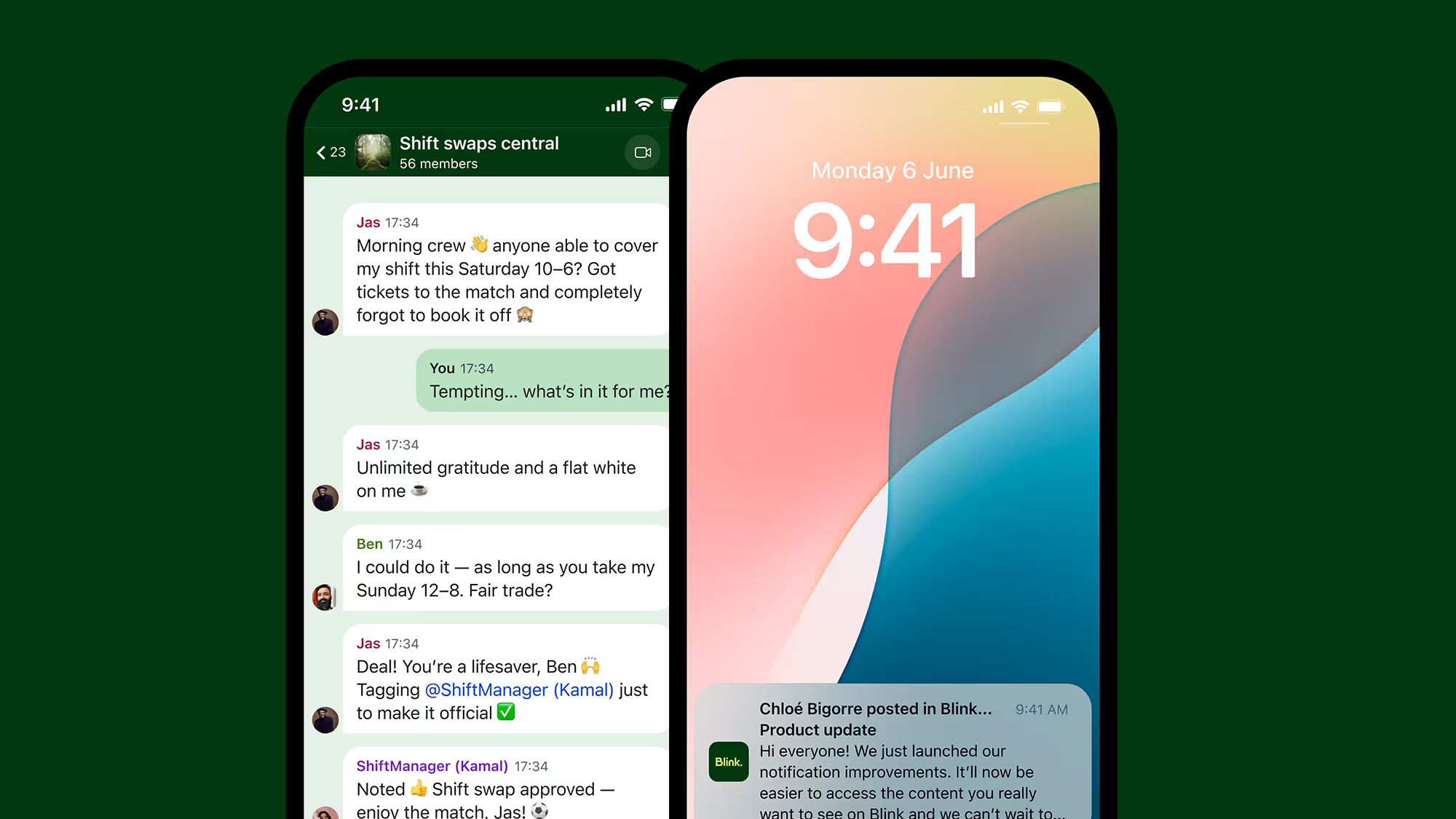
Welcome to the February 2026 edition of the Quarterly Unlock — your inside look at what’s new in Blink and how it helps teams move faster, communicate more clearly, and unlock more value across the employee experience.
As organizations scale, systems multiply and communication noise increases. Blink should get smarter, more connected, and easier to manage — without adding complexity.
Here’s what’s new.
#1. Smarter, more relevant communication
When employees see too much content, important updates get buried. When connectivity drops, access disappears. When engagement dips, comms teams feel it first.
This quarter, we’re making sure the right people see the right content at the right time — wherever they are.
Smart Feed
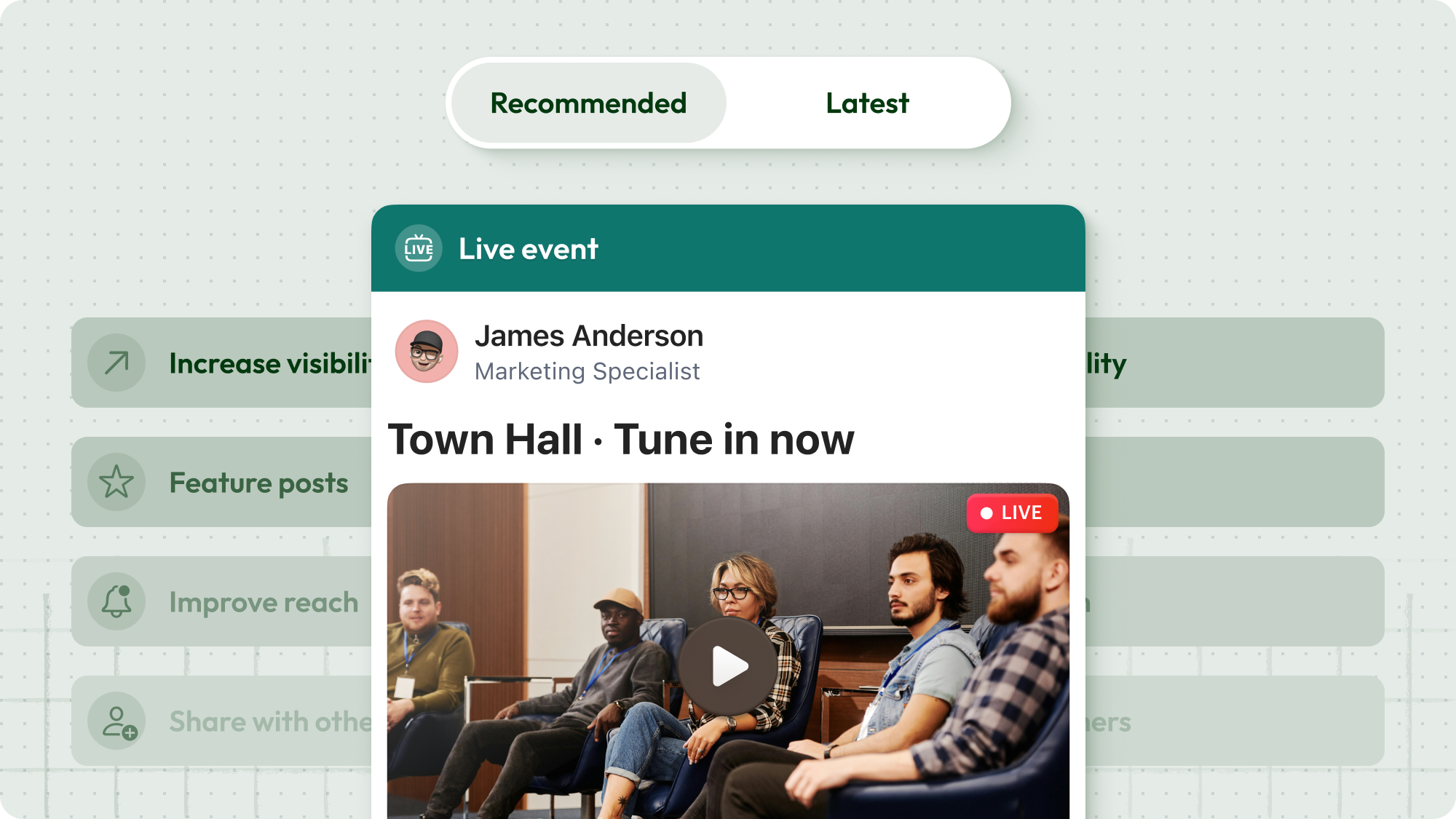
We’re introducing a recommended Feed experience that prioritizes relevance — not just publish time.
Surface the most important content first
Reduce manual pinning and featuring
Adapt the Feed as organizations grow
Improve visibility without extra admin effort
Instead of a strictly chronological stream, Blink becomes intelligent — helping important messages cut through the noise. Designed for large organizations and high-volume Feeds, Smart Feed is built to evolve alongside your communication goals.
{{offline-mode="/image"}}
Offline Mode
Frontline work doesn’t always come with reliable signal. Now, Blink doesn’t require it.
Save hub content and Feed posts for offline access on mobile
Access saved items centrally
Automatically sync updates when reconnected
Retain control over sensitive hub items with protected content settings
The result? Critical documents and updates remain accessible — even in low-signal environments like aviation, healthcare, logistics, manufacturing, and field operations.
Email delivery of Feed posts
Multi-channel delivery — without duplicating work. Admins can now send a published Feed post as an email to:
Everyone in a group
Or only those who haven’t read it
Each email includes a preview and a direct CTA back into Blink — helping re-engage inactive users and strengthen visibility for critical communications.
For most customers, this feature will be included at no additional cost. For large enterprises with high-volume usage, it may be considered on a case-by-case basis.
{{email="/image"}}
#2. Deeper interoperability across enterprise systems
Employees rely on multiple systems to get work done. But switching between them slows everything down.
This release brings core HR workflows into Blink — turning it from a communication tool into an action hub.
Actionable Workday Nudges
Managers can now approve or deny leave requests directly inside the Blink Feed.
Faster leave request approval turnaround
Reduced friction for frontline managers
Less logging in and navigating systems for employees
Improved visibility into HR processes
{{workday-payslip="/image"}}
Workday Digests
Daily or weekly summaries highlight open Workday tasks that require attention. Instead of relying on employees to monitor their HR inbox, Blink brings reminders into their everyday workflow — reducing missed deadlines and improving task completion.
SAP SuccessFactors daily Digest
For customers using SAP SuccessFactors, Blink now delivers a configurable daily digest when new tasks are waiting.
Task count surfaced directly in the Feed
Link-through to complete tasks in SuccessFactors
Custom branding supported
{{image-sap="/image"}}
#3. Safer, more confident Communities at scale
As Communities grow, governance becomes critical.
This quarter introduces new controls that allow organizations to scale engagement — without sacrificing oversight.
Request to join a Community
Community admins can now require approval before new members join.
Communities can be set to Open or Closed
Admins receive join requests and approve on web or mobile
Settings take effect immediately
{{community-request="/image"}}
Request to create a Community
Employees can suggest new Communities — subject to admin approval — supporting organic growth while preventing uncontrolled group sprawl.
Automated Keyword Blocking
Organizations can now define an organization-wide keyword blocklist that prevents specific words or phrases from being sent in chats and comments.
Immediate, private feedback to users
Managed via moderation tools
Works across web, iOS, and Android
This privacy-conscious safety layer helps reduce compliance risk and maintain professional standards — particularly in regulated industries.
{{automated-keyword="/image"}}
What this Unlock means for your team
For employees
A more relevant Feed
Reliable access to content
Critical updates delivered more consistently
For leaders and comms teams
Greater confidence that key messages are seen
Intelligent distribution at scale
Safer, better-governed Communities
For IT and operations
Stronger integration with enterprise systems
Reduced context switching
More control as usage scales
If you’re a customer, reach out to your customer success manager to discuss participation and enablement options.
If you’re exploring Blink, book a demo to see how the February 2026 Unlock brings communication and action into one seamless experience.

Frequently asked questions
#1. What’s new in Blink’s February 2026 release?
The February 2026 Quarterly Unlock introduces three major upgrades to the Blink employee experience platform:
Together, these updates make Blink smarter, more interoperable with enterprise systems, and more secure at scale.
#2. How does Blink integrate with Workday?
Blink integrates with Workday to bring HR workflows directly into the employee communication flow:
This reduces context switching, improves approval turnaround times, and increases visibility into workforce processes — without replacing Workday as the system of record.
#3. Does Blink integrate with SAP SuccessFactors?
Yes. Blink now offers a SAP SuccessFactors daily digest.
Employees receive a daily summary notification in their Blink feed when new tasks are waiting in SuccessFactors. The digest includes:
This helps reduce missed compliance tasks and training acknowledgements while positioning Blink as a unified employee experience hub.
#4. How does the Smart Feed improve internal communication?
Smart Feed prioritizes relevance instead of showing posts only in chronological order, helping to:
Rather than replacing chronological feeds entirely, Smart Feed adds intelligent prioritization — helping organizations reduce communication noise while increasing visibility for critical messages.
#5. What governance and moderation tools does Blink offer?
Blink’s February 2026 release strengthens Community governance with:
These tools help enterprise organizations maintain compliance, reduce risk, and scale internal Communities without sacrificing oversight.
Welcome to the February 2026 edition of the Quarterly Unlock — your inside look at what’s new in Blink and how it helps teams move faster, communicate more clearly, and unlock more value across the employee experience.
As organizations scale, systems multiply and communication noise increases. Blink should get smarter, more connected, and easier to manage — without adding complexity.
Here’s what’s new.
#1. Smarter, more relevant communication
When employees see too much content, important updates get buried. When connectivity drops, access disappears. When engagement dips, comms teams feel it first.
This quarter, we’re making sure the right people see the right content at the right time — wherever they are.
Smart Feed
We’re introducing a recommended Feed experience that prioritizes relevance — not just publish time.
Surface the most important content first
Reduce manual pinning and featuring
Adapt the Feed as organizations grow
Improve visibility without extra admin effort
Instead of a strictly chronological stream, Blink becomes intelligent — helping important messages cut through the noise. Designed for large organizations and high-volume Feeds, Smart Feed is built to evolve alongside your communication goals.
{{offline-mode="/image"}}
Offline Mode
Frontline work doesn’t always come with reliable signal. Now, Blink doesn’t require it.
Save hub content and Feed posts for offline access on mobile
Access saved items centrally
Automatically sync updates when reconnected
Retain control over sensitive hub items with protected content settings
The result? Critical documents and updates remain accessible — even in low-signal environments like aviation, healthcare, logistics, manufacturing, and field operations.
Email delivery of Feed posts
Multi-channel delivery — without duplicating work. Admins can now send a published Feed post as an email to:
Everyone in a group
Or only those who haven’t read it
Each email includes a preview and a direct CTA back into Blink — helping re-engage inactive users and strengthen visibility for critical communications.
For most customers, this feature will be included at no additional cost. For large enterprises with high-volume usage, it may be considered on a case-by-case basis.
{{email="/image"}}
#2. Deeper interoperability across enterprise systems
Employees rely on multiple systems to get work done. But switching between them slows everything down.
This release brings core HR workflows into Blink — turning it from a communication tool into an action hub.
Actionable Workday Nudges
Managers can now approve or deny leave requests directly inside the Blink Feed.
Faster leave request approval turnaround
Reduced friction for frontline managers
Less logging in and navigating systems for employees
Improved visibility into HR processes
{{workday-payslip="/image"}}
Workday Digests
Daily or weekly summaries highlight open Workday tasks that require attention. Instead of relying on employees to monitor their HR inbox, Blink brings reminders into their everyday workflow — reducing missed deadlines and improving task completion.
SAP SuccessFactors daily Digest
For customers using SAP SuccessFactors, Blink now delivers a configurable daily digest when new tasks are waiting.
Task count surfaced directly in the Feed
Link-through to complete tasks in SuccessFactors
Custom branding supported
{{image-sap="/image"}}
#3. Safer, more confident Communities at scale
As Communities grow, governance becomes critical.
This quarter introduces new controls that allow organizations to scale engagement — without sacrificing oversight.
Request to join a Community
Community admins can now require approval before new members join.
Communities can be set to Open or Closed
Admins receive join requests and approve on web or mobile
Settings take effect immediately
{{community-request="/image"}}
Request to create a Community
Employees can suggest new Communities — subject to admin approval — supporting organic growth while preventing uncontrolled group sprawl.
Automated Keyword Blocking
Organizations can now define an organization-wide keyword blocklist that prevents specific words or phrases from being sent in chats and comments.
Immediate, private feedback to users
Managed via moderation tools
Works across web, iOS, and Android
This privacy-conscious safety layer helps reduce compliance risk and maintain professional standards — particularly in regulated industries.
{{automated-keyword="/image"}}
What this Unlock means for your team
For employees
A more relevant Feed
Reliable access to content
Critical updates delivered more consistently
For leaders and comms teams
Greater confidence that key messages are seen
Intelligent distribution at scale
Safer, better-governed Communities
For IT and operations
Stronger integration with enterprise systems
Reduced context switching
More control as usage scales
If you’re a customer, reach out to your customer success manager to discuss participation and enablement options.
If you’re exploring Blink, book a demo to see how the February 2026 Unlock brings communication and action into one seamless experience.

Frequently asked questions
#1. What’s new in Blink’s February 2026 release?
The February 2026 Quarterly Unlock introduces three major upgrades to the Blink employee experience platform:
Together, these updates make Blink smarter, more interoperable with enterprise systems, and more secure at scale.
#2. How does Blink integrate with Workday?
Blink integrates with Workday to bring HR workflows directly into the employee communication flow:
This reduces context switching, improves approval turnaround times, and increases visibility into workforce processes — without replacing Workday as the system of record.
#3. Does Blink integrate with SAP SuccessFactors?
Yes. Blink now offers a SAP SuccessFactors daily digest.
Employees receive a daily summary notification in their Blink feed when new tasks are waiting in SuccessFactors. The digest includes:
This helps reduce missed compliance tasks and training acknowledgements while positioning Blink as a unified employee experience hub.
#4. How does the Smart Feed improve internal communication?
Smart Feed prioritizes relevance instead of showing posts only in chronological order, helping to:
Rather than replacing chronological feeds entirely, Smart Feed adds intelligent prioritization — helping organizations reduce communication noise while increasing visibility for critical messages.
#5. What governance and moderation tools does Blink offer?
Blink’s February 2026 release strengthens Community governance with:
These tools help enterprise organizations maintain compliance, reduce risk, and scale internal Communities without sacrificing oversight.
Blink. Where work gets done.
What we'll cover
Start your free trial today
See how Blink helps frontline teams stay connected, informed, and engaged.
It’s time for another Life at Blink feature! This week, we’re thrilled to introduce Wick Kaminski, our Enterprise Implementation Manager who works remotely from Austin, TX.
With 1.5 years at Blink, Wick plays a pivotal role in helping our customers bring their workforce together, turning the idea of seamless communication into reality. From his frontline experience to his excitement about empowering employees through Blink, Wick brings passion and purpose to everything he does.
Curious about his journey, his proudest moments, and the culture that makes Blink stand out? Read on to learn more!
How long have you been at Blink?
I have been at Blink for 1.5 years now.
What initially attracted you to join Blink?
First and foremost was the fact that Blink employees use Blink. I think it’s a huge testament to a company’s commitment to excellence when they rely on their own tool to get their daily work done.
Secondly, I was intrigued by the idea of software that had a tangible impact, and I could clearly see how my time in frontline roles would have benefited tremendously from a tool like Blink. Employee communication via a mobile app is a simple and powerful value proposition, and I truly believe every nondigital organization would benefit from the use of it.
What's a project you are proud of from your time at Blink?
My proudest moments at Blink always come when we hit the “launch” button and we observe a workforce that’s READY for a communication outlet. For so many customers I work with, employees haven’t had a channel for sharing back and forth — so when I see the News Feed light up with employees giving recognition and highlighting cool things going on in their area at work, it gives me goosebumps.
How would you describe the company culture at Blink in three words?
Autonomous, responsible, supportive.
What’s one thing you’re excited about for the future of Blink?
I’m personally really excited about expanding our self-service resources to better support our small and midsized business customers. We have an endless amount of ideas for improving the experience and making the onboarding as smooth and quick as possible.
Can you tell us about a recent initiative or program launched at Blink that you found particularly exciting?
Our recent feature release of Communities opened up an entirely new and novel avenue for our customers to build community amongst their workforces, and I’ve been really excited to work with my clients to get those up and running.
Communities are opt-in groups within Blink where you provide spaces for employees to connect on non-work-related things like hobbies, pets, special interest groups, affinity groups, clubs, and more.
Why do you work for Blink?
I know what is expected of me, I have the materials and equipment to do my work right, and I have the opportunity to do what I do best every day. And being a frontline-focused organization, we’re also in a unique position: So much of the tech world happens in a bubble and being able to work with the frontline every day is an important reminder of that bubble and the workforces, cultures, and people beyond it.
Alison has been with Aggregate for nearly four years, and is Factory Manager for the Concrete Products department.
Alison is that one person you can go to when having a bad day. She’s always so inspirational even though there have been hard times in her life. Even when there are mistakes or hiccups in the factory, she will always bounce back and be the first one to lend a hand or an ear to help in whatever way she can.
With a personal motto of “never stop trying to be better,” she is passionate about breaking barriers to create a future that is inclusive, productive and effective, which is clear in everything she does.
What does she want to do next?
Alison wants to progress onto a Regional Operations Manager Role.
A telltale sign of whether an organization will survive and thrive into the future is its adaptability.
That’s because sooner or later, every organization will go through a big change that impacts its employees.
It may be a merger, a growth slump, an acquisition, a leadership replacement, or a company-wide policy update. To make it work – to adapt and thrive – employees need to be aligned with a company’s change efforts. This is especially true for frontline organisations.
Sadly, when it comes to communicating change, many organizational change initiatives fail miserably. A recent study by Gartner shows that only 34% of all change efforts are successful.
We’re not big on fancy jargon. So let’s keep it simple. Change communication is the process of keeping your workers updated on your change initiatives throughout a period of change.
How you go about communicating change can help employees and other stakeholders understand:
What is being changed
Why the change is necessary at this time
What’s the scope of your change efforts
How the change will affect them
What steps are required from their side
Whether you’re adopting new technology, updating a part of a business operation, or shuffling leadership, communicating change helps workers shift from where they are to where they need to be in the future.
Understanding the change communication model
If you want your change initiative to bear fruit, your workers should go through the following phases.
Awareness: informing employees about the coming change. This should be done through clear and relevant messages distributed through internal communication channels.
Understanding: helping employees what, why, and how of the change.
Acceptance: supporting employees in accepting the upcoming change effort and act in accordance with it. This will almost certainly require two-way communication.
Commitment: making sure that communication keeps flowing until the new activities become the norm, to reach full commitment.
Each of these phases is important for a smooth transition. If you rush the process and skip a phase you will encounter resistance. There are no shortcuts.
So the big question is: how can you best meet the needs of workers during each phase? We’re glad you asked. Here are some tips to help you streamline your change initiatives.
Communicating change in the workplace: how to do it right
Use visual communication
Visual communication relies on visual aids to convey information – graphs, maps, charts, infographics…
Images and videos are visual forms of content too. TechSmith’s research shows that using them saves time and leads to faster understanding than text on its own.
Visuals can help you communicate key data in a way that it’s easily digestible, comprehensible, and memorable.
Chances are your company is already using visualization in many areas. From the emoji that a coworker shares with you to the poster in the hall depicting Covid precautions, you probably come across a variety of visuals every day. So it’s only a matter of extending the same creativity to your change communications.
On top of that, tools like Canva, Piktochart, and Visme that have recently flooded the market allow even non-designers to create stunning visuals in no time.
Once you have created the visual content for communicating change, use a platform like Blink (which has a newsfeed and content hub) ensure smooth distribution and ready accessibility.
Bring in video communication
Videos are among the most engaging communication formats. Viewers retain 95% of a message when the message is conveyed with a video, as compared to just 10% from plain text.
If the thought of creating a video is conjuring images of complex video editing software in your head, worry not.
Just like with graphics, you don’t need to be a video-mixing pro to create engaging clips. What matters is that your videos are genuine and authentic – they don’t need to be slick and polished.
Tools such as Snagit, Piktostory, and Loom make it really easy to record, edit and share videos with employees in your organization.
Communicating change in the workplace: 6 best practices 1
Don’t forget face-to-face channels
It’s no secret that people are increasingly working remotely and relying on digital communication platforms to meet and keep in touch. In many ways, that’s a good thing.
But change, no matter how small, is a sensitive topic. When communicating change, it’s not just about what you’re saying, but also about how you’re saying it – the non-verbal signals you, and your employees, send out contain important information.
Take the example of a global manufacturer who held a meeting of about 200 workers right after a reorganization. There was an unease in the crowd, and when the VP got up to deliver his speech, he spotted this and took it into account: instead of embarking on his presentation, he started by addressing the elephant in the room.
He told the workers that he understood how they were feeling. Uncertain. Sad. Scared. He expressed honest, heartfelt sorrow over the senior management’s distress about letting good people go. He validated what the employees were feeling.
Had this been a virtual meeting, the VP probably wouldn’t have caught the non-verbal signals of workers’ mental and emotional condition.
Communicating change in the workplace: 6 best practices 2
So whenever possible, include in-person communication in your change management communication process. Tune in to what preoccupies your employees so you can respond genuinely. This is especially important if they are frontline workers; make sure they feel seen, heard and taken into account.
Incorporate the principles of storytelling
In the early 1980s, the airline industry went through a tough time. Scandinavian Airlines was hit particularly hard: it was facing a loss of $20 million.
To turn itself around, the business decided to make a big change in its strategy, the core of which was to focus more on business travelers. But changing the mindset of its 20,000 workers was not going to be easy.
So what did they do? The management sent a short handbook to all the employees with a visual story communicating the change. The booklet covered what the company was going through, its future goal, and how workers could help the organization get through its struggles.
Along with other change communication efforts, this approach helped the company increase its earnings by $25 million in the first year, and $80 million overall.
Stories can go a long way in reducing the fear and uncertainty associated with your change initiative, and rally your workers around shared objectives.
Change is stressful. 73% of employees affected by change report experiencing moderate to high stress levels.
When going through a transition, employees want to feel heard and validated. They should be able to share their concerns, feelings, and experiences, and raise questions.
In-person chats go a long way in giving workers a sense of being included. If that’s not possible, or in larger companies, two-way digital communication channels can make a big difference. Either way, the unspoken message you want to convey is that the management and the employees are in this together.
Create a change communication strategy
Your employees will feel reassured and get on board much faster if they have a clear view of exactly what’s happening when, and if they feel that they have a voice.
The best way to embark on a change process is to start with a change communication strategy that helps workers see what lies ahead. Not knowing generates anxiety; being in the loop alleviates it.
A proper change communication strategy will help you distribute timely, consistent, and relevant information, along with mechanisms for workers to share feedback and raise questions.
Communicating change in the workplace: final thoughts
Communicating change takes time and effort but it is often worth it. When communicated skilfully, a change effort can shift gears and successfully move your company into a desired future state.
Many organizations fail at change management because they treat it as a set-and-forget process. Don’t make that mistake. When communicating change, make sure to hammer home your key messages not just once, but again and again. Keep communicating until the change becomes second nature.
If you make your workers the protagonists in the story of your change, you’ll see a real willingness on their part to adapt and contribute.
If you are looking to implement effective change communication, schedule a demo to learn about how Blink can help you drive successful organizational change with efficient internal communications.
How you complete that sentence could speak volumes about your leadership skills.
Good leadership in the workplace is crucial for the long-term success of your business and superb employee experience.
In fact, there's a 1674% chance of an employee having a strong perception about your leadership when you connect them to their purpose, accomplishments, or each other.
Great leaders inspire and motivate their team members. But it's easier said than done.
Being a good leader can be challenging. It takes a lot of practice and focus. But like any other skill, you can learn to be an effective leader.
If you don't know how to be a good leader, you're in luck. We'll explore 10 qualities of a good leader to give you tips to become a strong leader at work.
What makes a good leader in the workplace?
A good leader engages in open communication, motivates their team members, leads by example, listens to feedback, and is open to new ideas in an ever-changing workplace.
Anyone can sit in a corner office and boss people around, but there's more to effective leadership than that.
Learning the traits of a good leader will help you significantly impact your company's success.
With that in mind, here are 10 attributes of a good leader and how to use them effectively to your advantage.
1. Good leaders engage in open communication.
Employees want to be heard — whether it's an issue that needs resolving or ideas they believe would improve the business or better serve clients.
When you don’t communicate well with your team, they may feel discouraged, resulting in poor morale and lower production. Project.co shared that 35% of businesses have lost an employee due to poor communication.
The best leaders customize their communication styles to suit each situation and team members' preferences — which means they take the time to learn which communication mode each team member prefers.
Do your employees prefer email or phone conversations? Or maybe face-to-face?
You can also use a straightforward mobile app like Blink to turn your employees into a close-knit group by enabling communications between them.
Effective communication decreases misunderstandings and employee errors, builds trust among team members, and improves morale. Pumble backs that up, stating that effective communication can increase a team's productivity by 25%.
As long as it's done respectfully, you should maintain a work environment that promotes honest communication.
Promoting a judgment-free environment sinceyour employees are likely to give their opinions more often when they don’t fear discrimination.
Giving undivided attention to your team members when they’re speaking.
Asking your employees for suggestions to increase their engagement. You'll aim to implement employee engagement strategies that work.
Asking (not demanding) your employees to do stuff for you.
2. Great leaders encourage professional and personal development.
One of the most critical leadership qualities you can have is nurturing your staff by giving them personal development opportunities.
That can include anything from leadership training or teaching them a new skill to encouraging them to pursue a passion that inspires them in and out of the workplace.
In 2021, Lorman shared that 70% of employees are likely to leave their current job to work for an organization that invests in employee growth and development.
Employees value learning opportunities, so it's no surprise that companies with successful training programs typically see a significant increase in employee retention.
Picture a company culture where every team member receives training according to their interests. In such a case, every employee will feel you care about their goals, dreams, and overall well-being.
When that happens, your employees will go above and beyond to help you achieve your goals and vision.
Here are four strategies you can use to encourage professional and personal development in the workplace:
Encourage mentoring and coaching between managers and employees.
Identify and develop soft skills such as time management, active listening, and delegation.
Implement cross-departmental training programs to increase the efficiency of your entire company.
3. Successful leaders lead their employees by example.
One of the characteristics of a good leader is their ability to ‘walk the talk.’
Here’s an instance of a true leader leading by example:
Jane is a manager at a local bank with a team of seven employees (you can pretend that’s Jane and her team in the above picture). She shows up to work a few minutes early to plan her schedule.
When her team starts to arrive, she greets them warmly and inquires about their families.
She then calls her team members into a morning meeting. And instead of leading with her plan, she gives each person a chance to voice their ideas. She appreciates their input and asks them to create proposals to bring their ideas to life.
When it’s time to start working, Jane attends to clients like the rest of the team.
As a result, Jane gets high levels of employee engagement since she demonstrates that she’s invested in her team's initiatives and business.
Leading by example means guiding your employees through actions instead of words. The saying ‘do as I say, not as I do’ has no place in today’s world.
Nowadays, employees want to see your actions match what you say. That means showing them what’s required instead of just telling them.
Here are four ways to lead by example:
Be a role model to your employees by walking the talk.
Give clear instructions to your staff.
Avail yourself to answer questions your employees might have.
Make employees feel part of the team by letting them know why you're giving them specific instructions.
Use respectful words like ‘please’ when giving instructions to your team members.
4. Strong leaders give constructive feedback to employees about their performance.
Employee feedback is an incredibly effective tool. Offered well, it can grow your employees, strengthen bonds between staff and managers, and improve trust levels.
“We all need people who will give us feedback. That’s how we improve.” — Bill Gates
Direct, honest feedback is the best way to steer your team in the right direction.
Don’t wait for monthly or quarterly assessments to give your employees feedback. Give them right after an event has occurred. It will have the most significant impact on their performance.
Here are four tips to help you give employees effective feedback that gets the results you need:
Give individual feedback privately.
Avoid sandwiching corrective feedback between two positive feedbacks. It will create confusion, undermine the feedback, and decrease trust levels.
Focus on your employees' behaviors (what they do) rather than their personality traits (what they’re like).
5. Secure leaders ask for feedback from employees about their leadership style.
The saying goes: there’s always room for improvement. That’s especially true when you're a good leader.
Who can point out these growth opportunities better than your employees?
After all, they work with you every day, so they know your strengths and weaknesses.
“Feedback is the Breakfast of Champions.” — Ken Blanchard
However, getting honest feedback isn’t always easy.
Employees may feel awkward revealing their true thoughts. They may not want to offend anyone's feelings or face future consequences for harsh criticism. That may cause them to give you fluffy feedback or avoid the request.
Use these tips to ask your employees for feedback and increase the likelihood that they give honest, actionable feedback:
Ask your employees specific questions instead of vague questions such as, “What do you think?”
Tell your staff not to hold back on their feedback and make them feel they’re doing you a favor by being honest.
Give them time to think about your questions and develop helpful answers.
Ask employees about what you can do better in the future rather than what you did wrong in the past.
6. Transformational leaders are open to change and new ideas.
Change is hard — even if the change is for the better. Successful leaders are aware of this and don't pretend otherwise.
They also understand that embracing change with the right mindset is critical to creating an environment where change is integral to their company's DNA.
A great leader never wants to be the smartest person in the room. They surround themselves with a team of experts with more ideas and experience without feeling threatened.
And when these experts are led well, they can be a powerful force in driving strategy, making changes, and enhancing the company's bottom line. They’ll perform at a high level with little oversight and push you to grow continually.
“It doesn’t make sense to hire smart people and tell them what to do; we hire smart people so they can tell us what to do.” — Steve Jobs
Whether you're leading a team of two or five thousand, below are four ways to embrace new ideas and get your employees on the ‘change-wagon’ faster:
Surround yourself with a committed team of experts.
Understand why you need the change and clearly express the desired outcome.
Include your employees in decision-making from the get-go to strengthen their commitment to change.
Make sure your beliefs and behaviors support the change. Be resilient, persistent, and willing to step outside your comfort zone.
7. Effective leaders set clear employee goals and delegate work.
A good leader makes sure their employees are doing what they’ve assigned them to do to achieve the company's mission and goals.
The instructions you give should be measurable and quantifiable. Use existing data to develop a baseline for employees to do their best work.
Moreover, 2021 research by Bi Worldwide showed that 31% of employees said their manager set attainable goals for them, but they weren’t challenging. So be sure to have goal-setting discussions with your employees to set goals that will challenge them to grow.
An effective leader also knows what tasks to delegate. They know they can’t accomplish everything alone, so they assign tasks to team members they’re confident will complete them.
As a result, they empower and boost their employees’ morale. And in the process, they free up their time to focus on what will yield the highest returns and grow the business.
Here are three tips to help you delegate tasks to your team members:
Look for opportunities to delegate tasks based on your teams' strengths and weaknesses.
Walk your employees through the project you're delegating and clarify when you need it done.
Give continuous feedback and be specific on what they did well and what they need to improve on.
A good leader has the right motivation and passion. They’re not driven by money or prestige but genuinely want to inspire others to do their best.
Passionate leaders increase productivity and make sure workers are committed to the company's values, mission, and vision.
“A great leader's courage to fulfill his vision comes from passion, not position.” — John C. Maxwell
Most successful leaders have a passion (not a job) and know how to rally others around that passion.
In short, passionate leaders lead with heart.
Here are seven qualities that set passionate leaders apart from the crowd:
They're open-minded and respect differing opinions.
They have a positive attitude and superb problem-solving skills.
They’re great communicators and listen with the intent of genuinely understanding rather than advancing their agenda.
They're future-focused and capable of engaging others to achieve their goals.
They look at the big picture and embrace challenges.
They're risk-takers and put in the hard work to execute ideas.
They're self-aware, surround themselves with like-minded people, and sustain collaborative relationships.
Your ability to inspire, motivate, and create a magnetic vision needs commitment and perseverance. But it’s worth the effort, whether your goal is productivity, employee retention, or project management.
9. Successful leaders have a positive attitude even when things go south.
Most people tend to associate good leadership with smooth sailing.
After all, what can go wrong if you build and nurture a great team and generate excellent ideas?
…. a lot.
But whether it's a minor misunderstanding or a significant error, how you handle a negative situation reveals a lot about your emotional intelligence and leadership abilities.
“Great leadership usually starts with a willing heart, a positive attitude, and a desire to make a difference.” — Mac Anderson
When things go south, your words and actions as a leader are critical. Here’s what you can do during those times:
Take time to evaluate the situation and know what the problem is.
Face the problem with positivity and look for solutions.
Be flexible and adaptable and make adjustments along the way.
Remain persistent and determined to solve the issues.
10. Good leaders are always learning.
All successful leaders have one trait in common — a hunger for learning. They enroll in relevant online courses, read great books, use the best tools, and constantly improve.
Great leaders have an innate sense of curiosity that often drives them to learn more, which helps them perform better for their businesses and provide personal fulfillment.
“Leadership is not an expertise. Leadership is a constant education.” — Simon Sinek
Learning helps great leaders challenge their assumptions and bring clear understanding to the table.
In contrast, failure to keep learning means you won't adapt to the ever-changing work environment. And depending on your industry's competition, this can be a significant issue that spells the death of your company.
Here are three ways to keep learning and become a better leader:
Embrace an open mind to see things from different perspectives.
Read relevant books, industry publications, and blogs.
Take advantage of consultants, personal networks, industry events, and other organizations and learn from them.
How to be a good leader at work: your checklist
Openly communicate: Make sure your team always know what's going on and what is expected of them.
Develop your team: Push each team member in their personal development. Make sure you each team member has a clear and robust personal development plan.
Lead by example: Easier said than done, but be the example your team can learn from. Show them the type of employee you want them to be.
Give constructive feedback: Don't be afraid to give constructive feedback. 1-1's are normally the place for this.
Ask for feedback: You won't always get things right, and not everyone will agree with you. Ask for feedback from your team on your management style and how you can improve.
Be open to change and new ideas: If a team member has an idea or a new way of doing things, be open to it. Don't stick to the way things are just because "that's how it's always been".
Set goals & delegate: You can't do everything on your own, give your team responsibility and delegate tasks appropriately. This can help with point 2 as well.
Show your passion: If you love your job, show it. This passion can be infectious and help motivate your team.
Keep positive: Things won't always go to plan, but you can weather the storm. Keep positive and let your team know you have their back with whatever road bumps you hit.
Don't stop learning: Your development also doesn't stop. If you want to lead by example you need to make sure you are up to date with the latest techniques and strategies for your role.
Wrapping up: What makes a good leader in the workplace?
Most people aren’t born with the ability to get things done and inspire others every day. And that’s okay — you don’t have to be born with that ability to succeed.
Although it takes time to be a good leader, you can learn strong leadership skills. But like any other skill, it takes a lot of practice and focus.
Just keep in mind it also requires you to grow and engage your team. Blink’s Employee Engagement App can help you keep employees engaged and connected. Try it out today.
If it’s been a while since you set up an intranet, you may remember how clunky the process of setting up traditional intranets used to be.
Companies relied on custom solutions that involved a long-winded setup and required lots of tech expertise. But times have changed. In today’s digital workplaces, a modern intranet solution with a comprehensive employee app is now the norm.
These intranets and apps offer the same communication and knowledge management features as a traditional intranet — and they offer rock solid security. But they’re more user-friendly. They’re also easier to set up, customize, and maintain.
Before you can even think about launching a new digital workspace, you have to lay the right foundation. Setting up your platform requires more than just migrating old files. It requires choosing the best intranet software and mapping out exactly how your frontline workforce will use it on a daily basis.
With a more effective and engaging platform in place, you can reap the benefits of improved communication. You can also use a modern intranet to support collaboration, co-worker connection, workplace recognition, and a strong company culture.
In this post, we look at the dos and don’ts of setting up a modern intranet like Blink. We share our tips and real customer experiences to help you transform your company intranet — making it more streamlined, effective, and fit for the future.
What is an employee intranet?
An employee intranet is a private network your company uses for internal communications. Typically, access is restricted to current employees.
The system is a centralized hub where your workers can access workplace tools and resources. It’s a place where they can communicate with co-workers, check their schedules, request leave, and collaborate on projects.
The best company intranets enhance internal communication and knowledge management. They streamline HR operations and give employees access to all the workplace resources they need.
This can have a big impact on company performance and employee retention. Effective communication can increase workplace productivity by 25% — and employees who get enough information to do their jobs well are 2.8 times more likely to feel engaged in their work.
How company intranets are changing
Large, enterprise-level companies traditionally built their own, branded intranets while smaller firms tended to rely on cloud-based intranet software that required minimal coding.
While big, traditional intranets were an effective way to centralize company information, they didn’t inspire employees to start their days by logging on.
So now, many enterprise organizations are joining those smaller firms. They’re switching from traditional intranets to modern intranets. Benefits of a modern intranet include:
Cost savings and scalability
On-the-go intranet access for employees
Speedy deployment
An engaging and personalized user experience
Modern intranet features include a news feed, two-way communication tools, and multimedia content. Organizations can also incorporate workforce apps into one intranet interface, making it easy for employees to access the tools and resources they need.
For a frontline workforce, an intranet with an employee app is essential. This type of intranet allows frontline workers to access company news, feel part of company culture, and build workplace connections — without a desktop computer or company email address.
The dos and don’ts of setting up an employee intranet
Now we know what a modern company intranet looks like, let’s take a closer look at the setup process. Here, we explore the dos and don’ts of setting up an employee intranet.
DO: Get clear on the functionality you need
There are lots of different ways you can use an intranet. So before you start looking at intranet software providers and signing up for demos, you need a clear idea of the functionality you need.
Spend time deciding how your ideal intranet will aid internal communication, employee engagement, and other organizational goals. Do you need a way to keep frontline workers in the loop? Or to support remote worker collaboration?
If you’re unsure where to start, consider a few intranet must-haves. These include:
Communication and collaboration tools
A centralized knowledge hub
HR tools
Customization and easy integrations
Then, think about the extra features and functionality that will encourage employees to adopt and use your intranet platform.
That may be a social-media-style news feed that enhances employee engagement. Or survey and recognition tools. Perhaps you want to keep a closer eye on communication and engagement performance with robust analytics functions.
Many Blink customers have told us that, at this stage of the intranet setup process, they took a cross-functional approach. They brought together people from across their organization to find out what they needed from an intranet solution.
It’s important to involve departmental leaders of your organization when deciding on what the ideal intranet solution looks like. But don’t forget about your end users — your workforce.
These are the people using whatever traditional intranet or communication channels you already have in place — and they’ll be the ones using the new system when it goes live.
So use surveys to ask them what features and tools they’d most like to see in your company intranet. Quiz them on the problems they experience with your current system. If employees aren’t using your existing intranet, find out why. Involve employees in platform pilots.
Be sure to include employees from all sectors of your workforce to get a holistic picture of intranet needs. Survey frontline workers, office workers, and remote workers. Seek feedback from employees in different locations and departments.
When a representative sample of employees is involved in the decision-making process, you choose solutions that meet workforce needs. You also get employee buy-in, which becomes really important at the rollout stage of intranet setup.
DON’T: Rush into choosing intranet software
There are countless intranet software options to choose from, all with a different combination of features and functionality. So at this point in the intranet setup process, you need to compare solutions in terms of integrations, security, cost, support, and the user experience.
Also, think about the user experience on mobile devices. If your workforce will access your intranet via a smartphone, they should enjoy the same features and functionality as those using the platform on a desktop computer.
Blink’s employee intranet was created for organizations with a large frontline workforce. We know that most frontline workers don’t have a company email address. They also tend to spend their days away from HQ.
So our mobile-first app makes all intranet features available via smartphone. This makes our platform particularly suited to companies working in sectors like transport, construction, healthcare, and retail.
But there are others suited to fully desk-based organizations. There’s a solution out there for every type of company. So take your time looking at options and taking them for a test ride, with a demo or free trial.
For impartial advice, you can look at sites like G2 and Capterra, where verified users contribute to software ratings. You can also use these sites to compare your shortlisted intranet software options, side by side.
Clearbox Consulting, an independent intranet and digital workplace consultancy, also provides a detailed intranet comparison report each year. Blink won a ClearBox choice award in 2024 and you can see the full intranet report here.
DON’T: Forget about your usage policy and access controls
Software switching wastes time — and having to chase down resources is frustrating for intranet users. So it’s a good idea to keep as many important documents on your employee intranet as possible.
To ensure that sensitive information is handled carefully, you need a clear usage policy, outlining how confidential data should be shared and stored on the platform.
You should also outline acceptable and unacceptable platform behavior and give users guidance on creating and maintaining strong passwords.
Some areas of your employee intranet will contain confidential information. In these cases, access controls are essential. When setting up an intranet, you need to decide early on who has access to what, to avoid data getting into the wrong hands.
DO: Customize your intranet
Most company intranet systems allow some degree of customization. In some cases, you may need a developer to make changes. Other platforms give managers drag-and-drop controls.
Blink allows for a high degree of customization. Some clients choose to completely rebrand the app to match their own company branding. This creates an engaging and immersive experience for intranet users.
Our platform also allows you to build your own micro-apps, quickly and easily. You can create apps and digital forms that make it easy for employees to request leave, give feedback, report incidents, or swap shifts, all via your intranet. This streamlines tasks for your employees, their managers, and HR teams.
Customizing content is also important. When employees see information and resources that don’t apply to them, they’re more likely to switch off from your intranet. So segment employees based on team, department, location, and tenure. That way, only relevant communications reach their dashboards.
DON’T: Be vague about ownership
To get the most from a modern intranet, you need an internal communication strategy. You also need to clarify who will own and create intranet content.
Start by appointing an intranet manager. This person should oversee content sharing and restrictions in your employee intranet app. They may be responsible for creating content themselves as well as gathering content from department heads and your leadership team.
Depending on the size of your intranet and your organization, you may need a wider team to help with publishing content and maintaining the platform. This will keep your intranet relevant and up-to-date.
Intranet content from HQ keeps employees in the loop on company news and culture. But — for optimum engagement — you also need locally-produced content, specific to each team and location.
That might mean involving team leaders in intranet content creation and getting them to post tailored content, exclusively for their teams, on a specified basis.
DO: Create a launch pad
It’s best to start with a bang. So think carefully about how you plan to launch your new intranet — and have lots of engaging intranet content ideas ready to go.
The best intranet solutions require minimal employee training. They’re easy and intuitive to use. But you still have to create some buzz and momentum to encourage adoption of your new intranet app.
Here are a few launch ideas Blink customers have put into action:
Launching Blink at their annual convention to encourage opt-in, right there right then
Promoting the app a month ahead of launch with the help of letters, posters, and digital screens
Visiting staff in break-out rooms in every company location to promote the intranet and field questions
Running contests and giveaways to incentivize employees to download the Blink app — free ice cream proved popular!
At Blink, we work with you to plan an effective intranet launch. Our team goes out to all partners during the rollout phase. We help explain the app to employees, showing them how to download and use it.
When setting up a new intranet, it also helps to establish intranet ambassadors within your organization. These are influential people within the company who get to know the new intranet platform inside out. They can then recommend the platform, talk about its benefits, and answer co-worker questions.
DON’T: Feel like you have to launch everything all at once
Most intranet solutions come with a variety of different features. But if you’re unsure you need all of them — or you have doubts about how your organization will respond to them — it’s ok to take things step by step.
For example, at Blink, we’ve had customers who jumped right in with the news feed, giving employees the ability to comment on posts from day one. This has helped boost adoption and engagement, and it’s contributed to a transparent company culture.
But other companies like to take things more slowly. So they have the option to switch off the features they don’t want — like employee comments. They can also pilot features with a small group of employees, deciding at a later date if they want to roll them out to the wider organization.
DO: Highlight the benefit for employees
Your company intranet is only effective when employees choose to log onto it. It can’t benefit internal communication, employee engagement, and company culture if people simply don’t use it.
So during the launch phase — and beyond — highlight the benefit your new intranet solution offers to employees.
Tell them what they can do on the app. That might be shift swapping, requesting leave, checking their pay slips, or getting up to speed with the latest company policies. Your intranet may be a place where employees go for learning and development courses or for co-worker connection.
As well as telling employees how useful your new intranet is, it’s important to create content that employees actually want to see. Sharing company news is vital. But you should also post informal content to your company intranet.
Photos of your latest away day, recognition for a co-worker’s birthday, or information on workplace benefits are all engaging and relevant to employees. These types of content help to ensure high intranet adoption and engagement rates.
DON’T: Ignore analytics
Whatever your intranet goals, you need analytics to understand whether you’re achieving them.
If you had a traditional intranet or any other previous system in place, take baseline metrics before you switch to your new solution. Select the internal communication metrics and employee engagement KPIs you want to track. Then, as you set up your new intranet, set new targets.
Once your new platform is up and running, you can track employee adoption and usage alongside your other performance metrics. Also, seek employee feedback.
By uncovering problems and points of friction, you can make targeted improvements to the user experience, improving engagement, communication, and productivity as a result.
DO: Model the intranet behaviors you want to see
Something we see time and again at Blink is the leadership impact. When leaders are active on the company app, employee adoption and engagement increase.
That’s because employees see that the intranet is a valuable and integral part of the workplace experience — and that their leaders are listening to what they have to say.
So encourage leadership to model the intranet behavior you want to see from your workforce. They should try to check into the app every day to answer questions, praise hard work, or acknowledge feedback. They should share company news transparently and regularly reference company values.
Make your intranet a place for open, relevant, and reliable communication and you’re more likely to make it a vibrant company hub.
Today, most of your company’s vital documents live digitally. From benefits plan statements to the potluck sign-up — paper is a thing of the past.
When you tally everything an employee accesses online, it’s easy to see how content can be a lot to manage. That’s why companies need a way to aggregate, manage, and share all of their internal information.
They often use a combination of platforms to get the job done, but this can be confusing and inefficient.
For that reason, more companies are moving towards a single unified intranet CMS software that can act as a single resource for content management.
An intranet content management system boosts communication, improves productivity, and allows workplaces to function remotely. Plus, research shows that companies with strong internal social networks are 7% more productive.
If you’re in the market for the best CMS for intranet, take a look at our recommendations below.
The best CMS intranet for 2023 roundup:
1. Blink
Blink is an employee intranet with many features, making it a great choice for companies looking for an all-in-one solution for their internal communication needs.
The content management hub is a sleek, mobile-first design, and the software is easy to set up and onboard without extensive IT or training teams.
Features:
CMS Hub for documents
Content feed
Business chat
People directory
Micro-app functionalities
Best intranet CMS software for: All-in-one frontline communication.
Price: Plans start at $3.40/user/month.
2. SharePoint
SharePoint is Microsoft’s intranet offering, making it a great choice for teams who already heavily rely on Office Suite tools.
SharePoint leverages internal websites to host content pages and team resources. It’s a powerful content management tool that works well for large companies looking for a robust CMS but could be overly complex for smaller organizations.
Features:
Document library
Information rights management
Project management server and timelines
Team-based content websites
Cloud or on-site data storage
Company news page
Best intranet CMS software for: Enterprise content management.
Price: Plans start at $5/user/month.
3. Glasscubes
Glasscubes provides a cloud-based platform for employees to collaborate and share files. Users can send messages to others or attach files to messages for further collaboration.
The lightweight system is engaging and easy to use, perfect for companies looking for a straightforward, high-value CMS intranet that improves engagement.
Features:
Secure online file storage
No limitation in file type or size
Internal chat
Activity feed
Task management and scheduling
Best intranet CMS software for: Team collaboration.
Price: Plans start at $35/month.
4. Simpplr
Simpplr is a CMS employee intranet that prioritizes usability and social engagement.
Packed with features like an AI-driven social feed, events calendar, and a newsletter, Simpplr is the choice for companies looking for feature-rich software that improves culture, communication, and engagement.
Features:
Employee intranet
Employee blogs
Employee profiles
AI smart feed
Newsletters
Events calendar
Social websites for teams
User analytics
Best intranet CMS software for: Engaging social teams.
Price: Available upon request.
5. OnSemble
Building off a 15-year history in intranet, OnSemble offers a well-rounded intranet platform designed for customer-centred organizations.
The content management tool, employee forums, and leadership blogs engage workers and provide them with the resources to do their best work. Drag-and-drop page builders mean OnSemble can be relatively easy to customize for small to midsize organizations.
Features:
Employee directory
Content management
Document search
Forums
Cloud or on-site data storage
Best intranet CMS software for: Customer-oriented organizations.
Price: Plans start at $6/user/month.
Final thoughts: The 5 best intranet CMS software in 2023
A content management system is an essential feature of your company’s intranet. With so much of today’s work taking place remotely or on mobile, having everything accessible boosts your employee’s engagement, supports a positive company culture, and increases productivity.
There are many great intranet platforms out there, and what you choose will come down to your company’s size and needs.
If you’re looking for a simple solution that packs tons of engaging features into one affordable platform, give Blink a try. The mobile-first platform and modern design will work well for any team.