As companies search for more agile, user-friendly solutions for internal communication and employee engagement, many are exploring Interact intranet alternatives that offer better customization, modern UX, mobile access, and integrations. While Interact has been a long-standing player in the intranet space, users often cite limitations around design flexibility, content sprawl, and admin complexity—especially for organizations with hybrid or deskless teams.
In this post, we’ll explore the top 10 Interact Intranet alternatives for 2025. Whether you're looking to enhance employee experience, streamline communications, or drive engagement across distributed teams, this list will help you compare platforms based on strengths, potential drawbacks, and pricing.
What to look for in an Interact intranet software alternative
When evaluating Interact intranet replacements, keep these key factors in mind:
Ease of use: Can employees navigate the platform without heavy training?
Mobile accessibility: Is there a native mobile app with full functionality?
Customizability: Can you brand and structure the experience to match your organization?
Engagement features: Does it go beyond file storage and announcements to include recognition, surveys, or social feeds?
Integrations: How well does it connect with tools like Microsoft 365, Slack, HRIS platforms, or scheduling software?
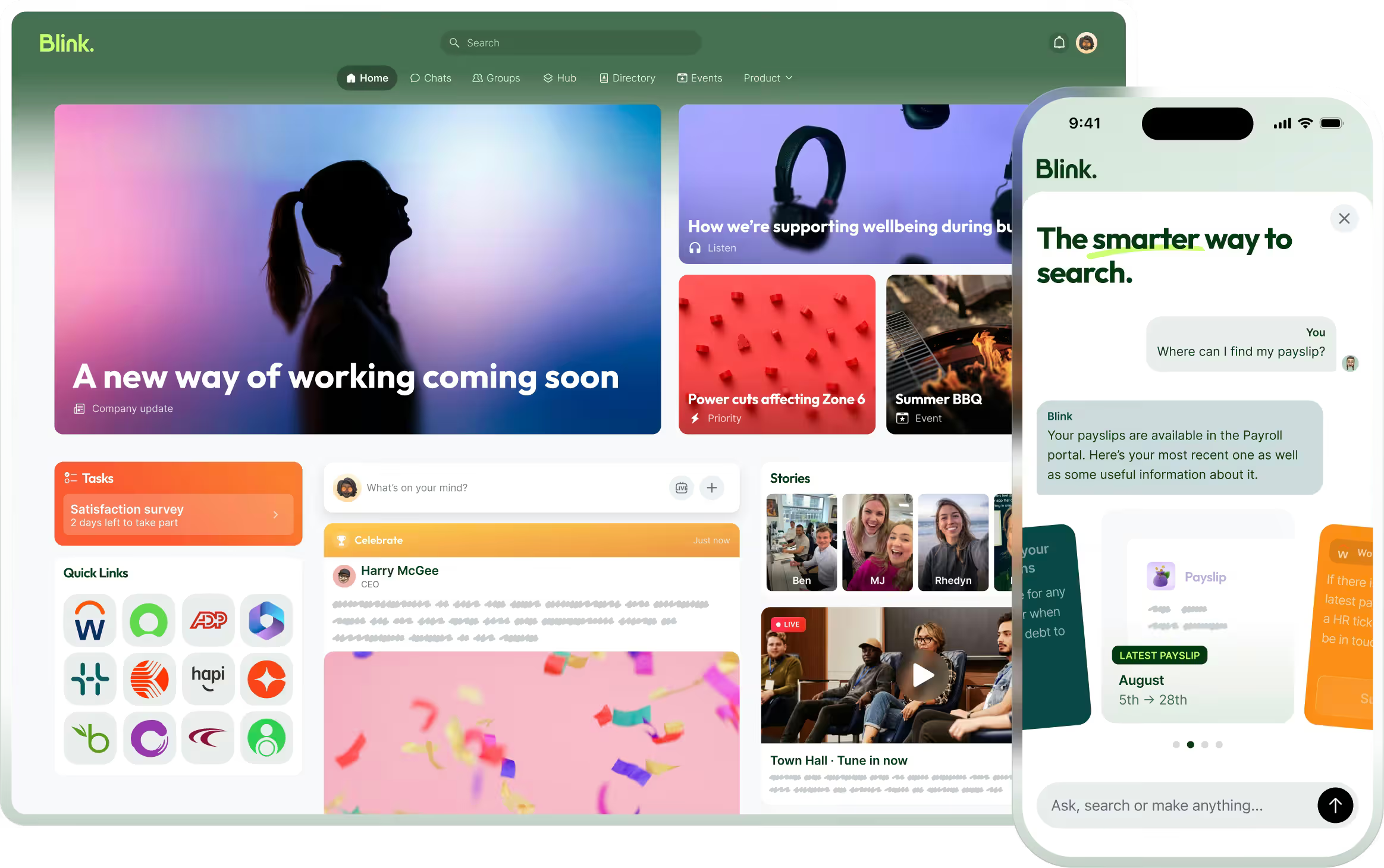
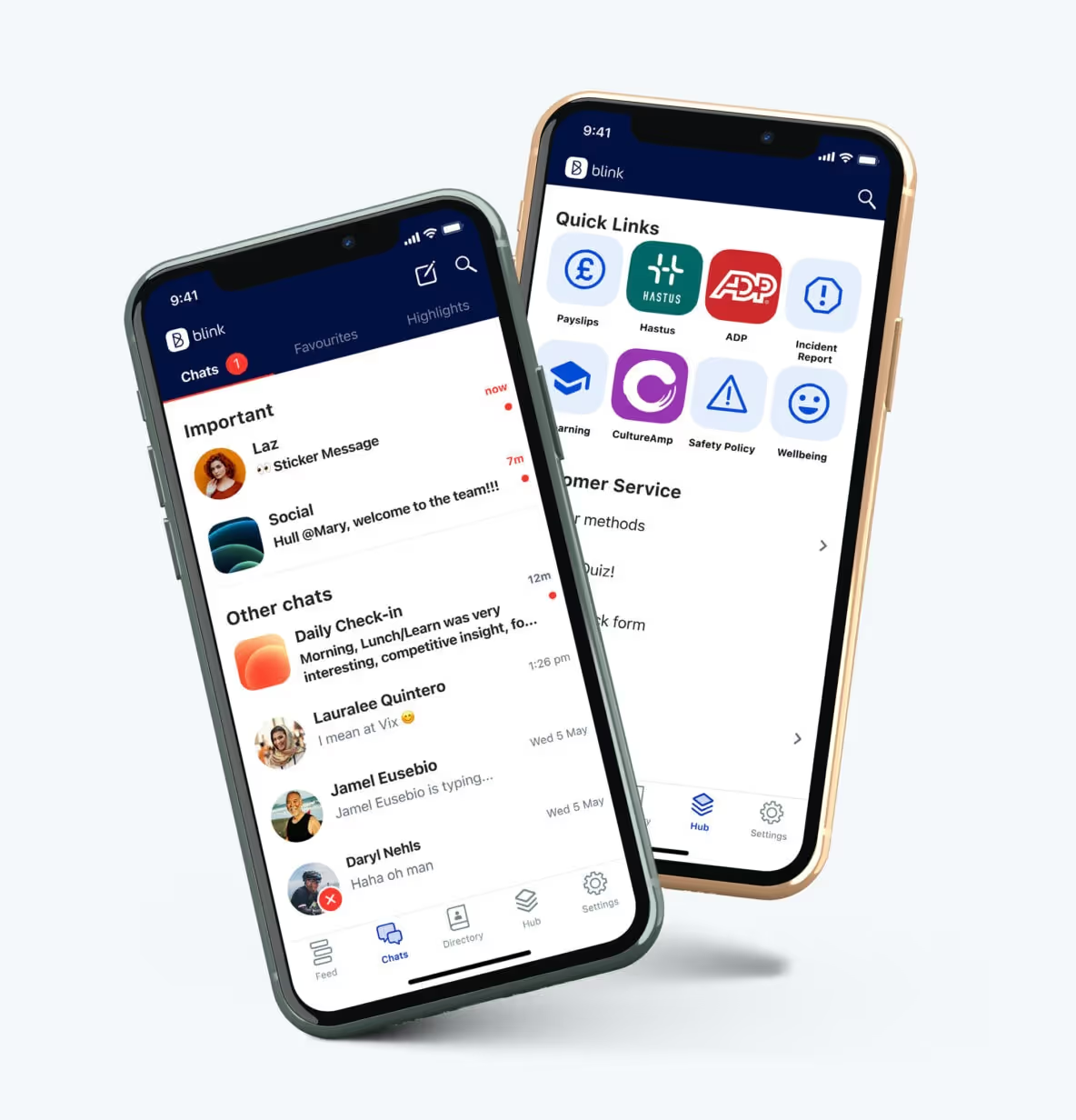
Blink is the modern employee experience platform that unifies communication, engagement, and productivity into a single app—without the complexity of a traditional intranet. Unlike Interact, Blink delivers a streamlined, mobile-first experience that actually gets used—whether your workforce is corporate, remote, or frontline.
With Blink, you can publish updates in real-time, manage compliance workflows, integrate with the systems your teams already use (like Kronos, SharePoint, or Workday), and give employees a single place to access everything from HR resources to payslips to scheduling tools.
Blink also stands out with its analytics and targeting capabilities, ensuring every message lands with the right audience—something many Interact users struggle with.
Pros
Mobile-first and intuitive UX
Powerful integrations and real-time analytics
Drives measurable engagement at scale
Cons
Not ideal for companies that want a static intranet experience
Enterprise plan required for advanced customizations
{{watch-video="/callouts"}}
#2. ThoughtFarmer
ThoughtFarmer focuses on social intranet features and knowledge sharing. It’s designed for ease of use and supports both top-down and peer-to-peer communication, making it suitable for collaborative teams.
Pros
Clean UI and strong support for content management
Good for mid-sized organizations
Cons
Limited customization for branding
Mobile app lags behind desktop features
#3. Jostle
Jostle promotes employee engagement through a simplified interface, making it easy to share news, connect departments, and celebrate culture. It’s best suited for organizations that don’t want to invest time in heavy customization.
Pros
Easy onboarding and admin tools
Strong emphasis on culture-building
Cons
Limited integrations with enterprise platforms
Less flexible for complex org structures
#4. Simpplr
Simpplr is a sleek, AI-powered intranet focused on enabling internal communications. It emphasizes intelligent content distribution and automation, appealing to large enterprises with robust content strategies.
Pros
AI-driven content delivery
Enterprise-grade scalability
Cons
Can be complex to deploy
Higher cost for small teams
#5. MangoApps
MangoApps is a modular platform that blends intranet, communication, and task management into one tool. It’s ideal for companies that want a little bit of everything in a single environment.
Pros
Extensive features from wikis to task tracking
Good for hybrid teams
Cons
UI can be overwhelming for new users
Setup may require IT support
#6. Staffbase
Staffbase offers a mobile-friendly intranet focused on internal comms and employee engagement. It’s often chosen by large organizations with complex communication needs.
Pros
Strong internal comms features
Personalized content targeting
Cons
Enterprise-focused pricing
Less flexible for small teams or startups
#7. Axero
Axero’s Communifire platform delivers an all-in-one intranet solution with collaboration tools like forums, blogs, and task management. It appeals to organizations that want both communication and project tools in one place.
Pros
Broad range of features
Community-style interaction tools
Cons
Learning curve for new users
Less mobile-optimized than some competitors
#8. Microsoft SharePoint
SharePoint is one of the most well-known enterprise intranet platforms, offering deep integration with Microsoft 365. It’s extremely flexible but often requires IT and governance to manage effectively.
Pros
Deep Microsoft 365 integration
Highly customizable
Cons
Steep learning curve
Not built for employee engagement
#9. Workvivo
Workvivo blends intranet and social engagement features, positioning itself as a digital hub for company culture. It’s especially strong in recognition and community-building use cases.
Pros
Built-in recognition and community tools
Engaging UX for culture-first organizations
Cons
Limited document management capabilities
Not as flexible with integrations
#10. Happeo
Happeo is a Google Workspace-native intranet that integrates deeply with Google Drive, Gmail, and Calendar. It’s a good option for companies that are fully embedded in the Google ecosystem.
Pros
Seamless Google Workspace integration
Strong search and navigation features
Cons
Less functional for Microsoft-based companies
Lacks some advanced comms features
Final thoughts: Choosing the right Interact intranet alternative
Finding the best Interact Intranet alternative comes down to your organization’s goals—whether it’s boosting engagement, simplifying communication, improving mobile access, or replacing outdated tools.
For companies that want a modern platform that employees actually use, Blink stands out as the top choice. It combines everything Interact offers with better usability, mobile functionality, and real-time engagement tools—making it ideal for the future of work.
Whether you're a global enterprise or a growing mid-sized team, there's an intranet solution on this list that can help streamline your internal communications and empower your people.
As companies search for more agile, user-friendly solutions for internal communication and employee engagement, many are exploring Interact intranet alternatives that offer better customization, modern UX, mobile access, and integrations. While Interact has been a long-standing player in the intranet space, users often cite limitations around design flexibility, content sprawl, and admin complexity—especially for organizations with hybrid or deskless teams.
In this post, we’ll explore the top 10 Interact Intranet alternatives for 2025. Whether you're looking to enhance employee experience, streamline communications, or drive engagement across distributed teams, this list will help you compare platforms based on strengths, potential drawbacks, and pricing.
What to look for in an Interact intranet software alternative
When evaluating Interact intranet replacements, keep these key factors in mind:
Ease of use: Can employees navigate the platform without heavy training?
Mobile accessibility: Is there a native mobile app with full functionality?
Customizability: Can you brand and structure the experience to match your organization?
Engagement features: Does it go beyond file storage and announcements to include recognition, surveys, or social feeds?
Integrations: How well does it connect with tools like Microsoft 365, Slack, HRIS platforms, or scheduling software?
Blink is the modern employee experience platform that unifies communication, engagement, and productivity into a single app—without the complexity of a traditional intranet. Unlike Interact, Blink delivers a streamlined, mobile-first experience that actually gets used—whether your workforce is corporate, remote, or frontline.
With Blink, you can publish updates in real-time, manage compliance workflows, integrate with the systems your teams already use (like Kronos, SharePoint, or Workday), and give employees a single place to access everything from HR resources to payslips to scheduling tools.
Blink also stands out with its analytics and targeting capabilities, ensuring every message lands with the right audience—something many Interact users struggle with.
Pros
Mobile-first and intuitive UX
Powerful integrations and real-time analytics
Drives measurable engagement at scale
Cons
Not ideal for companies that want a static intranet experience
Enterprise plan required for advanced customizations
{{watch-video="/callouts"}}
#2. ThoughtFarmer
ThoughtFarmer focuses on social intranet features and knowledge sharing. It’s designed for ease of use and supports both top-down and peer-to-peer communication, making it suitable for collaborative teams.
Pros
Clean UI and strong support for content management
Good for mid-sized organizations
Cons
Limited customization for branding
Mobile app lags behind desktop features
#3. Jostle
Jostle promotes employee engagement through a simplified interface, making it easy to share news, connect departments, and celebrate culture. It’s best suited for organizations that don’t want to invest time in heavy customization.
Pros
Easy onboarding and admin tools
Strong emphasis on culture-building
Cons
Limited integrations with enterprise platforms
Less flexible for complex org structures
#4. Simpplr
Simpplr is a sleek, AI-powered intranet focused on enabling internal communications. It emphasizes intelligent content distribution and automation, appealing to large enterprises with robust content strategies.
Pros
AI-driven content delivery
Enterprise-grade scalability
Cons
Can be complex to deploy
Higher cost for small teams
#5. MangoApps
MangoApps is a modular platform that blends intranet, communication, and task management into one tool. It’s ideal for companies that want a little bit of everything in a single environment.
Pros
Extensive features from wikis to task tracking
Good for hybrid teams
Cons
UI can be overwhelming for new users
Setup may require IT support
#6. Staffbase
Staffbase offers a mobile-friendly intranet focused on internal comms and employee engagement. It’s often chosen by large organizations with complex communication needs.
Pros
Strong internal comms features
Personalized content targeting
Cons
Enterprise-focused pricing
Less flexible for small teams or startups
#7. Axero
Axero’s Communifire platform delivers an all-in-one intranet solution with collaboration tools like forums, blogs, and task management. It appeals to organizations that want both communication and project tools in one place.
Pros
Broad range of features
Community-style interaction tools
Cons
Learning curve for new users
Less mobile-optimized than some competitors
#8. Microsoft SharePoint
SharePoint is one of the most well-known enterprise intranet platforms, offering deep integration with Microsoft 365. It’s extremely flexible but often requires IT and governance to manage effectively.
Pros
Deep Microsoft 365 integration
Highly customizable
Cons
Steep learning curve
Not built for employee engagement
#9. Workvivo
Workvivo blends intranet and social engagement features, positioning itself as a digital hub for company culture. It’s especially strong in recognition and community-building use cases.
Pros
Built-in recognition and community tools
Engaging UX for culture-first organizations
Cons
Limited document management capabilities
Not as flexible with integrations
#10. Happeo
Happeo is a Google Workspace-native intranet that integrates deeply with Google Drive, Gmail, and Calendar. It’s a good option for companies that are fully embedded in the Google ecosystem.
Pros
Seamless Google Workspace integration
Strong search and navigation features
Cons
Less functional for Microsoft-based companies
Lacks some advanced comms features
Final thoughts: Choosing the right Interact intranet alternative
Finding the best Interact Intranet alternative comes down to your organization’s goals—whether it’s boosting engagement, simplifying communication, improving mobile access, or replacing outdated tools.
For companies that want a modern platform that employees actually use, Blink stands out as the top choice. It combines everything Interact offers with better usability, mobile functionality, and real-time engagement tools—making it ideal for the future of work.
Whether you're a global enterprise or a growing mid-sized team, there's an intranet solution on this list that can help streamline your internal communications and empower your people.
Why consider Flock alternatives for team messaging in 2025
Flock has long been recognized as a reliable team messaging and collaboration app, but many organizations are now exploring alternatives that better meet their needs. Whether it’s more advanced integrations, a stronger mobile experience for frontline employees, or broader tools for internal communication, companies are looking beyond basic chat. In this guide, we’ll explore the top Flock alternatives in 2025 — from industry leaders like Slack and Microsoft Teams to modern employee experience platforms like Blink, which offers the most complete solution for messaging, engagement, and productivity.
What to look for in a Flock alternative
When evaluating Flock competitors, keep these criteria in mind:
Ease of use – Adoption matters. Look for platforms that employees actually want to use.
Mobile experience – With more hybrid and frontline workers, mobile must be seamless, not an afterthought.
Integrations – Your collaboration tool should connect with HR systems, productivity suites, and line-of-business apps.
Communication formats – Modern tools should support more than chat: think video, voice notes, newsfeeds, and live streaming.
Scalability – Choose a solution that grows with your organization and supports both desk-based and frontline teams.
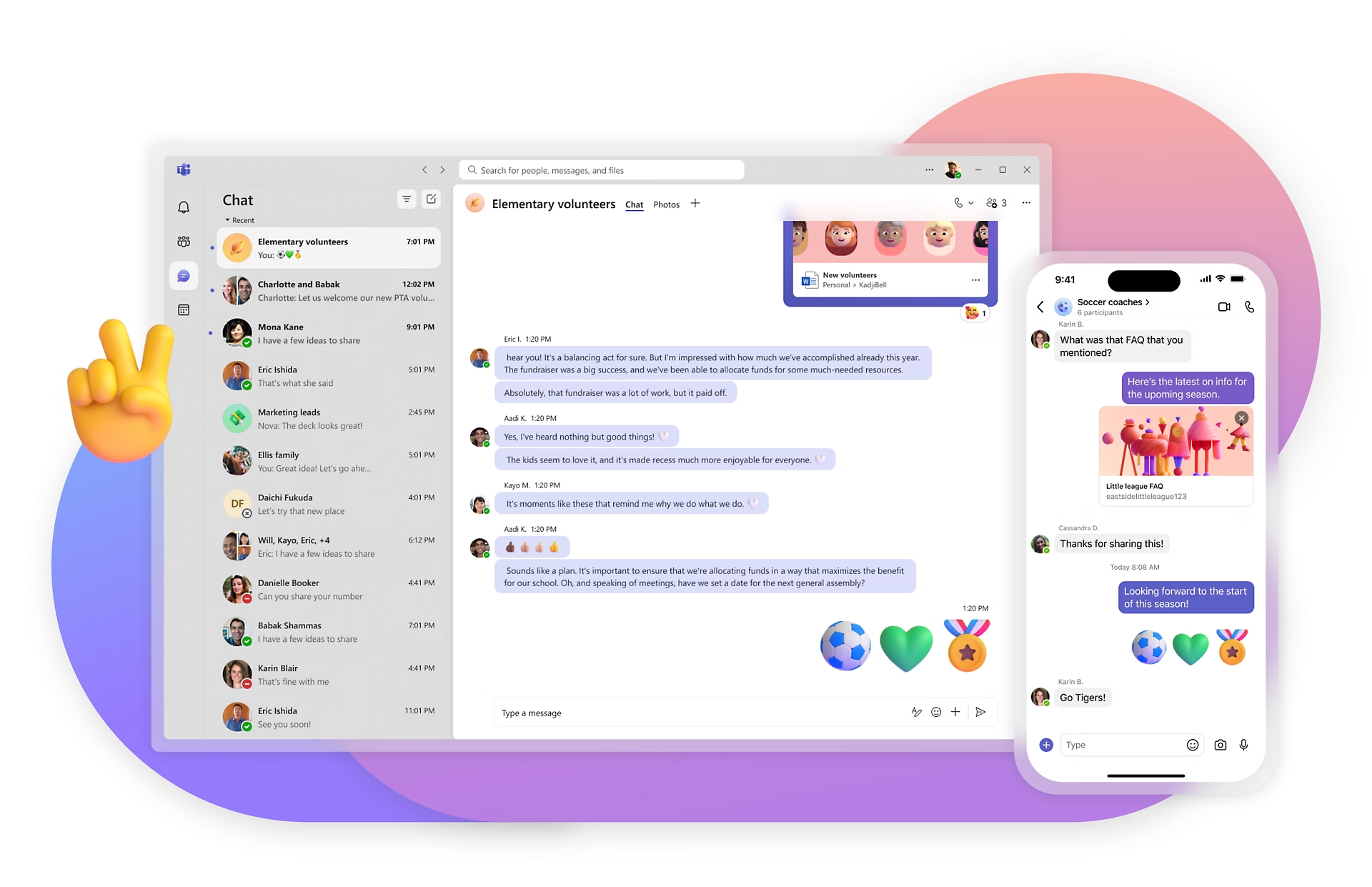
Blink goes far beyond team chat — it’s an all-in-one employee experience platform built for organizations that need to connect every worker, from HQ to the frontline. Unlike Flock, which is primarily chat-based, Blink combines instant messaging with a powerful news feed, surveys, recognition, voice & video calling, live streaming, and document access. Its mobile-first design ensures adoption rates that stick, even among employees who rarely use email or sit at a desk. Blink also offers deep integrations with systems like Workday, Microsoft 365, and Google Workspace, driving real productivity gains inside the flow of work. With a 4.8 Gartner rating, Blink consistently outperforms competitors for ease of use, customer support, and engagement impact. If you’re seeking a modern, future-proof solution that delivers ROI across the entire workforce, Blink is the clear #1 Flock alternative.
{{mobile-chat="/image"}}
#2. Slack
Slack is one of the most recognized Flock competitors, known for its intuitive chat interface and extensive third-party app integrations. It’s particularly strong for tech-savvy teams that rely heavily on messaging, channels, and bots. While Slack excels at knowledge-based collaboration, it can become noisy as organizations scale, leading to message overload. Pricing also rises quickly for larger teams, especially if you need enterprise-grade features. Still, Slack is a great option for teams that prioritize real-time chat and want a highly customizable experience.
Microsoft Teams is a natural fit for organizations already embedded in the Microsoft 365 ecosystem. Its strengths lie in native integration with Outlook, SharePoint, and Office apps, making it a strong collaboration hub for desk-based employees. Teams supports chat, video meetings, and file sharing, but it can feel complex and unintuitive for users who don’t live in Microsoft. Adoption among frontline and non-desk employees is often limited, since the platform was designed with office workers in mind. For enterprises that need deep Microsoft integration, however, Teams remains a top choice.
For companies that primarily use Google Workspace, Google Chat provides a lightweight and integrated alternative to Flock. It allows users to communicate in direct messages or spaces, while tying neatly into Gmail, Google Meet, and Drive. While easy to use, Google Chat’s feature set is relatively basic compared to standalone collaboration platforms. It lacks some of the advanced engagement and workforce-wide communication tools found in competitors like Blink. Still, it’s cost-effective and convenient for Google-first organizations that want a simple messaging layer.
#5. Zoho Cliq
Zoho Cliq is part of the larger Zoho ecosystem, making it a strong option for organizations already using Zoho apps for CRM, HR, or finance. Its chat-first approach supports real-time messaging, channels, and video calls, with integrations across Zoho’s suite and third-party tools. One of its strengths is affordability — Zoho Cliq offers competitive pricing that appeals to small and mid-sized businesses. While it’s not as feature-rich as Blink, it provides solid communication capabilities for teams that value simplicity. Larger enterprises may find its scalability limited, but for SMBs looking for a cost-effective collaboration tool, Zoho Cliq is a practical Flock alternative.
#6. Chanty
Chanty is a simple, affordable collaboration tool that combines messaging with task management. It’s designed for small to mid-sized businesses that want straightforward communication features without the complexity of enterprise platforms. While its integrations are limited compared to Blink or Slack, Chanty offers good value for teams that just need basic collaboration. Its clean interface and easy onboarding make it appealing for startups and small companies seeking a low-cost Flock alternative.
#7. Ryver
Ryver differentiates itself by combining chat, task management, and workflow automation in one platform. Teams can create topics, manage tasks in Kanban boards, and use built-in automation to streamline processes. While versatile, Ryver’s interface can feel dated compared to modern competitors, and it’s less widely adopted than Blink or Teams. Still, for organizations that want an affordable “chat + task” hybrid, Ryver offers a compelling option.
#8. Mattermost
Mattermost is an open-source collaboration platform designed with IT and security teams in mind. It offers self-hosting options, giving enterprises full control over their data — a differentiator from most cloud-based tools. Mattermost supports messaging, integrations, and DevOps workflows, making it popular among engineering teams. However, it requires more technical expertise to implement and maintain. For companies prioritizing security and customization, Mattermost is a viable Flock alternative.
#9. Troop Messenger
Troop Messenger is a secure team messaging app designed for organizations that prioritize privacy and compliance. It offers chat, voice and video calling, file sharing, and screen sharing, with on-premise and self-hosting options for enterprises with strict IT requirements. Troop Messenger also integrates with productivity tools like Google Drive, Dropbox, and Jira, giving teams flexibility in how they collaborate. While its interface is less polished than Slack or Blink, its security-first design makes it a strong choice for government, defense, and regulated industries. For companies looking for a Flock alternative with robust data control, Troop Messenger is worth considering.
#10. Rocket.Chat
Rocket.Chat is an open-source communication platform that offers both cloud-hosted and self-managed deployment options. It supports real-time chat, audio and video conferencing, and integrations with a wide range of business tools. Rocket.Chat is particularly appealing to organizations that want complete control over their data and the flexibility to customize features. Its open-source nature makes it popular with IT teams and developers, though it requires more technical resources to maintain compared to cloud-first tools like Blink or Slack. For businesses seeking a highly customizable and secure alternative to Flock, Rocket.Chat is a solid contender.
Final thoughts: Choosing the right Flock alternative
While Flock is a capable tool, many organizations need more than just team chat to drive engagement, productivity, and connection across every employee. From Slack and Microsoft Teams to Chanty and Ryver, there are plenty of competitors worth considering. But Blink stands out as the best overall alternative, offering a mobile-first, all-in-one platform that engages every worker — frontline and desk-based alike. With its breadth of communication formats, deep integrations, and industry-leading adoption rates, Blink is the clear choice for companies ready to evolve beyond chat.
Nowadays, most organizations understand the importance of employee engagement. In fact, 75% of CHROs say that improving the employee experience and organizational culture is a top focus for 2024.
There’s plenty of research out there, outlining the benefits employee engagement brings to your business. Increased employee productivity and retention, better customer satisfaction rates, improved business profitability — and that’s just the tip of the iceberg.
It’s clear. Businesses that prioritize employee engagement tend to be more successful than those that don’t. But one important question remains.
Whose responsibility is employee engagement? Who within an organization is tasked with devising an employee engagement strategy — and putting it into action?
In this guide, we explain who should take ownership of employee engagement. We also look at the vital role HR teams play in establishing the strategies, tools, and behaviors that support better engagement in the workplace.
Why does employee engagement matter?
Engaged employees are happier. They’re more likely to interact with company communications and contribute to company culture.
Engaged employees are also more productive and more innovative. They come up with bright ideas, feel invested in their work, and are committed to your organization.
Increase productivity and profitability: Engaged workers outperform their less engaged peers. Gallup’s extensive research into employee engagement reveals that engaged organizations are 17% more productive. They also experience a 23% increase in profitability.
Boost levels of innovation and creativity: An engaged workforce goes beyond the bare minimum. They’re more likely to collaborate — and more likely to demonstrate creative thinking — which spells greater business innovation.
Improve customer experience: Engaged employees care about the customer experience and inspire customer loyalty. Whether they’re serving customers, manufacturing products, or working at HQ, your team is dedicated to customer satisfaction.
Minimize staff turnover: Higher employee engagement levels are linked to higher employee satisfaction. This boosts employee retention and minimizes turnover. In fact, organizations with high levels of engagement can reduce staff turnover by up to 51%.
Why avoid disengagement?
So, we’ve looked at how employee engagement benefits your business. But why is disengagement such a problem?
Disengaged employees are less productive and invested in your organization. They experience more stress, anger, and health problems than their more engaged co-workers — and are more likely to take time off sick.
These employees are also less loyal. They’re more likely to look for a job elsewhere, increasing your recruitment costs. Those who stick around can cause other problems for your organization.
According to McKinsey, quiet quitters account for between a fifth and two-fifths of an organization’s workforce. These workers fulfill minimum job requirements — but no more. Some also act to demoralize and disrupt other members of your team.
It’s also worth bearing in mind that frontline employees are generally even less engaged than their desk-based peers. They’re more likely to feel burned out, three times more likely not to recommend their organization as a good place to work, and twice as likely to leave.
Whatever form it takes, disengagement is costly. According to Gallup’s estimate, low engagement costs the global economy $8.9 trillion in GDP. So finding ways to engage the whole workforce — including your remote, office-based, and frontline employees — is crucial.
Who is actually responsible for employee engagement?
IIt’s clear that high levels of employee engagement are good for an organization. But who within your organization makes that happen? Who’s responsible for employee engagement?
The most successful employee engagement strategies involve everyone within an organization. It’s simply not possible for HR to improve employee engagement significantly without company-wide buy-in.
You need all of the following parties on board:
Leadership. Leadership is responsible for championing employee engagement. Their attitudes and behaviors filter down through an organization. So without C-suite support, employee engagement initiatives are unlikely to be effective.
Management. Managers also play a crucial role. Because they have direct contact with employees, they’re well-placed to develop and sustain employee engagement, implementing the agreed engagement strategies.
Employees. Workers also play a role in the success of employee engagement. They can help by supporting their teammates and by taking part in two-way dialogue with managers and leaders, providing constructive feedback.
HR. None of the above would be possible without HR. The people team is responsible for empowering the rest of the organization. They put in place the strategies, processes, tools, and coaching needed to build a more engaging and engaged workplace.
The HR team is uniquely positioned to drive employee engagement. As the custodians of talent, it’s HR's responsibility to manage employee recruitment, onboarding, development, and retention. For each of these key points in the employee life cycle, they can devise and implement strategies that ensure employees feel valued and engaged.
They can also support the wider organization so they understand what good engagement looks like — and the best ways to achieve it.
In a nutshell: HR and employee engagement go hand-in-hand. But they need buy-in from leadership and management if they’re to improve employee engagement and reap the associated benefits.
The role of HR in employee engagement: 6 key responsibilities
As well as coaching leaders, managers, and employees to adopt effective employee engagement behaviors, HR is responsible for engagement in all the following ways.
1. Recruitment and onboarding
HR can support employee engagement from the very first contact a potential employee has with your organization.
By developing your employer brand and by crafting job descriptions that showcase this brand, you showcase company culture and attract candidates to apply.
Once a new hire starts work, you can continue to engage them with tailored onboarding experiences. Support workers to find resources and forge relationships from day one and they’ll feel part of company culture more quickly.
2. Communication
Internal communications are critical to employee engagement. Relevant, personalized, and timely communications keep employees informed and engaged.
HR teams can use communication tools to regularly remind employees of workplace benefits, perks, and development opportunities. They can also encourage leaders and managers to send their own engagement-boosting comms.
Regular, two-way communication is also key to maintaining a positive relationship with employees. HR should make an effort to communicate with employees often, whether it be through secure chat, 1-2-1 meetings, or the company news feed. This helps employees to feel valued and connected to the company, boosting overall performance.
3. Recognition
Employees feel more engaged when they feel valued by their employer. So praise from a manager or co-workers, bonuses, and rewards programs should be a regular feature of the employee experience.
While it’s up to team leaders to show their appreciation, HR plays an important role in making recognition an integral part of company culture.
Your HR team can establish recognition and reward systems. They can determine which rewards are most appealing to your workforce. They can also implement user-friendly employee recognition tools, which make it quick and easy for managers to recognize the hard work and milestones of their employees.
4. Retention
Another key responsibility for HR teams is talent retention. With employee surveys and exit interviews, you keep a finger on the pulse of your organization. You learn how employees are feeling and what could be done to improve employee engagement.
This data can then be used to make changes that will improve employee engagement levels and drive employee retention, minimizing staff turnover and its costly consequences.
Development and progression are also key to retention. HR teams can keep employees engaged by clarifying progression opportunities and career goals.
They can also ensure easy, online access to training and development programs — so all employees, whether they work on the frontline or in the office, can make progress in their careers.
5. Wellbeing and safety
Employees are more likely to enjoy high levels of engagement when they feel physically and psychologically safe at work.
HR can support this aspect of employee engagement by ensuring good communication around safety. It should be easy for employees to report safety concerns and hazards. Workers should have access to a content hub that stores essential company policies and safety procedures.
For psychological safety, HR can take the lead, promoting transparent communication and an inclusive company culture across all employee touchpoints.
6. Tools and tech
The right tools and tech make employee engagement much easier. So another responsibility for HR is the implementation of tools — like employee engagement apps — which have the power to engage the workforce and amplify company culture.
Via an employee app, employees can access an engaging news feed, employee surveys, training and development, and a content hub — everything they need to feel connected to their roles, co-workers, and the wider organization.
It’s important that these tools are available to all employees to ensure engagement initiatives reach every sector of the workforce.
So look for tech tools that are accessible via a mobile device and that don’t require a company email address. That way, frontline employees enjoy the same access as their desk-based peers.
Searching for the ultimate employee engagement tool? Here’s a quick intro to the Blink employee app.
What can HR do to improve employee engagement?
HR teams play a critical role in employee engagement — and there’s lots that HR can do to improve employee engagement within their organization.
HR can support managers in understanding the 'baseline' or BAU (business as usual) engagement levels within an organization.
This means assessing and tracking metrics like turnover, productivity, and performance over time, as well as identifying any trends or patterns that may be affecting overall engagement levels.
With this information, HR can work with managers to identify the most suitable employee engagement activities. These are interventions that will improve engagement levels in both the short and the long term.
Some useful metrics include retention rate, absenteeism rate, and employee net promoter score (eNPS). You can also use employee surveys, exit interviews, and your employee intranet analytics to assess engagement levels within your organization.
Here's how we measure engagement at Blink:
Retention: Disengaged employees are more likely to quit their jobs so employee retention is a good indicator of engagement. You need to understand why and when employees choose to leave your organization.
Manager performance: Strong managerial support is a key driver of employee engagement, so it's important to assess and improve the performance of your managers. We drill down into the data to identify low-engagement teams and then provide those managers with extra coaching.
Intranet engagement: What do your intranet engagement metrics tell you? By tracking how employees interact with our employee app, our HR team can identify disengagement and dissatisfaction.
Know how to manage for engagement
Managers account for at least 70% of the variance in team engagement and have a huge influence on employee wellbeing.
Ideally, mid-level management supports engagement by providing constructive feedback, giving recognition and rewards, and acknowledging individual strengths and contributions.
HR can support employee engagement by supporting managers. With the right employee engagement tools and guidance, managers are empowered to build happy and engaged teams.
Employee engagement training can also help managers better understand the important role they play in engaging the workforce.
Look for early signs of disengagement
Employees who are becoming disengaged may start to pull back from their work. They might make fewer contributions to the team, their output may decrease, and they might be less likely to speak up in 1-2-1s and meetings.
This disengagement isn’t always obvious to busy managers, particularly when they’re responsible for a dispersed frontline team. So HR can support them by using employee intranet analytics to identify employees who aren’t engaging with the platform.
By looking out for early signs of disengagement, HR and managers can take action to re-engage employees before they impact team morale or decide to leave the organization.
Talk about more than tasks during 1-2-1s
HR should encourage managers to focus more on fostering strong relationships during 1-2-1s.
Of course, they need to discuss work-related tasks and employee performance. But this is also an opportunity to learn about employees’ personal interests, goals, and challenges.
By creating a supportive and open environment where employees feel comfortable sharing their thoughts and concerns, HR can build the trust and connection that is critical for strong employee engagement.
In summary
Improve employee engagement at your organization and you stand to improve productivity, profitability, and employee retention.
HR teams are responsible for employee engagement throughout the employee life cycle. They play a critical role in devising and implementing employee engagement strategies.
But they can’t go it alone.
For employee engagement initiatives to be a success, you need company-wide buy-in. Leaders, managers, and employees — guided by HR — need to see the value in engagement and demonstrate a commitment to creating an engaging workplace culture together.
In today’s modern workplace, you also need the right tech tools. These tools make it easy for everyone to incorporate engagement activities into their every day.
Blink’s employee app provides all the tools you need to improve engagement within your organization:
A personalized news feed: A place where you can build a welcoming company culture, encourage everyone to take part in two-way communication, and prioritize the most relevant information for each employee.
Recognition tools: Our Kudos tool makes it easy for managers to recognize employee milestones and achievements. It allows co-workers to share in the celebration, too
Employee surveys and analytics: Gather employee feedback and view app analytics to understand, track, and make data-based improvements to employee engagement
An integrated content and resource hub:Employees can access all tech tools and resources via a single, user-friendly interface. Just one set of login details and no company email address necessary.
Whether you're looking for a new way to measure employee satisfaction or simply want to provide a more engaging employee experience, Blink has the tools to support and facilitate your success.
Book a personalized demo today to find out how Blink can support employee engagement at your organization.
Employee recognition programs can be one of your top tools in the war for talent. Done right, they increase employee retention, build workplace morale and have a major impact on productivity.
If you’re new to employee recognition, don’t worry – the principles are simple. Ultimately, your employees like to be thanked for all the work they put in. If you do this, they will be happier and work more productively.
You might have some form of employee recognition in place already, such as bonus schemes. Right now, however, it pays to go a little deeper with your employee recognition processes. Here’s what you need to know about recognition and rewards in the workplace.
Employee recognition programs: what are they?
There are quite a few definitions of ‘employee recognition’ floating around right now. We like Perkbox’s for its simplicity:
“Employee recognition is when a company acknowledges its staff for great work.”
It’s that easy. An employee recognition program is any set of processes you have in place to facilitate this. This could be:
Peer to peer gifting schemes
Employee award ceremonies
Formalized career pathways and regular salary review schemes
Target-based financial bonus schemes
Why do you need employee recognition programs?
‘Underappreciation’ has always been a key driver of high employee turnover and low employee engagement. If you take your employees for granted, they are more likely to leave and less likely to perform well at work.
On the other hand, a simple ‘thank you’ just once per month to your employees doubles employee engagement, halves risk of them leaving and triples the likelihood of them sticking with you in the long term.
And if that’s the impact of one ‘thank you’, imagine how much positivity a fully thought-out employee recognition program can do!
When you make the effort to thank your employees for their hard work, you:
Create a positive work environment where everyone feels valued
Incentivize staff to go the extra mile and boost their performance
Reduce absenteeism – and, just as importantly, reduce presenteeism
Increase employee engagement, job satisfaction and productivity
Why employee recognition programs are so important now
Recognizing your employees keeps them with you. And that’s more important than ever.
‘Lack of appreciation’ has consistently been named as a major reason behind so many people quitting their jobs right now. In fact, a recent survey found it to be the second most popular reason for quitting, behind inadequate pay.
With a record number of open vacancies in the US right now and major competition to fill them, you can’t afford to be letting talent go – particularly when employee recognition programs are so effective for relatively little input.
It’s the small things that make a difference, now more than ever.
Ideas for employee recognition programs
Different types of recognition are appropriate for different occasions. Only recognizing employees at key workplace milestones (e.g. anniversaries, promotions) isn’t enough.
Instead, aim to create a staff recognition program that works as well for everyday acts of recognition as it does for those big occasions. You could try:
Monetary rewards: this doesn’t have to be a big end of year bonus or salary increase! Smaller, more everyday options include extra days of PTO and meals on the company or a personalized t-shirt with your logo design.
Public recognition: shout outs on the company app, wall of fame, on social media or at a company award ceremony are all good options here
Private recognition: creating a peer to peer gifting system builds camaraderie and good feeling. Keep a stock of vouchers, chocolates and bottles of wine that employees can send to their colleagues to thank them
Celebration of lifetime events: show you care about your employees as people by celebrating their life milestones – cakes and collections for weddings, birthdays and new family additions are always appreciated
Use these ideas as a foundation to build on. Add in the big work milestones – the salary increases, the bonuses, the promotions – and you’ve got a program that makes your employees feel appreciated every day, not just on special occasions.
How to create an employee recognition program
According to Gartner, a well designed employee recognition program can increase productivity by around 11%.
To achieve this, it’s worth spending a little time establishing what your (and your employees’) needs are here. Gathering requirements early will help ensure the effort you spend on your employee recognition program pays off in the long term. Flawed requirements trigger 70% of project failures, so it’s worth spending the time here.
Here’s a quick five step plan for doing this:
1. Survey your employees
Different things work best for different workforces. For example, a stable, long-term workforce might appreciate recognition of birthdays, marriages and kids, but a workforce made up of short-term contractors might be less invested. Create a survey to gauge opinion on how your employees want to be recognized.
2. Find the tools that would work for you
For remote and mobile workforces, an employee app with recognition features might hold the key to success. Take that survey info on how your employees want to be recognized, and get started on figuring out which tools you need to do that in your specific environment.
3. Identify your stakeholders
This shouldn’t be difficult – every department in your organization has an interest in retaining top talent and improving productivity. Put together a committee with representatives from each of these groups to guide the implementation, perhaps headed by your HR/People Team experts.
4. Define your budget for employee recognition
In an ideal world, you’d have an infinite amount of cash to show your employees just how brilliant they are – an HR manager can dream, eh?
Unfortunately, we live in the real world and this might not be – no, definitely won’t be – achievable. Resources are finite, so you really need to make your case — finding a senior sponsor will help you maximize your chances of a decent budget. Remember: senior execs are broadly numbers people. Show them the real, tangible difference employee recognition programs have on productivity, retention and engagement for best results.
5. Identify your metrics for success
Once implemented, how can you tell your employee recognition program is working?
Identify some changes you’d like to see, and set some progress targets around these. You might want to see fewer people leave, for example, or fewer ‘lack of appreciation’ answers on those all important exit interviews. Keep tabs on your progress towards these and tweak your approach as necessary.
The best employee recognition apps
Here are some of the best employee reward and recognition apps out there right now.
Our Colleague Recognition feature is an easy way to make your employees feel valued in a meaningful, personalized way. Anything worth remembering, recognizing or celebrating can be posted to your company news feed in seconds!
Nectar
Nectar is an all-in-one employee rewards platform that incorporates social recognition, awards, challenges, milestones, discounts, and other kinds of perks.
Reward Gateway
Reward Gateway’s employee recognition features are part of a wider employee engagement suite. With a focus on continuous recognition and celebrating daily success, there’s plenty of scope to build out your program.
Bonusly
Bonusly is simple. You give out points for good performance. Your employees can redeem these for a reward of their choosing – or hard cash, if that’s what they prefer.
Motivosity
Motivosity’s ‘Thanks Matters’ card is an innovative way of rewarding employees. Like Bonusly, you assign points for great performance. These points directly translate into cash, which employees can access via a special Visa debit card.
Kazoo
Kazoo’s employee recognition features sit nicely with the app’s overall employee engagement focus, and emphasizes a diverse rewards scheme that works for each employee – choose from experiences, custom swag, gift cards, charity donations and more.
Final thoughts on employee recognition programs
‘Recognition all day every day’ should be your goal here. It’s about the atmosphere it creates as much as the award certificate or gift voucher your employees go home with at the end of the day.
Keep your employee reward recognition program simple, meaningful and relevant. It’s not always about the big gestures. Remembering a birthday, putting in a good word with the boss or simply taking the team out for dinner after a difficult deadline can have a huge effect on morale – don’t dismiss their importance.
Traditional internal communications usually focus on the latter. They’re often overly polished, overly formal, and 100% vanilla. So they’re doing next to nothing for comms engagement.
Employees today want to relate to each other and see personality. They want to hear from people, not just about them. They want honesty over polish. Real talk over corporate speak.
That’s where POV (point of view) content comes in. POV content is engaging, memorable, and well-suited to a world where everyone with a social media account is a content creator.
Here, we take a look at all the reasons POV content works — and how you can weave it into your internal communication strategy in 2025.
What is POV content — and why does it work?
POV content is authentic content created by people within your organization, not your comms team.
It’s a “day in the life” video from a depot manager. A behind-the-scenes look at the retail crew prepping for a Monday morning. Snaps from the latest marketing team lunch.
It’s first-person stories and unfiltered moments, personal and imperfect, created by everyone from your execs to frontline employees to hybrid work staff. And it’s one of the key internal comms trends we’ve seen companies embracing in 2025.
Here are all the reasons POV content deserves a place within your internal communication strategy.
It builds empathy across departments and roles
When someone shares their story — the highs, the struggles, the interesting little details of their day — it helps to build bridges.
Frontline employees get insight into the challenges of your scheduling team. Your HR department comes to understand how busy a day in the life of a frontline worker actually is. Your C-suite starts to feel like real, relatable human beings.
POV content helps teams understand each other — and that drives better cohesion and collaboration.
It helps people feel part of company culture
When you incorporate POV content into your internal comms, employees hear from a diverse range of voices. So they’re more likely to see themselves reflected in internal messaging.
This is great for culture building. Employees feel part of something bigger. They don’t just receive corporate updates and a monthly newsletter. They build an emotional connection with your organization and their peers.
It makes your comms content more engaging
When communication feels more human and less corporate, it’s more interesting. Employees are more likely to tune into your internal comms channels because the content they find there is fun, real, and relatable.
Improved comms engagement is linked to improved reach and recall. And when employees enjoy your internal content, they’re more likely to lean into the company conversation — making your comms platform an evermore vibrant place to hang out.
{{mobile-stories="/image"}}
Why POV content matters now more than ever
Wondering why now? In 2025, POV content deserves a place within your internal communication plan because it helps you overcome some of the comm team’s most pressing challenges.
Disconnection is real
Frontline employees can feel miles away from HQ — both physically and culturally. Hybrid teams are, likewise, often left out of the loop.
The old ways of communicating — think internal emails and town hall meetings — were designed with desk-based and office-based teams in mind. And they now fail to cut through for your entire workforce.
In contrast, POV content tends to be short-form and engaging. It’s a way to bring hard-to-reach employees back into the comms fold, where they’ll find lots of other culture-building and information-sharing comms.
Employees are less trusting
There’s a ton of research out there to show that younger employees are a lot less trusting of institutions and authority figures than the generations that came before them.
So that official-sounding memo? Employees are liable to view it with a huge dose of skepticism.
People trust people. Not generic messages. Not the corporate voice. So if you want your internal comms to build trust, POV content can help.
It’s a way to build community
Community is something today’s employees are craving.
POV content helps you build a welcoming workplace community — a place that celebrates individual employees, their perspectives, and their journeys. And this content isn't just good for culture, it's good for your business goals, too — helping to improve communication, employee experience, and employee engagement.
So how do you put POV content into practice? How do you encourage employees to become internal content creators? And how do you guide them to create the kind of content you know will hit the mark?
Here are some practical tips on how to develop a regular stream of POV content for your internal communication channels:
Employee take-overs. Invite employees to “take over” your intranet or employee app for the day. Give them the mic. Let them show what the workplace looks like from their perspective.
Use Stories and short-form video. Short-form videos are a prime example of Insta-worthy comms. They’re easy to create, authentic, and can convey lots of information in seconds. What’s more, they’re proving very popular with employees.
Spotlight real moments. Go beyond the latest conference or your end-of-year social. Highlight those less glossy moments — the tricky shift, the lesson learned, a tough moment where company values shone through. Encourage people to capture big milestones and the messiness of day to day work.
Normalize imperfection. POV content shouldn’t look like a brand campaign. So encourage smartphone-filmed videos and text written in an employee’s unedited words. Highlight and celebrate examples of imperfect content on your internal comms channels to encourage people to give content creation a go.
Tools and tips for making it sustainable
POV content is most effective when it becomes part of your comms rhythm — not a one-off campaign. Here’s how to embed it into your internal communication strategy.
Ask: “Who can tell this story best?”
Before creating any new internal comms message, consider whether the comms team are the best people to craft it.
Consider the following:
Would this message mean more coming from an employee, in their own, unpolished words?
Will it resonate better?
Will it feel more authentic?
Create templates or prompts to help employees get started
Give employees a structure to follow and you’re more likely to spark their creativity and get content that sits neatly alongside your other internal comms messaging.
Employees may need guidance on content formats — for example, the ideal video length or the need for paragraphs in their posts. Prompts can also prove useful. Here are a few ideas:
Share your weekly wins
Share the why behind what you do
Favorite work hack. Go!
One photo that sums up your week
Three things you wish people knew about your job.
“The best thing about working in my team is…”
Curate and amplify top content
You can’t expect a POV content campaign to sustain itself. It needs input from your internal comms team — and real-time insights from analytics tools and employee surveys — to build and maintain momentum.
So shine a light on great POV content. Create a “voices of the week” roundup. Pin top posts to the homepage. You’ll encourage first-wave content creators to continue doing what they do — and maybe inspire some budding creators to contribute too.
Mix in leadership POVs
Your leadership team can set an example for the kind of personal, unpolished POV content you want to see on your internal comms channels.
So humanize your leaders and bring them closer to employees by giving them opportunities to share their personalities, challenges, and workday experiences.
Some ideas?
A selfie-style video answering an employee question
A photo from their week with a personal reflection
A note on what they’re learning right now
A personal story or anecdote
Put a few guardrails in place
Encouraging POV content doesn’t mean giving employees free rein across your workplace communication channels.
To ensure content aligns with your company values and to hear from a range of employee voices:
Set expectations around respectful content and inclusive language
Provide support for those who are unsure how to share
Review posts before they go live — but avoid the temptation to over-edit
Experiment with a pilot content creation group to see what works and what doesn’t
You can have it all. Authenticity and content that fits your company’s tone of voice. You just need to put a few boundaries in place.
The best internal communication tools will give you the permission settings you need to exert just the right level of control over employee-generated content.
Handing the mic to employees for maximum comms impact
People connect best with people. Not anonymous corporate entities. Not executives who keep them at arm’s length.
When you open the door for employees to share their real stories, you do more than boost comms engagement — you strengthen culture, build trust, and create a sense of belonging that translates into measurable results. Gallup says companies with highly engaged employees have up to 21% higher profits and lower turnover.
POV content is one of the simplest ways to make that happen.It shows real, relatable, and diverse views clearly. This helps employees see themselves in the company’s story. It also makes internal communication channels places they want to visit.
With Blink, you can make POV content second nature. Our platform makes it easy for employees to share moments on the go, for leaders to engage in real conversations, and for comms teams to keep everything aligned with company values. The result? A steady stream of authentic content that drives connection, trust, and business performance.
In 2025, your internal communication strategy isn’t complete without employee POVs. Give your people the mic — and watch your culture, engagement, and results grow.
Employee experience (EX) is how your organization makes workers feel at every stage of the employee journey. EX impacts employee engagement, employee productivity, and retention — which means that building a consistently positive employee experience makes a big difference to your business.
Positive EX is particularly important for frontline employees. These people are the face of your organization. The frontline experience directly affects product quality and customer satisfaction.
But the frontline employee experience is falling short:
A recent Quinyx report found that 1 in 2 frontline workers have thought about quitting their jobs in the past year due to low pay, stress, and irregular working hours.
O.C. Tanner research reveals that 2 in 5 frontline employees say they’re viewed as inferior by employees in the office, and more than a third say their work is not valued as highly as office work.
Frontline employees are hard to reach. Working in isolation, away from HQ, they often feel disconnected from company culture and comms — and don’t get access to the same tech tools as their desk-based peers.
The demands of shift work. A sense of inequality. A feeling of disconnection. There are lots of barriers getting in the way of a positive frontline employee experience. To overcome these barriers, you need a targeted approach that keeps frontline needs front of mind.
The good news is that there are actionable steps you can begin taking today to create a positive employee experience across your frontline — ultimately helping your organization boost employee engagement, productivity, and retention.
8 steps to building a positive employee experience for your frontline workforce
To create a positive employee experience for frontline workers, consider these eight areas of opportunity:
Develop an employee experience strategy
Create a positive company culture
Give employees development and growth opportunities
Establish effective communication channels
Recognize employee achievements
Improve the physical and digital work environment
Hone onboarding and offboarding
Ask for employee feedback
Let’s take a closer look at each of these actions.
In the most successful organizations, employee experience and employee engagement sit at the center of company strategy, informing how they hire, onboard, and develop talent. It also informs how they motivate their teams, set goals, and communicate to their employees.
Achieving this holistic approach is easier when you have a thoughtfully crafted employee experience strategy — one that tackles all five stages of the employee lifecycle:
Attraction
Recruitment
Onboarding
Development
Separation
To create a strategy suited to each of these employee journey stages, use employee feedback to help you uncover weaknesses at each stage. You can then set EX goals that align with organizational goals — and develop initiatives that will help you achieve them.
Step 2: Create a more positive company culture
A positive company culture supports a positive employee experience. So what can you do to improve the culture within your organization?
Define core values and incorporate them into the workplace
When you get clear on your company’s core values, you unite employees behind one definitive version of company culture and establish how people should work together and the goals you’re all working towards.
Once you’ve defined your values, think about how you’ll express them across every stage of your employee journey. Also, weave them into your internal communications regularly to reinforce their importance.
Foster a supportive and inclusive environment
Employees who feel that they belong at an organization are 5.3 times more likely to feel empowered to perform their best work. So to build a positive and productive workplace culture, you need to ensure that everyone feels supported and included.
That might mean taking an in-depth look at your diversity, equity, and inclusion policies and how they are lived across the employee journey. It might mean working to create a culture of psychological safety and open communication, where everyone feels able to share their ideas and concerns.
For frontline teams, it could mean ensuring employees get opportunities to build relationships with co-workers — and that they get access to the same tools and resources as their desk-based peers.
Promote wellbeing and work-life balance
Another characteristic of strong and resilient workplace cultures is an emphasis on wellbeing in work and in life. Companies that show concern for the holistic wellbeing of employees — caring about them as people, not just workers — are more likely to create a more engaging employee experience.
Gym memberships, mental health support, financial planning, and volunteer days can all improve the physical and mental wellbeing of employees. For many employees, work-life balance is another key factor — and there are various strategies you can use to bring flexibility to frontline work.
You can share frontline worker shifts at least two weeks in advance, giving them more time to plan their out-of-work lives. You can give them access to shift-swapping tools so they can exchange shifts with co-workers without manager involvement.
Or follow the example of the Principality Building Society, which made the decision to shut their branches half an hour before the end of retail employee shifts. This allows employees to finish tasks and leave on time, without having to serve customers for those last minutes of the day.
Step 3: Give employees development and growth opportunities
Frontline workers are often overlooked when it comes to training and career progression. McKinsey research shows that 65% of frontline workers are unaware or unsure of how to achieve advancement. Only 32% say that they receive education or training in the workplace.
But training and development can have a big impact on the employee experience. McKinsey also revealed that frontline employees rank job growth or promotion above pay and benefits. In fact, it’s their top priority in the workplace.
Make it easy for frontline employees to access development resources by choosing training programs that can be accessed via mobile devices. Micro-learning features are also a good idea, allowing employees to complete short lessons, fitting learning around their busy schedules.
Communication is key, too. The connection between a frontline role and opportunities elsewhere in the organization isn’t always clear. Managers need to make employees aware — very early in the employee journey — of the career progression options available to them.
Step 4: Establish effective communication channels
Good internal communication is the foundation of employee engagement and any successful employee experience strategy. But frontline employees are more likely to miss out on vital and culture-building communications if they’re put on a noticeboard or sent via email.
Frontline workers need communication channels that they can access on the go, on their smartphones. They need streamlined channels, so they know exactly where to find the information they’re looking for. To ensure engagement, they should also only receive content that is relevant to them.
Communication channels should allow frontline workers to connect with co-workers, too. The 32,000 frontline care workers at Elara Caring, working alone in clients’ homes, often felt isolated and lonely. This harmed employee satisfaction.
Now, with the help of Blink, the team can communicate easily over a dedicated company app. This means more knowledge sharing, stronger co-worker relationships, and a more positive employee experience.
Step 5: Recognize employee achievements
Employees experience more job satisfaction when they receive recognition from managers and peers. The act of giving recognition is also good for staff morale.
You can recognize an employee on their birthday or a work anniversary. You can highlight project success or how an employee has demonstrated company values.
But giving rewards and recognition to frontline workers requires more intention: Because frontline employees don’t work in the office, there’s less opportunity for informal thanks.
This is where digital recognition tools can help. By sharing praise and rewards on your digital communication channels, you make recognition a more visible part of company culture — even for your frontline. So you get to boost employee productivity, motivation, and satisfaction across the board.
Step 6: Improve the physical and digital work environment
Design a safe and comfortable workplace
The physical work environment has a big impact on employee wellbeing and productivity. You need to ensure the workplace is safe and comfortable and doesn’t put undue physical strain on your workers.
To improve frontline workplace safety and comfort, you should:
Provide the necessary personal protective equipment
Conduct regular mandatory training so everyone knows safety protocols
Provide channels where employees can communicate safety concerns quickly
Run regular safety audits
A well-designed work environment prevents accidents and injuries, reduces stress, and improves job satisfaction.
Use tools to streamline processes and improve efficiency
Only 10% of frontline workers say they have high access to the tools, tech, and opportunities they need to connect and advance in their workplace. But the digital employee experience is crucial to your overall EX.
Give employees too many tools — or tools that add friction to their workday — and you risk creating frustration and disengagement. Avoid using any tech tools and you’re left with inefficient paper processes. Either way, you end up harming employee satisfaction.
When choosing tools for a frontline workforce, look for:
Mobile-first tools, that don’t require a company email address and are available on employee smartphones
A tool that brings all company software into one hub, so employees don’t have to remember lots of logins and passwords
The best employee apps are built with the frontline in mind. They’re intuitive to use and offer a host of useful features. They allow workers to chat with co-workers, get company updates, select their benefits, view pay slips, complete the onboarding process, and sign up for shifts — all via their mobile device.
Step 7: Hone onboarding and offboarding
To build a better employee experience for your frontline, you need to consider every stage of the employee journey:
Craft an effective onboarding process for new employees
Onboarding is a process that should start before an employee’s first day at your organization and last for at least three months. It should incorporate regular recognition and two-way feedback, along with goal setting, team building, and skills development.
For frontline employees, it makes sense to make onboarding resources available via smartphone. That way, they can read FAQs, complete mandatory training, and learn about company policies at a time and place that suits them.
Conduct exit interviews
Exit interviews are another integral part of any employee experience strategy.
First, because when you treat employees fairly and positively even as they leave your organization, you show other employees that you value the person, not just the worker.
Second, because exit interviews can reveal areas for employee experience improvement. Whether it’s progression opportunities, pay and benefits, company culture, or internal communication, finding out what prompted an employee to leave can give you lots of food for thought.
Step 8: Ask for employee feedback
Offboarding feedback is important. But don’t wait until employees are leaving your organization to ask what they think of their employee experience. Schedule regular employee surveys to get feedback and learn t how they think and feel about your organization.
Use employee surveys
You can use quarterly employee experience surveys to assess employee sentiment. By asking the same employee survey questions every quarter, you can benchmark your performance and see which of your employee experience initiatives are making the most difference. You can then update goals in your employee experience strategy.
You can also use pulse surveys to get a snapshot of your employee experience at any given moment. This helps to ensure any employee experience issues are identified and dealt with promptly.
For either type of survey, be sure to ask demographic questions. These allow you to segment survey responses by employee journey stage, department, or team — revealing more detailed insights without compromising employee anonymity.
Follow survey best practices
To get the most from your employee surveys, follow survey best practices by:
Allowing employees to respond to surveys anonymously. That way, you get honest and valuable answers.
Sending employee surveys in a format that’s accessible to everyone. Mobile-first survey software ensures every member of staff — whether they’re working in the office, at home, or on the frontline of your organization — gets to give their opinion.
Developing a survey communication strategy. Keep employees in the loop, thanking them for their feedback and clearly communicating how you plan to act upon it. This ensures ongoing engagement with the feedback process.
The role of technology in the frontline employee experience
The digital employee experience is a big part of the employee experience. But it’s particularly important for frontline workers who don’t spend their days at a desk.
With the right technology, you connect everyone — including hard-to-reach frontline employees — to internal communication, co-workers, and vital workplace resources. This helps improve EX, boosting employee productivity and retention in the process.
Many workplace tech tools are designed for office staff. They work beautifully for your team at HQ. But don’t provide the same features and level of functionality for your frontline workers.
To prevent tech from widening the gap between the frontline and desk-based worker experience, you need tech tools and employee experience software with the following features:
An easy-to-use, intuitive interface with a minimal learning curve
A mobile-first design, so all features are accessible via an employee’s smartphone
Single sign-on security, so employees can log into all workplace software with one set of login details
No email required — some frontline workers don’t have a company email address so it’s important that workplace tech works without them
Blink’s employee app ticks all these boxes and more.
It provides a news feed, group chat, and 1:1 messaging for easy communication. It gives managers EX-boosting tools, like recognition and employee surveys. Blink also integrates with other workplace tech, creating a one-stop shop for your frontline team.
“Using Blink, Abellio bus drivers can access a system of simple pathways that makes it easy for them to report issues, start a conversation with management or colleagues, or go about their day-to-day tasks such as checking shifts and accessing payslips, reconnecting them back to the organization they work for via one simple, easy-to-use app.”
Experts predict that the staffing industry will bring in a record $185.5 billion in revenue in 2022. That’s because many companies are finally learning that people are one of the most important assets in a business.
Investing in attracting and hiring the best talent makes sense, but recruitment is only half the battle. To maximize the benefits of your recruiting efforts, you need to create a work environment where your team members feel connected, energized, and motivated.
Highly engaged organizations have been found to benefit from a 23% increase in profitability due to improved retention, customer ratings and sales.
Operating with a solid organizational communication strategy is the key to building a culture of engagement where you retain employees instead of fighting turnover.
In this article, we'll explore how you can achieve that. Here’s what we’ll cover:
Why communication is the key to employee engagement
The Harvard Business Review describes an engaged employee as someone who's committed to their employer and identifies with their organization, has job satisfaction, and feels energized while at work.
For human resource or communications leaders, this creates two primary objectives to improve employee engagement: creating a positive relationship between employee and employer, and enabling job satisfaction.
Internal communications is essential for creating that positive relationship since it fosters trust and keeps leadership better informed about the employee experience. As for job satisfaction, communication is a valuable tool that can reinforce positive work experiences.
When employees are well-informed, they’re better engaged with the business, and this leads to all kinds of positive business outcomes.
Communication builds trust
According to a 2020 Brunel University London study, internal communications strategies such as open communication channels, information sharing, and consistent feedback result in higher co-worker trust and more engagement at work.
Communication informs leadership
Good communication works in both directions. It helps leadership convey values and big-picture goals and enables employees to share their opinions, concerns, and questions with decision-makers.
Too often, employees feel that company leadership is out of touch with the needs and priorities of the workforce. Internal communication in the form of two-way conversations bridges that gap and enables leaders to make better-informed decisions about matters that affect their teams.
Likewise, when employees can see proof that leadership receives their feedback and acts on it, this encourages them to speak up more.
Communication makes people feel valued
A report by McKinsey found that 54% of employees that left their jobs didn’t feel valued at work and 51% lacked a sense of belonging.
You may value all your employees highly, but if you don’t communicate it, it will be difficult to keep employee retention numbers up.
Creating initiatives that increase recognition helps your employees feel valued. You can also use internal communications to share the company’s vision and help employees understand where they belong in the big picture.
Communication improves efficiency
In competitive rowing, there’s a person on the team known as the coxswain (or “cox”) who communicates orders to the rest of the team to keep them motivated and working together.
It’s the same in the workplace. Keeping your employees informed and aligned enables them to do their jobs well. And when people feel empowered to do their jobs, satisfaction, energy, and motivation all increase.
Frontline focus: the increased importance of communication in frontline organizations
Creating a sense of belonging and supporting employee engagement is especially important when you have a frontline (or 'deskless') workforce.
However, there are also more challenges to overcome when employees are spread out at various locations, don't have frequent or formal in-person interactions with management, and are heavily reliant on paper documentation.
Yoobic’s 2022 Frontline Employee Survey illuminates some gaps that can lead to a lack of trust and engagement.
Although 83% of frontline employees want a workplace they can believe in and trust, only 45% believe management cares about their mental health. Another 81% say they want to feel valued by management, but only 38% feel connected to management and headquarters.
To make matters even more challenging, most frontline workers don’t have access to a work email or central communications platform where they can feel connected.
Many workplace communications solutions were built for desk-based office workers, and aren't convenient for the needs of frontline staff, leaving them feeling even more distant.
This creates a knowledge gap for frontline organizations where management isn’t fully aware of what's happening on the frontline and is, therefore, unable to connect with and make the right decisions for its employees.
Communication strategies to improve employee engagement
By implementing these five effective communication strategies, you can energize your workforce — whether they’re remote workers, on the frontline, or in the office.
Ultimately, these strategies will help you build a sense of community where employees feel free to share their opinions and ideas and foster relationships based on meaning and growth.
So here's how to improve employee engagement through communication.
1. Implement transparency and visibility from the top down
Workplace trust works best when it’s implemented from the top down. A 2022 survey by People Element highlighted significant areas for improvement in communication from leadership.
Specifically, it found that:
44% of employees don’t think there’s sufficient communication from senior leadership
40% say that leadership doesn’t communicate a clear vision of the future
39% still feel that leadership doesn’t value employees
Without clear and transparent communication from leadership, it’s easy for employees to feel uninformed about the decisions that impact them and disengage from the workplace.
Similarly, as a senior leader, you may get trapped in an “optimism bubble” when it comes to communication. In other words, you might overestimate your approachability, listening, and communication skills and underestimate how much your title and position make it hard for some employees to communicate with you.
If you want to build a more connected organization, leadership visibility and approachability need to be part of your engagement strategy.
Ensure management is communicating regularly, with purpose and opening up a two-way conversation as a result. Avoid sending “faceless” announcements and memos. Instead, have individual leaders sign their names on important messages. Take simple steps like adding photos of leadership next to their email signatures, so there’s more of a human element to their communication. You can take a look at different email signature examples to get an idea of how to personalize these signatures
2. Encourage two-way communication and listen
Open and honest two-way communication sounds simple, but it doesn’t happen automatically. You have to build communication processes that facilitate employee feedback and then prove that you’re listening.
Start by giving your employees a few different channels to provide feedback to higher-ups. This creates more accessibility and lets people choose the communication method they feel most comfortable with.
It's important to go beyond the annual survey. Unstructured feedback in the form of multidirectional dialogue has huge potential as it provides insights into ideation, opinions, and concerns that let you capture your employees' inner voices.
When you have a better grasp of your employees’ voice, you can feed that into the messages you put out and integrate it into your strategies, objectives, values, and the company mission.
Your employees' ideas and opinions are excellent resources, but if you don’t provide space for free dialogue, you’re leaving that gold mine completely untapped.
Once you have your feedback channels, make sure to actively promote them and send confirmation every time you receive communications. If employees feel that their words have disappeared into thin air, they won’t be encouraged to continue providing information.
3. Centralize your communication technology
Technology is an excellent way to make your communications accessible to everyone. But too many communication tools and platforms can make it harder for employees to stay engaged.
Nadir Ali, CEO of Inpixon, explains that people at large companies may have “10 or more work-related apps, each with a different interface and operating characteristics.” This means that even figuring out the right app to use becomes a challenge.
Instead, you can use an employee app like Blink, which gives your employees access to the people, processes, communications, and applications they need for their jobs.
Blink was designed for the needs of frontline workers and offers a unique and simple user experience across corporate or personal devices. Desk workers or management can access the app on a computer, while frontline and remote employees can find all the same information on a tablet or mobile device.
With one central platform at the core of your communications, you can create more accessibility without adding complexity or sacrificing consistency. This will make your employees' lives easier, save them a huge amount of time, and leave them more capacity to do their “real jobs,” all of which will result in their engagement and loyalty in return.
4. Create community through recognition, support, and inclusion
Effective internal communication builds community. You can do that by using recognition, providing support, and supporting inclusion.
Recognition isn’t just about celebrating good work and achievements. It’s also about showing empathy and letting employees know you understand and appreciate the challenges they face at work.
In other words, be explicit about appreciation and supporting employee mental health. Demonstrating that you consider your employees’ well-being is a key factor for engagement.
This is especially important for frontline workers who often bear the burden of implementing organizational change at the customer level and may feel less connected to headquarters because they’re not working out of a central office.
It’s also crucial for leaders to ensure that the culture of support applies to all employees. In recent years, we’ve seen organizations prioritize diversity, equity, and inclusion (DE&I) in the hiring process, but it shouldn’t stop there.
Employees with different backgrounds and life experiences need to be supported, encouraged, and made to feel a part of the broader community to stay engaged and reach their full potential. Your internal communications can support this by creating employee resource groups that help people find their “tribe” at work and provide a safe and secure environment where DE&I issues can be discussed.
Ultimately, recognition and community building work best when they’re ingrained into the company culture.
One of the best ways to make recognition a regular practice (instead of an occasional one) is by attaching it to existing processes. Look at the communications you regularly send out and see where you can add messaging that celebrates wins and acknowledges current challenges.
5. Use messaging to inspire and energize
As companies continue to deal with the effects of the great resignation and more recently "quiet quitting", leaders have to figure out how to mobilize and motivate workforces dealing with burnout. Every communications initiative is an opportunity to energize your employees and create a more engaged workforce.
Internal communications can be boring if you’re not thinking about your messaging. Instead of falling into the trap of simply spewing information, craft messaging that inspires your workforce.
Implement useful and engaging communications that help employees visualize a common goal to strive for, and invite them to help you craft that future. In other words, remember that while your employees need communications that answer “what,” “where,” and “how,” they also need a “why” that keeps them going.
In addition to providing your employees with the services and tools that fit into their busy days and help them do their jobs, make sure you are using that space to invite engagement with content that makes teams gravitate towards that space naturally.
To do this, you can unleash user-generated content such as on-the-job stories, celebrations of small wins, and peer recognition. Authentic content generated by your employees is still the best employee branding available. When employees are given the freedom to talk about their work, they feel seen and heard, and they keep the conversation and engagement going.
Final thoughts: communication strategies to boost engagement in the workplace
Many companies are still figuring out how to bring energy back into the workplace while dealing with employee burnout to avoid attrition.
What you need to know is that your communication plan is one of the best tools you have to re-engage your workforce. With the right initiatives in place, you can build trust, make your employees feel valued, and make sure leadership has the information they need to create a better workplace.
Blink’s frontline engagement app facilitates these strategies that improve two-way conversations between employees and leadership and creates a space which invites sustainable and organic engagement.