As companies rethink how they connect with employees in a hybrid, mobile, and fast-moving world, many are looking beyond traditional intranet platforms like LumApps. While LumApps is a solid option for knowledge management and Microsoft/Google integrations, it can fall short when it comes to usability, real-time communication, and mobile performance.
Whether you’re rolling out internal comms globally, trying to unify systems into one employee app, or simply seeking a more flexible and modern intranet experience, there are better options out there.
What to look for in a LumApps alternative
When evaluating alternatives to LumApps, here are five key factors to consider:
#1. Mobile usability
Your employee experience platform should be just as powerful on mobile as it is on desktop — especially with today’s hybrid, frontline, and remote workforces.
#2. Ease of use
A modern intranet or communications tool must be intuitive for both admins and end users. Platforms with steep learning curves or clunky interfaces will see low adoption.
#3. Real-time communication
Timely communication is essential — whether it's leadership announcements, crisis updates, or team alerts. Look for platforms that offer native chat, push notifications, or news feeds.
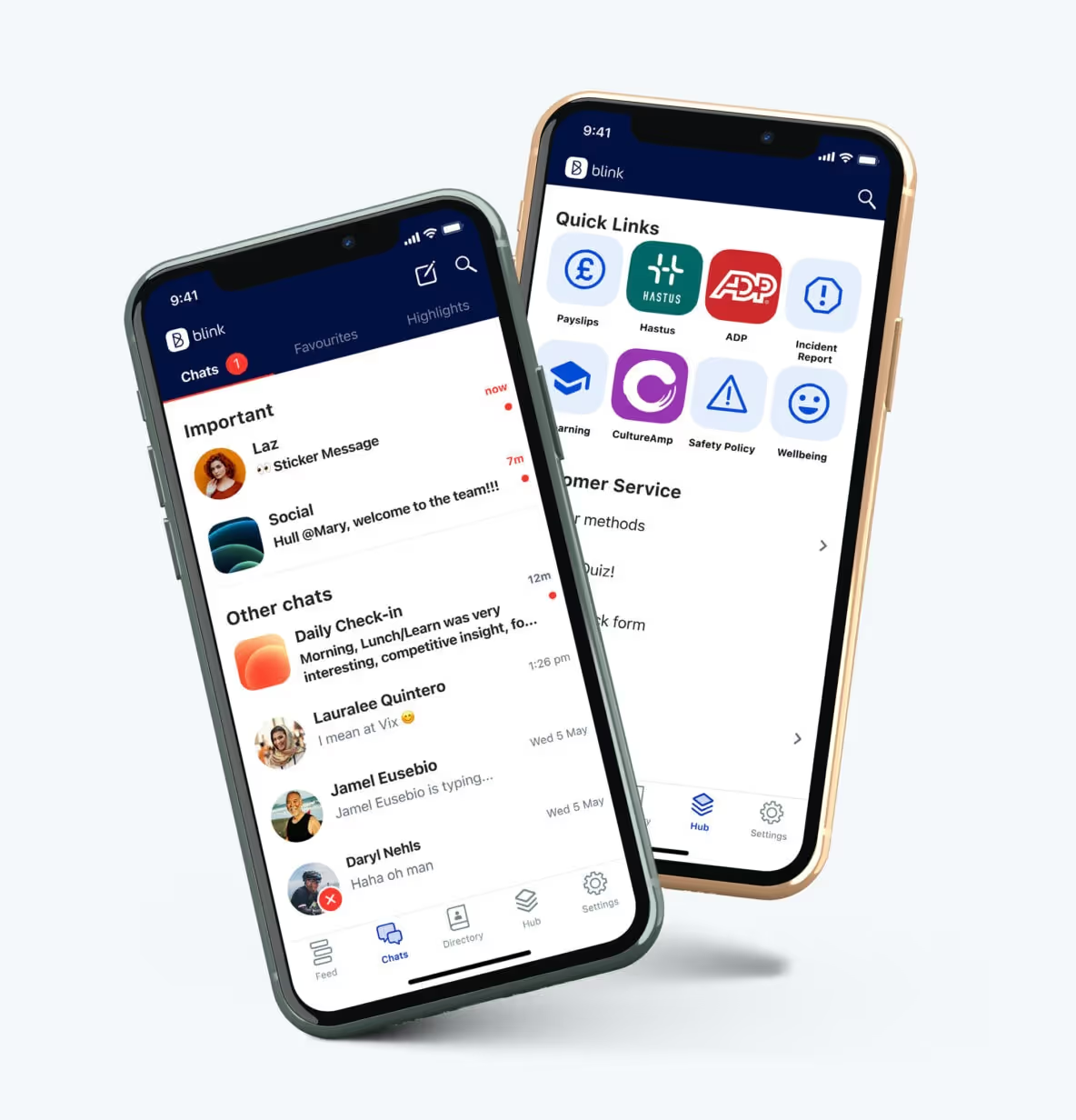
{{mobile-main="/image"}}
#4. Integration ecosystem
You shouldn’t have to cobble together multiple tools. The right platform integrates with your HRIS, LMS, scheduling, payroll, file storage, and more.
#5. Analytics & insights
Data matters. Choose a solution with actionable dashboards that help you measure what’s working, what’s being read, and where to improve.
The top 12 LumApps alternatives
Now that you know what to look for — and why LumApps might not be the best long-term fit — here are the best alternatives, starting with the standout:
#1. Blink – The #1 LumApps alternative for unified employee experience
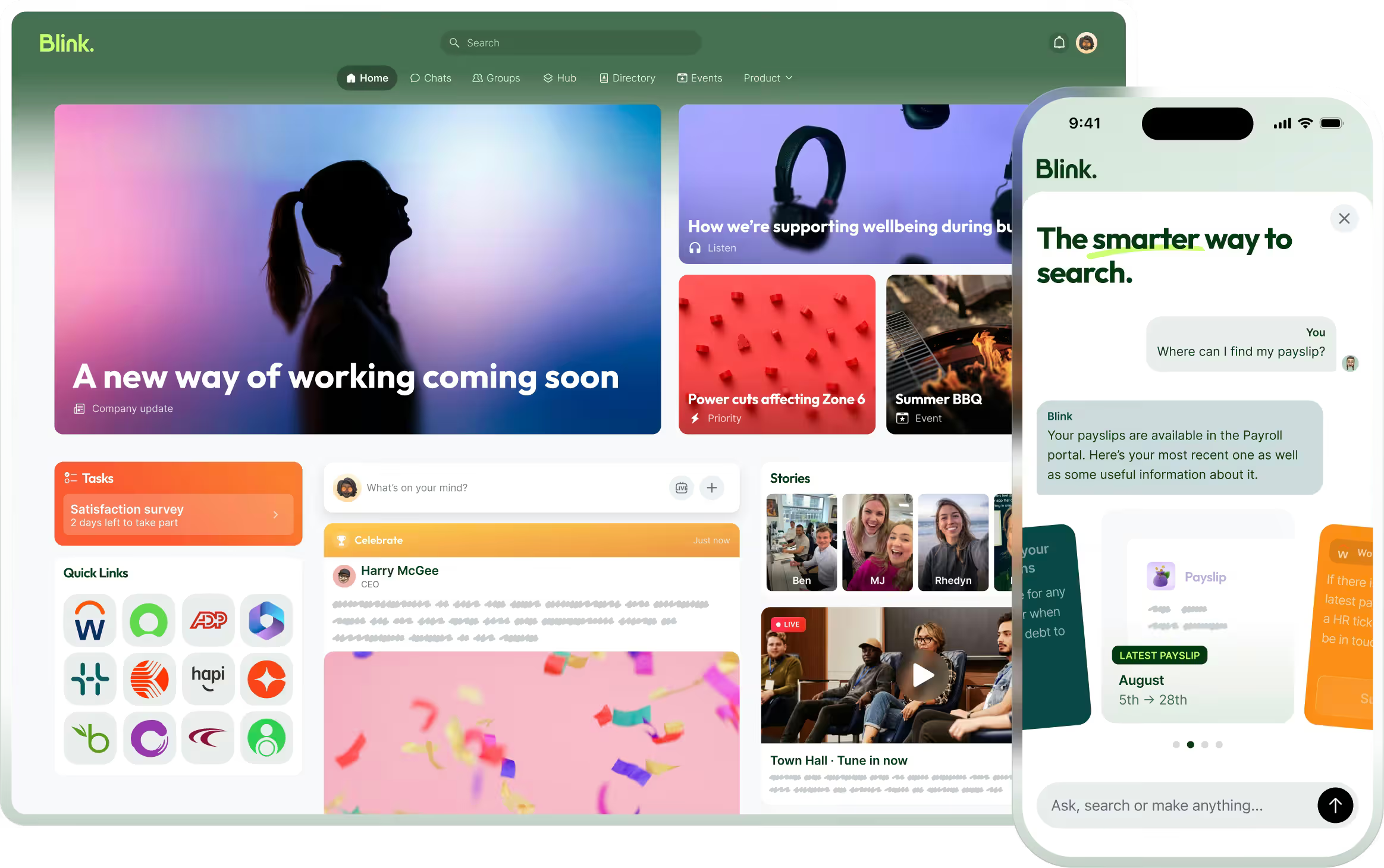
Blink is an employee experience platform designed to bring communications, resources, and tools into a single, easy-to-access app. With a strong focus on usability, real-time engagement, and seamless integrations, Blink empowers companies to connect with their entire workforce—whether they’re on mobile, desktop, or a shared device.
Why Blink is the best LumApps alternative:
All-in-one communications hub: Combines chat, news, content, HR tools, recognition, and surveys into one streamlined platform.
Mobile + desktop parity: Offers full functionality on any device, with no reliance on corporate email.
Powerful analytics: Gives real-time insights into usage, engagement, and sentiment to help you optimize comms strategies.
Integrations-first approach: Blink integrates with HRIS, LMS, payroll, scheduling, and document systems to centralize everything your workforce needs.
Top-rated platform: 4.8★ average on Gartner Peer Insights and a leader in G2 for internal communications and employee apps.
Pros:
Unified digital workplace accessible from anywhere
Highly intuitive UI with rapid user adoption
Dedicated support and success teams for onboarding and beyond
Transparent pricing and strong ROI
Cons:
May require customization for highly complex intranet needs
Some advanced analytics features are part of higher-tier plans
{{watch-video="/callouts"}}
#2. Simpplr
Simpplr is an intranet platform designed to streamline internal communication, content distribution, and knowledge sharing. It includes personalization features, integrations with HR tools, and prebuilt templates to simplify setup. The platform is geared toward companies looking for a structured, branded experience.
Pros: Great personalization, modern interface Cons: Limited customization, costly at scale Pricing: Custom Gartner: 4.7★
#3. Staffbase
Staffbase supports internal communications across multiple channels, including email, mobile apps, and digital signage. It offers features for content scheduling, targeting, and employee surveys. Often used by global enterprises, the platform emphasizes scalability and branding consistency.
Pros: Email, mobile, signage comms; powerful targeting Cons: Less flexible for content management or smaller teams Pricing: Custom Gartner: 4.1★
#4. Interact Software
Interact Software delivers an intranet platform with features for content publishing, employee engagement, and search. It includes integrations with Microsoft products and offers tools like blogging, forums, and document sharing. The platform is designed for medium to large organizations.
Pros: Social features, easy setup Cons: Limited analytics and design flexibility Pricing: Custom Gartner: 4.6★
#5. Haiilo
Haiilo combines intranet functionality with features for social advocacy and personalized content delivery. The platform includes analytics, customizable pages, and AI-based search to help surface relevant information. It is commonly adopted by organizations prioritizing internal engagement and branding.
Unily provides a cloud-based intranet designed for enterprise use, with features for knowledge management, internal communications, and collaboration. It integrates with Microsoft 365, Google Workspace, and other enterprise tools. The platform is known for its flexible content management and multilingual support.
MangoApps offers a unified platform that combines intranet, collaboration, learning management, and document storage. It supports both desktop and mobile access and is used by a variety of industries. The platform is modular, allowing organizations to deploy only the tools they need.
Pros: Feature-rich; good for training-heavy orgs Cons: Dated interface; inconsistent UX Pricing: Custom Gartner: 4.4★
#8. Workvivo by Zoom
Workvivo is a social intranet platform that combines internal communications with engagement tools like activity feeds, shout-outs, and surveys. It offers a familiar social media-style experience and integrates with Zoom and Microsoft 365. The platform is primarily used by mid-size to large organizations.
Pros: Engaging UX, employee advocacy tools Cons: Lacks unified mobile-desktop parity and deep analytics Pricing: Custom pricing Gartner: 4.7★
#9. Firstup
Firstup is a communications platform focused on personalization, automation, and real-time analytics. It supports targeted messaging and integrates with a range of enterprise systems. Firstup is commonly used by large organizations with distributed workforces.
Pros: Powerful targeting, personalization, and analytics Cons: High cost; not ideal for smaller teams Pricing: Custom Gartner: 4.8★
#10. Connecteam
Connecteam is a mobile-first platform designed for managing non-desk workforces. It includes scheduling, task management, chat, and time tracking tools. The platform is often used in industries like retail, logistics, and hospitality.
Pros: Ideal for dispersed teams; affordable tiers Cons: Lacks deep intranet functionality Pricing: Free tier available; paid starts around $29/month Gartner: 4.7★
#11. ThoughtFarmer
ThoughtFarmer focuses on knowledge sharing and collaboration within hybrid and remote teams. It provides customizable intranet pages, wiki functionality, and employee directories. The platform is suited for organizations seeking structured documentation and internal search tools.
Pros: Excellent for documentation and wikis Cons: Setup can be time-intensive Pricing: Custom G2: 4.8★
#12. Bitrix24
Bitrix24 is a collaboration suite that includes intranet features alongside tools for CRM, task management, and chat. It offers free and paid tiers, making it accessible to a wide range of teams. The platform is modular but can be complex to navigate.
Pros: Wide feature set for budget-conscious teams Cons: Overwhelming interface; some tools feel outdated Pricing: Free plan available; paid starts ~$24/user/month G2: 4.2★
Final thoughts: Blink vs. LumApps
While LumApps remains a strong player — especially for companies tightly integrated with Google Workspace or Microsoft — Blink stands out for teams that value ease of use, real-time communication, data-driven insights, and a single place for everything work-related. It offers a more unified experience across devices, better analytics for employee engagement, and faster time to value.
If you’re looking for an employee experience platform that’s as intuitive as it is powerful, Blink is your best bet.
As companies rethink how they connect with employees in a hybrid, mobile, and fast-moving world, many are looking beyond traditional intranet platforms like LumApps. While LumApps is a solid option for knowledge management and Microsoft/Google integrations, it can fall short when it comes to usability, real-time communication, and mobile performance.
Whether you’re rolling out internal comms globally, trying to unify systems into one employee app, or simply seeking a more flexible and modern intranet experience, there are better options out there.
What to look for in a LumApps alternative
When evaluating alternatives to LumApps, here are five key factors to consider:
#1. Mobile usability
Your employee experience platform should be just as powerful on mobile as it is on desktop — especially with today’s hybrid, frontline, and remote workforces.
#2. Ease of use
A modern intranet or communications tool must be intuitive for both admins and end users. Platforms with steep learning curves or clunky interfaces will see low adoption.
#3. Real-time communication
Timely communication is essential — whether it's leadership announcements, crisis updates, or team alerts. Look for platforms that offer native chat, push notifications, or news feeds.
{{mobile-main="/image"}}
#4. Integration ecosystem
You shouldn’t have to cobble together multiple tools. The right platform integrates with your HRIS, LMS, scheduling, payroll, file storage, and more.
#5. Analytics & insights
Data matters. Choose a solution with actionable dashboards that help you measure what’s working, what’s being read, and where to improve.
The top 12 LumApps alternatives
Now that you know what to look for — and why LumApps might not be the best long-term fit — here are the best alternatives, starting with the standout:
#1. Blink – The #1 LumApps alternative for unified employee experience
Blink is an employee experience platform designed to bring communications, resources, and tools into a single, easy-to-access app. With a strong focus on usability, real-time engagement, and seamless integrations, Blink empowers companies to connect with their entire workforce—whether they’re on mobile, desktop, or a shared device.
Why Blink is the best LumApps alternative:
All-in-one communications hub: Combines chat, news, content, HR tools, recognition, and surveys into one streamlined platform.
Mobile + desktop parity: Offers full functionality on any device, with no reliance on corporate email.
Powerful analytics: Gives real-time insights into usage, engagement, and sentiment to help you optimize comms strategies.
Integrations-first approach: Blink integrates with HRIS, LMS, payroll, scheduling, and document systems to centralize everything your workforce needs.
Top-rated platform: 4.8★ average on Gartner Peer Insights and a leader in G2 for internal communications and employee apps.
Pros:
Unified digital workplace accessible from anywhere
Highly intuitive UI with rapid user adoption
Dedicated support and success teams for onboarding and beyond
Transparent pricing and strong ROI
Cons:
May require customization for highly complex intranet needs
Some advanced analytics features are part of higher-tier plans
{{watch-video="/callouts"}}
#2. Simpplr
Simpplr is an intranet platform designed to streamline internal communication, content distribution, and knowledge sharing. It includes personalization features, integrations with HR tools, and prebuilt templates to simplify setup. The platform is geared toward companies looking for a structured, branded experience.
Pros: Great personalization, modern interface Cons: Limited customization, costly at scale Pricing: Custom Gartner: 4.7★
#3. Staffbase
Staffbase supports internal communications across multiple channels, including email, mobile apps, and digital signage. It offers features for content scheduling, targeting, and employee surveys. Often used by global enterprises, the platform emphasizes scalability and branding consistency.
Pros: Email, mobile, signage comms; powerful targeting Cons: Less flexible for content management or smaller teams Pricing: Custom Gartner: 4.1★
#4. Interact Software
Interact Software delivers an intranet platform with features for content publishing, employee engagement, and search. It includes integrations with Microsoft products and offers tools like blogging, forums, and document sharing. The platform is designed for medium to large organizations.
Pros: Social features, easy setup Cons: Limited analytics and design flexibility Pricing: Custom Gartner: 4.6★
#5. Haiilo
Haiilo combines intranet functionality with features for social advocacy and personalized content delivery. The platform includes analytics, customizable pages, and AI-based search to help surface relevant information. It is commonly adopted by organizations prioritizing internal engagement and branding.
Unily provides a cloud-based intranet designed for enterprise use, with features for knowledge management, internal communications, and collaboration. It integrates with Microsoft 365, Google Workspace, and other enterprise tools. The platform is known for its flexible content management and multilingual support.
MangoApps offers a unified platform that combines intranet, collaboration, learning management, and document storage. It supports both desktop and mobile access and is used by a variety of industries. The platform is modular, allowing organizations to deploy only the tools they need.
Pros: Feature-rich; good for training-heavy orgs Cons: Dated interface; inconsistent UX Pricing: Custom Gartner: 4.4★
#8. Workvivo by Zoom
Workvivo is a social intranet platform that combines internal communications with engagement tools like activity feeds, shout-outs, and surveys. It offers a familiar social media-style experience and integrates with Zoom and Microsoft 365. The platform is primarily used by mid-size to large organizations.
Pros: Engaging UX, employee advocacy tools Cons: Lacks unified mobile-desktop parity and deep analytics Pricing: Custom pricing Gartner: 4.7★
#9. Firstup
Firstup is a communications platform focused on personalization, automation, and real-time analytics. It supports targeted messaging and integrates with a range of enterprise systems. Firstup is commonly used by large organizations with distributed workforces.
Pros: Powerful targeting, personalization, and analytics Cons: High cost; not ideal for smaller teams Pricing: Custom Gartner: 4.8★
#10. Connecteam
Connecteam is a mobile-first platform designed for managing non-desk workforces. It includes scheduling, task management, chat, and time tracking tools. The platform is often used in industries like retail, logistics, and hospitality.
Pros: Ideal for dispersed teams; affordable tiers Cons: Lacks deep intranet functionality Pricing: Free tier available; paid starts around $29/month Gartner: 4.7★
#11. ThoughtFarmer
ThoughtFarmer focuses on knowledge sharing and collaboration within hybrid and remote teams. It provides customizable intranet pages, wiki functionality, and employee directories. The platform is suited for organizations seeking structured documentation and internal search tools.
Pros: Excellent for documentation and wikis Cons: Setup can be time-intensive Pricing: Custom G2: 4.8★
#12. Bitrix24
Bitrix24 is a collaboration suite that includes intranet features alongside tools for CRM, task management, and chat. It offers free and paid tiers, making it accessible to a wide range of teams. The platform is modular but can be complex to navigate.
Pros: Wide feature set for budget-conscious teams Cons: Overwhelming interface; some tools feel outdated Pricing: Free plan available; paid starts ~$24/user/month G2: 4.2★
Final thoughts: Blink vs. LumApps
While LumApps remains a strong player — especially for companies tightly integrated with Google Workspace or Microsoft — Blink stands out for teams that value ease of use, real-time communication, data-driven insights, and a single place for everything work-related. It offers a more unified experience across devices, better analytics for employee engagement, and faster time to value.
If you’re looking for an employee experience platform that’s as intuitive as it is powerful, Blink is your best bet.
Why off-the-shelf internal comms tools win every time
Your internal communications tool isn’t working.
Employees miss important updates. Frontline workers feel disconnected. Your IT team is stretched thin, and now you’re faced with a big decision: Build your own solution from scratch or buy a ready-made platform?
Building might seem like the best way to get exactly what you want. Total control, custom features — it sounds great in theory. But in reality? It’s a massive undertaking. Development takes months (if not years), maintenance is a never-ending burden, and by the time your internal communication software is live, it’s already outdated.
The good news? You don’t have to reinvent the wheel. Today’s prebuilt corporate communication tool offers the perfect balance of speed, flexibility, extensive customization options, and a wide range of features tailored to your needs — without the cost and complexity of building from scratch.
Let’s dive into why an off-the-shelf internal communications platform is the smarter, faster, and more effective choice for connecting your entire organization.
The evolution of internal comms platforms
You may once have scraped by with a basic company intranet and SharePoint. But internal comms have come a long way — from bulletin boards and internal email blasts to mobile-first apps that deliver real-time updates and targeted, effective communication.
Today’s workforce demands consumer-grade experiences and a modern UX. So to improve your internal communications strategy and the employee experience, organizations now need platforms that are intuitive, engaging, and integrated with existing tools.
Big changes to your comms tech may feel like a daunting prospect. But if your existing internal comms platform is holding you back, remember that you don’t need to reinvent the wheel.
You can leverage prebuilt platforms to improve internal comms, share company content, and elevate company culture like never before.
6 reasons to buy an internal communication tool
Still on the fence about buying or building your internal communication tool? Let’s look at all the reasons why buying a solution provides everything you need and more.
#1. Easy activation
Building your own internal communication tool requires months (or years) of development, testing, and iteration. The process dominates the time of your tech team for a prolonged period.
When you buy a platform, on the other hand, you get instant access to a proven and reliable system with best-in-class key features and minimal training required. There’s no need to worry about designing UX, managing infrastructure, or fixing bugs.
You can simply configure and launch, counting on tried and tested functionality — and incredible speed, too. A bought platform can be live within months, if not weeks. So you can start making a big difference to your internal comms sooner rather than later.
{{mobile-activation="/image"}}
#2. Digital inclusion
In 2025, internal communication tech shouldn’t be reserved for your office-based team.
If you want to achieve high levels of employee engagement and retention across all sectors of your workforce, you need an internal communication tool that allows you to reach every employee — no matter where or when they work.
With a mobile-first employee app, you can send company updates directly to employee smartphones. Whether you have office-based workers, remote teams, or frontline employees, you can be sure that comms are getting to every corner of the company.
Staff can log in to your platform without a corporate email address and stay informed of company updates on the go. They get push notifications that alert them to critical news. And they can access advanced features that encourage an employee social network, like a news feed and instant messaging tools.
The best employee apps revolutionize workplace communication. But creating, launching, and maintaining your own employee app is no mean feat.
To ensure digital inclusion, your comms tool should be available across desktop, Android, and iOS devices. That means building and maintaining multiple apps in the app store, which is a significant burden for an internal IT team.
Opt for a turnkey solution, however, and you ensure that no employee is left out. With a dedicated tech team on hand, you can be confident that your internal communication tool will work perfectly across a range of devices and that all employees — no matter where and how they work — can onboard in just a few clicks.
{{mobile-main="/image"}}
#3. Customer success
When you create employee communication software from scratch, you’re on your own. Your internal team has to build an engaging platform — and inspire employees to use it.
A purchased platform tends to come with a dedicated success team. These experts can help to optimize platform engagement, adoption, and ROI. They can also take care of training and troubleshooting, removing the burden of support from your internal IT team.
Your platform partner has walked this road before. Rolling out their platform time and time again, they’ve built up a wealth of knowledge. So your employees don’t have to be guinea pigs for a completely new system and launch process.
A customer success team can provide on-site support during the launch phase — and advise on the best ways to drive adoption. Whether that’s through a teaser campaign, employee challenges, or the simple (but very effective!) bribery of giving free ice cream cones or lunch vouchers to every employee who downloads the app.
#4. Custom branding
A common concern about a bought internal communication tool? That it won’t look and feel like your brand. That you have to sacrifice brand identity for the convenience of a bought solution.
But with more comprehensive and robust customization options available, this is no longer the software sticking point it once was.
Modern employee communication platforms allow for full customization. You can add company colors, logos, and fonts. Your company name and logo will appear in the app store, on people’s phones, and inside the platform itself.
The best internal communication software allows you to apply this customization on a micro-level within your organization — by team, role, and geography — to provide a branded and personalized employee experience.
With extensive customization options, you can use your internal comms tool to create a company culture of belonging.
{{mobile-nokia-feed="/image"}}
#5. App personalization
Of course, it isn’t just the look of your internal communication platform that counts. The functionality it offers should be tailored to meet the needs of your employees.
This is why some companies choose to go down the build route. They see it as a way to get a custom solution that perfectly meets their requirements.
But again, bought solutions are keeping pace. They’re going beyond a one-size-fits-all approach to give customers a tailored tool, without the hassle of building it themselves.
With intuitive platforms that offer a user-friendly interface, you can create communication channels, custom workflows, control layouts, modify notifications, and ensure employees receive relevant content for them.
Features you don’t need? No problem — turn them on and off as you see fit. Concerned about real-time messaging? All good — set up alert and time zone parameters as needed.
Bought solutions are also agile. With your platform partner’s support, it’s easy to keep up with internal communication trends and employee expectations. And you don’t have to pay for ongoing development costs every time you need a new feature.
{{future-of-internal-comms-2025="/callouts"}}
#6. Integration
Internal communications don’t exist in a vacuum. Your platform needs to integrate with the other workplace software you use, including HR systems, payroll, scheduling, team collaboration tools, and much more.
Creating deep integrations for a self-build solution is time-consuming and costly. It often requires expensive API development and ongoing maintenance just to keep things connected.
But a purchased solution comes with prebuilt and seamless integrations for software like Workday, ServiceNow, Microsoft 365, and more.
Via secure, single sign-on technology, employees can access all the workplace tools they need. Your employee communication tool acts as a digital company hub, providing easy access to things like employee surveys, training, peer recognition and rewards, employee feedback forms, pay stubs, and shift swap tools.
{{mobile-hub="/image"}}
#7. Future-proofing
The right internal communications platform shouldn’t just solve today’s challenges. It should evolve with your organization and keep your workforce connected no matter how work changes.
Building an in-house solution may seem like a way to tailor communications to your exact needs, but without ongoing investment and dedicated resources, these systems can quickly become outdated. They can struggle to keep up with shifting workforce expectations, mobile-first engagement trends, and emerging technologies.
A prebuilt platform, by contrast, is continuously updated, giving you access to the latest and greatest capabilities without the burden of maintaining and upgrading the technology yourself.
Keep in mind: Not all prebuilt platforms are created equal. Some workplace tools are owned by larger corporations, where internal comms are just one of many priorities. This can leave customers vulnerable to shifting business strategies or product sunsets.
With the right internal comms partner, you get long-term stability, continuous innovation, and a platform designed to adapt and grow with your workforce — so you’re always ahead of what’s next.
Build or buy? Get the best of both worlds with Blink
Building an internal communication app may seem like a great way to get exactly what you want. But it’s often a long, costly, and risky investment.
In contrast, buying a prebuilt platform gives you speed, scalability, and best-in-class technology. You also enjoy the expertise of a team that lives and breathes internal comms tech.
Choose a comprehensive solution like Blink and there’s no trade-off. You get the best of both worlds. The ability to brand and white label the platform. Powerful integrations with other workplace software you use. And a speedy launch — most of our clients go live within 6 to 12 weeks.
Our support is also second to none. Our team comes onsite at your company to assist with the platform launch and ensure high levels of adoption. The proof is in the stats.
With Blink, Domino’s achieved a 94% adoption rate and 81% monthly active users. A company news feed, chat features, and integrations with benefits, payslips, and shift swap tools make it easy for Domino’s to cultivate an informed and motivated workforce.
Over at Stagecoach, Blink has helped increase employee satisfaction by 46% and reduce staff turnover by 26%. What’s more, 100% of employees said they would recommend Blink’s internal communication platform to a colleague.
Don’t spend months reinventing the wheel. Ask the right questions when choosing a new employee communication tool and you can find a single platform that meets your ever-evolving comms needs and builds human connection — today, tomorrow, and beyond.
Blink. And connect your workforce with a ready-made internal comms platform.
Digital inclusion is the ability of individuals and communities to access, understand, and use technology in a safe and meaningful way. More often, we hear of digital inclusion and digital equity as social concepts — do citizens have equal access to health tech solutions, for example, and do they have access to the internet in order to participate in society?
But frontline digital inclusion and digital equity for employees are just as important.
Frontline digital inclusion is essential in order to bridge the connection gap between the frontline workforce and the rest of an organization.
By understanding frontline digital inclusion better, we can helpcreate a more equitable global workforce where everyone has access to the tools, resources, and people they need to succeed. In doing so, we encourage increased employee engagement, and unlock productivity and performance for the business, so everybody benefits.
What is digital inclusion?
Before we get into the specifics of frontline digital inclusion, let’s start with some definitions.
Digital inclusion is an important concept in the modern world as access to technology and digital services play an increasingly critical role in people’s lives. It refers to the ability of individuals and communities to access, understand, and use technology in order to take part in society, regardless of their social or economic backgrounds.
On a larger scale, digital inclusion projects serve to create equity where it isn’t already: between those who have access to digital resources and those that don’t. Frontline digital inclusion is one example of this concept in action, as it refers to providing equal opportunities for frontline workforce members to use technology in their daily activities.
Digital inclusion comprises three key areas:
Accessibility
Digital skills
Connectivity
Accessibility
Digital accessibility refers to the ability of all individuals to access digital content, tools, and services, including those with disabilities, sensory impairments, or neurodiversities.
On a global scale, improving digital access involves a wide range of considerations, such as providing alternative formats of content (such as audio or braille versions), designing websites and applications to be inclusive, and ensuring that digital services can be accessed in different languages or formats.
Digital skills refer to a range of abilities needed to use digital tools, devices, and communications applications effectively. Understanding their purpose and how they can be used to benefit the user also falls under this definition.
Digital education and training initiatives are important for helping people to develop the skills they need to be digitally included. Digital skills are an essential part of being digitally literate in today’s world, allowing individuals to take advantage of all that technology has to offer.
Connectivity
Digital connectivity refers to the ability of individuals to connect to the internet and online services, as well as the infrastructure and internet connection that supports this.
Enabling digital connectivity involved providing internet access in areas where there is none, or setting up public Wi-Fi networks in remote locations. This is particularly crucial in developing countries, where access to the internet can be a huge advantage.
What would digital inclusion look like for the frontline?
Frontline digital inclusion includes everything from having access to devices and software, understanding how they work and how to use them properly, and being able to take advantage of the same digital services as those in higher positions or working at HQ.
Accessibility
Workers should have access to the digital tools needed for their roles, whether their job is desk-based or not. When frontline employees have digital equity, they are able to better perform their daily work tasks using relevant software and mobile-optimized platforms.
Language is particularly important to consider here. Frontline environments like healthcare are becoming more divergent and employees are speaking a broader range of languages between themselves and with their patients. Any technology provided to them has to be easily translated to avoid crucial messages being missed.
Digital skills
Digital skills can be thought of in two ways when it comes to frontline digital inclusion.
One: is the tool intuitive for the frontline or has it been designed with desk-based workflows in mind?
And two: are frontline employees being offered relevant training, onboarding, and support for the digital tools provided?
You might need to create additional resources for improving digital skills, such as tutorials, videos, and webinars. You can also direct them to key employee engagement champions who can empower them to use their new tech effectively.
Connectivity
Connecting your organization from the C-Suite to the frontline brings about a huge wealth of benefits, from ‘soft’ benefits like belonging and inclusion, to ‘hard’ benefits like the effective flow of information and a faster time to response.
Mobile-first digital technologies — like accessible and engaging frontline employee apps — help ensure your teams stay connected in-field and are able to access everything they need.
The digital divide: understanding frontline digital exclusion
By now, you’re hopefully as sold on the idea of frontline digital inclusion as we are. It’s not only an ethical imperative, but a business one too.
So what’s currently stopping digital equity on the frontline? Why are so many frontline workers experiencing digital exclusion?
Frontline teams typically lack access to the digital resources needed to perform their roles. They may also be offered existing tools and services that fail to meet their needs. Digital inclusion barriers may come from a lack of familiarity or understanding of how to use the tools, a lack of technological infrastructure, or simply limited access to devices and software while working in the field.
To put the problem into numbers:
34% of frontline healthcare employees can’t easily access workplace systems on their mobile devices
Nearly 20% of frontline healthcare employees aren’t using their company intranet
… and two-thirds of that 20% don’t know how to
With a digital divide like this, it's no surprise that frontline organizations are seeing a drop in the usage of and engagement with their digital channels (more on this below).
In short: we have to combat digital exclusion in order to deliver digital inclusion. And at work, that starts with the frontline.
Frontline digital exclusion in action
Digital exclusion wastes time and money. It can also be a serious contributing factor to employee disengagement.
At home health provider Elara Caring, employees were choosing to drive up to an hour each way to collect their paystubs in person as it was too difficult to access this information online
For the same employees, a lack of communication between head office and the teams in the field left them feeling unsupported and disconnected
Transport provider Stagecoach hired a full-time role just to manage platform password reset requests from frontline employees
We know that bridging this digital divide adds value.
Organizations with the highest degrees of digital connectivity and empowerment are able to grow in ways that other businesses can’t. Here’s why…
Why is digital inclusion important for frontline teams?
How digital exclusion impacts frontline engagement
Feelings of exclusion negatively impact employee engagement and therefore care and commitment
It becomes difficult to understand frontline employee engagement. Paper-based employee engagement surveys go unanswered and unanalyzed — and if you can’t understand engagement, you can’t improve it either
How digital exclusion impacts frontline performance
Employees will naturally drift away from your business objectives and mission statement when kept at a digital distance
Frontline staff become less invested in their day-to-day activities and more burnt out, negatively impacting performance.
How digital exclusion impacts frontline profitability
Operations can easily become chaotic and ineffective without an efficient flow of information between co-workers and departments
Higher costs as recruitment and retention come under threat; the ‘leaky bucket’ of labor supply means that significant funds are deployed to the finding and training of a replacement workforce who might not stick around for long anyway
Fresh challenges arise around recruiting and retaining new employees as the business loses its reputation as a good place to work
Disengaged organizations see 23% lower profitability than highly engaged ones, and the longer employees remain in a disengaged state, the harder it is to turn around
How digital exclusion impacts frontline retention
Digital exclusion can result in rising frustrations, poor employee morale, and low satisfaction due to the lack of adequate tools and resources available
As 52% of frontline workers claimed they would leave their job over tech tools, it’s clear that these frustrations can have an impact on your employee turnover rate, too
The average annual employee turnover rate is estimated at 18%, yet some frontline industries and organizations are experiencing much higher turnover levels. US frontline retail employees, for example, have a historic turnover rate of over 60%
Three actionable tips to drive your frontline digital inclusion efforts
Now for the how: here are three actionable tips to consider when driving digital inclusion for your frontline employees.
1. Understand who’s responsible
First and foremost, you must understand who is responsible for driving digital inclusion in your organization. While traditionally this has been the job of the CIO or CTO, it's clear that others in the C-Suite such as Chief Human Resources Officers (CHROs) can have a major role to play.
“Given how technology has infiltrated the entire C-suite, it’s clear that while CTOs and CIOs are still in charge of which technologies to purchase and deploy, their collaboration across departments is expanding. They need input from the entire executive team to ensure their investments match and support the overarching goals of the business and leverage collaboration to have the greatest impact.”
Analysis by Deloitte (pictured below) also explores the role of the C-Suite in managing the hyper-connected workplace. Touching on how CHROs, CIOs, CROs, COOs, and individuals can adjust to the changing world of hyper-connected work, this analysis provides an excellent starting point for organizations to better understand the roles and responsibilities of each C-Suite member.
However, important to remember that true employee techquity requires buy-in and team effort from not just the entire exec team, but also heads of HR/People, Internal Comms, and that all-important first-line manager. In fact, it's crucial to leverage the first-line frontline manager if you are going to succeed with frontline digital inclusion.
A CEO might only spend 6% of their work hours with the frontline, despite these staff members representing up to 80% of their business. Conversely, frontline managers spend the most time with the frontline, yet are often overlooked and undervalued. With first-line knowledge, your inclusion efforts will be much more effective.
With all this in mind, placing responsibility for frontline digital inclusion squarely on the C-Suite is too limiting. It’s important to have a comprehensive strategy in place with clear roles and responsibilities for all stakeholders.
A digital inclusion strategy for the frontline should include a comprehensive assessment of existing technology access and resources available to frontline employees. This assessment should cover areas such as:
Device availability (i.e., laptops, tablets, and smartphones)
Internet connection speeds and access to data on your work sites
Availability of learning and training materials
Access to technical support
Any other resources necessary to ensure successful digital integration
Once a comprehensive assessment of existing resources has been completed, your frontline digital inclusion strategy can be created and regularly updated:
This strategy should include objectives, goals, action plans, and resource requirements necessary to achieve the desired outcomes. Improved employee engagement, enhanced customer service capabilities, and increased productivity are all in reach
Regular reviews and updates of the strategy are key to its success. Employee engagement KPIs and frontline analytics should be established in order to track progress made against the strategy
Finally, a successful digital inclusion strategy should include continuing education and training initiatives for frontline staff. These initiatives should focus on upskilling employees in areas such as data security protocols and best practices for the platform you choose.
Check out the digital inclusion checklist at the end of our guide for more strategic guidance.
3. Enable, engage, and understand your frontline
Achieving frontline digital inclusion requires enabling, engaging, and understanding your employees.
By combining the three, you can create an effective frontline digital inclusion strategy that puts your employees on the path to success.
Enable
Enabling your frontline with the right technology goes beyond simply providing them with a device and internet connection. It’s about equipping them with tools to succeed in a digitally-connected workplace.
For deskless workers, this might include:
Content Hub: A central hub that's accessible on the go, storing critical policies, procedures, schedules, and guides in one place
Digital Forms: Creating and distributing mobile-first digital forms, gathering data, and automating key processes. No hassle. No paper. No IT support tickets
Single Sign-On: Access to all applications from one single app, without the hassle of remembering usernames and passwords
Integrations: Integrate your existing tools and apps into new employee tech for intuitive and streamlined use
Engage
To receive engagement from your frontline, you have to earn it. This means providing digital tools that encourage engagement, as well as recognizing and rewarding input.
For example:
News Feed: Bring the whole company together with a News Feed that's fun, familiar, and easy to use — you might just reduce time spent on non-core tasks by up to 90%
Secure Chats: Create an intuitive, seamless communications experience for everyone with secure, mobile-first chats
Recognition: Provide instant, personalized recognition for every employee, directly to the palm of their hand
Understand
To truly understand the digital experience of your frontline staff, you have to take the time to get to know them. This means listening, empowering their voice, and understanding how their experience affects their job performance.
Analytics: Utilize powerful analytics for insight into the people and relationships that make your organization tick
Surveys: Ditch paper surveys, build trust with your frontline, and get more data with short, regular Pulse surveys designed for higher engagement
Your frontline digital inclusion checklist
Digital inclusion is an important factor in the success of any organization. To measure the success of a digital inclusion strategy, there are certain key points that should be checked:
Start with user experience: Understand the experience of your frontline staff by listening to and empowering their voice, and understanding how their experience affects job performance
Offer digital support: Make sure all employees have access to online services, regardless of their digital literacy
Utilize powerful analytics: Leverage analytics for insight into the people and relationships that make up your organization
Take surveys and measure engagement: Replace laborious paper surveys with short, regular, mobile-friendly Pulse surveys to gain more data and build trust with employees
Provide tailored digital tools: Choose tools that are tailored to the needs of your deskless employees, and ensure a seamless user experience
Offer recognition: Show appreciation for employee performance with rewards, badges, shout-outs, and leaderboards
Invest in collaboration: Connect employees with one-on-one conversations, secure chats, and team communication tools to foster a culture of collaboration
By following this checklist and leveraging the right digital solutions for your organization, you can make sure that no one is left behind as you strive for greater digital inclusion. With Blink, this is made easier than ever.
Blink. And you bridge the digital divide
Frontline digital inclusion is an important and essential program — and it’s not as complex as it sounds.
By understanding the unique experience of deskless workers, providing access to digital tools tailored to their needs, and listening to and recognizing employee feedback, organizations can ensure that no one is left behind in the digital world.
But remember: not all digital services are created equal. At Blink, we believe in providing a seamless, intuitive user experience for the frontline, which is why ourfrontline employee app was built with deskless employees in mind.
With features including Secure Chats to News Feeds, Pulse Surveys, and Recognition tools, our employee-first solutions empower organizations to make their frontline staff feel connected and engaged throughout their journey.
Let us help you drive digital inclusion within your organization – get started with Blink today.
Spoiler alert: Employees don’t count down the days until the next company update hits their inbox
But the next episode of their favorite TV show? That’s a whole different ballgame. Millions of people cleared their schedules to watch the Succession finale — or to binge the whole of The Bear in one sitting.
So what do these shows have that internal communications don’t? It’s not just good writing and compelling characters. It’s the way TV structures its stories to keep people coming back for more.
Internal comms can steal these tricks to make messages stickier, more memorable, and worth tuning in for. From the pilot episode to the spin-off, here’s how to make your employee communications essential viewing.
The pilot episode — hook them early
A pilot episode sets the tone for a TV series. If it falls flat, viewers won’t bother tuning in again. But hit all the right notes, and you’ll have your audience excited for the next installment.
The same goes for your internal communications. The experience employees get when they first encounter your messages shapes how they’ll engage with them — or ignore them — in future.
So, for new hires, comms related to theonboarding process should feel polished and well-produced. Give employees pre-first-day info that sets the scene. Then, deliver a steady stream of timely updates to get familiar with your communication platforms, your workplace, and their coworkers.
When it comes to launching new platforms and digital tools, treat the roll out of a new employee intranet or internal communication tool like a premiere event. Tease the launch with trailers, countdowns, and even a launch party. And make pilot content so strong that employees are blown away by their very first platform experience.
Action! Review your onboarding messages and launch campaigns. Are they as exciting and focused as a Netflix pilot? If not, refine them — think strong storytelling, quality design, and a tone that makes employees want to tune in for the next update.
{{mobile-main="/image"}}
Cliffhangers keep them coming back
“Just one more episode?” That’s the power of a cliffhanger.
The best TV shows don’t give everything away in one go. They create buzz and suspense by hinting at what comes next — leaving you hanging with a surprising reveal or creating excitement with a sneak peek of the next episode.
In internal comms, you don’t need to hold back crucial information to build suspense. But you can use this technique to spark anticipation:
Tease upcoming events. Drop a short trailer for a CEO town hall, a product launch, or a training session.
Share the headline. Drop a compelling stat, quote, or insight ahead of a big announcement or change management initiative.
End with a “next week on…” Close company newsletters or updates with a glimpse of what’s coming next.
These TV tactics build excitement for your next content drop. They can encourage employees to subscribe for updates or sign up for further details — and that means a bigger audience when your primary content lands.
Action! Take a closer look at your employee communication content schedule and look for places where you can share “coming soon” content. You’ll make employees feel like they’re part of an unfolding story — not just at the receiving end of a random collection of broadcasts.
Binge vs. weekly drops
Some TV fans love the ritual of a weekly release. Others prefer to binge the whole season in a weekend. Your employees are no different.
Bingeable comms work for employees who want to consume a lot of info in one sitting. That might be a full training module, an annual company strategy deck, or a comprehensive how-to guide.
Short, steady updates suit busy employees (particularly frontline workers) who need snackable updates they can read between tasks. Big ideas are broken down into bite-sized snippets with the help of visuals and clear copy.
The smartest internal communication teams blend both approaches. A box-set drop for complex topics paired with regular micro-updates to keep messages top of mind.
Action! Review your comms cadence. If everything you send is a dense “season drop,” break it up with lighter, more regular touchpoints. You’ll keep your audience engaged and informed without overwhelming them.
{{mobile-story-polls="/image"}}
Spin-offs shine a light on new characters
Where would the TV world be without Frasier or Better Call Saul?
Spin-off series show us what life is like for one character within an ensemble. They help audiences see familiar characters with a fresh perspective, getting to know their motivations, worries, and wins.
Apply this tactic to your internal communications strategy and you bring your organization together, while also boosting comms engagement. When you highlight lesser-seen people and departments within the company, you give teams the insight they need to collaborate more effectively.
So hand the mic to your delivery drivers, your engineers, or your payroll team. Champion an internal creator culture. And create department crossovers, where marketing and operations, or HR and finance, join forces for a joint update.
This original content is something employees don’t expect — and don’t tend to ignore.
Action! Run a quarterly “takeover” week, where a different department owns internal comms. It diversifies voices, keeps content fresh, and helps employees see work and the workplace from different perspectives.
The watercooler moment
The “red wedding” in Game of Thrones. The final episode of The Sopranos. That super-tense Stranger Things scene when Max faces Vecna to a soundtrack of Kate Bush.
The best TV moments become watercooler moments — both in person or on social media. They spark chatter, memes, and inside jokes. They go beyond the screen to build connection and a sense of belonging among their audience.
Internal comms can do the same, by:
Creating an emotional connection
Inviting employees to interact
Relatable, authentic content about real people creates an emotional connection. So spotlight employees and customers in stories and shout-outs. Encourage leaders to share behind-the-scenes moments. Don’t be afraid to use humor or memes to land a message.
But remember that content alone isn’t enough. The conversation has to flow both ways. Encourage employees to join in. Ask for their input and highlight their intranet contributions. Welcome their ideas and champion an internal creator culture.
Action! Encourage interaction on your corporate communications channels. Launch a poll, invite employees to share their comments under a company news feed post, or get them to create their own content from scratch. Digital channels feel more like a community when they’re built on two-way communication.
{{mobile-stories="/image"}}
All killer, no filler
Sometimes a TV writing team seems to run out of ideas, and you’re stuck sitting through a filler episode. It’s dull and forgettable, it doesn’t move the story forward, and it makes you much less likely to tune in next time.
The lesson for internal communicators? To keep the attention of your audience, avoid filler content at all costs. Ensure that everything you send out deserves its place in your core comms channel. Every piece of content should either:
Inform (share something useful)
Inspire (motivate action)
Connect (build company culture and employee communities)
If it doesn’t do any of those things, skip it.
Also, make every piece of content visually engaging. Videos, infographics, images, polls — Insta-worthy content keeps employees glued to your internal communication platform, making it easier for you to make messages cut through.
Action! Use intranet platform analytics to see which content drives the most (and least) digital engagement. Double down on the hits, learn from the misses, and keep your audience coming back for more.
Anthology vibes — standalones that fit the bigger story
Variety keeps things fresh and interesting — and a standalone story can make a big impact on an audience. Think Black Mirror. Every episode is self-contained but the series works because each installment contributes to a bigger theme.
Apply the same principle to your internal communication plans. Each campaign, post, or announcement should feel complete on its own — clear, valuable, and with a call to action. At the same time, it should tie back to the wider company story. Every message should reinforce the internal behaviors, corporate values, and company culture you want to build.
Action! Define three to four cultural story arcs for your comms this year. Then map every message against them. That way, even standalone content contributes to the bigger narrative, creating a coherent and engaging employee experience.
{{mobile-live-stream-poll="/image"}}
Make your comms less corporate memo, more shiny streaming service
TV shows succeed because they understand their audience, structure stories to keep viewers coming back, and mix variety with consistency.
Internal communications can do the same. From pilot episodes that hook new hires to spin-offs that highlight unsung heroes to watercooler moments that spark conversation — every message is an opportunity to boost employee engagement.
So treat your internal communication strategy like a hit TV series. Done right, employees won’t be second-screening, half-watching while scrolling their phones. Instead, they’ll be invested in your stories. They’ll tune in, interact, and feel part of something bigger.
AI and automation are transforming office work — but what about the frontline?
In today’s rapidly evolving work environment, the need to prioritize employee experience for all workers is more pressing than ever.
Yet despite all the attention paid to desk-based employees, there remains a significant gap in how organizations support their frontline workers. Frontline workers, who make up a significant portion of many organizations, are often left out of conversations surrounding employee experience, culture, and retention strategies.
At the recent Workday Rising 2024 conference, Blink was honored to be included in a pivotal conversation on how HR leaders can close this experience gap by using technology to enhance frontline employee engagement.
Marcy Patterson, Vice President of Solutions Consulting at Blink, spoke with Cassie Sam, Vice President of Artificial Intelligence at Workday, at Workday Rising 2024
The short answer: With the right tools and a strategic shift in approach, organizations can keep their frontline employees engaged in their culture — and keep them for good.
5 opportunities for leaders to close the experience gap
Here are five key takeaways for HR and internal communications leaders to factor into their approach to employee experience.
#1. Frontline workers need a tailored employee experience.
Historically, most employee experience initiatives have focused on desk-based workers. However, frontline employees, who are often the face of a company to its customers, deserve the same investment in their work experience.
“It’s up to HR to work cross-functionally with communications, IT, and operations to understand the frontline worker’s experience today and build one that works for the future.” - Marcy Patterson
For HR and internal communications leaders, this means designing tailored experiences that acknowledge the unique challenges frontline workers face, such as limited access to email or intranets, and creating accessible, relevant communications.
#2. Retention starts with a strong onboarding process.
Retention issues are especially pronounced among frontline workers, with turnover rates exceeding 60% in some industries, and 90-day attrition being a common challenge.
To combat this and prioritize employee retention, a streamlined onboarding process is paramount. The goal is to make new hires feel like part of the organization and culture from day one, helping reduce early turnover.
Through modern employee experience platform features that help to support the employee journey, organizations can build a pattern of timely touch points throughout the first year of employment.
By delivering personalized messages and check-ins at key milestones, HR teams can scale onboarding efforts without sacrificing the personal touch — a critical component for frontline workers who may lack regular manager interaction.
#3. Continuous learning and development opportunities matter.
It may be easy to assume that frontline workers prioritize wages above all else — but research and anecdotal feedback tell a different story.
Frontline employees are hungry for growth opportunities, whether through training or career advancement. And if organizations don’t make their people aware of these opportunities, such as internal promotions or open roles, it can be difficult to keep them for the long term.
To address this, HR leaders should focus on giving employees better visibility into opportunities and simplifying the path to advancement. Whether it’s offering clear guidance on necessary certifications or providing easy access to training, companies that invest in the development of their frontline workers will see stronger engagement and retention.
#4. Recognition — especially peer recognition — drives engagement.
One of the biggest drivers of frontline employee engagement is recognition, particularly from peers. While top-down recognition from managers remains important, data insights from Blink show peer-to-peer recognition has a particularly strong impact on engagement.
Organizations can foster this culture of employee recognition by leveraging interactive employee apps or platforms, where employees can easily recognize each other’s achievements. This form of recognition not only boosts morale but also creates a sense of belonging, making employees feel valued by their colleagues.
#5. Targeted, relevant communication is key.
Effective communication with frontline workers requires a thoughtful approach. Many frontline employees don’t have access to traditional communication tools like email, making it harder to share important updates or recognition.
For most organizations, HR and internal comms teams need to be creative and leverage mobile solutions to reach these workers where they are.
“If I’m working in a manufacturing plant in Oklahoma, I don’t want information about a plant in Chicago.” - Marcy Patterson
Equally important is ensuring that communications are relevant and targeted. This highlights the importance of managing communication noise and focusing on delivering the right messages to the right employees at the right time.
Looking ahead: The future of frontline workforce engagement.
The frontline workforce represents both a challenge and an opportunity for HR and internal communications leaders. By applying lessons from marketing — like using analytics to understand employee sentiment and leveraging targeted communications — companies can create a more personalized and engaging experience for their frontline employees.
As we heard at Workday Rising, improving the frontline worker experience isn’t just about improving retention or reducing turnover — it’s about recognizing that these workers are central to the customer experience. By investing in their engagement, development, and recognition, companies can create a workforce that is not only more satisfied but also more capable of driving business success.
For HR leaders looking to improve their frontline engagement strategies, the message is clear: start by understanding the unique needs of your frontline employees, and leverage technology to create meaningful, lasting experiences that drive both employee satisfaction and business outcomes.
Employee experience (EX) is how your organization makes workers feel at every stage of the employee journey. EX impacts employee engagement, employee productivity, and retention — which means that building a consistently positive employee experience makes a big difference to your business.
Positive EX is particularly important for frontline employees. These people are the face of your organization. The frontline experience directly affects product quality and customer satisfaction.
But the frontline employee experience is falling short:
A recent Quinyx report found that 1 in 2 frontline workers have thought about quitting their jobs in the past year due to low pay, stress, and irregular working hours.
O.C. Tanner research reveals that 2 in 5 frontline employees say they’re viewed as inferior by employees in the office, and more than a third say their work is not valued as highly as office work.
Frontline employees are hard to reach. Working in isolation, away from HQ, they often feel disconnected from company culture and comms — and don’t get access to the same tech tools as their desk-based peers.
The demands of shift work. A sense of inequality. A feeling of disconnection. There are lots of barriers getting in the way of a positive frontline employee experience. To overcome these barriers, you need a targeted approach that keeps frontline needs front of mind.
The good news is that there are actionable steps you can begin taking today to create a positive employee experience across your frontline — ultimately helping your organization boost employee engagement, productivity, and retention.
8 steps to building a positive employee experience for your frontline workforce
To create a positive employee experience for frontline workers, consider these eight areas of opportunity:
Develop an employee experience strategy
Create a positive company culture
Give employees development and growth opportunities
Establish effective communication channels
Recognize employee achievements
Improve the physical and digital work environment
Hone onboarding and offboarding
Ask for employee feedback
Let’s take a closer look at each of these actions.
In the most successful organizations, employee experience and employee engagement sit at the center of company strategy, informing how they hire, onboard, and develop talent. It also informs how they motivate their teams, set goals, and communicate to their employees.
Achieving this holistic approach is easier when you have a thoughtfully crafted employee experience strategy — one that tackles all five stages of the employee lifecycle:
Attraction
Recruitment
Onboarding
Development
Separation
To create a strategy suited to each of these employee journey stages, use employee feedback to help you uncover weaknesses at each stage. You can then set EX goals that align with organizational goals — and develop initiatives that will help you achieve them.
Step 2: Create a more positive company culture
A positive company culture supports a positive employee experience. So what can you do to improve the culture within your organization?
Define core values and incorporate them into the workplace
When you get clear on your company’s core values, you unite employees behind one definitive version of company culture and establish how people should work together and the goals you’re all working towards.
Once you’ve defined your values, think about how you’ll express them across every stage of your employee journey. Also, weave them into your internal communications regularly to reinforce their importance.
Foster a supportive and inclusive environment
Employees who feel that they belong at an organization are 5.3 times more likely to feel empowered to perform their best work. So to build a positive and productive workplace culture, you need to ensure that everyone feels supported and included.
That might mean taking an in-depth look at your diversity, equity, and inclusion policies and how they are lived across the employee journey. It might mean working to create a culture of psychological safety and open communication, where everyone feels able to share their ideas and concerns.
For frontline teams, it could mean ensuring employees get opportunities to build relationships with co-workers — and that they get access to the same tools and resources as their desk-based peers.
Promote wellbeing and work-life balance
Another characteristic of strong and resilient workplace cultures is an emphasis on wellbeing in work and in life. Companies that show concern for the holistic wellbeing of employees — caring about them as people, not just workers — are more likely to create a more engaging employee experience.
Gym memberships, mental health support, financial planning, and volunteer days can all improve the physical and mental wellbeing of employees. For many employees, work-life balance is another key factor — and there are various strategies you can use to bring flexibility to frontline work.
You can share frontline worker shifts at least two weeks in advance, giving them more time to plan their out-of-work lives. You can give them access to shift-swapping tools so they can exchange shifts with co-workers without manager involvement.
Or follow the example of the Principality Building Society, which made the decision to shut their branches half an hour before the end of retail employee shifts. This allows employees to finish tasks and leave on time, without having to serve customers for those last minutes of the day.
Step 3: Give employees development and growth opportunities
Frontline workers are often overlooked when it comes to training and career progression. McKinsey research shows that 65% of frontline workers are unaware or unsure of how to achieve advancement. Only 32% say that they receive education or training in the workplace.
But training and development can have a big impact on the employee experience. McKinsey also revealed that frontline employees rank job growth or promotion above pay and benefits. In fact, it’s their top priority in the workplace.
Make it easy for frontline employees to access development resources by choosing training programs that can be accessed via mobile devices. Micro-learning features are also a good idea, allowing employees to complete short lessons, fitting learning around their busy schedules.
Communication is key, too. The connection between a frontline role and opportunities elsewhere in the organization isn’t always clear. Managers need to make employees aware — very early in the employee journey — of the career progression options available to them.
Step 4: Establish effective communication channels
Good internal communication is the foundation of employee engagement and any successful employee experience strategy. But frontline employees are more likely to miss out on vital and culture-building communications if they’re put on a noticeboard or sent via email.
Frontline workers need communication channels that they can access on the go, on their smartphones. They need streamlined channels, so they know exactly where to find the information they’re looking for. To ensure engagement, they should also only receive content that is relevant to them.
Communication channels should allow frontline workers to connect with co-workers, too. The 32,000 frontline care workers at Elara Caring, working alone in clients’ homes, often felt isolated and lonely. This harmed employee satisfaction.
Now, with the help of Blink, the team can communicate easily over a dedicated company app. This means more knowledge sharing, stronger co-worker relationships, and a more positive employee experience.
Step 5: Recognize employee achievements
Employees experience more job satisfaction when they receive recognition from managers and peers. The act of giving recognition is also good for staff morale.
You can recognize an employee on their birthday or a work anniversary. You can highlight project success or how an employee has demonstrated company values.
But giving rewards and recognition to frontline workers requires more intention: Because frontline employees don’t work in the office, there’s less opportunity for informal thanks.
This is where digital recognition tools can help. By sharing praise and rewards on your digital communication channels, you make recognition a more visible part of company culture — even for your frontline. So you get to boost employee productivity, motivation, and satisfaction across the board.
Step 6: Improve the physical and digital work environment
Design a safe and comfortable workplace
The physical work environment has a big impact on employee wellbeing and productivity. You need to ensure the workplace is safe and comfortable and doesn’t put undue physical strain on your workers.
To improve frontline workplace safety and comfort, you should:
Provide the necessary personal protective equipment
Conduct regular mandatory training so everyone knows safety protocols
Provide channels where employees can communicate safety concerns quickly
Run regular safety audits
A well-designed work environment prevents accidents and injuries, reduces stress, and improves job satisfaction.
Use tools to streamline processes and improve efficiency
Only 10% of frontline workers say they have high access to the tools, tech, and opportunities they need to connect and advance in their workplace. But the digital employee experience is crucial to your overall EX.
Give employees too many tools — or tools that add friction to their workday — and you risk creating frustration and disengagement. Avoid using any tech tools and you’re left with inefficient paper processes. Either way, you end up harming employee satisfaction.
When choosing tools for a frontline workforce, look for:
Mobile-first tools, that don’t require a company email address and are available on employee smartphones
A tool that brings all company software into one hub, so employees don’t have to remember lots of logins and passwords
The best employee apps are built with the frontline in mind. They’re intuitive to use and offer a host of useful features. They allow workers to chat with co-workers, get company updates, select their benefits, view pay slips, complete the onboarding process, and sign up for shifts — all via their mobile device.
Step 7: Hone onboarding and offboarding
To build a better employee experience for your frontline, you need to consider every stage of the employee journey:
Craft an effective onboarding process for new employees
Onboarding is a process that should start before an employee’s first day at your organization and last for at least three months. It should incorporate regular recognition and two-way feedback, along with goal setting, team building, and skills development.
For frontline employees, it makes sense to make onboarding resources available via smartphone. That way, they can read FAQs, complete mandatory training, and learn about company policies at a time and place that suits them.
Conduct exit interviews
Exit interviews are another integral part of any employee experience strategy.
First, because when you treat employees fairly and positively even as they leave your organization, you show other employees that you value the person, not just the worker.
Second, because exit interviews can reveal areas for employee experience improvement. Whether it’s progression opportunities, pay and benefits, company culture, or internal communication, finding out what prompted an employee to leave can give you lots of food for thought.
Step 8: Ask for employee feedback
Offboarding feedback is important. But don’t wait until employees are leaving your organization to ask what they think of their employee experience. Schedule regular employee surveys to get feedback and learn t how they think and feel about your organization.
Use employee surveys
You can use quarterly employee experience surveys to assess employee sentiment. By asking the same employee survey questions every quarter, you can benchmark your performance and see which of your employee experience initiatives are making the most difference. You can then update goals in your employee experience strategy.
You can also use pulse surveys to get a snapshot of your employee experience at any given moment. This helps to ensure any employee experience issues are identified and dealt with promptly.
For either type of survey, be sure to ask demographic questions. These allow you to segment survey responses by employee journey stage, department, or team — revealing more detailed insights without compromising employee anonymity.
Follow survey best practices
To get the most from your employee surveys, follow survey best practices by:
Allowing employees to respond to surveys anonymously. That way, you get honest and valuable answers.
Sending employee surveys in a format that’s accessible to everyone. Mobile-first survey software ensures every member of staff — whether they’re working in the office, at home, or on the frontline of your organization — gets to give their opinion.
Developing a survey communication strategy. Keep employees in the loop, thanking them for their feedback and clearly communicating how you plan to act upon it. This ensures ongoing engagement with the feedback process.
The role of technology in the frontline employee experience
The digital employee experience is a big part of the employee experience. But it’s particularly important for frontline workers who don’t spend their days at a desk.
With the right technology, you connect everyone — including hard-to-reach frontline employees — to internal communication, co-workers, and vital workplace resources. This helps improve EX, boosting employee productivity and retention in the process.
Many workplace tech tools are designed for office staff. They work beautifully for your team at HQ. But don’t provide the same features and level of functionality for your frontline workers.
To prevent tech from widening the gap between the frontline and desk-based worker experience, you need tech tools and employee experience software with the following features:
An easy-to-use, intuitive interface with a minimal learning curve
A mobile-first design, so all features are accessible via an employee’s smartphone
Single sign-on security, so employees can log into all workplace software with one set of login details
No email required — some frontline workers don’t have a company email address so it’s important that workplace tech works without them
Blink’s employee app ticks all these boxes and more.
It provides a news feed, group chat, and 1:1 messaging for easy communication. It gives managers EX-boosting tools, like recognition and employee surveys. Blink also integrates with other workplace tech, creating a one-stop shop for your frontline team.
“Using Blink, Abellio bus drivers can access a system of simple pathways that makes it easy for them to report issues, start a conversation with management or colleagues, or go about their day-to-day tasks such as checking shifts and accessing payslips, reconnecting them back to the organization they work for via one simple, easy-to-use app.”
For business leaders, having a strong team is essential for the success of their organization, especially if your teams are dispersed, deskless or remote. But how can you ensure that your team is performing at their best, wherever and however they work? How can you truly improve teamwork in the modern workplace?
The truth is, there’s no one-size-fits-all approach when it comes to how to improve teamwork in the workplace. The best thing you can do is experiment with many different methods until you figure out what works for your workers’ needs. That’s why we created a list of strategies for you to choose from.
So, how can you improve workplace teamwork?
This post covers 22 creative ideas to consider, plus discusses the differences in improving teamwork for frontline teams.
Improving teamwork in frontline teams vs desk-based teams
It's important to acknowledge that there are key differences in ways of improving teamwork depending on whether your team is desk-based or on the frontline.
With desk-based teams, developing better teamwork skills might involve setting clear goals, implementing agile project management techniques, and creating an inclusive work culture. You’re likely going to be able to have regular and easy face-to-face meetings to keep team members engaged and up to date on team projects. Your tactics for improving teamwork, therefore, become a little more straightforward and almost naturally occur.
Frontline employees, on the other hand, require a bit more attention and thought. Frontline workers aren’t going to be sitting at their screens all day, and they may not meet in a central location like an office. This is why you may need to implement specific teamwork tactics for this group of employees.
For example, you might focus on workflow optimization and really driving efficient two-way communication between teams and leaders in order to compensate for the lack of a central location and “office chit-chat.” Tightening your comms between the frontline and desk-based teams ensures everyone is on the same page and working towards a common goal.
Whether you’re managing a frontline or desk-based team, what really matters is that you listen to the direct needs of your workers. What does their day-to-day life at work look like? How can you provide your teams with the right tools to succeed as a team, wherever they may be working from? The creative ideas outlined in this guide should help you brainstorm some out-of-the-box solutions for improving teamwork in your workplace.
How to improve teamwork: First steps for leaders
Using the innovative tips we've outlined for you below, you can inform your regional managers, team leaders, and line managers, so they can start implementing these ideas with their respective teams. But before jumping straight into the fun, get-your-hands-dirty type of team building, it's important for leadership to lay down some groundwork.
Here are our first steps for business leaders looking to improve teamwork in their workplace:
Clearly define team goals, roles, and responsibilities
Communicate openly and frequently
Foster a culture of accountability and support
Find the right employee app to support your workforce.
21 innovative ideas to improve team performance
1. Involve team leaders in corporate communication
Leadership is a crucial driver of teamwork. For teams to work effectively, objectives need to be clearly defined. Competing projects and responsibilities pull most team members in different directions (see the corporate communications strategy tool).
For example, leaders in the manufacturing industry can often be stationed on the factory floor, where they may not have easy access to company-wide communications. This can lead to a disconnect between their team and overarching company goals.
It’s up to leaders to set the bigger picture so they can set priorities. Ensure leadership is involved in internal comms planning so employees at all levels across multiple teams can understand the overarching company goal towards which they’re working. If all team members understand their place in the bigger picture, it will help motivate and align their efforts towards a common goal.
2. Create teamwork recognition programs
Rewarding successful collaboration creates an incentive for people to do so more frequently. Collaboration is significant for deskless and frontline employees who might not feel like part of the team.
Find ways to publicly acknowledge the hard work of effective teams, whether by giving them an award in front of their peers or by sharing their wins in a writeup. Teams who win together will continue to work well together.
Teamwork recognition programs will be especially important for frontline or remote teams, as they may not receive that natural praise that occurs in an in-person or office setting unless it is directly communicated with them.
In fact, employee engagement statistics show that nearly 4 in 10 (37%) frontline workers don’t feel as valued as their desk-based colleagues. One solution to this is to provide an employee app with a recognition feature, such as Blink’s Recognition.
By providing direct tools that enhance recognition or Kudos between team members, leaders can increase collaboration, job satisfaction and more natural engagement.
3. Clarify ownership early on
Teamwork is challenging when people aren’t sure what their roles are. Ambiguity can lead to resentment, arguments, or even delayed projects. So, clearly document the scope of each role from the get-go. And make sure that documentation is accessible to everyone, so that when questions arise, they’re easy to answer.
For example, Blink users can store this information in the Hub. This allows workers that are frequently on the go to have easy access to job responsibilities and sets the tone for role ownership.
4. Make communication a two-way street
Teamwork only works when team members feel like they can speak openly, share ideas without getting shot down (and build on those of others), make suggestions, and voice their opinions.
Make sure communication isn’t just flowing downward, but also upward and between team members. Multi-way communication is the goal. A communication tool that allows employees to engage in two way conversations with each other and with management is a great way to facilitate this.
Outlining clear roles isn’t enough to keep teams operating smoothly. The next step is figuring out who is responsible for what work (on what timelines). Get the team together to outline skill-sets and create project workflows and deadline charts. Oh, and make sure everyone's present when the discussion happens. That way, team members can call out unrealistic expectations of them.
6. Have a clear organizational purpose
Every member of a team should be clear on what the long-term goals of the company are. This ensures the team projects are purpose-driven and valuable, have clearly defined and measurable objectives, and that everyone on the team moves in the same direction.
Having a purpose-driven team impacts engagement levels, productivity, and innovation. When team members have a clear understanding of why they’re doing what they do, they are more likely to feel motivated and inspired to work towards that purpose.
If your company doesn’t have a clearly defined purpose or mission statement, now is the time to create one. This initiative can be guided through brainstorming sessions or employee surveys, and can be stored in an easy-to-access, mobile Hub for on-the-go guidance.
7. Set clear team goals
When you're talking about improving teamwork in the workplace, the importance of clearly defined objectives can't be overstated. Teamwork is basically impossible in an environment where no one is sure what the team is working toward. You need to be sure that everyone on every team is on the same page.
To help with this, you can establish team processes that guide behavior and decision making towards meeting your goals. Whether that means letting other project members know the status of your work, or always speaking up if you see a problem that could affect the team’s success, setting clear expectations helps team members work better together.
An employee app like Blink can keep each team member on the same page and working towards the same goal with secure direct chats, the Blink feed for key updates and a central hub for storing policies, procedures, and guides in one convenient place.
8. Identify communication problems
Doing an internal comms assessment may seem like a strange way to bolster teamwork, but remember that effective collaboration can’t happen without effective communication. Addressing communications pain points and sources of strife (e.g., failure to meet deadlines, unresponsiveness, and interpersonal issues) in your organization proactively will make it easier for all of your employees to collaborate in the future.
To better identify and understand communication problems arising in your teams, particularly on the frontline, you need a way to measure them.
With Blink's Frontline Intelligence feature, you can track powerful engagement analytics to offer insight into the people and relationships that make your organization tick. By understanding who engages with what, and what your teams aren't engaging with, you have the opportunity to spot any potential communication pain points and address them before they become a larger issue
9. Stop micro-managing
Teams should feel like standalone units even as they contribute to your larger organizational goals. If you don't give your teams some degree of autonomy, they won't work as a collective because they'll always be waiting for management to issue orders from on high. As much as possible, let teams set their deadlines, develop their workflows, and work out their issues.
10. Talk less, listen more
There will always be give and take on teams, but the giving and the taking eventually has to balance out, or resentment will build up, and work will slow down. Ensure your company culture rewards listeners as much as speakers and sets a good example by being a listener yourself.
You can also give those whose ideas and opinions would ordinarily be drowned out a voice by encouraging people to share outside of team meetings (on an employee engagement app like Blink, during open-door hours, etc.).
Encouraging a culture of listening will not only have a positive impact on teamwork but on the workplace in general as it will make employees feel valued and increase engagement between team members.
When team members feel heard and their opinions valued, they’re more likely to contribute and collaborate effectively. So next time you’re in a meeting or brainstorming session, remember the age-old adage: it’s better to listen than to speak. Your team will thank you for it.
11. Let teams use multiple methods of communication
Different employees communicate in different ways. Some, as noted above, will dominate a meeting. Others prefer to speak one-on-one while others feel most comfortable in a chat room or texts.
Deskless and frontline employees may be most efficient when using an employee app or similar communication tool. In any case, letting teams use whatever forms of communication and communication tools they prefer is another way to ensure that everyone can have their say.
One way to facilitate this is to provide your workforce with a mobile and desktop employee communication app, like Blink, that allows for various forms of communication and feedback within one easy-to-access, flexible platform.
12. Mediate disputes
Some companies approach conflict resolution with a wait-and-see approach, but that doesn't work very well for team members' disputes. Because these disputes can quickly grow into serious issues that interfere with projects, it's necessary for team members to address them proactively. Ensure interpersonal conflicts are written and bring in mediators as required to work through issues between colleagues.
13. Allow flex work
Introverts, early risers, night owls, and caregivers can all be valuable team members, so don’t ignore them when you’re considering how to improve teamwork in the workplace.
Offering employees flex work options like telecommuting and quiet workspaces ensures that your entire workforce can be as productive as possible and take advantage of opportunities to work collaboratively.
Flex work can also have a positive impact on overall employee satisfaction and mental health by improving work life balance and decreasing stress levels.
So consider offering flex work options, along with the right employee engagement tools to keep your team engaged, and see how it improves teamwork in your organization.
14. Use better collaboration tools
Integrated tools like Blink encourage effective teamwork because they put all of the resources employees need to collaborate in one place. There are information management tools, agile project management tools, sharing tools, scheduling tools, team project and task management tools, and admin tools in one place, so teams don’t have to waste a lot of time switching between platforms.
If you are working with a remote team, you may also want to consider adopting a cloud-based desktop virtualization solution such as V2 Cloud, which provides complete access to a full Windows desktop from anywhere, with any device. It’s crucial to have the right infrastructure when working with a hybrid policy to boost better collaboration and productivity.
This enables distributed teams to accordingly give members access to a multi-user Windows operating system with Microsoft Office, Quickbooks cloud hosting and all business applications that employees and consultants require.
15. Ask team members for feedback
Knowledge is power, so if you want to know where your workforce is when it comes to teamwork, why not just ask them? Soliciting feedback doesn’t have to be complicated or time-consuming.
Open and honest feedback is a vital cog in the teamwork wheel, especially for frontline workers. If team members feel they have a safe space to share their thoughts and concerns, even when they're out of the office loop, they’ll likely be more engaged and willing to contribute their ideas in future. This can help to guide future team-building processes and be part of your employee engagement strategy.
Blink offers surveys within the employee app so that all employees have the opportunity to provide feedback - or do short interviews with team members to see how projects are coming along.
16. Hire wisely
It’s so tempting to fill positions with candidates who have the top qualifications but don’t discount the importance of an applicant’s personality. When you know that a new hire will be working as a part of a team, consider involving that team in the hiring process.
You may know what kind of skills and experience a hire should have, but they will have more insight into how well potential hires will or won’t fit in with existing team members.
17. Start a culture committee
Did your company’s culture develop intentionally? Probably not. Suppose your company culture grew more or less organically and isn’t really supporting teamwork initiatives. In that case, you can create a culture committee to retool your company culture so that it supports collaboration, openness, and other values you deem necessary.
18. Create a mentor program
Team members will work together more effectively when they feel connected. Creating a mentor program that pairs new team members with company veterans promotes cohesiveness and smoother collaboration.And for deskless workers, the benefits of a mentor program reach wider than just your employees.
Studies show that providing coaching and mentoring for frontline practitioners can have a positive mediating impact on outcomes for the children, young people, families and communities who use these services.
19. Meet in different locations
You can cut down on the number of meetings teams have to attend by doing more of your communication in an employee app like Blink, but that doesn't mean you'll never need to have another meeting. When you have to meet, hold meetings in new locations in the office or local cafes or other public spaces. Talking outside of the office can increase productivity, inspire communication, and make team members more creative. Just make sure you’re aware of the risks associated with using public wifi and take appropriate measures to protect yourself from cyberattacks.
20. Create team traditions
When teams have their traditions, and inside jokes, they'll naturally feel a sense of unity. That solidarity will positively impact the work they do, whether in the office or out. Encourage teams to eat lunch or take a coffee break together, or hold a team vs. team board game or video game competition.
This can help to build teamwork skills in a lighthearted and relaxed environment, promoting team collaboration.
21. Mix it up
Teams that have been working together for a long time work better together and may be more productive because of the trust and familiarity that has built up over time. Newly-formed teams, on the other hand, are typically better at coming up with new ideas and making big leaps. Don’t be afraid to shift people around or to form new teams.
You can’t force teamwork. Collaboration is something that happens naturally when conditions are right. Implementing some or all of the ideas above can set the stage for smoother teamwork at your company—resulting in higher productivity (and more profit).
How can the right employee engagement app improve teamwork in the workplace?
As mentioned above, using an employee engagement app can cut down on the number of meetings teams have to attend, allowing them to spend more time actually collaborating and working on projects.
Additionally, having a central place for all company announcements and updates can improve communication between desk-based teams and frontline workers—who make up a whopping 80% of the global workforce.
By facilitating and driving engagement, the best app for business teamwork will enable teams to work together effectively, improve the employee digital experience and help them stay on top of their day-to-day tasks, goals, and communications. By making teamwork easier and more efficient, an employee engagement app can ultimately result in improved productivity and stronger team collaboration, particularly for frontline teams.
Plus with key employee engagement data, analytics and insights available through the Blink platform, your leadership team can always stay on top of who's engaging with what to streamline the employee experience and encourage teamwork.
Why workplace teamwork matters so much
Collaboration is the backbone of business success. In fact, the strengths and dynamics of your team directly affect your business outcomes.
In the modern knowledge economy, productivity often involves working with people from different backgrounds, skill sets, and industries. One mind alone cannot generate solutions to the kinds of large-scale problems companies have to overcome to succeed.
The most successful companies think regularly about how to improve teamwork in the workplace because they know they’ll see a return on their investment. They actively work to create the kinds of conditions that promote collaboration.
Here’s the ROI these organizations see:
Boosted employee engagement
Worker engagement distinctly increases when employees can regularly work together in teams and collaborate. The ADP Research Institute surveyed over 19,000 workers and found that feeling part of a team is a massive factor in employee engagement: those employees who felt like members of a team were more than twice as likely to be fully engaged.
In addition, research by McKinsey shows us that the most engaged workers are those who work in teams. They are twice as likely to be fully engaged as people who work on their own.
Collaboration breeds innovation
When teams work together smoothly, they harness the power of diversity and can come up with ideas an individual might struggle to come up with alone. Alexia Cambon, Director of Research at Gartner, says:
“Our research shows that teams of knowledge workers who collaborate intentionally are nearly three times more likely to achieve high team innovation than teams that do not use an intentional approach.”
As such, it’s important to make sure teams have the right tools and processes in place to collaborate effectively. This might include a live, collaborative Feed for easy access to live updates project materials, a team chat tool for quick communication, and regular check-ins to ensure everyone is on the same page.
Teamwork is faster
Teams that work together also tend to work faster because they can draw upon a wider range of opinions, skills, and experiences, whether they’re making decisions or putting together plans.
Divide difficult tasks into simpler ones, then collaborate to complete them faster
Develop specialized skills, so that the best person for each task can do it better and faster.
So encourage teamwork in your organization and watch productivity soar. Not only will speed increase, but it will maximize your efficiency and give your team the opportunity to learn and grow.
Simply put, more brains = more productivity
When an entire team is working on a project, that project will move from the design phase into the implementation phase more quickly, and more efficiently –– even with fewer resources.
Teamwork leads to learning opportunities
Working collaboratively gives all team members an opportunity to learn others’ experiences. They gain insight from fresh perspectives and learn new ways of doing things. This can lead to greater job satisfaction, as well as improved morale and productivity over time.
In addition, team projects can serve as valuable development opportunities for individuals’ skills and experience, helping them grow in their careers, and even develop higher levels of loyalty to your business.
“By sharing information and essentially cross training each other, each individual member of the team can flourish,” reports Atlassian.
Collaboration builds confidence
People who work on effective, supportive teams feel valued and appreciated because they know they have something special to offer the team. And as we’ve discussed many times in the past, employees — especially introverted employees — who feel valued are more engaged.
Of course, it’s important to clarify that questions about how to improve teamwork in the workplace aren’t just being asked by employers. Surveys show that most employees consider teamwork very important, even if they’re not sure how to improve collaboration in their workplaces.
In addition, a person who feels valued as part of a team will feel more confident and willing to share their ideas and take calculated risks. Should they stumble, they know they have a team there to lift them back up.
Final Thoughts
Ultimately, fostering a culture of teamwork takes effort, but it’s worth it for improved productivity and satisfaction in the workplace.
By implementing some of these ideas and using an employee engagement app like Blink, your employees will feel more connected, communication will improve, and your team’s collaboration will thrive. Happy teamwork!
Blink’s employee app makes working in teams a breeze.