Quick question: who does a forklift operator turn to when there’s a problem? Or to whom does a shift nurse bring her safety concerns?
In most cases, this would be the middle-level, frontline manager or supervisor. That’s how critical frontline leaders are to the day-to-day functioning of your organization and its workers.
But many of them are handling a management role for the first time. They were probably promoted because they were great at their job. So the skills and behaviors they need to manage frontline workers may not come naturally to them.
Whether you’re leading frontline workers or leading those who manage frontline workers, proper frontline leadership training is essential. And the following tips will help take your training programs to the next level.
Frontline leadership training tips
The right frontline leadership training strategies don’t just show people how to lead frontline teams, but also help you turn junior frontline workers or those with no frontline experience into powerful frontline leaders. Let’s see what these are.
Get out in the field
This frontline leadership training tip may look obvious on the surface. After all, how can you lead or train deskless workers just from your desk?
But it’s surprising how many leaders and supervisors become disconnected from the people they lead due to physical distance.
Their teams are out there in the factory, toiling away at the warehouse, serving customers in their rooms, or traveling to client locations, while the managers spend most of their time in their little cabin.
This doesn’t just impact frontline leadership training, but also puts you out of the loop from what’s really happening on the ground level.
So get out and see your world. Frequent places you wouldn’t normally visit. Seek out conversations with workers you don’t usually interact with. And train other frontline managers in your company to do the same.
Prioritize empathy
A hospital security guard was once working the night shift. He noticed the hospital CEO walking toward him in the hallway. Wanting to make a good impression, he acknowledged and smiled. But the CEO walked right past him, as if he was not important enough to engage. So how would the guard feel at that moment?
Understanding and empathy are essential to engaging frontline employees. And it’s important to reinforce this fact as much as possible in frontline leadership training.
As a frontline leader, you should be easily approachable. And make your workers feel comfortable in raising their concerns and suggestions.
Also, be proactive about this. Many frontline managers unintentionally project a stoic image. They accidentally come across as cold and uncaring even though they are not. So a frontline leadership training session is a good opportunity to identify and improve on these blind spots.
Empower your people
As per a 2019 employee engagement study, 33% of workers feel undervalued at work. Without the motivation and authority to take full responsibility, it’s hard for them to take pride in their work.
So another aspect of effective frontline leadership is teaching and supporting workers in taking ownership of their tasks.
As you train frontline leaders and employees, you’ll notice them wanting to step up. And this is the time to allow them to do so. Encouraging independent decision-making is the key to building a high-performance team.
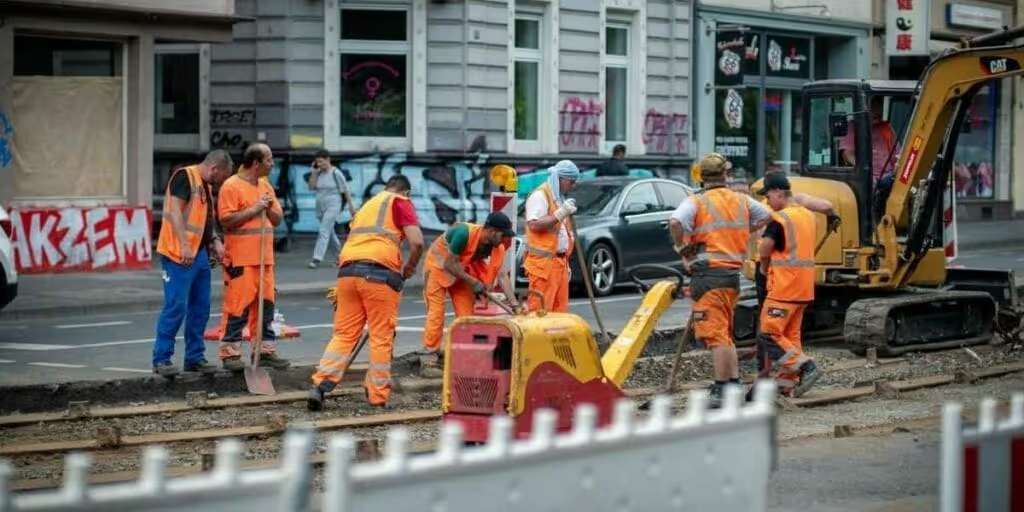
One way to empower your frontline leaders and workers is to reduce the bottlenecks and red tape preventing them from experiencing autonomy at work.
Instead of micromanaging their every move, provide clear expectations about the final outcome. Your role as a frontline leader is not to micromanage every little process, but to empower your teams to handle day-to-day operations on their own.
Second, always encourage open communication. When a team member communicates with you, listen actively and respectfully to their issues and feedback. And provide candid feedback of your own when required.
Use storytelling
As humans, we are wired for stories, and they’re easy for us to remember. Not just that, stories activate more areas of the brain than just language processing. So they have a better chance of inspiring and impacting us.
When training or managing frontline employees, storytelling goes a long way in creating cohesion and showing them that their actions make a difference.
For example, a real-estate company built a set of simulation videos to demonstrate a new customer-success approach.
The videos featured the activities of the protagonist — a leasing agent — as she worked with customers to fill a unit in her locality. And each video created an opportunity for the viewer to learn how to handle a specific conflict that may arise in the process.
As a frontline leader, we bet you have a lot of stories to share from your experiences in the field. If you do, you’re sitting on a goldmine that can be invaluable when imparting frontline leadership training. So use stories to emphasize key takeaways in your training sessions and drive frontline workers to action.
When telling a story, follow the standard story arc. Start with a character your audience can relate with, build tension with a conflict, then introduce concepts and actions the character used to resolve the conflict. For more information, see our guide to employing storytelling for communication.
Invest in a continuous improvement program
Training frontline leaders and workers on improvement strategies like TWI, Lean, Kaizen, and Kata can kill two birds with one stone. They learn how to be more efficient and be a good leader.
Kaizen, for example, is the process of making tiny, incremental improvements in both strategy and operations over time. And these small improvements eventually lead to a big difference in the long run. Toyota is famous for applying this model right from the beginning, and it played a big role in the company’s success.

By introducing a continuous improvement course in your organization, you can turn frontline supervisors into real leaders, and teach them how to:
Motivate frontline employees
Collaborate with people in other departments
Get workers to comply with safety measures
Empower frontline employees to share feedback
Build trustworthy relationships at work
Start small and see how the small changes you initiate are impacting your team. If everything goes well, you can apply the changes to the whole organization.
According to the Kaizen philosophy, the goal is not perfection, but improvement. No matter how trivial. So remember not to get your workforce bogged down with unrealistic expectations.
Frontline leadership FAQs
What is frontline leadership training?
Frontline leadership training programmes will aim to improve the skills of those currently in or looking to move into a frontline leadership role. The majority of these courses will focus on improving communication, reducing conflict, improving employee performance, and enhancing team effectiveness.
What is frontline leadership?
Frontline leadership refers to the ability of supervisors or managers on the frontline and their ability to combine practical management skills with proactive and decisive decision marketing.
What are the skills of a frontline manager?
A frontline manager will rely on a lot of skills to keep their team performing efficiently. Some of these skills include: communication, critical thinking, leadership, strategic thinking, motivation & engagement skills.
Conclusion: frontline leadership training tips
According to a Woohoo study of employees worldwide, workers say that 40% of their bad days are because of a lack of guidance and support from their manager.
Frontline managers in your organization need to listen and be responsive to their teams’ needs. And effective frontline leadership training is essential to develop the skills that make this happen.
Even if you already have a training program in place, the tips outlined above will help you make it better. So go ahead and use them to turn workers into leaders.

Quick question: who does a forklift operator turn to when there’s a problem? Or to whom does a shift nurse bring her safety concerns?
In most cases, this would be the middle-level, frontline manager or supervisor. That’s how critical frontline leaders are to the day-to-day functioning of your organization and its workers.
But many of them are handling a management role for the first time. They were probably promoted because they were great at their job. So the skills and behaviors they need to manage frontline workers may not come naturally to them.
Whether you’re leading frontline workers or leading those who manage frontline workers, proper frontline leadership training is essential. And the following tips will help take your training programs to the next level.
Frontline leadership training tips
The right frontline leadership training strategies don’t just show people how to lead frontline teams, but also help you turn junior frontline workers or those with no frontline experience into powerful frontline leaders. Let’s see what these are.
Get out in the field
This frontline leadership training tip may look obvious on the surface. After all, how can you lead or train deskless workers just from your desk?
But it’s surprising how many leaders and supervisors become disconnected from the people they lead due to physical distance.
Their teams are out there in the factory, toiling away at the warehouse, serving customers in their rooms, or traveling to client locations, while the managers spend most of their time in their little cabin.
This doesn’t just impact frontline leadership training, but also puts you out of the loop from what’s really happening on the ground level.
So get out and see your world. Frequent places you wouldn’t normally visit. Seek out conversations with workers you don’t usually interact with. And train other frontline managers in your company to do the same.
Prioritize empathy
A hospital security guard was once working the night shift. He noticed the hospital CEO walking toward him in the hallway. Wanting to make a good impression, he acknowledged and smiled. But the CEO walked right past him, as if he was not important enough to engage. So how would the guard feel at that moment?
Understanding and empathy are essential to engaging frontline employees. And it’s important to reinforce this fact as much as possible in frontline leadership training.
As a frontline leader, you should be easily approachable. And make your workers feel comfortable in raising their concerns and suggestions.
Also, be proactive about this. Many frontline managers unintentionally project a stoic image. They accidentally come across as cold and uncaring even though they are not. So a frontline leadership training session is a good opportunity to identify and improve on these blind spots.
Empower your people
As per a 2019 employee engagement study, 33% of workers feel undervalued at work. Without the motivation and authority to take full responsibility, it’s hard for them to take pride in their work.
So another aspect of effective frontline leadership is teaching and supporting workers in taking ownership of their tasks.
As you train frontline leaders and employees, you’ll notice them wanting to step up. And this is the time to allow them to do so. Encouraging independent decision-making is the key to building a high-performance team.
One way to empower your frontline leaders and workers is to reduce the bottlenecks and red tape preventing them from experiencing autonomy at work.
Instead of micromanaging their every move, provide clear expectations about the final outcome. Your role as a frontline leader is not to micromanage every little process, but to empower your teams to handle day-to-day operations on their own.
Second, always encourage open communication. When a team member communicates with you, listen actively and respectfully to their issues and feedback. And provide candid feedback of your own when required.
Use storytelling
As humans, we are wired for stories, and they’re easy for us to remember. Not just that, stories activate more areas of the brain than just language processing. So they have a better chance of inspiring and impacting us.
When training or managing frontline employees, storytelling goes a long way in creating cohesion and showing them that their actions make a difference.
For example, a real-estate company built a set of simulation videos to demonstrate a new customer-success approach.
The videos featured the activities of the protagonist — a leasing agent — as she worked with customers to fill a unit in her locality. And each video created an opportunity for the viewer to learn how to handle a specific conflict that may arise in the process.
As a frontline leader, we bet you have a lot of stories to share from your experiences in the field. If you do, you’re sitting on a goldmine that can be invaluable when imparting frontline leadership training. So use stories to emphasize key takeaways in your training sessions and drive frontline workers to action.
When telling a story, follow the standard story arc. Start with a character your audience can relate with, build tension with a conflict, then introduce concepts and actions the character used to resolve the conflict. For more information, see our guide to employing storytelling for communication.
Invest in a continuous improvement program
Training frontline leaders and workers on improvement strategies like TWI, Lean, Kaizen, and Kata can kill two birds with one stone. They learn how to be more efficient and be a good leader.
Kaizen, for example, is the process of making tiny, incremental improvements in both strategy and operations over time. And these small improvements eventually lead to a big difference in the long run. Toyota is famous for applying this model right from the beginning, and it played a big role in the company’s success.
By introducing a continuous improvement course in your organization, you can turn frontline supervisors into real leaders, and teach them how to:
Motivate frontline employees
Collaborate with people in other departments
Get workers to comply with safety measures
Empower frontline employees to share feedback
Build trustworthy relationships at work
Start small and see how the small changes you initiate are impacting your team. If everything goes well, you can apply the changes to the whole organization.
According to the Kaizen philosophy, the goal is not perfection, but improvement. No matter how trivial. So remember not to get your workforce bogged down with unrealistic expectations.
Frontline leadership FAQs
What is frontline leadership training?
Frontline leadership training programmes will aim to improve the skills of those currently in or looking to move into a frontline leadership role. The majority of these courses will focus on improving communication, reducing conflict, improving employee performance, and enhancing team effectiveness.
What is frontline leadership?
Frontline leadership refers to the ability of supervisors or managers on the frontline and their ability to combine practical management skills with proactive and decisive decision marketing.
What are the skills of a frontline manager?
A frontline manager will rely on a lot of skills to keep their team performing efficiently. Some of these skills include: communication, critical thinking, leadership, strategic thinking, motivation & engagement skills.
Conclusion: frontline leadership training tips
According to a Woohoo study of employees worldwide, workers say that 40% of their bad days are because of a lack of guidance and support from their manager.
Frontline managers in your organization need to listen and be responsive to their teams’ needs. And effective frontline leadership training is essential to develop the skills that make this happen.
Even if you already have a training program in place, the tips outlined above will help you make it better. So go ahead and use them to turn workers into leaders.

Chris has been with Stagecoach since June 2014, making this year his 10th anniversary! Starting out as a driver, he is based on the Lincoln depot.
Chris consistently goes above and beyond in his role, adapting brilliantly to late changes to his working rota and the work contained in it. The nature of the transport industry and staffing needs means no two weeks are the same, as we have to meet demand.
Chris is ultra reliable all the time and never balks at extra work. If Chris says he can't do something for us, there is always a very good reason for that. I feel he deserves recognition for all he gives to both the Training Team, and the drivers he is responsible for.
What does he want to do next?
Anything we want him to do, he will turn his hand to it. The sky’s the limit!
Nominated by: David Earl, Delegated Driving Examiner
Internal communication mistakes are eye-wateringly expensive. According to estimates, they cost US companies up to $1.2 trillion every year. Mistakes lead to lost business, missed deadlines, and lower employee productivity.
In frontline organizations, communication mistakes are often more pronounced — because it’s notoriously hard to reach employees who are on-the-go, working away from the office in demanding, hands-on roles.
Here, we look at how to avoid six common frontline communication mistakes, improving frontline comms in the process.
This is what we’re going to cover:
The frontline employee communication challenge
The link between communication and retention
How to avoid six common frontline communication mistakes
Reaching your frontline employees with internal communications has never been easy. Unlike desk-based workers, they often spend work days on their feet, away from a computer and sometimes their coworkers.
Communication over a traditional intranet or via email is, therefore, unlikely to be effective. Frontline workers don’t always have a good Wi-Fi connection or access to an appropriate device. So it can be hard for them to perform basic tasks — like finding and downloading a policy document or an email attachment.
Varying shift patterns make it hard for comms teams to reach employees with real-time updates. And — unless you’re tailoring your content to frontline worker needs — the volume of information can easily feel overwhelming. Employees then end up missing critical messages.
For too long, frontline employee communication has been an afterthought. Organizations haven’t always had the strategy or technology they need to make frontline comms effective.
But now, with a renewed focus on employee engagement and retention — and with more tech tools on offer than ever before — many organizations are rethinking how they communicate with their frontline staff.
The link between communication and retention
In frontline industries, there continue to be high levels of staff churn. In transportation, annual turnover stands at 56.7%. In hospitality, the figure stands at 73.8%. This compares to a national average of 13%.
One of the primary culprits behind these sky-high stats? Internal communication mistakes. 61% of employees considering switching jobs cite poor internal communication as a factor.
Good internal communication keeps employees in the loop. It helps them understand company values and goals. Effective communication channels support frontline employees to connect with coworkers and feel part of company culture.
Being empowered to do a good job. Strong workplace relationships. Feeling part of something bigger. These things boost frontline employee engagement and encourage loyalty.
But with just 40% of frontline employees saying they have a strong sense of connection to their direct leader and 43% saying they have a strong sense of connection to their organization, it’s clear that frontline companies have work to do.
How to avoid 6 common frontline communication mistakes
Good frontline communication can be transformative for your organization. Here are the mistakes you need to avoid to keep your frontline workers informed and engaged.
Mistake #1: Sticking to the same ineffective frontline communication channels
Many frontline organizations still use paper methods of communication. They send out a newsletter or put memos up on an already crowded noticeboard.
These messages are easy to miss. The information can be outdated by the time it’s distributed. And communication only goes one way — there are limited opportunities for employee interaction.
Email is equally ineffective for frontline workers who don’t always have a corporate email address. And word-of-mouth messaging and phone calls are time-consuming for frontline managers.
Many workers are turning to the tech tools they use in their personal lives to bridge the communication gap. 55% of workers say that WhatsApp is their primary workplace communication tool.
But shadow IT platforms, like WhatsApp, are flawed, too. There are huge compliance and data security issues associated with shadow IT. It also lies outside the control of your comms team so there’s zero oversight.
Making do with internal communication channels like these makes it hard for your comms team to communicate key messages. It also harms the frontline employee experience.
How to solve it:
Move beyond this patchwork approach to frontline communication. Unify your messaging with the help of internal communication channels that frontline workers can access easily.
A reliable way to reach employees is via an employee app, which employees can access on their smartphones. Here, you can bring together all strands of workplace communication and provide social-media-style tools that employees will enjoy using.
This app becomes a go-to hub of communication and a single source of truth. Employees know they can use the app to quickly and easily find the information they need.
Mistake #2: Your frontline communication tech isn’t mobile-first
A frontline connection gap exists in almost every frontline organization. And it can make frontline employees feel like second-class citizens.
49% of frontline workers say that there are two separate cultures at play within their company: “one for the frontline and one for everyone else.” This unfairness can lead to division and disengagement. And too often, internal communication mistakes — and poor tech choices — are to blame.
Not all employee apps are created equal. And unless you choose a mobile-first solution, designed around the needs of mobile users, you’re likely to run into one (or all) of the following problems:
Your app offers an inferior user experience. It doesn’t support the features and functionality that your desk-based employees enjoy on the desktop version.
Your app is difficult for employees to access, either because it uses long-winded login methods or because it requires a corporate email address.
Employees don’t like using your app, either because it has a complicated interface or because it’s one of many digital tools they’re expected to use during the workday.
Problems like these create a two-tier system, with office-based employees getting better access to internal comms than their frontline coworkers. They also cause friction for employees, which means they’re much less likely to use the app.
How to solve it:
When choosing technology for frontline employees, get input from a wide range of stakeholders — including your frontline staff. They can tell you what features and functionality they’d like to see in an employee app.
Supplement this input with an understanding of best practice. The best apps for frontline workers provide the following as standard:
A mobile-first solution. This ensures the platform experience is equitable, with the same features and functionality available on both mobile and desktop versions of the software.
A user-friendly interface. To ensure high levels of app adoption, it should be easy for frontline employees to learn and use the platform.
Strong integrations. So frontline workers can access all workplace tech — not just your communication channels — from one dashboard.
Single sign-on technology. So employees only have to remember one set of login details to access all the tech tools they need.
Mistake #3: An HQ-centric approach to comms content
With the right technology, you can finally reach the frontline employees in your organization. But you can’t simply serve up the same content you’ve always delivered.
Long-winded corporate content is a no-no for busy frontline teams. You’re unlikely to engage them if you ask them to download a PDF policy document or scroll through long paragraphs of text. Remember: they’re consuming content on a small smartphone screen.
Likewise, if most of the content they see is geared toward office-based employees, frontline workers are likely to lose interest. Scrolling through lots of irrelevant information to reach frontline-specific content is a headache your frontline really doesn’t need.
How to solve it:
Long-winded, text-based comms are out. Short, snappy, visual content is in.
Think of the kinds of messages that work well on social media platforms. Here, attention-grabbing headlines, multimedia posts, Stories, and straight-to-the-point text convey a lot of information very quickly and effectively.
{{mobile-stories="/image"}}
This is ideal for busy frontline workers who don’t have time to scroll through reams of text-heavy content. They get need-to-know information in bite-size form.
Personalization is also key. A home care worker doesn’t need to know about the faulty photocopier in the office. But elderly care updates? New incident reporting procedures? The latest shift availability? That’s all really useful and engaging stuff.
Segment your audience so frontline workers only see information that relates to them, their location, role, and team.
Mistake #4: Too many corporate updates, not enough community
Your office employees can congratulate their coworkers on a successful sales pitch face-to-face. They can share ideas with a teammate on the way to lunch. Or chat about the latest binge-worthy series with their buddies while brewing a coffee in the office kitchen.
But it’s different for the frontline. Frontline workers don’t get the same opportunity for coworker camaraderie as their desk-based peers. There are few options for collaboration and only 30% feel seen and valued by their organization.
Corporate updates are an essential part of employee communications. But you can’t stop there. Failing to focus on community across your communication channels leaves frontline workers feeling isolated from company culture — and each other.
How to solve it:
Becoming a connected organization is about more than passing news from HQ to the frontline. Effective communication goes both ways and — with the right tech tools — you can build a shared sense of culture and purpose.
To bring every member of staff into the conversation, ensure your platform supports employee interactions. Can they leave comments on news feed posts? React with emojis? Post their own content?
Also, look to launch the following:
Fun, informal posts. Create polls, launch content challenges, and post event videos. This fun content encourages interaction and helps frontline employees to feel part of company culture.
Shared interest groups.Communities are a great way to bring frontline employees together. They can find coworkers who share their interests and hobbies, and build meaningful workplace relationships.
Group chat. Create group chats for each frontline team and location. When employees can easily connect with their coworkers, collaboration and connection improve.
Mistake #5: Communication is one-way
Top-down communications are important. You need to keep employees in the loop about company updates, safety announcements, and schedules. But if communication only flows one way, engagement will suffer.
Two-way internal communication shows employees you value them and their input. It demonstrates trust, which then gets repaid. You also get insights that drive smarter business decisions.
Frontline workers interact with customers. They can spot supply chain bottlenecks and operational inefficiencies. They know which policies are causing frontline frustration — long before the C-suite does.
Without easy, two-way communication, leadership is left in the dark on issues that impact productivity, customer experience, and employee retention.
How to solve it:
Don’t settle for a digital bulletin board. Make your employee app a hive of interactivity by encouraging employees to join the conversation. Here’s how:
Forms. Make it easy for employees to report safety concerns or suggest improvements using easy-access digital forms.
Real-time chat. Give frontline workers a direct line to managers and coworkers with 1-to-1 chat functions.
Interactive content. Craft content that encourages employee input: pose questions in news feed posts, create flash polls, or run a leadership Q&A.
By giving frontline employees a voice, you create a more engaged, informed, and empowered workforce — one that actively contributes to company success.
Mistake #6: You don’t act on insights from employees and app analytics
If you’ve already rectified the other mistakes on this list, you’re now actively listening to employees and gathering a ton of useful internal communication data through your employee app.
But collecting feedback and analytics is only half the battle — it’s what you do with that information that really counts.
Failing to act on employee insights weakens trust in the feedback process. When employees don’t see changes based on their input, they become disengaged and less likely to participate in future surveys or discussions.
Ignoring app analytics is equally costly. Unless you segment and analyze the data, you risk making internal comms decisions based on assumptions, not facts. This means missed opportunities to optimize content, improve reach, and create messages that resonate with employees.
The result? Internal communications stagnate, employee engagement declines, and your strategy fails to keep up with the evolving needs and expectations of your frontline employees.
How to solve it:
Close the feedback loop. Every time you launch an employee survey or embark on a listening tour, tell employees about your findings and thank them for their contributions. Let them know what you plan to do next and keep them posted on any changes and improvements you make.
Make proper use of analytics. Use app analytics to track internal communication KPIs. Look at metrics like platform adoption rate, leadership visibility, profile completion, and the number of responses, likes, and reactions your messages receive. Also, segment the data so you get a real sense of how frontline employees are using your internal communication tools. Then, make improvements based on your findings to make your internal communication platform work even better for frontline teams.
Internal communication mistakes are costly. But can avoid them by remembering these guiding principles for frontline comms:
Think mobile-first. Frontline workers spend all, or most, of their time away from a desk. They need communication systems that move with them.
Provide short, engaging content. Busy frontline employees need information in an easy-to-digest format. So make like a social media marketer with succinct, visual, and highly engaging messages.
Connection, not just communication. Build an online company community by encouraging employee interaction and coworker conversations.
Commit to iteration. Continually evaluate your communication strategy and encourage regular feedback from your frontline employees. Then, make meaningful changes based on data, not instincts.
Is your frontline communication falling short?
You only avoid the communication mistakes we’ve looked at in this article if you have the right internal comms tech on your team. That’s where Blink comes in.
Blink is an employee app that offers the same great experience for frontline and desk-based employees.
With secure, single sign-on technology, a user-friendly interface, and deep integrations, it acts as a digital hub. It gives frontline employees access to the information, tools, and connection they need day to day — all via their smartphones.
Unily is a powerful platform—but for many organizations, it’s overly complex, difficult to manage, and time-consuming to implement. From rigid intranet structures to costly customizations, it often demands heavy IT involvement just to get the basics right.
If you're looking for something easier to use, faster to roll out, and more engaging for employees, you're not alone.
In this guide, we cover the top 10 Unily alternatives—platforms that deliver the same core benefits (communication, connection, and culture) without the complications. Whether you're in HR, Comms, or IT, these options are worth considering for a modern employee experience.
Blink is the employee experience platform designed to eliminate the friction that comes with legacy intranets like Unily. Where Unily often requires months of setup and technical oversight, Blink delivers immediate impact with a consumer-grade UX, built-in tools, and zero learning curve.
Why Blink is the smarter choice:
No IT bottlenecks: Blink is designed for self-serve teams—get started in weeks, not quarters.
Mobile and desktop ready: Unlike Unily’s more rigid intranet framework, Blink works wherever your employees do.
One simple platform: Comms, chat, surveys, document sharing, and app integrations—all in one place.
Instant engagement: Push updates, target messages, and track results in real time without needing an admin army.
Pros:
Rapid deployment and intuitive for any user
Eliminates the complexity and silos of traditional intranets
Higher adoption and engagement rates
Streamlined pricing and low total cost of ownership
Cons:
Fewer deep customization options compared to Unily (by design)
{{watch-video="/callouts"}}
#2. Staffbase
Staffbase offers an employee communications platform designed for corporate messaging and internal branding. It supports newsletter creation, a mobile app, and intranet functionality.
Pros:
Strong employee app for internal comms
Designed for global organizations
Supports multiple languages
Cons:
Requires training and onboarding time
Some advanced features locked behind higher-tier pricing
#3. Firstup
Firstup is focused on employee journeys and automated campaigns. It’s especially suited for organizations with complex audience segments and large enterprise needs.
Pros:
Advanced audience segmentation and targeting
Automation capabilities for content delivery
Cons:
May require dedicated resources to manage campaigns
Less intuitive for smaller or mid-size companies
#4. Simpplr
Simpplr positions itself as a modern intranet platform with a clean design and AI-powered search. It’s focused on streamlining communication and enabling a sense of belonging.
Pros:
Strong content discovery and search tools
Integrated org charts and people directories
Cons:
Pricing can be steep for growing teams
Limited mobile functionality compared to other platforms
#5. Workvivo
Designed to blend communication with culture, Workvivo gives employees a platform to share stories, celebrate wins, and stay informed. It supports both leadership updates and peer-to-peer engagement. The interface feels familiar to social media, driving higher adoption.
Pros:
Social-media-style interface
Culture and engagement features built-in
Cons:
Collaboration and productivity tools are limited
Can feel more like an engagement layer than a full intranet
#6. Interact
Interact offers a feature-rich intranet solution with a strong focus on content governance and compliance. It’s ideal for organizations with strict security or industry regulations.
Pros:
Rich permissions and content management controls
Good for highly regulated industries
Cons:
Can be complex to configure
Slower time-to-value compared to more modern platforms
#7. Haiilo
Formerly Smarp, Haiilo is a social intranet and advocacy platform. It focuses on content sharing, social collaboration, and employee voice.
Pros:
Social interaction features
Integrates with Microsoft 365
Cons:
Not a full digital workplace platform
Focus is heavier on communication than productivity
#8. Microsoft SharePoint + Viva
If you're deeply invested in the Microsoft ecosystem, SharePoint paired with Viva can be turned into a digital employee experience platform—though it often requires heavy customization.
Pros:
Seamless with Microsoft 365 apps
Highly customizable with IT support
Cons:
Often needs consultants or developers to manage
User experience can feel clunky without Viva add-ons
#9. Jive (Aurea)
Jive is a legacy enterprise social platform with collaboration, communities, and knowledge-sharing tools. It remains a viable choice for large, complex organizations.
Pros:
Good for internal communities and knowledge bases
Mature platform with years of enterprise use
Cons:
Outdated user experience
Less support for mobile and modern UI
#10. LumApps
LumApps integrates directly with Google Workspace and Microsoft 365, offering a centralized hub for company knowledge, news, and social collaboration.
Pros:
Strong integrations with cloud suites
Personalization and targeting features
Cons:
Requires IT involvement for deployment
Learning curve for admins and content creators
Final thoughts
Unily has long been a popular choice for enterprise intranets, but today’s workforce needs faster, more flexible, and engaging tools. If you’re rethinking your digital employee experience, platforms like Blink offer a modern alternative that’s easier to deploy, simpler to manage, and proven to engage employees across the board.
Kristin has quickly settled into life at Blink in just four months. After starting her career in finance, Kristin discovered her passion for working closely with people to achieve shared goals — leading her to a customer success role where she thrives on building new processes and partnerships.
We caught up with her to learn more about her journey, her excitement for upcoming Blink features, and why she loves working at a company that champions both frontline employees and forward-thinking innovation.
Which Blink office do you work out of?
I work at the Boston office 3 days a week.
What is your position at Blink?
I’m a Customer Success Manager. I work with our existing customers to optimize their use of the Blink platform, ensuring we meet their strategic goals through maximizing the value of their Blink investment.
How long have you been at Blink?
I’ve been here for just over four months, so I’m still relatively new. Before this, I worked in Customer Success at a larger tech company in Boston. It was a similar role, but I enjoy working at a smaller, earlier-stage company because I like having the opportunity to build processes and functions from the ground up — it’s really exciting to me.
I graduated college with a major in Finance and started my career in that field. I enjoyed it and did well, but I realized the part of my job I loved most was interacting with people and working toward shared goals. In Finance, those goals were usually budget-related. I thought, “Okay, I don’t want to become a CFO one day… so, what do I want?” That’s what led me to Customer Success, which is fundamentally about teamwork and collaboration.
What initially attracted you to join Blink?
When I heard about Blink, I was really excited. So many apps target desk-based employees — I’d been working in tech, and everything I worked on was designed for people at their desks. What thrilled me about Blink was that it focuses on frontline, deskless employees. It’s such a cool space in the market, and not many tech companies concentrate on that.
Plus, once I started meeting the Blink team, I could sense a great energy. Everyone was incredibly kind during the interviews, and I knew it would be both an exciting and welcoming place to work.
What's a project you are proud of from your time at Blink?
I know I’ve only been here a short while, but I’ve already had the opportunity to collaborate with several teams on enablement for one of our new product offerings: Advanced Employee Intelligence (AEI). AEI is a set of real-time dashboards that customers can use to take action on insights across key areas of the platform.
From the Customer Success side, we really needed resources to demonstrate its value to our customers. So, I worked with Izzy, Nikita, and Adrienne to develop talk tracks and enablement materials — a really exciting project! We’re already seeing the benefits of it, because now we can discuss AEI much more confidently with customers, watch them adopt it, and help drive their success.
How would you describe the company culture at Blink in three words?
I’d describe the Blink team as driven, thoughtful, and team-oriented. Everyone is highly motivated — always pushing to add new product features, improve processes, or try out innovative ideas with customers to enhance employee engagement and communication.
They’re also incredibly thoughtful and team-oriented. From day one, I could tell how welcoming everyone was, eager to help me learn the ropes and teach me everything I needed to know. It’s been great having such a supportive team, especially as I get familiar with the product and start building relationships with my customers.
What's one thing you’re excited about for the future of Blink?
I’m really excited about our product development. We have a lot of cool features on the way, and there’s a great opportunity to partner with our customers to help them leverage these features to enhance their employee communication and engagement.
Can you tell us about a recent initiative or program launched at Blink that you found particularly exciting?
I think our Voice and Video Calling feature will be really cool. Blink is already a one-stop shop, but I believe this will be a fantastic way to streamline communication for people who need to connect quickly. It’ll be incredibly helpful for real-time collaboration.
Why do you work for Blink?
I work at Blink because there’s an opportunity not only to support Blink’s ongoing success and growth but also to partner with our customers on their own success. That’s what excites me every day: having those calls, collaborating on different initiatives, and seeing firsthand the value Blink brings them. It’s especially rewarding to know we’re making an impact for essential workers or those who, without Blink, might have been overlooked in traditional communication channels.
In a world where brand is everything — from how your customers experience your services to how your employees feel about the work they do — consistency matters.
Marketers obsess over customer touchpoints. Designers fine-tune fonts, colors, and microcopy to evoke emotion. Leaders talk about brand as a strategic asset. But there’s one place where branding often stops short: the tools we use to power our employee experience.
And that’s a missed opportunity.
Because here’s the truth: Your brand doesn’t just belong in your storefronts or on your website. It belongs in the everyday moments your employees experience at work — from clocking in to reading a company update to cheering on a teammate. That’s where white-labeling your employee experience platform comes in.
First, what is white-labeling?
At its core, white-labeling means taking a platform — in this case, your internal employee app or communications hub — and customizing it to reflect your brand, not the vendor’s.
That includes everything from in-app colors and logos to app store listings, custom app icons, and branded emails. Done well, white-labeling creates a seamless, fully immersive brand experience. Your employees don’t see a third-party vendor. They see you.
It’s not just a superficial coat of paint — it’s a strategic branding decision with real impact.
{{mobile-jd-feed="/image"}}
Why white-labeling matters more than ever
Most organizations have spent years investing in their external brand. But in today’s workplace — especially with large, distributed, or frontline-heavy teams — it’s your internal brand that drives connection, engagement, and pride.
Here’s why white-labeling your employee experience platform is one of the smartest moves you can make:
#1. Brand immersion builds belonging
Just like a great customer experience is infused with brand personality, a great employee experience should feel unmistakably you.
When your workforce opens an app that looks and feels like your brand — not a generic third-party solution — it sends a clear signal that this technology is ours. It fosters ownership, pride, and connection. Every login becomes a brand touchpoint that reinforces identity and culture.
This is especially powerful for employees who aren’t sitting in HQ. For frontline workers, contractors, and dispersed teams, a white-labeled experience is a powerful way to extend culture and community beyond the walls of the corporate office.
#2. It’s a trust signal — even internally
Brand consistency isn’t just about aesthetics. It’s about trust. Inconsistency — logos that don’t match, tools with unfamiliar names, generic notification emails — introduces friction. People start to question whether the tool is legit, secure, or if it’s even meant for them at all.
White-labeling brings everything under one visual and emotional umbrella. The result? Higher trust, smoother adoption, and fewer support tickets asking, “Is this app safe to use?”
#3. You control the narrative
White-labeling puts your brand front and center — not the vendor’s. That matters when your goal is to unify teams, promote new initiatives, or make a bold culture shift.
When your employee platform looks and sounds like your company, every message has more weight. Every announcement lands with more credibility. And every interaction contributes to a more cohesive, compelling internal brand story.
#4. It’s not just “nice to have” — it’s a competitive differentiator
In industries where employee experience drives performance — retail, hospitality, healthcare, logistics — standing out as an employer of choice is critical.
A beautifully branded, fully immersive app experience tells your workforce (and future talent): We care about experience. We invest in culture. We do things the right way.
It’s the kind of signal that separates good employers from great ones — especially in a competitive labor market.
Not all branding options are created equal
Here’s where things get tricky: Many platforms claim to support branding. But in reality, “customizable” often means swapping out a logo or changing a background color.
That’s like giving someone a sharpie and calling them a designer.
Truly impactful white-labeling goes deeper — into every surface your employees touch. Let’s break it down:
Theming and in-app branding: Change colors, upload your logo, swap in branded images. These are table stakes — but still powerful when thoughtfully executed.
Custom app icon: On your employees’ phones, your platform shouldn’t be buried behind a vendor logo. A branded app icon helps the platform feel like an extension of your company, right on the home screen.
Fully white-labeled experience: This is the gold standard. The app isn’t just themed — it becomes yours entirely. Your name in the app stores. Your brand in the notifications. Your URL in the browser. Every single interaction, owned.
If you're going to invest in an employee experience platform, it should reflect your brand in full. Otherwise, you're building culture on someone else’s terms.
When brand is the experience
One of the biggest drivers of white-labeling demand we’ve seen? Brand-first organizations.
Take a global hospitality company known for high-design hotels and curated guest experiences. For a brand so intentional about every detail — from guestroom playlists to menu typography — it was only natural to carry that same intentionality into the employee experience.
With a fully white-labeled app, the company ensured their workforce — spread across properties worldwide — could access a platform that felt as personal and curated as the guest experience they’re known for.
Every interaction felt undeniably on brand. And that’s exactly the point.
{{mobile-ennismore-log-in="/image"}}
So, is it worth it?
If your brand matters — and let’s be real, it does — then white-labeling your employee platform is absolutely worth the investment.
Because employees aren’t just logging into an app. They’re joining your culture. They’re engaging with your values. They’re experiencing your brand — whether you’ve branded it or not.
White-labeling makes sure that experience is intentional. Aligned. Consistent. And completely yours.
TLDR: Don’t wait to white-label — your brand deserves center stage
White-labeling isn’t a vanity play — it’s a strategic move to elevate culture, trust, and employee connection. And if your employee experience platform doesn’t offer it (or offers a half-baked version), it’s time to rethink what great really looks like.
Brand your experience. Own the interaction. And give your employees a platform they’re proud to open — because it reflects the brand they proudly represent.
Blink. And make your brand the hero of the employee experience.
FirstUp has helped many organizations modernize internal communications. But for teams seeking more flexibility, frontline access, or a better employee experience, it may not be the perfect fit. Whether you're frustrated by limited integrations, a lack of mobile-first functionality, or underwhelming adoption, you're not alone in searching for smarter alternatives.
In this guide, we’ve rounded up the top 12 alternatives to FirstUp in 2025 — starting with Blink. These tools offer innovative ways to connect your workforce, enhance engagement, and streamline operations. From robust employee apps to modern intranets, you’ll find the right solution for your team’s size, industry, and needs.
What to look for in a Firstup alternative
Not all internal communications platforms are created equal — and the right fit depends on your workforce, goals, and challenges. If you’re considering a switch from FirstUp, here are the key features and capabilities to prioritize:
#1. Mobile-first design
Your platform should meet employees where they are — especially if they’re on the frontline or rarely at a desk. A true mobile-first experience ensures every worker can engage with critical updates, resources, and conversations in real time.
{{mobile-main="/image"}}
#2. Targeted, personalized comms
Look for tools that go beyond blast messages. You’ll want to deliver relevant content to the right people at the right time — whether by role, location, or shift — to drive real engagement and cut through the noise.
#3. All-in-one functionality
Switching between apps for chat, tasks, surveys, and documents leads to confusion and lower adoption. Platforms that unify communication, content, and workflows in one place help your employees stay connected and productive.
#4. High adoption rates
It’s not just about features — it’s about usage. Look for vendors that prove high adoption and engagement across all employee types, including those without email addresses or corporate devices.
#5. Easy integration
Your internal comms platform should play nicely with the tools you already use — from HRIS systems to scheduling platforms, document storage, and SSO providers.

{{mobile-hub="/image"}}
#6. Analytics & feedback
You can’t improve what you don’t measure. The best alternatives to Firstup offer real-time analytics, sentiment insights, and feedback loops to help you understand what’s working — and what’s not.
Best for: Mid to large enterprises looking for real adoption.
Blink simplifies internal communication by turning fragmented tools into one seamless platform. With integrated chat, company news, surveys, and more, Blink boosts engagement and ensures every employee stays connected — without the complexity. It is designed to adapt to a wide range of industries and team structures.
Why teams switch to Blink:
No email needed for access — ideal for any employee
Combines communication, engagement, and workflows in one app
Rapid implementation and proven high adoption
Integrated analytics, automation, and feedback loops
Used by McDonald’s, Domino’s, JD Sports, Shake Shack, Stagecoach, and more.
Gartner Rating: 4.8 out of 5
{{watch-video="/callouts"}}
#2. Workvivo – Best for culture-first comms
Workvivo brings a social networking layer to internal communication, helping employees engage with each other and company updates. Its features include live feeds, recognition posts, and integration with enterprise tools. It suits organizations looking to make culture a visible part of daily work.
Gartner Rating: 4.7 out of 5 (55 reviews)
Pricing available upon request
#3. Staffbase – Best for enterprise comms complexity
Popular for its intranet and mobile app, Staffbase helps companies streamline internal communication and align employees with company news and leadership updates. It is designed to adapt to a wide range of industries and team structures. Compared to FirstUp, it provides strong targeting and content management but may require heavier admin involvement and longer setup times.
Gartner Rating: 4.6 out of 5
Pricing available upon request
#4. Haiilo – Best for content planning & publishing
Haiilo (formerly COYO) offers an impressive suite of tools for comms professionals who prioritize content workflows and analytics. It’s a solid option for campaign planning, though its user experience may feel more CMS-like than employee-first.
Gartner Rating: 4.1 out of 5
Pricing available upon request
#5. Simpplr – Best for intranet-focused organizations
Simpplr brings a modern take to the traditional intranet. Compared to FirstUp’s campaign-centric model, Simpplr provides cleaner navigation, better search, and tailored experiences for desk-based teams — but lacks some engagement features.
Gartner Rating: 4.6 out of 5
Pricing available upon request
#6. Beekeeper – Best for operational messaging
Beekeeper is designed for frontline teams and focuses on messaging, shifts, and operations. While it’s mobile-friendly like FirstUp, it leans more toward productivity tools than holistic engagement or content delivery.
Gartner Rating: 4.6 out of 5
Pricing available upon request
#7. Unily – Best for full-scale intranet deployments
Unily is an enterprise-grade digital workplace solution with deep customization and strong knowledge management features. While powerful, it may be more complex than necessary for companies focused solely on internal communications.
Gartner Rating: 4.3 out of 5 (10 reviews)
Pricing available upon request
#8. Nudge – Best for microlearning & task nudges
Nudge isn’t a direct FirstUp replacement but offers a focused solution for frontline enablement. It’s built for delivering bite-sized training, checklists, and nudges — not full-scale comms or engagement strategies.
Gartner Rating: 4.5 out of 5
Pricing available upon request
#9. Jostle – Best for small teams getting started
Jostle is a straightforward internal comms platform with a clean interface and ease of use. It’s suitable for smaller companies but lacks the targeting, integrations, and scalability of more enterprise-ready platforms like FirstUp.
Gartner Rating: 4.5 out of 5
Pricing available upon request
#10. Zoho Connect – Best for Zoho-centric teams
Part of the Zoho suite, Zoho Connect works well for companies already using Zoho tools. However, it lacks the strategic targeting and campaign flexibility of Firstup, making it better suited for basic collaboration.
Gartner Rating: 4.2 out of 5
Pricing available upon request
#11. MangoApps – Best for flexibility & custom use cases
MangoApps blends messaging, documents, and intranet tools into a unified experience. It offers flexibility, but may require more effort to configure effectively compared to FirstUp’s out-of-the-box campaigns.
Gartner Rating: 4.4 out of 5
Pricing available upon request
#12. Axero – Best for knowledge management
Axero is built around content discovery, document libraries, and compliance. While it offers solid internal search and knowledge sharing, it’s less dynamic than Firstup for ongoing employee engagement or communications.
Gartner Rating: 4.3 out of 5
Pricing available upon request
Final thoughts: Choose what’s best for your workforce
Choosing an internal communications tool isn’t just about features — it’s about fit. FirstUp may work for some, but if you're looking for faster implementation, deeper engagement, or better mobile access, one of these 12 platforms might be a better match. Blink leads the way for companies who need one powerful platform to connect everyone — from the boardroom to the break room.